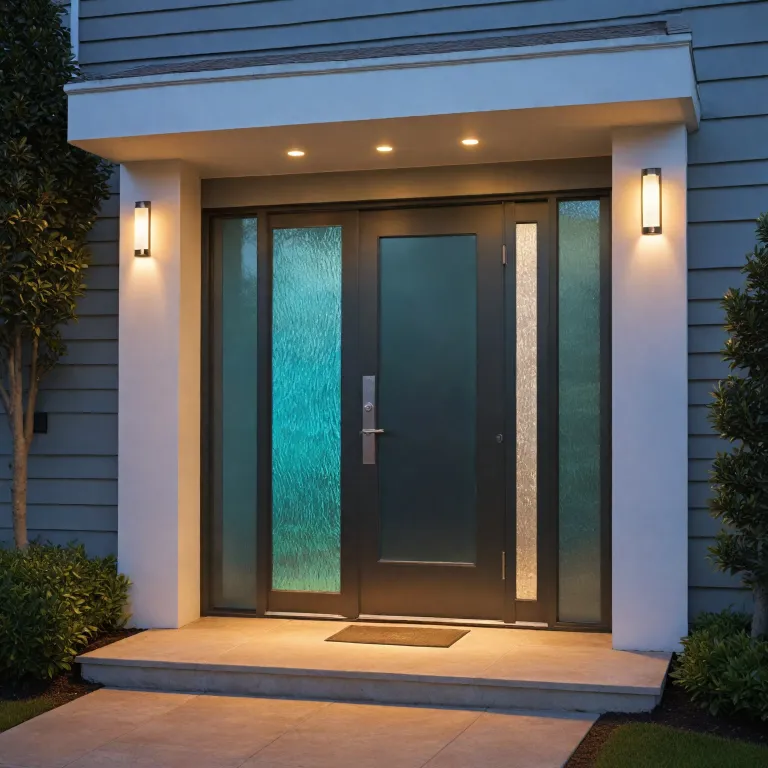
Understanding bluetooth frequency in the smart doorbell ecosystem
Smart doorbells rely on bluetooth frequency to bridge the gap between the door and the phone. In this ecosystem, bluetooth technology complements Wi Fi and other wireless communication layers, creating a short range link that carries control signals and encrypted data. The bluetooth device inside the chime or doorbell must coexist with several bluetooth devices in the home, each competing for the same frequency band.
Most consumer devices use the 2.4 GHz frequency band, where radio noise is intense. This band hosts classic bluetooth, Wi Fi, microwaves, and many wireless devices, so interference can affect range bluetooth stability and data transfer reliability. Smart doorbell designers therefore tune power levels, antenna design, and software algorithms to keep bluetooth connections robust even when the spectrum is crowded.
In practice, a smart doorbell uses bluetooth for low energy pairing and configuration, while video streams travel over Wi Fi. The bluetooth low energy link handles low data rate tasks such as sending setup credentials, updating core specification parameters, or triggering mobile alerts when the main network is not yet configured. This separation of roles allows bluetooth versions to focus on efficient control, while high speed video uses higher transfer rates over the home router.
For a person seeking information, it is important to see bluetooth as one layer among many. The doorbell, chime, and mobile devices form a mesh of bluetooth connections that must remain secure and predictable. Understanding how bluetooth frequency behaves in crowded apartments or dense business districts helps explain why some smart doorbells feel instant, while others lag or fail to pair.
How bluetooth devices and smart doorbells share crowded radio space
Every bluetooth device in a home, from headphones to speakers, shares the same radio spectrum as the smart doorbell. These bluetooth devices hop across multiple channels within the 2.4 GHz frequency band, using spread spectrum techniques to reduce collisions and maintain wireless communication. When several devices bluetooth operate simultaneously, the smart doorbell must still guarantee reliable data transfer for alerts and chime triggers.
Smart doorbells often sit near metal frames, brick walls, and other radio obstacles. These materials weaken the wireless signal and shorten the effective range, especially when power is limited by bluetooth low energy requirements. Engineers therefore adjust antenna placement, radio sensitivity, and software support to preserve range bluetooth performance without draining batteries too quickly.
Video capable doorbells use bluetooth technology mainly for setup and maintenance, not for streaming. During initial pairing, the mobile phone connects over bluetooth low energy to send Wi Fi credentials and verify core specification compliance. Once configured, the doorbell shifts most high speed data transfer to Wi Fi, while bluetooth connections remain available for diagnostics, firmware updates, or local control when internet services fail.
Lighting conditions and camera behavior also interact with wireless performance in subtle ways. Readers interested in how illumination affects image quality and connectivity can explore this guide on how camera light transforms smart doorbells after dark. In dense urban environments, where many bluetooth versions and Wi Fi networks overlap, careful channel planning and firmware tuning become essential to keep the doorbell responsive.
Range, ghz frequency, and the limits of wireless communication at the door
Bluetooth range in smart doorbells is usually optimized for a few meters between the door and the mobile phone. This short range design reduces power consumption and limits interference, but it also means that thick walls or metal doors can break bluetooth connections unexpectedly. Users sometimes blame the device when the real constraint lies in physics and the chosen ghz frequency.
Most smart doorbells rely on 2.4 GHz for bluetooth and Wi Fi, while some routers add 5 GHz for higher data rate video. Choosing the right Wi Fi band for the home network can indirectly improve bluetooth device performance by reducing congestion. For a deeper comparison of Wi Fi bands around the door, readers can consult this analysis of 5 GHz vs 2.4 GHz Wi Fi for smart doorbells.
Bluetooth low energy uses narrow channels and adaptive hopping to avoid the noisiest parts of the spectrum. This design allows bluetooth technology to maintain acceptable transfer rates for control data, even when classic bluetooth audio streams are active nearby. However, when many bluetooth devices and Wi Fi access points overlap, the effective range bluetooth can shrink, and pairing may require the phone to be very close to the doorbell.
Smart doorbell manufacturers test their products against the bluetooth SIG core specification to ensure interoperability. Compliance helps guarantee that different bluetooth versions on phones, tablets, and hubs can negotiate compatible data rate settings and encryption. For the end user, understanding these constraints clarifies why a doorbell might pair instantly in one hallway yet struggle in another with thicker walls and more radio noise.
Bluetooth low energy, power management, and always on security
Battery powered smart doorbells depend heavily on bluetooth low energy to balance responsiveness and autonomy. The radio must wake quickly for pairing or control commands, then return to a low power state without missing important events. This trade off between power and availability is central to how bluetooth frequency is used in modern devices.
Bluetooth low energy reduces data rate and packet size to cut energy consumption. For a smart doorbell, this means that configuration data, access tokens, and diagnostic logs travel over a lean wireless communication channel. High speed video and audio remain on Wi Fi, while bluetooth technology focuses on secure control and efficient data transfer for maintenance tasks.
Many doorbells integrate both classic bluetooth and low energy modes in a single bluetooth device. Classic bluetooth can support higher transfer rates for certain accessories, while low energy handles background services and periodic status updates. Firmware and software coordinate these modes according to the core specification, ensuring that bluetooth versions on different phones can still connect reliably.
Power management also affects how often the doorbell scans for new bluetooth connections. Frequent scanning improves pairing convenience but drains batteries faster, especially in busy business entrances with many passing devices bluetooth. Manufacturers therefore tune scan intervals, transmit power, and ghz frequency usage to maintain security and responsiveness without sacrificing battery life.
Pairing flows, mobile phones, and secure data transfer for access
The first interaction between a person and a smart doorbell usually involves bluetooth pairing. The mobile phone initiates a secure link with the bluetooth device embedded in the doorbell, exchanging keys and configuration data. During this process, bluetooth technology uses the 2.4 GHz frequency band to establish encrypted wireless communication that protects credentials.
Modern pairing flows rely on bluetooth low energy to minimize waiting times and power consumption. The phone sends Wi Fi details, user accounts, and sometimes business specific settings over a low data rate channel optimized for reliability. Once the doorbell confirms these parameters against the core specification, it can join the home network and start providing services such as live video and motion alerts.
Security sensitive features, such as temporary access codes or integration with keyless locks, also depend on robust bluetooth connections. Readers evaluating integrated systems can consult guidance on how to choose the best keyless door lock for a smarter front door. In these scenarios, the bluetooth device must handle frequent data transfer events while maintaining strong encryption and predictable transfer rates.
As bluetooth versions evolve, they introduce improved pairing methods, stronger cryptography, and better support for multiple devices bluetooth around the entrance. These enhancements help smart doorbells serve both households and small business premises where several phones, tablets, and wearables may request access. Understanding how bluetooth frequency underpins these secure exchanges allows users to evaluate products with a more critical and informed eye.
Business use cases, services, and the role of bluetooth versions
Smart doorbells are increasingly used in business environments, where bluetooth devices and services must scale beyond a single household. In a small office or retail space, multiple staff phones connect to the same bluetooth device at the entrance, each requiring tailored permissions. Bluetooth technology enables these differentiated services by managing identities and data transfer policies over a shared wireless communication channel.
Business deployments often rely on newer bluetooth versions that support improved range bluetooth and higher data rate options. These capabilities help maintain reliable pairing and control even when the doorbell is mounted on thick exterior walls or metal gates. At the same time, bluetooth low energy keeps power consumption manageable, which is crucial for battery backed systems that must remain available during outages.
Integration with access control software allows smart doorbells to log entries, manage deliveries, and coordinate with other devices bluetooth such as smart locks and cameras. The core specification defines how these devices exchange data securely, while the bluetooth SIG oversees interoperability and certification. When evaluating products, business owners should check which bluetooth versions are supported and whether the frequency band usage aligns with existing Wi Fi and radio systems.
In multi tenant buildings, several smart doorbells may operate side by side, each using bluetooth frequency to communicate with different sets of phones. Careful planning of ghz frequency usage, transmit power, and antenna placement reduces interference and preserves stable bluetooth connections. By understanding these technical foundations, organizations can select smart doorbell solutions that align with their security policies and operational needs.
Evaluating smart doorbells through bluetooth specification and real world testing
For a person seeking information, product sheets mentioning bluetooth frequency, data rate, and range can feel abstract. Evaluating a smart doorbell requires connecting these specification details to real world behavior at the front door. The core specification published by the bluetooth SIG provides a baseline, but installation conditions and building materials ultimately shape performance.
When comparing models, it is helpful to note which bluetooth versions they support and whether they implement both classic bluetooth and bluetooth low energy. Devices that handle multiple profiles can offer richer services, such as direct pairing with wearables or business access badges, while still maintaining low power standby modes. Testing pairing flows with several mobile phones and tablets reveals how robust the bluetooth device is under everyday conditions.
Users should also pay attention to how the doorbell manages wireless communication alongside Wi Fi. A well designed product coordinates its radios to minimize self interference, preserving stable bluetooth connections even during high speed video streaming. Observing whether data transfer remains smooth when several devices bluetooth are active nearby provides practical insight beyond marketing claims.
Finally, checking for firmware update mechanisms and long term software support is essential. Smart doorbells that receive regular updates can adapt to new bluetooth technology improvements, security patches, and evolving business requirements. By combining careful reading of the specification with hands on testing in the actual entrance environment, buyers can select a smart doorbell whose bluetooth frequency behavior truly matches their expectations.
Key statistics on bluetooth frequency and smart doorbells
- Up to 79 channels are available in the 2.4 GHz bluetooth frequency band, helping reduce interference for smart doorbells.
- Typical indoor bluetooth range for low energy smart doorbell applications is between 5 and 15 mètres, depending on walls and materials.
- Bluetooth low energy can reduce power consumption by up to 90 % compared with classic bluetooth in comparable use cases.
- Data rates for bluetooth low energy commonly reach 1 Mbit/s, which is sufficient for control and configuration but not for video streaming.
- Many modern smartphones support at least two or three bluetooth versions, improving compatibility with a wide range of smart doorbells.
Questions people also ask about bluetooth frequency in smart doorbells
How does bluetooth frequency affect smart doorbell reliability ?
Bluetooth frequency determines how the doorbell shares spectrum with Wi Fi, microwaves, and other radios. In crowded 2.4 GHz environments, interference can shorten range and cause pairing failures. Well designed products mitigate this with adaptive hopping, tuned antennas, and optimized power settings.
Can bluetooth low energy handle smart doorbell video streams ?
Bluetooth low energy is not designed for continuous high bandwidth video. It excels at low data rate tasks such as configuration, control commands, and status updates. Smart doorbells therefore use Wi Fi for video while reserving bluetooth for secure, efficient signaling.
Why does my smart doorbell only pair when I stand very close ?
Short pairing distance often results from thick walls, metal doors, or heavy radio congestion. These factors weaken the bluetooth signal and reduce effective range, especially at low power. Moving closer temporarily compensates for these losses and allows the initial secure link to form.
Do different bluetooth versions change smart doorbell performance ?
Newer bluetooth versions usually bring better range, robustness, and security features. They can improve pairing speed, reduce energy use, and support more simultaneous devices. However, real gains depend on both the doorbell hardware and the phones or tablets that connect to it.
Is 2.4 GHz always better than 5 GHz for smart doorbells ?
The 2.4 GHz band offers longer range and better wall penetration, which helps bluetooth and Wi Fi reach outdoor doorbells. The 5 GHz band can provide higher data rates and less congestion for video. The best choice depends on building layout, interference levels, and the specific smart doorbell design.