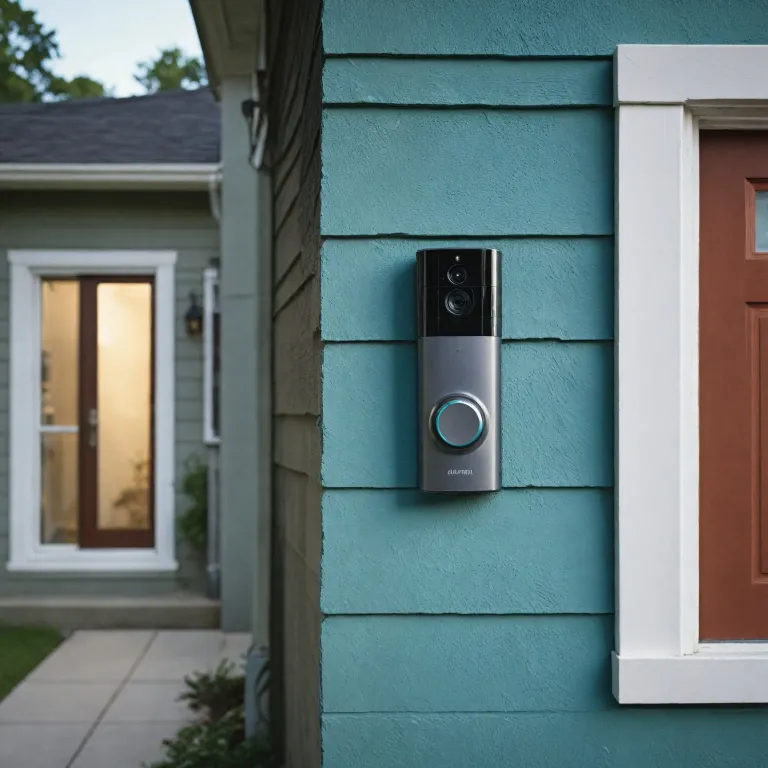

Understanding 5 GHz vs 2.4 GHz wifi for smart doorbells
When people compare 5ghz vs 2 4ghz for a smart doorbell, they are really weighing how each GHz band behaves in a real home. The 2.4 GHz wifi band has been used for wireless devices for many years, and it offers longer range but usually slower speeds and more interference from neighbours. In contrast, 5 GHz wifi focuses on higher internet speed and cleaner wireless signals, yet it struggles more with walls and solid objects.
A smart doorbell depends on a stable router connection because its video stream, alerts, and two way audio all rely on consistent speed and signal quality. On paper, 5 GHz can reach very high speed in Mbps, but the real speed at your front door depends on distance, construction materials, and how many devices share the same network. This is why the difference in GHz frequencies matters more at the edge of your home’s coverage, where range difference between bands becomes obvious.
Most modern doorbell cameras support both 2.4 GHz and 5 GHz wifi, yet each device behaves differently depending on firmware and antenna design. When you evaluate 5ghz vs 2 4ghz, you should check whether your specific GHz device supports dual band roaming and how your wireless router manages both frequencies. Thinking in terms of coverage, interference, and real speed rather than just theoretical GHz wifi numbers will help you choose the right band for a reliable smart doorbell experience.
How range, walls, and interference affect your smart doorbell
The most important practical difference GHz users notice is how far each band reaches before the signal becomes unstable. The 2.4 GHz frequency offers longer range and better coverage through multiple rooms, but it often suffers from interference caused by microwaves, Bluetooth devices, and neighbouring networks. The 5 GHz band delivers faster speeds and higher bandwidth, yet it has a shorter range and loses strength quickly when it passes through solid objects like brick or reinforced concrete.
At a typical front door, the smart doorbell sits near the edge of your wifi coverage, where range difference between 2.4 and 5 GHz becomes critical. If your wireless router is far inside the house, the 2.4 GHz band may provide more reliable ghz signals, even if the theoretical speed Mbps is lower than on 5 GHz. Many households experience higher real speed on 2.4 GHz at the doorbell location simply because the 5 GHz signal cannot penetrate enough walls.
However, in smaller apartments or houses with thin internal walls, 5 GHz wifi can still offer faster speeds and more stable data transmission to the doorbell. In these situations, the higher GHz frequency is less affected by interference from other devices GHz and can maintain high speed video streaming. If you are also running a wireless home security system, a detailed wireless security system review can help you understand how multiple devices share the same network and influence your doorbell’s performance.
Speed, bandwidth, and what they really mean for video quality
Marketing often highlights high speed numbers and impressive Mbps figures, but smart doorbells rarely use the full capacity of a modern wireless router. A typical doorbell stream might need only a few Mbps, so the difference GHz between 5 GHz theoretical maximum and 2.4 GHz theoretical maximum is less important than stability. What matters more is whether your chosen GHz band can deliver consistent data without drops, which directly affects video clarity and audio sync.
On a strong 5 GHz wifi connection, you can experience higher real speed and lower latency, which helps when you speak through the doorbell or view live video. Yet if the 5 GHz device sits behind several walls, you may see slower speeds and buffering compared with a 2.4 GHz connection that offers longer range and steadier coverage. This is why many experts recommend testing both frequencies at the door, rather than assuming the higher GHz frequency will always give faster speeds.
High bandwidth on 5 GHz is especially useful if several devices share the same network and stream video simultaneously. When your doorbell, cameras, and other wireless devices GHz all compete for data, the 5 GHz band can reduce congestion and maintain better real speed. For a broader smart home strategy, guides on choosing connected equipment, such as a smart sprinkler controller, show how different devices and bands interact inside one wifi ecosystem.
Router placement, network design, and dual band strategies
Even the best GHz wifi technology fails if the wireless router is poorly placed or misconfigured. Positioning the router centrally and away from large metal objects improves both 2.4 GHz coverage and 5 GHz coverage, reducing dead zones near the front door. When you compare 5ghz vs 2 4ghz for a doorbell, think of the entire network layout rather than just the device itself.
Dual band routers broadcast both a 2.4 GHz band and a 5 GHz band, allowing each device to connect where it performs best. Some routers merge both frequencies under one SSID, letting the network steer each GHz device automatically based on signal strength and speed. Others require you to choose manually, which can be useful if you want the doorbell locked to the longer range band while indoor devices use the higher speed band.
Mesh wifi systems extend coverage by adding multiple wireless nodes, which can dramatically improve real speed at the doorbell location. By placing a node closer to the entrance, you reduce the range difference between the router and the door, making 5 GHz signals more viable despite their shorter range. When planning a broader smart entry system, resources on choosing a smart keyless door lock can help you align lock, doorbell, and router placement for optimal network performance.
Security, reliability, and the impact of crowded frequencies
Security and reliability are central when evaluating 5ghz vs 2 4ghz for a smart doorbell that protects your home. The 2.4 GHz frequency is often more crowded because many legacy devices and IoT sensors still rely on this band, which increases interference and can cause slower speeds. The 5 GHz band usually has more available channels, so each wireless device can enjoy higher bandwidth and cleaner ghz signals.
However, a less crowded band does not automatically guarantee better real speed if the signal is weak at the door. When the 5 GHz wifi signal must cross several solid objects, packet loss and retries can reduce effective speed Mbps below what a strong 2.4 GHz connection would deliver. This is why some users experience higher performance on the supposedly slower band, especially in large houses with thick walls.
From a security protocol perspective, both bands can use modern encryption standards, so the difference GHz is not about safety but about stability and coverage. A well configured wireless router with updated firmware, strong passwords, and separate guest networks will protect both 2.4 GHz devices and 5 GHz devices. For mission critical equipment like a smart doorbell, prioritising reliability over theoretical GHz wifi numbers ensures that motion alerts, video clips, and two way audio work when you need them most.
Practical testing tips to choose the right band for your doorbell
The most effective way to decide between 5ghz vs 2 4ghz is to test both bands at your actual front door. Start by connecting the smart doorbell to the 2.4 GHz band, then check video loading time, audio delay, and how quickly notifications arrive on your phone. Repeat the same tests on the 5 GHz band, noting any difference GHz in reliability, speed, and coverage during busy hours when many devices use the network.
Use your router’s app or a wifi analyser to measure signal strength in dBm and observe how each GHz frequency behaves when doors are closed or when people move around. If you see frequent drops or slower speeds on 5 GHz, the shorter range and wall attenuation are likely the cause, even if the theoretical speed Mbps is higher. In that case, the longer range 2.4 GHz band may deliver better real speed and a more consistent experience higher up in your list of priorities.
Conversely, if your doorbell is close to the wireless router or a mesh node, 5 GHz wifi may provide faster speeds and smoother video with less interference. You can also separate traffic so that high speed devices GHz like laptops use 5 GHz while low bandwidth sensors stay on 2.4 GHz, balancing the network. By comparing both singular and plural behaviours of your devices and bands in real conditions, you will understand how each GHz band supports your smart doorbell’s daily performance.
Key statistics about wifi bands and smart doorbells
- In many homes, 2.4 GHz coverage can extend roughly 30–45 mètres indoors, while 5 GHz coverage often remains stable only within 15–25 mètres through walls.
- Typical smart doorbell video streams require between 2 and 4 Mbps for HD quality, which both 2.4 GHz and 5 GHz bands can provide when the signal is strong.
- Real world tests frequently show that 5 GHz can deliver two to three times higher real speed than 2.4 GHz at the same distance without obstacles.
- In dense urban environments, channel congestion on 2.4 GHz can reduce effective throughput by more than 50 % compared with a cleaner 5 GHz channel.
- Mesh wifi systems can improve edge of network speeds by 30–70 % at doorbell locations compared with a single central router.
Common questions about 5 GHz vs 2.4 GHz for smart doorbells
Is 2.4 GHz or 5 GHz better for a smart doorbell ?
Neither band is universally better, because performance depends on distance, walls, and interference in your home. If the router is far from the door and several solid objects block the signal, 2.4 GHz usually offers longer range and more stable coverage. When the doorbell is close to the router or a mesh node, 5 GHz can provide faster speeds, higher bandwidth, and lower latency for smoother video and audio.
Why does my smart doorbell only support 2.4 GHz wifi ?
Some manufacturers design doorbells to use only 2.4 GHz because this band offers better range and compatibility with older routers. Limiting the device to one GHz band simplifies setup and reduces support issues related to dual band networks. Although you lose access to potential high speed benefits of 5 GHz, a strong 2.4 GHz connection is usually sufficient for HD video and timely notifications.
Can I use both 2.4 GHz and 5 GHz for different smart home devices ?
Yes, most dual band routers allow you to connect some devices to 2.4 GHz and others to 5 GHz simultaneously. Many users place low bandwidth sensors and distant devices on the longer range 2.4 GHz band, while keeping high speed devices on 5 GHz. This approach balances network load, reduces interference, and helps maintain reliable performance for the smart doorbell and other critical equipment.
How can I improve wifi signal at my front door ?
You can move the wireless router closer to the centre of the home, elevate it, and keep it away from large metal objects or thick concrete walls. Adding a mesh node or range extender near the entrance can strengthen both 2.4 GHz and 5 GHz signals, reducing the range difference that often affects doorbells. Updating router firmware and choosing less congested channels also helps minimise interference and improve real speed at the door.
Does higher Mbps always mean better video quality on my doorbell ?
Higher Mbps figures indicate potential capacity, but smart doorbells rarely use the full speed of modern wifi networks. Video quality depends more on consistent throughput, low packet loss, and stable ghz signals than on peak speed Mbps. A steady 5 Mbps connection on either band can outperform a fluctuating high speed link that frequently drops or buffers.