
Summary
Editor's rating
Value for money: where it stands versus the others
Design and build: functional, not fancy
Battery and connectivity: the less glamorous but important part
Durability and reliability after some use
Video, audio and motion: how it behaves day to day
What you actually get and what it really does
Pros
- 2K video with wide 165° view and decent color night vision
- Includes 4.3" indoor monitor and 4 GB microSD for local recording without mandatory subscription
- Works with Alexa, Home Assistant and integrates nicely with SwitchBot Smart Lock
Cons
- Doorbell and monitor need to be relatively close for a stable connection
- Audio quality and overall finish feel a bit basic compared to higher-end brands

Specifications
View full product page →| Brand | SwitchBot |
A video doorbell that actually works without a subscription
I’ve been using this SwitchBot wireless doorbell with the 4.3" screen for a bit now, and I’ll be straight: I mainly bought it because I was fed up with doorbells that force you into a monthly subscription just to see recordings. Here you get a 4 GB microSD card in the box, and it records locally out of the gate. That already put it ahead of a lot of the big names for me.
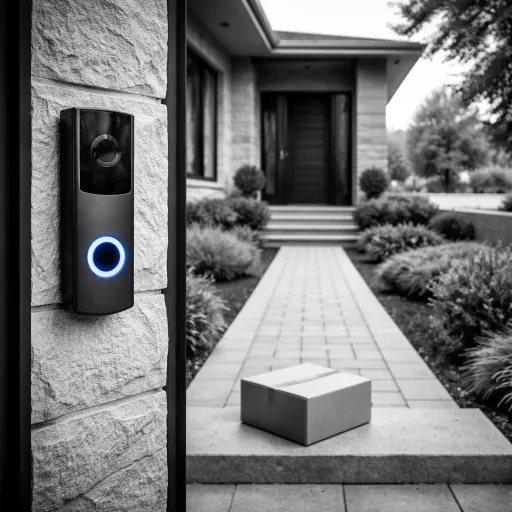
My use case is pretty basic: I want to see who’s at the door, talk to them if needed, and check if a parcel was actually dropped off. I also have kids at home and elderly parents visiting often, so the idea of having a screen inside the house instead of relying only on a phone app sounded practical. Not everyone wants to mess with smartphones and apps just to answer the door.
So I installed this SwitchBot on my main entrance, connected it to Wi‑Fi, paired it with the screen, and then added it to Alexa to see how everything behaved in real life. I’m not trying to build a sci‑fi smart home here, just something that works when someone rings. Overall, the combo of 2K video, local storage, and the portable screen is pretty solid, but it’s not flawless.
If you’re expecting high-end build quality and ultra-polished software like the most expensive brands, you’ll see some rough edges. But if you’re after something that works out of the box, doesn’t force a subscription, and is manageable for people who hate apps, this one sits in that zone of “good enough” with some nice extras. I’ll break down where it shines and where it’s a bit annoying.
Value for money: where it stands versus the others
On the value side, this SwitchBot doorbell sits in a middle zone: it’s not dirt cheap, but it’s also not at the level of the priciest big-brand doorbells. What you’re really paying for here is the combo of 2K video, local storage included, and the indoor monitor. If you compare it to many popular models that require a subscription to store video in the cloud, this one can actually save you money over time because you don’t need a plan to access your recordings. The included 4 GB card is small but at least you can start using it right away without buying anything extra.
Where it gets interesting is if you already have or plan to get other SwitchBot devices, especially the Smart Lock. The one-touch unlock from the monitor is a nice quality-of-life feature. If you’re into Home Assistant, the integration is also a plus since you can pull the video feed into your home automation setups. In that case, the value is better because it becomes part of a bigger ecosystem, not just a standalone doorbell.
On the downside, there are cheaper doorbells out there that will give you basic 1080p video and notifications without the internal screen. If you don’t care about the monitor and just want something that pings your phone, you can probably find simpler options for less money. Also, the need to keep the monitor relatively close to the door can be a limitation that some people won’t like. You’re paying for a feature (the screen) that you really need to use to justify the price.
So in my opinion, value for money is decent but not mind-blowing. It makes sense if you specifically want: no mandatory subscription, a real indoor screen for family members, and some smart-home integration. If you just want the cheapest possible way to see who’s at the door on your phone, you can spend less. For what it offers, the price feels fair, but it’s not a steal. It sits in that “pretty solid choice if it matches your needs” category.
Design and build: functional, not fancy
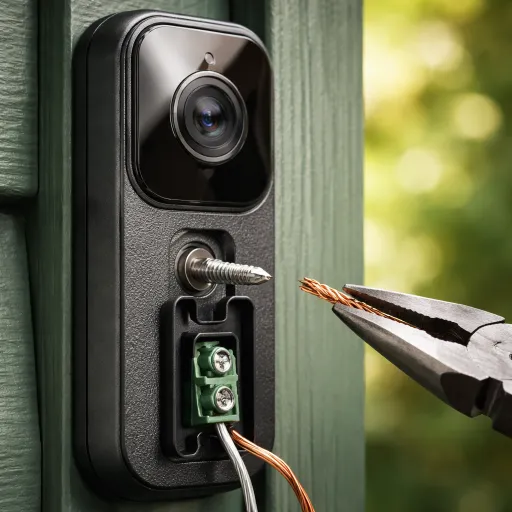
Design-wise, the doorbell is pretty standard: a rectangular block with a camera at the top and the button below. It’s not ugly, but it doesn’t scream premium either. For me, that’s fine; I’d rather have something that blends into the door frame than a flashy gadget. The dimensions (around 6.5 x 3 x 13.1 cm) are compact enough that it doesn’t look like a brick stuck to the wall. It has an IP65 waterproof rating, so you can leave it outside without worrying too much about rain. I’ve had a couple of heavy showers since installing it and it’s still working normally, no condensation or weird glitches so far.
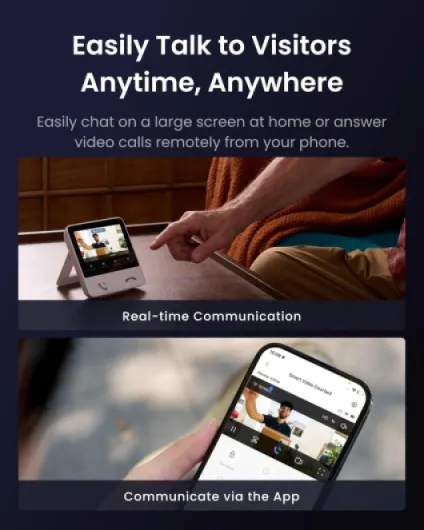
The 4.3" monitor looks like a small digital photo frame. The bezels are a bit thick, but again, this is a practical device, not a design piece. The buttons on the monitor are physical and clearly labeled, which I actually prefer. There’s a button to answer/end calls, one for monitoring (live view), one for playback of recordings, and one for quick replies. It feels a bit old-school, but in a good way: you don’t need to dig through menus just to see who rang 5 minutes ago.
One thing to note: the monitor is meant to stay plugged in most of the time. You can move it around the house within Wi‑Fi range, but it’s not something you’ll carry in your pocket. It’s more like a portable intercom screen you can put on a shelf or counter. If you’re expecting a super sleek tablet-style device, this isn’t that. The plastic is decent but clearly consumer-grade, not luxury. The weight is light enough that you can mount or stand it without worrying it will tip over easily.
Overall, the design is practical and clear: you can tell what each part does at a glance. It doesn’t look cheap in a bad way, but it also doesn’t feel high-end. For a mid-range doorbell, I’d call the design "plain but effective". If you care more about reliability than aesthetics, you’ll be fine with it. If you want something that looks like an Apple product on your wall, this will feel a bit basic.
Battery and connectivity: the less glamorous but important part
The doorbell runs on a 5000 mAh battery, which is pretty standard. Battery life will depend a lot on how many motion events you have, how often people ring, and how high you set the recording sensitivity. In my case, with moderate traffic (a few rings per day and some motion events), the battery drain looks reasonable. You’re not going to charge it every week, but I also wouldn’t expect it to last six months with very heavy use. I’d say for a normal household, you’re probably looking at every 1–3 months, but that’s going to vary a lot.
Charging is done via a simple USB cable. No fancy dock, no weird proprietary connector, which I appreciate. You do have to physically access the doorbell to charge it, so if you mount it high or in a tricky spot, keep that in mind. There’s no wired power option mentioned in the specs, so if you want something you never have to charge, this is not it. Personally, I’m fine with occasional charging, but it’s something you need to remember, especially if you travel a lot and don’t want it to die while you’re away.
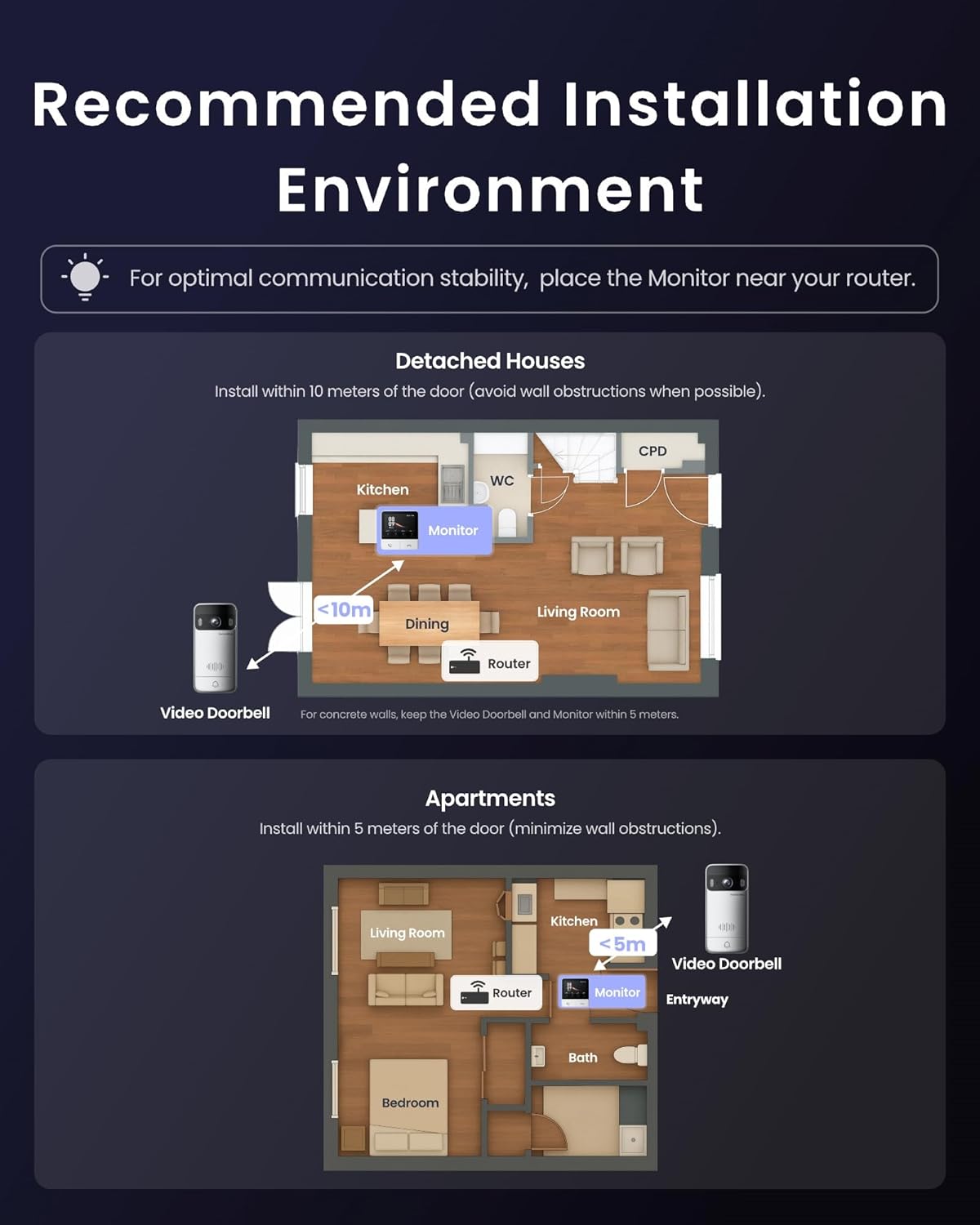
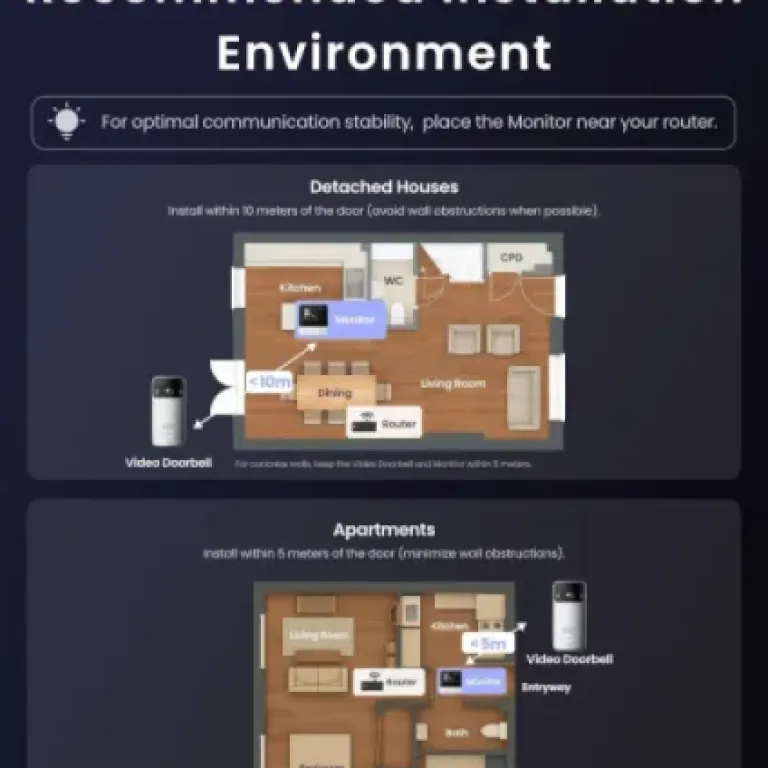
On the connectivity side, it uses 2.4 GHz Wi‑Fi and also relies on the indoor monitor as a sort of relay. When the doorbell and monitor are within the recommended 5-meter range, the connection is pretty stable. Notifications come in, the live view loads in a couple of seconds, and the image doesn’t freeze. When you start stretching that distance or put too many walls in between, you can feel the system struggling a bit more. So placement matters a lot more here than with some cloud-only doorbells that talk directly to your router.
I like that it can still work locally even if the internet goes down. The monitor continues to receive the signal from the doorbell and you can keep answering visitors inside the house. For me, that’s a big plus. On the downside, the whole setup is a bit more sensitive to where you place things. If your router is far from the entrance and you can’t put the monitor close to the doorbell, you might have to play around with it to get a stable setup. Overall, battery and connectivity are fine but not magical: they do the job if you respect their constraints.
Durability and reliability after some use
In terms of durability, I obviously haven’t used it for years, but after some weeks outside in mixed weather (rain, wind, a couple of cold nights), the doorbell hasn’t shown any obvious issues. The IP65 rating seems legit: no water in the lens, no fogging, and no random reboots. The plastic body hasn’t faded or warped, and the button still feels firm when pressed. That’s the kind of stuff you only really notice when it starts going wrong, and so far it’s behaving normally.
The monitor inside hasn’t given me any weird bugs either. It turns on when it should, plays back recordings, and the physical buttons still click properly. I haven’t seen any dead pixels or flickering. The microSD card that comes with it (4 GB) is small but works as expected. If you record a lot of motion events, it will overwrite older clips quickly, so I’d plan on upgrading to a larger card (it supports up to 512 GB) if you care about keeping more history. That’s not a durability issue, more of a practical one.
Where I see potential long-term questions is on the software side: will SwitchBot keep the app updated, will it stay compatible with Alexa and Home Assistant, and will they maintain cloud options properly? I can’t judge that yet. Right now, the app works, notifications arrive, and integration with Alexa is fine. But if you’re the type who keeps devices for 5+ years, the brand’s track record on updates is something to think about. Hardware-wise, it feels like a typical mid-range Chinese-made product: not premium, not junk, just "good enough" if you don’t abuse it.
Overall, in daily use, it comes across as reliable enough for a home doorbell. It’s not built like industrial gear, but for regular residential use it seems okay. I wouldn’t slam the button with muddy hands every day or leave it in direct harsh sun for years without expecting some wear, but for a normal front door, I don’t see any immediate red flags. The Amazon average rating around 4.1/5 also matches my impression: solid, with some people probably hitting edge cases or setup issues.
Video, audio and motion: how it behaves day to day
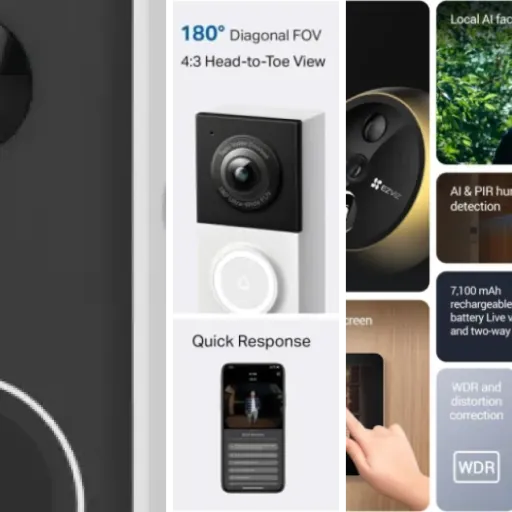
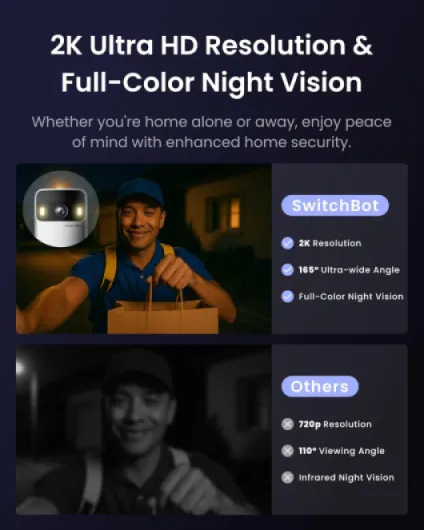
On the video side, the 2K resolution is honestly pretty solid for this price range. Faces are clear, you can read logos on delivery uniforms, and you can usually tell what’s going on in the background. The 165° wide angle really does give you a full view: you can see from head to toe if the person is close enough, and you also see parcels on the ground in front of the door. The 16:9 ratio feels natural when you’re looking at it on the 4.3" screen or in the app. Night vision in color is decent; it’s not like daylight, but you can clearly see who’s there and what they’re holding within normal porch distances.
Audio is okay but not perfect. People at the door can hear me clearly enough, and I can hear them without cranking the volume to the max, but there is sometimes a tiny delay and a bit of compression. It’s perfectly usable for quick conversations like "please leave the parcel there" or "I’m coming", but I wouldn’t try to have a long chat through it. The quick reply messages are actually handy when you’re busy or if you don’t feel like talking to a random salesperson. Press a button, and it plays a preset message, simple as that.
For motion detection, it does its job but it can be a bit chatty depending on how your entrance is set up. If your door faces a busy street or a sidewalk with a lot of foot traffic, you’ll want to tweak the sensitivity in the app or you’ll get too many alerts. In my case, with a small front yard, it was manageable after some adjustments. Alerts pop up pretty fast on the phone and the monitor wakes up quickly when someone is at the door, but there can be a one or two second delay sometimes, which is normal for Wi‑Fi devices.
Compared to some bigger brands, I’d say video quality is on par, audio is slightly behind, and motion detection is decent once tuned. Where it really stands out is the combination of the monitor plus app plus local storage. You don’t depend on one single thing; if your phone is in another room, the monitor still rings and shows the video. That’s a real advantage in everyday use, especially with kids or older people at home who won’t use the app.
What you actually get and what it really does
Out of the box, you get the wireless doorbell camera, the 4.3" indoor monitor, a mounting kit with an adjustable angle bracket, a charging cable, and a 4 GB microSD card already in the monitor. No chime to plug in elsewhere, the monitor basically acts as the chime, the viewer, and the Wi‑Fi relay. The doorbell itself is battery powered (5000 mAh), and the monitor plugs into USB power but can be moved around within Wi‑Fi range.
The main functions are pretty straightforward: when someone presses the doorbell, the monitor rings and shows the video feed. You can talk through it with two-way audio, or tap a quick reply button that plays a pre-recorded message if you don’t feel like talking. The camera records in 2K (1296p) with a 165° wide angle and supports color night vision up to around 7.5 meters. It also has motion detection, so it can alert you and record when someone approaches, not just when they press.
There’s also the smart home side: you can hook it up to Alexa and Home Assistant, and it integrates into the SwitchBot ecosystem. If you already have a SwitchBot Smart Lock, you can even unlock the door from the monitor with one button, which is actually quite handy if you use their lock. The doorbell can also work locally if the internet goes down, as long as the monitor and doorbell are still talking to each other on your Wi‑Fi or their direct link.
In practice, the main thing I noticed is that the system is really built around that indoor monitor. It’s not just a bonus; it’s kind of the brain. The app is useful, but the monitor is what makes this product different from the typical Ring-style doorbells. That’s great if you like a physical screen in the house, but it also means you have to respect their recommendation of keeping the monitor relatively close to the doorbell (they say within 5 meters for the best signal), which can be limiting depending on your layout.
Pros
- 2K video with wide 165° view and decent color night vision
- Includes 4.3" indoor monitor and 4 GB microSD for local recording without mandatory subscription
- Works with Alexa, Home Assistant and integrates nicely with SwitchBot Smart Lock
Cons
- Doorbell and monitor need to be relatively close for a stable connection
- Audio quality and overall finish feel a bit basic compared to higher-end brands
Conclusion
Editor's rating
Overall, this SwitchBot wireless doorbell with the 4.3" screen is a solid option if you care about local storage and having a physical monitor in the house. The 2K video is clear, the wide angle really covers the entrance, and night vision is good enough to recognize faces and parcels. The indoor screen is what sets it apart: it makes the system usable for kids, guests, or older family members who don’t want to deal with apps, and it still works locally if your internet drops.
It’s not perfect though. The design is basic, audio is okay but not great, and you need to respect the placement rules (doorbell and monitor fairly close, decent Wi‑Fi coverage) to avoid connection hiccups. The 5000 mAh battery is fine but not magical; expect to recharge it every so often depending on how busy your front door is. If you only want a simple app-based doorbell and don’t care about a screen, there are cheaper and simpler products out there.
If you’re building or already using the SwitchBot ecosystem, or if you specifically want a no-subscription doorbell with local recording and a dedicated indoor screen, this model makes sense and offers good day-to-day comfort. If you’re chasing the slickest design, the deepest app features, or rock-solid performance over very long distances, you might want to look at higher-end competitors. For most standard homes, though, it gets the job done in a straightforward way and feels reasonably priced for what it offers.