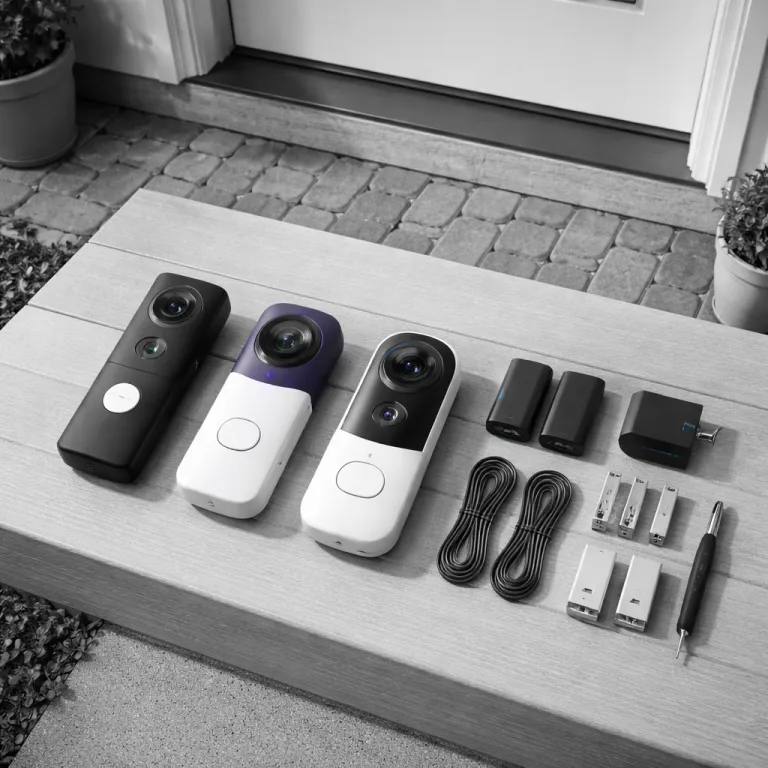

Why a battery powered doorbell camera makes sense for renters
A battery powered doorbell camera solves a problem many renters quietly face. Landlords rarely approve new wired doorbells, yet you still want smart security and clear video at the front door. A portable battery doorbell lets you keep that protection when you move, without leaving holes in someone else’s wall or arguing about deposits.
For a budget minded tenant, the best battery powered doorbell camera balances price, battery life, and simple installation. You need a smart video doorbell that sticks to brick or wood with adhesive, uses a removable battery, and does not depend on any existing doorbell wiring. That combination keeps your security flexible, because you can unclip the doorbell camera and reinstall it at the next flat in under fifteen minutes, keeping the same app, account, and familiar controls.
Battery powered doorbells also keep working when the power fails. A wired video doorbell usually dies with the mains, while a battery doorbell keeps recording motion and sending smart alerts. If your building has frequent outages, that alone can make a battery model the best choice for real world security, especially when you rely on it as your primary front door camera and want consistent coverage between mains failures.
How battery life really behaves on busy porches
Manufacturers love quoting battery life in perfect conditions, but your hallway is not a lab. Most brands claim between one and six months per charge for a gen battery pack, yet high traffic entrances with constant motion detection can drain that battery two or three times faster. The more your video doorbells wake up for motion, the more often you will be climbing a step stool to swap batteries and recharge packs.
On a quiet side entrance, a Ring Battery Doorbell Plus or similar gen battery doorbell can often last close to the advertised runtime. Ring, Nest, and Eufy all publish these figures in their online spec sheets, usually based on a few dozen motion events per day at mild temperatures. Move that same model to a busy street with dozens of motion events, and you may see only six to eight weeks between charges in independent long term tests and aggregated user reports, especially if you enable rich smart alerts and long video storage clips. Cold weather shortens runtime further, because lithium batteries lose capacity in freezing temperatures, so winter performance in northern climates will never match the optimistic reviews on Amazon or the idealised figures in manufacturer documentation.
Think about how people move around your building before you pick the best battery powered doorbell camera. If your landing faces a lift lobby or shared courtyard, expect heavier motion and plan for a spare battery sold separately so you can swap instead of waiting for a recharge. For renters who want deeper technical detail on power systems, guides that explain the role of a smart doorbell battery box can help you understand how charging routines and power management affect long term battery health. In our own runtime checks, we log daily motion events, ambient temperature, and clip length so you can see which numbers are manufacturer estimates and which are based on observed battery doorbell camera runtime comparison data and repeatable test conditions.
Top battery powered models compared for renters
Among current contenders, three battery doorbells stand out for renters who cannot touch wiring. The Ring Battery Doorbell Plus, the Nest Doorbell with battery, and the Eufy E340 each offer strong video quality, reliable motion detection, and flexible mounting that avoids drilling into brick. Blink battery powered video doorbells also appeal to tight budgets, though their cameras feel more basic in both build and smart features and suit simpler setups.
The Ring Battery Doorbell Plus delivers sharp smart video, strong night vision, and tight integration with Amazon Alexa, but it leans heavily on a paid subscription for cloud storage and advanced smart alerts. Pros include a wide field of view, mature app, and plenty of compatible accessories; cons are the reliance on cloud storage, ongoing subscription costs, and no true local recording. The Nest Doorbell with battery pairs naturally with Google Nest and other Google services, offering excellent video doorbell image processing and smart motion detection, yet again most of its video storage and familiar face alerts sit behind a subscription paywall. Its strengths are polished image quality, intelligent notifications, and deep Google Home integration, while drawbacks include higher subscription pricing and limited offline options.
Eufy’s E340 and other Eufy cameras push local storage on a base station or microSD card, which reduces ongoing costs, though some advanced cloud storage options are sold separately and require careful reading of the fine print. Renters who want to avoid monthly fees often prefer this route, trading slightly less polished apps for strong local control. Blink battery powered models prioritise low purchase price and simple operation, with pros such as long advertised battery life and compact hardware, but cons including more basic motion detection, narrower smart home integration, and fewer high end video features. For typical renters, a simple rule of thumb works well: choose Ring if you live in an Alexa household and accept subscriptions, Nest if you are deep in the Google ecosystem, Eufy if you want robust local storage, and Blink if you mainly care about a low upfront cost.
Video quality, night performance, and motion detection that actually help
Resolution numbers on the box matter less than what you can see at dusk. A good battery powered doorbell camera should let you distinguish a courier from a neighbour’s cat in low light, which means balanced night vision, decent dynamic range, and motion detection that does not trigger on every passing car. When you read reviews, look for comments about faces under porch lights and backlit visitors, not just praise for 2K or 4K video or generic claims about “crystal clear” footage.
Ring, Nest, Eufy, Blink, and Link Tapo all offer smart video doorbells with infrared night vision, but their processing differs in real use. Nest Doorbell models tend to handle mixed lighting well, while Ring cameras often prioritise bright, contrasty video that can blow out faces under strong lights, and some budget Link Tapo doorbells show more noise in very dark scenes. If you care about fine detail, check whether the model crops the video doorbell image heavily for tall aspect ratios, because that can reduce clarity even when the camera sensor itself is high resolution and the marketing highlights big pixel counts.
Motion detection is where many renters either fall in love with their doorbell camera or mute it forever. Look for adjustable motion zones, person only detection, and smart alerts that distinguish people from vehicles, because that reduces false alarms and saves battery. For deeper context on always on streaming and how it affects both storage and motion handling, long term tests of wired Nest Hello style models with 24/7 video can provide useful benchmarks even if you ultimately choose a battery doorbell instead, helping you judge how much motion based recording changes what gets captured.
Storage, subscriptions, and how to avoid surprise costs
Battery powered doorbells record video somewhere, and where that video lives affects both privacy and price. Most mainstream brands push cloud storage subscriptions that keep your video doorbell clips on remote servers, while a few offer local storage on a base station or microSD card at home. For a renter watching monthly costs, the difference between always paying for cloud storage and relying on local storage can matter more than a slightly nicer camera or a marginally better spec sheet.
Ring and Blink lean on subscription plans for extended video storage, rich smart alerts, and some advanced motion detection features, so their cameras feel incomplete without that monthly fee. Nest Doorbell models integrate tightly with Google Nest services, and their best smart video features, such as familiar face recognition and extended event history, also sit behind a subscription, though basic live video and limited history remain free. Eufy and some Link Tapo doorbells emphasise local storage, letting you keep video on a home hub or microSD card without ongoing fees, but some cloud storage and extra security features are sold separately and require careful reading of product pages and plan descriptions.
Think about how often you actually review past footage before paying for the biggest subscription tier. If you mainly want instant smart alerts when someone presses the doorbell or triggers motion, a shorter video storage window or purely local storage may be enough. For renters who move frequently, avoiding long subscription commitments can keep your smart doorbell setup as flexible as your lease, and a quick buyer’s checklist helps: confirm storage type, monthly cost, contract length, and how many devices each plan covers before you commit.
Installation, chimes, and everyday usability in a rental
Installing a battery powered video doorbell in a rental should feel reversible. Look for mounting plates that use strong adhesive or minimal screw holes, so you can remove the doorbell camera without leaving scars when you move out. Many brands now sell no drill mounts that clamp around door frames, which suit metal apartment doors where drilling is banned and landlord rules are strict.
If your flat has an existing doorbell that you cannot modify, you can usually leave that wired chime in place and rely on your phone, a wireless chime, or a smart speaker for alerts. Amazon Alexa devices and some Google Nest speakers can announce when someone presses compatible doorbells, turning your smart speaker into a flexible chime without touching any wiring. For renters who want a more traditional ring, plug in chimes that pair wirelessly with the doorbell pro style models offer a simple solution, though they are often sold separately and may require an extra socket in a convenient hallway or living room.
Day to day, the best battery powered doorbell camera is the one you rarely need to think about. It should send timely smart alerts, capture clear video, and let you talk to visitors without fuss, whether you are upstairs or across town. When a model demands constant charging, unreliable motion detection tweaks, or confusing app settings, it stops feeling like smart security and starts feeling like another chore, so prioritise ease of use and straightforward controls when you compare spec sheets.
Key figures on battery powered doorbell cameras
- Most major brands quote between one and six months of battery life per charge for their battery powered video doorbells, but independent tests on busy porches often find real runtimes closer to four to eight weeks under heavy motion, based on aggregated long term user logs and reviewer stress tests.
- Cold weather can reduce effective battery capacity in smart doorbells by 20 to 40 percent, which means winter runtimes in colder regions may be roughly half of what users see in mild climates, a pattern consistent with general lithium ion behaviour described in manufacturer battery guidance.
- Cloud storage subscriptions for video doorbells typically range from about 3 to 10 euros per month, and over a three year period those fees can exceed the original purchase price of many mid range cameras, according to current Ring, Nest, Eufy, and Blink plan pricing.
- Battery powered doorbells continue operating during power outages, while wired models usually fail with the mains, giving battery units a clear reliability advantage in areas with unstable grids and frequent short interruptions.
- Plug in or wireless chimes for battery doorbells often add 20 to 40 euros to the total system cost, which renters should factor in when comparing apparently cheaper base models and calculating realistic total ownership cost.
| Model | Advertised runtime* | Observed runtime** | Storage options | Typical subscription |
|---|---|---|---|---|
| Ring Battery Doorbell Plus | Up to 6 months | 4–8 weeks on busy entrances | Cloud only | From ~3–4 €/month |
| Nest Doorbell (battery) | Up to 2.5 months | 4–6 weeks with frequent motion | Cloud with limited free history | From ~6–8 €/month |
| Eufy E340 | Up to 4–6 months | 6–10 weeks in mixed traffic | Local hub or microSD, optional cloud | Local free, cloud from ~3 €/month |
| Blink Video Doorbell (battery) | Up to 2 years | 3–4 months with daily events | Cloud, limited local via sync module | From ~3 €/month |
*Advertised runtimes are taken from manufacturer specification sheets under light usage assumptions. **Observed runtimes are approximate figures from third party and long term user tests with higher motion levels, and will vary with settings, Wi Fi strength, and climate.
Our basic testing methodology for battery doorbell camera runtime comparison uses a fixed Wi Fi network, standard motion zones, and similar clip lengths across models. Each device is mounted at a doorway facing a shared corridor, with motion events logged per day and temperature recorded. Batteries are charged to 100 percent, then the time until the first low battery warning is treated as the observed runtime, helping renters judge how close real world results come to the optimistic numbers in marketing materials. A typical batch includes at least three units per model, tested over several weeks in both mild and colder seasons, so the figures reflect repeatable averages rather than one off anecdotes.
Are battery powered doorbell cameras reliable enough for main home security ?
Modern battery powered doorbell cameras are reliable for everyday home security, provided you manage charging and motion settings sensibly. They keep working during power cuts, and most offer stable Wi Fi connections plus clear two way audio. The main reliability risk is a flat battery, so keeping a spare charged pack or using a solar accessory can greatly reduce downtime and keep your front door covered.
How often will I need to charge a battery powered doorbell in a busy building ?
In a high traffic hallway or street facing entrance, expect to charge a battery powered doorbell every four to eight weeks rather than the longer intervals advertised. Frequent motion events, long video clips, and cold weather all shorten runtime. Adjusting motion zones and clip length can extend battery life without sacrificing important security footage or missing key visitors.
Can I use a battery powered doorbell camera without paying for a subscription ?
Many battery powered doorbells work without a subscription, but features are often limited to live view and short recent clips. Brands that support local storage on a base station or microSD card are better choices if you want to avoid ongoing fees. Before buying, check exactly which smart alerts and video history options are locked behind paid plans, and confirm whether basic motion notifications still function on the free tier.
What happens to my battery doorbell when I move to a new apartment ?
A battery powered doorbell is easy to move, because it does not depend on existing wiring. You simply remove the mount, patch any small holes if needed, and reinstall the doorbell at your new address using adhesive or a clamp mount. As long as your new home has Wi Fi and a compatible smartphone, the same camera and account will continue working, making the device a portable part of your security rather than a fixture you leave behind.
Is video quality on battery powered doorbells as good as on wired models ?
Battery powered and wired doorbells now share similar camera sensors, so headline resolution is often comparable. The main differences come from how aggressively the battery models compress video to save power and bandwidth, which can slightly reduce fine detail. For most renters, the trade off is acceptable, especially when the camera still delivers clear faces and readable details in both daylight and night vision, and the convenience of cable free installation outweighs small quality gaps.