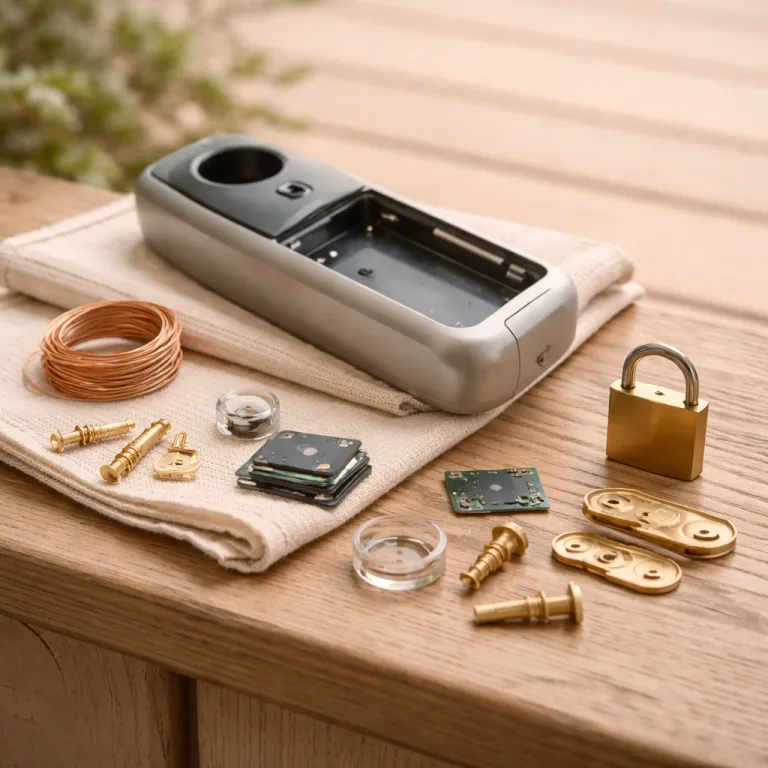
Why doorbell local storage privacy is now the sensible default
Cloud first smart doorbells promised convenience, but they quietly rewrote the rules on home privacy. When a doorbell camera records video of your front step all day, that footage becomes a long‑lived data asset for the company running the cloud storage, not just a security tool for you. Local storage shifts that balance back, keeping secure video under your physical control and making cloud access the exception rather than the rule.
The Federal Trade Commission’s 2023 case against Ring (In the Matter of Ring LLC, FTC Docket No. C‑4796) showed how fragile that trust can be, as regulators detailed how some Ring employees accessed customer video footage without adequate justification and how weak controls let hackers break into doorbell cameras that were supposed to protect families. Once your video doorbell sends every clip to remote servers, you rely entirely on a vendor’s internal policies, its changing business model, and even its relationships with law enforcement to decide who gets access and how long that data lives. With a camera local storage model using a microSD card or a home base, the default is reversed, because the raw files stay on your premises unless you explicitly share them.
For a security conscious homeowner, that shift is not a niche preference anymore, it is the rational baseline for doorbell local storage privacy. A smart doorbell that records to local storage on a microSD card or a dedicated hub can still offer app alerts, remote access, and sharing, but it does so by tunneling into your home network rather than pushing everything into storage cloud infrastructure. That means your doorbell, your cameras, and your broader security cameras ecosystem can be configured so that cloud storage is a backup or a narrow exception, not the main highway for every second of footage.
Think about how many different devices now point at your front door, from smart doorbells to Wi‑Fi security cameras and even a doorbell camera built into a smart lock. Each of those cameras can generate video clips that reveal routines, visitors, deliveries, and even children’s faces, and each clip stored in cloud storage is another copy you do not directly control. When you prioritize doorbell local storage privacy, you are deciding that the primary archive of that footage lives on a local device you own, whether that is a storage microSD card in the chime box or a small network recorder tucked beside your router.
Local storage does not mean going offline or losing modern features, and that misconception keeps many people locked into unnecessary subscription plans. A well designed smart doorbell can stream live video over dual band Wi‑Fi, send motion alerts, and allow two way audio while still writing recordings to a microSD card or a home base that never leaves your property. The key is choosing doorbell cameras and video doorbells that treat cloud as optional, so your subscription becomes a choice for extra convenience rather than a toll you must pay just to access your own secure video history.
Once you see the incentives clearly, the privacy case for local storage becomes hard to ignore. A cloud focused doorbell Amazon bestseller might look cheap upfront, but the subscription and the long term data exposure are the real price, especially when law enforcement can request or obtain access to your clips without you ever downloading them. By contrast, a smart doorbell that keeps camera local files on a microSD card or a small network drive forces any third party, including law enforcement, to come to you rather than quietly querying a vendor’s servers.
That is the core of doorbell local storage privacy as a philosophy, not just a feature box on packaging. You are not only choosing where bits of video live, you are choosing who sits between your front door and anyone who wants to see what happens there, from a curious employee to an overbroad law enforcement request. For most homeowners, especially those already wary of constant surveillance, local storage as the default for a video doorbell is simply the more defensible, future proof position.
What the trust timeline taught us about cloud doorbells
The last decade of smart doorbells has been one long stress test of trust, and the results are mixed at best. Ring went from plucky startup to default doorbell camera brand, then faced an FTC action that laid out how employees spied on customer video and how poor security let outsiders access private footage. That case crystallised a hard lesson for anyone thinking about doorbell local storage privacy, because it showed that even market leaders can mishandle the most sensitive video data.
Ring’s more recent push into AI powered features, such as Unusual Event Alerts that train algorithms on customer footage, underlines how cloud storage turns your front door into a data feed for product development. When every video doorbell clip is automatically uploaded to storage cloud infrastructure, the temptation to reuse that footage for analytics, advertising, or new services grows with each new feature launch. You might get smarter notifications, but you also deepen your dependence on a cloud subscription and widen the circle of people and systems that touch your secure video history.
Other brands have had their own missteps, and they all point in the same direction. Eufy, for example, built its pitch around camera local storage and end to end encryption, yet still faced scrutiny when researchers found ways to access streams without proper authentication, reminding buyers that implementation matters as much as marketing. Nest rebranded its plans under Nest Aware, but the underlying model stayed cloud centric, with your doorbell cameras and security cameras feeding footage into Google’s infrastructure in exchange for long retention and familiar subscription tiers.
Local first players such as Reolink have quietly taken a different path, focusing on video doorbells and security cameras that record to microSD cards or network video recorders by default. A Reolink doorbell camera can still push alerts to your phone and offer remote access, but the primary archive lives on a storage microSD card or a local box that never leaves your home. That architecture aligns far better with doorbell local storage privacy, because the vendor never needs to hold your footage just to provide basic functionality.
Apple’s HomeKit Secure Video model sits somewhere in between, encrypting video on device before it ever leaves your home and then storing it in iCloud in a way that even Apple cannot decrypt. For some homeowners, that combination of end to end encryption and tight ecosystem control offers a tolerable compromise between local storage and cloud convenience. Yet even with HomeKit Secure Video, you are still betting that a single company’s policies and technical safeguards will always align with your expectations for privacy and law enforcement access.
What all these episodes reveal is a simple pattern that should guide your next purchase. When a smart doorbell or a set of smart doorbells is designed around cloud storage from day one, the business model tends to prioritise recurring subscription revenue and data driven features over strict minimisation of stored footage. When a video doorbell is designed around local storage first, whether through a microSD card, a home base, or a small recorder, the incentives tilt toward keeping data on site and limiting who can reach it, including law enforcement agencies.
That does not mean every cloud feature is bad or that every local device is perfect, but it does mean you should read the spec sheet through the lens of incentives. If a doorbell Amazon listing emphasises AI facial recognition, unlimited cloud storage, and easy sharing with law enforcement partners, you are looking at a product whose value depends on moving and analysing as much video as possible. If instead the headline features are robust local storage, strong encryption, and granular access controls, you are much closer to a doorbell local storage privacy profile that respects your front door as a private threshold, not a public data stream.
To deepen that protection around your entryway, pair your chosen smart doorbell with a well configured smart door sensor that limits when recording is triggered and how alerts behave. A detailed guide on how a smart door sensor transforms home security around your doorbell can help you tune those triggers so that your cameras capture what matters without oversharing daily comings and goings. That kind of system thinking matters more than any single feature when you are trying to rebuild trust after years of cloud centric design.
How local storage models still deliver remote access and sharing
Many homeowners assume that choosing local storage means giving up modern conveniences, but that is a misunderstanding rooted in early, clunky designs. A current generation smart doorbell can write every clip to a microSD card or a small hub while still streaming live video to your phone over dual band Wi‑Fi. The trick is that your app connects back into your home network to reach the doorbell camera, instead of pulling footage from a distant storage cloud server.
In practice, that means you can still answer the door from the office, review last night’s motion alerts, and share a clip of a package thief with neighbours, all while keeping the master copy of that footage on local storage. Your phone or tablet simply requests the relevant video from the camera local archive, which then streams it out over an encrypted tunnel, often using the same end to end encryption techniques that cloud services claim as their main selling point. For doorbell local storage privacy, this architecture is powerful, because it lets you enjoy remote access without turning your front step into a permanent upload feed.
Family sharing works similarly on well designed systems, whether you are using Reolink, Eufy, or another local first brand. You grant specific accounts access to live video and stored clips from your video doorbells, and the app enforces those permissions while the underlying files remain on a microSD card or a home base. That way, your partner can check the doorbell cameras when a child gets home from school, but no one outside your household can browse that secure video history unless you explicitly export and send it.
Exporting clips is where local storage shines for both privacy and practicality. When a suspicious visitor appears or a minor incident occurs, you can pull the relevant video from your smart doorbells onto a laptop or phone, trim it, and share only what is necessary with neighbours or, if needed, with law enforcement. Instead of granting a company blanket permission to hand over your entire cloud storage archive, you stay in control of what any law enforcement officer actually sees.
There are trade offs, and it is worth being honest about them so you can decide with clear eyes. If your home internet goes down, remote access to a local only video doorbell will fail until the connection returns, even though the camera keeps recording to its microSD card. A cloud centric system might still let you review older clips stored in storage cloud servers during an outage, but that convenience comes at the cost of having those clips permanently outside your physical control.
Battery powered doorbells add another wrinkle, because constant streaming from local storage can drain a battery faster than periodic uploads to the cloud. Independent testing of battery powered smart doorbells has shown that continuous high resolution recording and frequent remote viewing can cut real world battery life by more than half compared with manufacturer claims, especially when devices rely heavily on cloud uploads. Some smart doorbell models manage this by recording to a nearby hub that is wired to power, leaving the battery powered doorbell to handle only live view and motion triggers.
Night time performance is another area where architecture matters more than marketing. A well tuned motion activated night light around your entryway can reduce false alerts and improve facial recognition accuracy, whether your footage ends up on a microSD card or in cloud storage. A detailed breakdown of how motion activated night light design makes smart doorbells feel safer after dark can help you pair lighting with your chosen doorbell cameras so that your secure video is both clearer and less intrusive.
To tie it all together, consider how motion detection, lighting, and recording rules interact across your entire security cameras setup. A guide on how a motion detection security system transforms your smart doorbell into a true guardian shows how careful tuning can reduce unnecessary clips while still capturing critical events. That kind of thoughtful configuration is the missing layer in many homes, and it is especially important when you are leaning into doorbell local storage privacy as your main defence.
Who still benefits from cloud first, and your practical privacy checklist
Cloud first doorbells are not useless, and for some households they still make sense, but you should be clear about who truly benefits. If you manage several properties, travel constantly, or coordinate with professional security teams, having every video clip instantly available from any device can outweigh the privacy costs. In those cases, a cloud centric video doorbell with generous cloud storage and robust end to end encryption may be a rational choice, as long as you understand the trade offs.
Emergency response scenarios are another area where cloud can help, especially when seconds matter and you are not on site. If a serious incident occurs, a system that automatically uploads secure video from your doorbell cameras and security cameras to storage cloud servers can preserve evidence even if the hardware is damaged or stolen. For some people, that resilience against tampering or destruction is worth accepting that law enforcement might later request or obtain access to a broader slice of their footage.
For most suburban homeowners focused on package theft and everyday safety, though, doorbell local storage privacy remains the stronger default. You can still choose to back up critical clips to a cloud account or share them with neighbours, but you are not forced into a subscription just to see last night’s motion events. That is a healthier balance of power between you, the vendor, and any third party that might want to see what your smart doorbells recorded.
Whatever path you choose, a practical privacy checklist will keep you grounded. Start by confirming that your chosen smart doorbell or set of smart doorbells supports strong encryption for both live video and stored footage, whether that is on a microSD card, a home base, or in cloud storage. Look for clear statements about end to end encryption, not just vague claims of “bank grade security”, and make sure the vendor explains how keys are managed and who can decrypt your secure video.
Next, examine access controls and account security with the same scrutiny you would apply to online banking. Your doorbell app should support multi factor authentication, granular sharing for family members, and clear logs of who accessed which video doorbells and when. If a vendor cannot show you how it prevents employees from browsing customer footage or how it handles law enforcement requests, that is a red flag for anyone serious about doorbell local storage privacy.
Data retention policies matter just as much as encryption, because privacy is not only about who can see footage today but also about how long it exists. A local storage model lets you define retention by the size of your microSD card or recorder, automatically overwriting old clips as space fills, while a cloud subscription often defaults to keeping weeks or months of history. Ask whether you can set shorter retention windows, delete specific clips, and export all your data on request, regardless of whether it lives on a camera local device or in storage cloud infrastructure.
Finally, pay attention to how each vendor talks about AI features such as facial recognition, package detection, or unusual event alerts. These tools can reduce noise and make your doorbell cameras more useful, but they also create pressure to keep more footage available for training and refinement. If a company cannot clearly explain how it separates training data from your personal archive, or how it anonymises clips before using them, it is not aligned with a strong doorbell local storage privacy stance.
When you weigh all these factors, the pattern is consistent across brands, from Ring to Reolink and from doorbell Amazon bestsellers to niche local first models. Cloud first designs tend to maximise data collection and long term storage, while local first designs tend to minimise exposure and keep law enforcement at arm’s length unless you choose otherwise. For a typical homeowner who simply wants a reliable video doorbell, solid security, and a reasonable subscription optional model, starting with local storage and adding cloud only where it truly helps is the most defensible way to secure the front door.
Key figures on smart doorbells, storage, and privacy
- Regulators in the United States reported in the Ring enforcement action that the company failed to implement basic access controls, allowing some employees to view customer video without justification and enabling hackers to compromise cameras, which highlighted systemic weaknesses in cloud first doorbell security.
- Industry analyses of smart home adoption show that video doorbells and security cameras are among the fastest growing categories, with tens of millions of units shipped annually and billions of hours of footage now stored either on local devices or in cloud storage managed by a handful of large vendors.
- Surveys of homeowners consistently find that a majority of respondents express concern about how companies handle video footage from smart doorbells, yet many still default to cloud subscriptions because they are unaware of local storage alternatives with microSD cards or home bases.
- Technical evaluations of HomeKit Secure Video have shown that video is encrypted on device before upload, which reduces the risk of vendor access compared with traditional cloud storage models where providers can decrypt and review footage.
- Independent testing of battery powered smart doorbells indicates that continuous high resolution recording and frequent remote viewing can cut real world battery life by more than half compared with manufacturer claims, especially when devices rely heavily on cloud uploads.