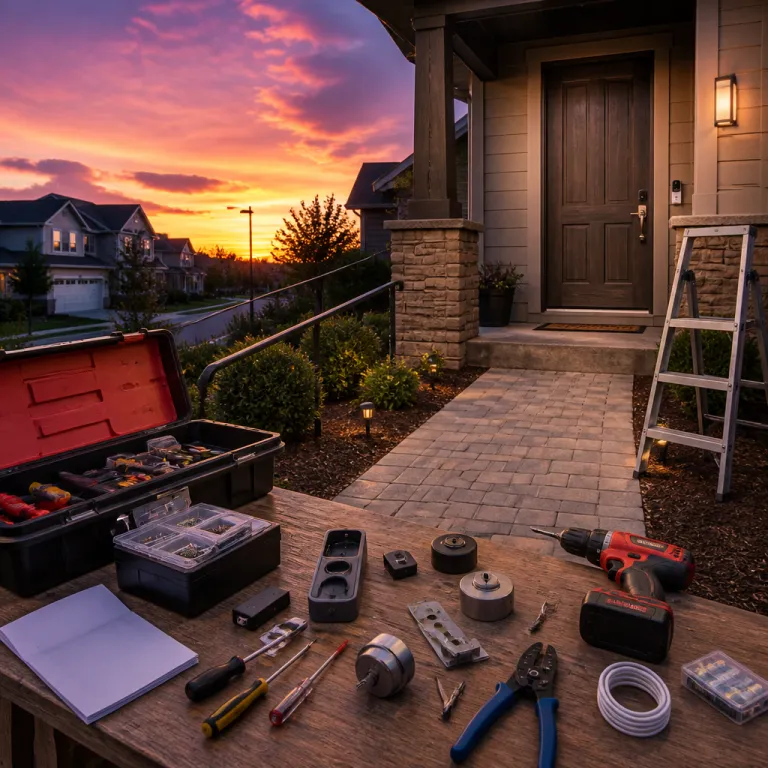
Why z wave devices matter for smart doorbell and lock security
Z-Wave devices sit at the heart of many reliable smart doorbell and smart lock ecosystems. When a smart doorbell, a connected deadbolt, and a smart hub all speak the same Z-Wave protocol, your front door becomes a coordinated security checkpoint rather than a set of isolated gadgets. This matters because a well-tuned Z-Wave network can keep latency low, extend long-range coverage, and maintain stable encryption even when Wi-Fi is congested, especially on newer Z-Wave Plus and Z-Wave Long Range (Z-Wave LR) deployments.
Unlike Wi-Fi or basic Zigbee setups, a mesh built around Z-Wave devices lets each powered node repeat the signal, so a Z-Wave hub in the living room can still reach a garage door lock or a Z-Wave outlet in a distant hallway. That mesh effect is especially valuable when you add a smart plug, a ZEN relay module, or a ZEN dimmer switch behind the wall, since every mains-powered product strengthens overall range and smart performance. For a person seeking information about home security, this means that the choice of protocol is not a technical footnote but a direct factor in whether your smart doorbell can reliably trigger your smart lock every single time, even when the radio path includes multiple hops.
Security standards are another reason Z-Wave devices are widely used in professional alarm systems, with strong encryption and strict certification for each product in the Z-Wave ecosystem. Modern Z-Wave S2 security uses authenticated key exchange and AES-128 encryption, and certified devices must pass interoperability tests so that a Z-Wave lock, a Z-Wave sensor such as the ZWA008, and a third-party SmartThings hub can work together without custom coding. When you compare this with some fragmented Zigbee or Wi-Fi ecosystems, you see why many installers still prefer a curated Z-Wave stack for critical entry points, as reflected in technical guidance from the Z-Wave Alliance and Silicon Labs.
Choosing the right smart hub and lock combo for your doorbell
The first practical decision is which smart hub will orchestrate your Z-Wave devices around the front door. Consumer-friendly platforms such as SmartThings, Hubitat, and Aeotec Smart Home Hub controllers each support a wide range of certified products, but they differ in how deeply they expose automation rules for a smart doorbell and a smart lock. If you want granular control over how a Z-Wave smart lock responds to a camera event, Hubitat and some Aeotec hubs often provide more advanced rule engines than a basic Z-Wave hub from a router manufacturer, and they typically document latency and local-processing behavior more clearly.
Lock selection matters just as much as the hub, because not every smart lock integrates cleanly with every smart doorbell or with every Z-Wave controller. Before you shop for a lock, check compatibility lists and detailed product reviews, then cross-reference them with guidance such as this expert resource on choosing the right lock cylinder for a smart doorbell. Matching the cylinder type, the Z-Wave radio version, and the firmware series of the lock with your preferred SmartThings or Hubitat hub will help prevent pairing failures and random disconnects, especially when you rely on S2 security and Z-Wave Plus features.
Price is the next filter, but it should never be the only one when you evaluate Z-Wave devices for the front door. A cheaper lock or ZEN relay module from a marketplace might look attractive, yet a slightly higher price for a better-protected Z-Wave outlet or ZEN dimmer switch can pay off in fewer failures and longer support. When you compare offers in any shop, look beyond the headline price and check whether the device supports Z-Wave Long Range capabilities, over-the-air firmware updates, and clear documentation for integration with your chosen smart hub, including any notes on tested range and response times.
Integrating smart doorbells with smart locks without adding friction
Once you have compatible Z-Wave devices in place, the real value comes from how your smart doorbell and smart lock behave together. A well-designed routine lets the doorbell camera trigger a temporary unlock when you verify a trusted visitor, while a ZSE contact sensor on the door frame confirms that the door actually closed again. Poorly planned automations, by contrast, can create friction, as explored in this analysis of doorbell and smart lock combos that complicate access, where extra prompts or slow responses undermine the promise of convenience.
To avoid that trap, start with a minimal set of rules that connect your Z-Wave hub, your smart lock, and your smart doorbell, then expand only after testing. For example, you might first configure a simple alert that pops up on your phone and on your SmartThings dashboard when the doorbell rings and the garage door ZSE tilt sensor detects movement, without any automatic unlocking. Once you are confident that your Z-Wave lock, your motion sensor, and your chosen smart hub behave predictably across the whole range of your smart entry area, you can add more ambitious routines such as time-limited access codes for regular visitors or geofenced arming and disarming.
Friction also appears when different protocols collide, such as when a Z-Wave–to–Zigbee bridge is used to connect a Zigbee doorbell to Z-Wave devices through a box hub. In those mixed setups, latency can increase and some advanced features of a lock or a ZEN relay module may not be exposed in the app, because the bridge may not forward every command class or event. If you want the most seamless experience, keep the core security path — doorbell, lock, and any nearby smart plug or Z-Wave outlet — on the same Z-Wave stack managed by a single, well-supported hub that handles S2 security and Z-Wave LR consistently.
Using sensors, relays, and plugs to harden the entry perimeter
Beyond the lock itself, a serious front door setup with Z-Wave devices relies on supporting actors such as relays, plugs, and sensors. A ZEN relay module can sit behind a traditional button or strike plate, turning a legacy mechanism into a controllable node that your smart hub can coordinate with the smart doorbell. When you pair that ZEN relay with a ZSE contact sensor on the frame and a Z-Wave temperature and humidity sensor inside the vestibule, your system can react not only to visitors but also to environmental changes that might affect security, such as doors swelling in high humidity and failing to latch.
Smart plugs and Z-Wave outlet modules extend the mesh and add practical automation points around the entrance, such as powering a lamp that turns on when the doorbell detects motion. If you integrate those Z-Wave devices with motion-triggered porch lighting, you can follow detailed guidance such as the strategies described for pairing a doorbell with smart porch lights, which helps avoid glare that blinds the camera. A well-placed smart plug or Z-Wave outlet can also control a small heater or fan to protect the doorbell and lock from extreme temperature and humidity swings, keeping them within the operating ranges listed in the device datasheets.
Do not overlook the garage door as part of the same perimeter, especially when it provides secondary access to the home. A Z-Wave-enabled garage door controller, combined with a ZSE tilt sensor, lets your SmartThings or Hubitat hub verify that the door is closed whenever the smart doorbell detects that you have left the property. By tying these Z-Wave devices into a single automation, you reduce the chance that a forgotten side entrance undermines the security gains of your expensive front door hardware, and you can log open and close events for later review.
Managing risks from water leak, power issues, and environmental stress
Physical threats to your smart doorbell and lock often come from the environment rather than from intruders. A discreet water leak near the entry, a power surge on the circuit feeding your Z-Wave hub, or prolonged humidity can all degrade Z-Wave devices over time. That is why many professionals pair their front door stack with dedicated water leak and temperature and humidity sensors that report back to the same smart hub, often using S2-secured communication to ensure alerts are delivered reliably.
Placing a ZSE water leak sensor under a nearby radiator or in a porch where pipes run close to the door can give early warning before moisture reaches the lock or the doorbell wiring. When that ZSE sensor is part of the same Z-Wave mesh as your smart plug, your ZEN relay, and your Z-Wave outlet, the hub can automatically cut power to vulnerable devices or send urgent alerts to your phone. In parallel, a temperature and humidity sensor can trigger a smart plug–connected dehumidifier or heater, keeping the environment within the operating limits specified in the product documentation and reducing condensation that might corrode contacts.
Power resilience is another layer, especially if your Z-Wave hub and SmartThings or Hubitat controller sit near the entry. Use a smart plug with energy monitoring to track consumption and detect unusual patterns that might signal a failing transformer or a stuck ZEN relay module. For critical installations, some homeowners place the hub, the router or box hub, and the main Z-Wave devices on a small uninterruptible power supply, ensuring that the smart lock and smart doorbell continue to function during short outages that might otherwise leave the garage door or front door unsecured or unresponsive.
Buying, pricing, and reviewing z wave devices for front door security
When you move from planning to purchasing, the market for Z-Wave devices can feel crowded and confusing. Major retailers such as Amazon, specialist online shop fronts, and local installers all offer overlapping lineups of Zooz, Aeotec, and other brands, each with different price points and delivery options. To cut through the noise, start by defining the exact product roles you need — smart doorbell integration, smart lock control, ZSE sensor coverage, and at least one smart plug or Z-Wave outlet to reinforce the mesh and improve range.
Once you have that list, compare the total price of a coherent Z-Wave bundle against a mix-and-match approach, because discounts often apply when you buy several devices from the same ZEN series or Aeotec range. Read independent reviews that focus on long-term reliability, radio range, and firmware support rather than only on initial setup convenience or the promise of free cloud features. Pay attention to whether reviewers mention stable performance with SmartThings, Hubitat, or a specific Z-Wave hub, since real-world compatibility and verified S2 or Z-Wave LR support are more valuable than a long spec sheet.
Buying from a reputable shop or Amazon seller with clear return policies and fast delivery is also part of a security strategy, because faulty Z-Wave devices at the front door are not just an annoyance. If a smart hub fails to talk to a lock due to a radio defect or a Z-Wave Long Range issue, you want the option to replace the device quickly rather than live with an unreliable entry point. Over time, keep an eye on firmware updates from Zooz and Aeotec, as these can improve Z-Wave performance, extend range capabilities, and patch vulnerabilities without requiring you to replace the underlying hardware, as documented in many vendor and Z-Wave Alliance release notes.
Key statistics on smart doorbells, smart locks, and z wave devices
- According to Parks Associates, more than 20% of broadband households in North America owned at least one smart home security device as of 2022, and smart doorbells and smart locks were among the fastest-growing categories within that segment (Parks Associates, Smart Home Tracker 2022, summary data cited in industry briefings).
- Data from Strategy Analytics indicates that Z-Wave and Zigbee together power a significant share of professionally installed security systems, with Z-Wave particularly common in systems that integrate door locks and garage door controllers (Strategy Analytics, Smart Home Device Market Forecast 2021–2026, regional breakdowns for North America and Europe).
- A report by Omdia shows that global smart doorbell shipments have grown by double-digit percentages year over year, driven largely by consumers seeking integrated solutions that combine video, access control, and automation through a single smart hub (Omdia, Smart Home Devices Market Tracker 2023, vendor and channel analysis).
- Consumer surveys from organizations such as Consumer Reports consistently find that buyers rank reliability and radio range above advanced features, which aligns with the strengths of well-designed Z-Wave devices in dense urban environments (Consumer Reports, smart home device surveys 2021–2023, summarized in public-facing articles).
FAQ about z wave devices, smart doorbells, and smart locks
Are z wave devices more secure than Wi Fi smart locks and doorbells ?
Z-Wave devices used for locks and entry sensors typically implement strong, standardized encryption and must pass certification, while many Wi-Fi products vary widely in their security practices. Because the Z-Wave radio is not directly exposed to the internet, attackers usually need to compromise the hub first, which adds a layer of defense. That said, overall security still depends on good passwords, regular firmware updates, and careful configuration of your smart hub, including enabling S2 security where available.
Can I mix z wave devices with zigbee or Wi Fi doorbells ?
You can mix protocols by using a smart hub that supports both Z-Wave and Zigbee, or by pairing a Wi-Fi doorbell with a Z-Wave lock through cloud integrations. In such setups, the hub or cloud service translates events between the Z-Wave and Zigbee or Wi-Fi worlds, allowing your smart doorbell to trigger a Z-Wave lock. However, mixed systems can introduce latency and complexity, so critical security paths are usually more reliable when they stay on a single protocol family and avoid unnecessary bridges.
How far is the typical range of z wave devices around a front door ?
Typical indoor Z-Wave range is often quoted around 10 to 30 metres per hop, but real performance depends on walls, interference, and device placement. Because Z-Wave forms a mesh, each powered node such as a smart plug or Z-Wave outlet can relay the signal, extending coverage to a garage door or side entrance. For large homes, using Z-Wave Long Range–certified devices and placing them strategically near the entry can significantly improve reliability, as shown in range tests published by Silicon Labs and the Z-Wave Alliance.
Do I need a subscription to use z wave devices with my smart doorbell ?
Z-Wave devices themselves do not require subscriptions, since they communicate locally with a hub, but some smart doorbell brands charge for cloud video storage or advanced analytics. If you choose a hub such as Hubitat or certain Aeotec controllers, most automation between the doorbell, lock, and sensors can run locally and free of monthly fees. Always check both the doorbell vendor and the hub provider to understand which features remain free and which require ongoing payments, especially for video history and AI-based alerts.
What should I look for in reviews before buying a z wave smart lock ?
When reading reviews, focus on long-term reliability, battery life, radio stability, and how well the lock integrates with specific hubs such as SmartThings or Hubitat. Look for comments about consistent performance in automations with smart doorbells, garage door controllers, and other Z-Wave devices, rather than only on first-day impressions. Pay attention to whether the manufacturer provides regular firmware updates and clear documentation, as these are strong indicators of ongoing support and adherence to current Z-Wave S2 and Z-Wave Plus standards.