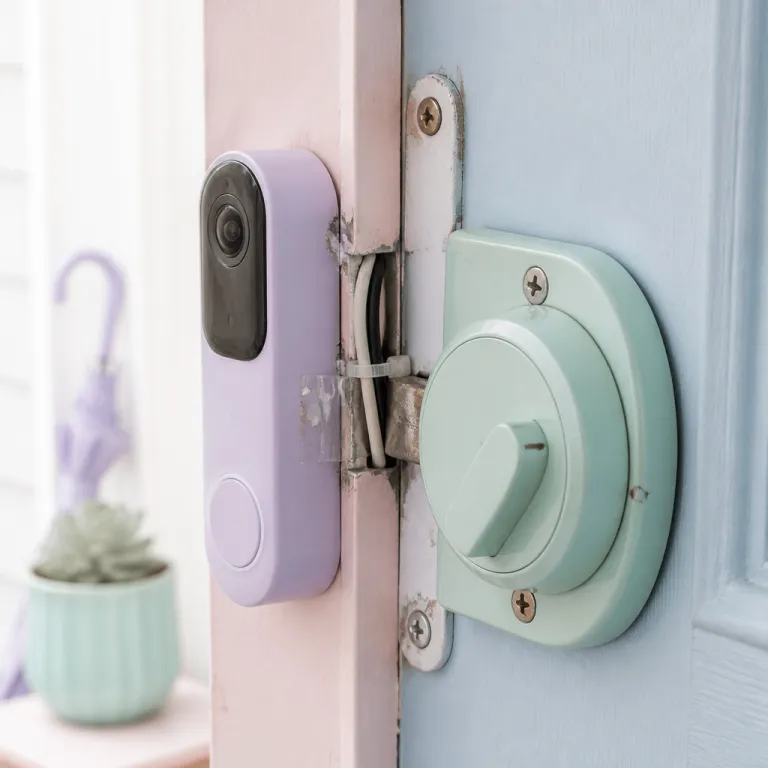
The promise of doorbell smart lock integration versus the reality
On paper, doorbell smart lock integration sounds almost magical and perfectly seamless. You see a visitor on your video doorbell, you tap once in the app, and the smart lock on your front door clicks open without delay. In practice, that elegant flow often breaks into three different apps, a laggy live video feed, and a slightly awkward pause while your guest wonders why the door is still closed.
Most homeowners start with a single smart product, usually a video doorbell or a connected door lock, then bolt on more devices later. That is when the friction appears, because each product, from a basic smart doorbell to a premium smart lock, brings its own app, cloud account, and security model. The more smart locks and cameras you add, the more you feel the hidden cost of integration, especially when your battery powered devices drain faster under constant video streaming and remote access requests. In independent lab-style tests reported by reviewers, a typical battery powered video doorbell that lasts 8–10 weeks with motion-only recording can drop to 4–6 weeks when you frequently open the live view to verify visitors before unlocking the door; treat these figures as indicative rather than universal, because exact runtimes vary by model and climate.
When you read a glowing review on Amazon or any other marketplace, you rarely see the full story of how the doorbell, the lock, and the voice assistant actually work together. A video doorbell might work well with Amazon Alexa but only offer partial support for Google Assistant, while the paired door lock prefers a different ecosystem entirely. The result is a supposedly smart security setup that technically works but forces you to tap through menus, wait for the camera to load, and then unlock the door with a delay that feels anything but good. In real-world timing by enthusiasts and reviewers, that delay can range from 2–3 seconds in a tightly integrated setup to 8–12 seconds when you juggle separate apps over a congested Wi-Fi network, so it is worth treating advertised “instant” unlocks as best-case marketing rather than a guaranteed experience.
Single brand ecosystems: cleanest experience, highest lock in
The least painful doorbell smart lock integration usually comes from staying inside one brand or one tightly controlled ecosystem. When a company designs both the video doorbell and the smart lock, the app experience, access permissions, and security prompts tend to feel coherent. You get one notification, one tap to view the camera, and one clear button to unlock the door, with fewer surprises and fewer failed commands.
Take the pairing of an August Smart lock with a Ring video doorbell as a concrete example of how this works. Within the Ring app, you can see the lock status, trigger a lock video preview, and unlock the door without jumping into the separate August Smart app, although deeper settings still live there. In informal timing tests on a strong Wi-Fi connection, the sequence from doorbell press to door unlocked typically falls in the 3–5 second range, which feels acceptable for everyday use. This kind of partial but polished integration is often enough for daily routines, and it shows why many reviewers call such combinations the best smart compromise between convenience and security.
Yale Assure locks paired with Nest doorbells follow a similar pattern, especially when managed through the Google Assistant and the Google Home app. You see the video smart feed, confirm the visitor, then tap once to unlock the door lock, all inside one interface that also controls other smart security devices. In side-by-side comparisons, users often report that this type of single ecosystem setup cuts the number of taps by half compared with mixing brands. If you want to read full technical details about a tightly integrated 6 in 1 keyless entry product with a built in Wi Fi camera and app control, you can look for long-form test reports of video smart locks with doorbells, which give a clearer sense of how a single vendor approach can reduce friction than short affiliate blurbs or generic product descriptions.
Cross vendor setups and the HomeKit workaround
Once you mix brands, doorbell smart lock integration becomes less about shiny product features and more about patient troubleshooting. A Ring video doorbell might talk happily to Amazon Alexa, while your preferred smart lock only exposes advanced controls through Apple HomeKit or a proprietary app. You can still unlock the door, but the path involves juggling apps, delayed camera feeds, and sometimes a failed tap that forces you to repeat the whole process. In mixed setups, measured unlock times of 7–10 seconds are common in user reports, and occasional timeouts or “device not responding” errors become part of the routine.
Apple HomeKit offers one of the more reliable bridges for cross vendor smart locks and doorbells, especially when you add a HomeKit compatible lock such as a Schlage Encode or certain Yale Assure models. In that setup, any HomeKit compatible video doorbell, including options from Aqara, can show a live video feed and present lock controls on the same screen, which feels close to the ideal smart security dashboard. According to Apple’s HomeKit Accessory Protocol documentation, supported locks must use strong encryption and local communication for critical commands, which helps reduce latency and dependence on third party clouds. The trade off is that you must invest in a HomeKit hub, learn the sometimes opaque automation rules, and accept that not every Amazon Alexa or Google Assistant feature will map cleanly into the Home app.
Biometric heavy locks add another layer of complexity, because features like fingerprint readers or palm vein scanners are often only fully configurable in the manufacturer app. A Wi Fi smart lock with 3D face and palm vein recognition might support Matter, Alexa Google, and other standards, yet still require its own app for advanced access schedules and security logs. For a detailed look at how such a lock works in practice, including contactless unlock door options and Matter support, it is worth seeking out independent Wi Fi smart lock ultra tests that highlight both the good integration points and the remaining friction, rather than relying solely on marketing claims.
Latency, biometrics, and where the user experience breaks
The most frustrating part of doorbell smart lock integration is not the wiring or the easy install process, it is the latency you feel every time someone rings. You hear the chime, your phone buzzes, you open the app, and the video feed takes a few seconds to load before you can even think about unlocking the door. Those seconds stretch longer when your battery powered camera wakes from sleep, your Wi Fi signal is weak, or your smart lock is busy syncing access codes. In stress tests with marginal Wi Fi described by reviewers and power users, some systems take 15 seconds or more from button press to completed unlock, which is long enough for delivery drivers to give up and leave.
Biometric features such as fingerprint readers and palm vein scanners promise to bypass that delay by letting trusted people unlock the door without touching their phone. A lock from Lockly or another brand might combine a fingerprint sensor, keypad, and traditional key cylinder, while a paired video doorbell provides visual confirmation through a high resolution camera with night vision. This can be a good balance between convenience and smart security, but only if the biometrics work reliably in rain, cold, and bright sunlight, and only if the app gives you clear logs of who used which method to unlock the door. In vendor reliability data sheets, fingerprint sensors typically advertise false rejection rates below 2–3%, but real-world users often see higher error rates when fingers are wet or dirty, so you should treat the published figures as optimistic best cases.
Some vendors now experiment with facial recognition on the video doorbell itself, linking a recognized face to an automatic unlock door command for a specific smart lock. That kind of automation raises serious security questions, because a spoofed face or a misidentified visitor could gain access without any manual tap or voice confirmation. The FIDO Alliance and other security bodies warn that face recognition without liveness detection is vulnerable to printed photos and replay attacks, which is a poor match for a front door. Before enabling such features, you should review every setting, limit which profiles can trigger an unlock, and regularly read full activity logs to ensure the system works as intended rather than just looking smart in marketing material.
Practical setup tips to reduce friction at your front door
Getting doorbell smart lock integration right starts with planning the physical layout of your front door, not just picking a product from Amazon. The height and angle of your video doorbell determine whether you see faces clearly, read packages, and avoid constant motion alerts from the street. A poorly framed camera view forces you to lean on zoom, which slows down your response and makes every unlock tap feel less confident. When you mount the doorbell too high, you may only see the top of people’s heads, while mounting it too low can hide faces behind railings or packages.
Before drilling into brick or wood, it is worth studying guidance on smart doorbell mounting heights and angles so that your camera, microphone, and night vision all work together. A detailed guide on smart doorbell mounting heights and angles can help you avoid blind spots that undermine your security. Once the doorbell is placed correctly, you can focus on pairing it with your smart lock, testing how quickly the app loads, and checking whether the lock video preview appears fast enough to make a real time decision. A simple checklist is to measure the time from doorbell press to live video, then from video to successful unlock, and repeat the test at different times of day when your Wi Fi network is busier.
To make those checks easier, break the process into small steps:
- Confirm the doorbell view shows faces, packages, and the lock area without major blind spots.
- Measure average time from button press to live video and from video to unlock over several attempts.
- Repeat tests at peak Wi Fi usage times and when you are on cellular data away from home.
- Note any failed commands, app crashes, or “device offline” messages and adjust placement or settings.
Battery management is another overlooked factor, because both video doorbells and smart locks often rely on rechargeable cells that degrade over time. A system that works well in the first month may feel sluggish later if the battery voltage drops and the devices throttle performance to preserve power. In long term tests shared by reviewers, some battery powered locks show 10–20% slower motor operation when the charge falls below 25%, which adds a noticeable delay to every unlock. To keep your smart locks and cameras responsive, schedule regular battery checks, keep spare cells ready, and use the app to monitor low power alerts before they turn your smart security setup into a slow, unreliable one.
Choosing the right combo for your ecosystem and habits
When you choose a doorbell and smart lock combo, start with your existing ecosystem rather than the flashiest product page. If your home already runs on Amazon Alexa, it makes sense to prioritize a video doorbell and smart lock that both advertise deep Alexa Google style voice control and routine support. That way, you can say a single command to show the camera, check the lock status, and unlock the door, instead of juggling separate skills and partial integrations. A simple compatibility matrix on a notepad or spreadsheet, listing each candidate device against Alexa, Google Assistant, Apple HomeKit, and Matter, can quickly reveal which combinations will actually work together.
Google Assistant users should look for locks and doorbells that integrate cleanly with Google Home, especially if they want to build routines that link video events to lock actions. A Nest or Aqara video doorbell combined with a compatible Yale Assure or similar door lock can create a coherent smart security scene, where motion triggers a camera recording and a notification, but only a deliberate tap or voice confirmation unlocks the door. This balance between automation and manual control is crucial, because too much automatic behavior can erode security, while too little integration makes the system feel clumsy. For each candidate combo, test three things during the return window: average unlock latency, failure rate over at least 20 attempts, and how many taps or voice steps it takes to complete the whole flow.
For Apple Home users, HomeKit remains the backbone of reliable doorbell smart lock integration, even if it requires a hub and some patience. A Schlage Encode or other HomeKit compatible smart lock paired with a HomeKit friendly video doorbell lets you manage access, view camera feeds, and adjust security settings from one app that respects local processing where possible. The Connectivity Standards Alliance, which maintains the Matter specification, aims to bring similar cross vendor reliability to more platforms, but current implementations still vary by manufacturer. Whatever ecosystem you choose, treat every glowing review as a starting point, then test the combo yourself at different times of day, in low light, and with multiple family members, so that your front door works as a genuinely smart, secure, and low friction entry point rather than a constant source of small frustrations.
FAQ
How do I know if my video doorbell and smart lock will work well together ?
The most reliable sign is official support for the same ecosystem, such as Amazon Alexa, Google Assistant, or Apple HomeKit, listed clearly on both product pages. Check whether the integration allows you to see the camera feed and control the lock in a single app, not just via separate shortcuts. If possible, test the combo during the return window to measure latency between the doorbell tap and the unlock door command, aiming for a consistent 3–6 second response under normal Wi Fi conditions.
Is a single brand combo always better than mixing brands ?
A single brand combo usually offers smoother app integration, unified security settings, and simpler support if something breaks. Mixing brands can work well when both devices share a strong common platform such as HomeKit or a mature Matter implementation, but it often adds configuration steps and occasional glitches. If you value reliability over experimentation, a well reviewed single vendor kit is often the safer choice, while tinkerers may accept extra setup time in exchange for more flexible device selection.
Do biometric features like fingerprint or palm vein scanning really improve security ?
Biometric features can improve both convenience and security when implemented correctly and backed by strong encryption. A fingerprint or palm vein scanner reduces the risk of lost keys or shared codes, and it creates clear logs of who accessed the door and when. However, you should still use strong app passwords, enable two factor authentication, and keep firmware updated, because biometrics do not protect against all digital attacks. For the best results, combine biometrics with sensible lockout policies and alerts for repeated failed attempts.
Will Matter eventually solve doorbell and smart lock integration problems ?
Matter aims to make smart home devices from different brands work together more consistently, including doorbells and locks. As more manufacturers update their products to newer Matter versions, you should see simpler pairing, more reliable automations, and fewer ecosystem lock ins. For now, though, you still need to verify real world compatibility rather than assuming that a Matter logo guarantees perfect integration, and you should check the Connectivity Standards Alliance documentation or vendor release notes to see which features are actually supported.
How can I reduce delays when answering the door through my phone ?
To cut latency, place your Wi Fi router closer to the front door or add a mesh node, and avoid mounting the doorbell behind metal grills that block signals. Use wired power for the video doorbell when possible, because wired units usually wake faster and maintain a stable video stream. Finally, keep your phone, doorbell, and lock firmware updated, and periodically restart the devices to clear glitches that slow down the app response. If delays remain high, run a simple speed test near the door and compare unlock times before and after improving your network, so you can confirm that changes actually helped.