
Summary
Editor's rating
Is it worth the money compared to Nuki, Aqara and others?
Chunky but thought-out design, more practical than pretty
Battery life, charging, and what happens when it’s almost dead
Build quality and how it handles real-world abuse
Biometrics and daily use: does it actually unlock when you need it?
What you actually get in the box and what it can do
Pros
- Biometric options (face, palm vein, fingerprint) work reliably and are genuinely useful day-to-day
- Retrofit design fits Euro profile cylinders without drilling and installs in minutes on standard doors
- Includes keypad and Matter hub, with solid integration into Alexa, Google, HomeKit and other platforms
Cons
- High price compared to simpler smart locks if you don’t fully use the biometric features
- Bulkier look on the door and keypad is quite techy, not very discreet
- Requires a compatible friction Euro cylinder and sometimes an extra adapter kit for unusual doors

Specifications
View full product page →| Brand | SwitchBot |
A smart lock that actually feels futuristic (for once)
I’ve been messing around with smart locks for a few years now – Nuki, Aqara, a couple of cheap Wi-Fi ones from Amazon – so I wasn’t expecting to be blown away by another "app + keypad" combo. I bought the SwitchBot Lock Ultra Vision Pro because I was curious about the 3D face and palm vein stuff. It sounded a bit gimmicky on paper, like something you’d see in a tech demo and never use in real life.
After a few weeks on my front door, I have to admit: the whole "walk up and it unlocks" thing is actually the feature I use the most. I barely touch the keypad or use my phone now. The lock sits on a Euro cylinder door in an apartment building, and I didn’t want to drill or change the cylinder if I could avoid it, so the retrofit approach made sense for me.
In day-to-day use, the main things that stood out were: speed of the motor, how often the biometrics work on the first try, and how much less I think about my keys. It’s not perfect – the app is a bit cluttered, the hardware is chunky, and setup takes some patience. But it does solve the basic problem of getting into the house with full hands or kids in tow.
If you’re expecting a cheap gadget, this isn’t it. It’s closer to the higher-end smart locks like Nuki or Aqara U200, but with more biometric toys. The big question for me wasn’t "does it work" – it mostly does – but whether all these extras are worth the price and the setup time. That’s what I’ll try to break down here, without the marketing spin.
Is it worth the money compared to Nuki, Aqara and others?
Let’s be direct: this is not cheap, especially once you add the fact that you’re buying the full combo (lock + Vision Pro keypad + hub). If all you want is app control and a simple keypad, you can spend a lot less with other brands. Where this starts to make sense is if you actually want to use the advanced biometrics every day and you care about Matter/HomeKit support without messing around.
Compared to Nuki: Nuki is usually cheaper if you just get the lock and a simple keypad. It’s solid and does the basics well, but it doesn’t have face or palm recognition. If you only care about auto-unlock via phone and a basic PIN keypad, Nuki probably gives you better value. The SwitchBot starts to earn its price when you actually use face/palm/fingerprint daily and want the stronger integration with Matter and other SwitchBot devices.
Compared to Aqara U200: Aqara is strong on smart home integration and is also retrofit-friendly, but again, more traditional on the access methods. If you’re already deep in the Aqara ecosystem, staying there might be simpler. If you’re more platform-agnostic and like the idea of not touching anything to open the door, SwitchBot’s combo has more going on.
So who gets good value here? In my opinion: people with a Euro cylinder door, who hate carrying keys, and who will actually use the face and fingerprint every single day. For that profile, the price starts to feel reasonable because it genuinely changes how you enter the house. If you’re just smart-home curious and want to try a lock, this is probably overkill and you’re paying for features you won’t fully use. I’d give the value a 4/5: not a bargain, but fair for what it offers if you’re the right user.
Chunky but thought-out design, more practical than pretty
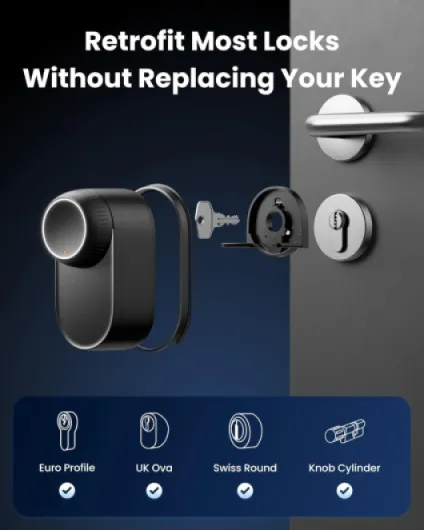
The Lock Ultra itself is still a pretty big lump of hardware on the inside of your door, but compared to earlier retrofit locks (especially older Nuki models) it’s slimmer and looks a bit more modern. It’s an all-metal body in black, with a big circular knob you can turn by hand if needed. SwitchBot claims it’s about 50% slimmer than their older model, and visually it does look less bulky, though you’re not going to mistake it for a normal door thumbturn.
They include three wood-grain stickers in the box so you can try to match it to your door. Personally, I think they look a bit cheap. I tried one for a day, didn’t like the look, and just went back to the plain black metal. The lock on its own looks fine – a bit techy, but not ridiculous. If your door is white or light wood, the black unit will definitely stand out, so don’t expect it to disappear visually.
The magnetic quick-release system for the body is a good idea. The base ring screws or sticks onto the door, and the lock itself clips on with magnets. That makes it easier to remove for charging or adjustments. It actually feels solid; I tried forcing it sideways with the door open, and there was no wobble. Compared to my old Nuki, which needed re-tightening every few months, this feels more stable.
The Keypad Vision Pro is bulkier than a basic keypad because of all the sensors for face and palm. It looks like a small black brick with a camera and IR sensors on top, keypad and fingerprint below. Not pretty, not ugly, just clearly a tech device on your door. The upside is the layout is practical: fingerprint is where your thumb naturally lands, and the camera angle is tuned for someone standing at normal distance. If you like ultra-minimal hardware, this will feel too gadgety. If you care more about function than aesthetics, it’s fine and gets the job done.
Battery life, charging, and what happens when it’s almost dead
The Lock Ultra goes with a built-in rechargeable battery instead of AA cells, plus an emergency battery inside the lock. The keypad also has a built-in rechargeable battery with USB‑C at the bottom. Personally, I prefer this over constantly buying AA batteries, but it does mean you need to remember to charge things now and then. I haven’t had it long enough to drain it fully, but based on the percentage drop over a couple of weeks with daily use, it looks like you’ll get several months per charge on the lock, and probably similar on the keypad.
What I like is the triple power protection idea. When the main battery on the lock is low or charging, the emergency battery takes over so the lock still works. And even when both are basically empty, there’s a "micro-power unlocking" mode that uses a tiny bit of remaining juice to open the door once or twice. In practice, this is hard to test without intentionally running the lock flat, but the logic makes sense and reduces the classic fear: "what if the smart lock dies and I’m stuck outside".
Charging itself is simple: USB‑C cable into the lock and keypad. The downside is you’ll have a cable dangling from your door for a bit while charging unless you take the lock off the mount, which is easier here thanks to the magnetic quick-release. I ended up just popping it off and charging it on a table the first time to avoid the ugly cable on the door.
One thing to flag: if your door is in a very cold area (like a metal frame door in winter), rechargeable batteries can lose capacity faster. Other users of the older Lock Pro mentioned battery hits in sub-zero temperatures. I haven’t gone through a full winter with the Ultra yet, so I can’t confirm if it’s better now. If you live somewhere that regularly hits -10°C, I’d keep an eye on the battery percentage for the first season and maybe keep a power bank nearby just in case. Overall, battery management here is pretty solid, but not entirely "set and forget".
Build quality and how it handles real-world abuse
The main lock unit feels sturdy. It’s aluminium, has some weight to it, and doesn’t flex if you twist it by hand. After a couple of weeks of normal use, I don’t see any marks or wobble around the mounting points. The new mounting system with a stronger bracket and the magnetic clip is a clear step up from older SwitchBot locks that tended to loosen over time, especially if the door was slammed a lot.
The keypad is where I noticed some clear improvements versus older models. They ditched the soft-touch rubber coating that used to wear and fade outdoors and switched to hard plastics. That’s less fancy to the touch but much better for long-term exposure to sun and rain. The buttons are still easy to press, and the print on them looks like it will last longer. It’s IP-rated enough for outdoor use (they don’t shout the exact number everywhere, but the USB‑C port has a rubber flap and the seams look tight), and I’ve had it in a few decent rain showers with no issues.
On the security side, it’s worth saying: this is still a retrofit lock. It’s only as strong as your existing Euro cylinder and door. The motor and housing feel solid, but if your cylinder is cheap or your door is weak, the smart part doesn’t fix that. I’d recommend pairing it with a good quality friction Euro cylinder that allows key usage on both sides and has proper anti-snap/anti-bump features.
In terms of long-term durability, I can’t pretend I’ve used it for a year, but based on build and the tweaks they’ve made from the older products, I’m reasonably confident it’ll hold up. The fact that they removed the rubbery coatings and AA batteries is a plus for longevity. If anything fails, my guess is it’ll be the rechargeable batteries losing capacity after a few years, which is standard for this kind of device. Overall, it feels like hardware you can actually rely on daily, not a flimsy gadget.
Biometrics and daily use: does it actually unlock when you need it?
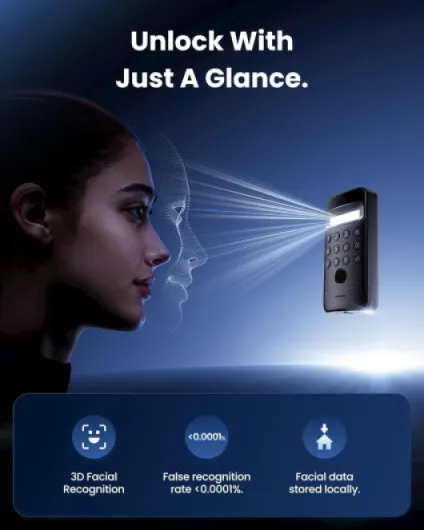
The big question for me was: does the face and palm stuff work reliably, or do you end up punching in a PIN anyway? After a couple of weeks, I’d say the hit rate is high enough that I mostly forget about the backups. Face recognition works for me on the first try around 9 times out of 10 in normal conditions. When it fails, it’s usually because I’m too close, too far, or I turned my head away too quickly. The detection range they claim (0.6–0.9 m) feels accurate; if you’re outside that, it just won’t trigger.
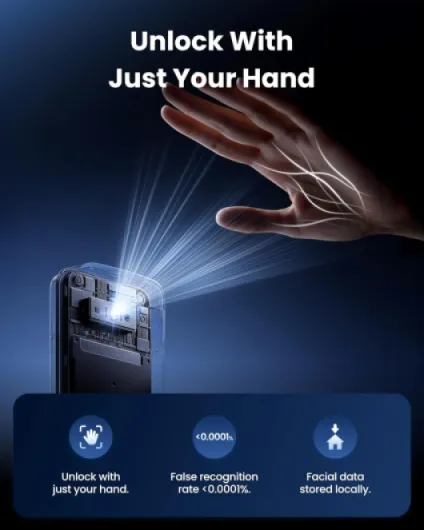
The palm vein recognition is surprisingly solid too. You hold your hand 8–25 cm away, and it lights up and unlocks in about a second. I used this more when I was wearing a hat or had my hands full but could still wave one hand. It’s a bit awkward the first few times while you figure out the distance, but once you get the hang of it, it’s pretty smooth. It’s also nice when you don’t want to touch anything (dirty hands, paint, etc.).
Fingerprint is the most boring but also the most reliable. It’s basically instant. In my testing, fingerprints failed maybe 1 out of 20 times, usually when my finger was wet or really cold. Face and palm still work in the dark because of the IR setup, and that’s true in practice – I tried coming home late with almost no street lighting and it still recognised me, which is exactly the use case where a normal camera would struggle.
Motor performance is strong. My door has a slightly stiff Euro cylinder with a fairly long throw, and the lock turns it without drama. It’s faster than my old SwitchBot Lock Pro and at least as quick as Nuki. Noise level is noticeable but not crazy – a short whirring sound for 1–2 seconds. Inside the flat, you hear it clearly; outside in the hallway, it’s audible but not obnoxious. Overall, from approach to open door with face unlock, you’re looking at roughly 2–3 seconds, which is quicker than digging for keys and about the same as tapping a fingerprint on other locks.
What you actually get in the box and what it can do
Out of the box, you get the Lock Ultra itself, the Keypad Vision Pro, a small Matter-enabled Hub Mini, mounting plates, stickers, and the usual screws and templates. So it’s a full kit: you don’t have to buy the keypad or hub separately, which is nice considering the price. Everything is clearly labelled, but there’s still a bit of trial and error if your door isn’t textbook standard.
Feature-wise, it’s pretty loaded. You can unlock via: 3D face recognition, palm vein recognition, fingerprint, PIN code, NFC tags, SwitchBot app, Apple Watch, and through assistants like Alexa/Google via the hub. It also supports Matter, so if you’re into HomeKit or a mixed smart home setup, it plugs in without needing some weird workaround. In practice, I mostly used face, fingerprint, and the app. Palm vein is cool but feels a bit overkill unless your hands are often dirty or gloved.
The lock is Wi-Fi enabled (through the hub), and the keypad talks to the lock over Bluetooth. I tested remote unlocking, notifications, and automations like "lock at 11 pm" and "send alert when door is left unlocked". All of that worked, with the usual 1–2 second delay you get with cloud services. Compared to Nuki, I’d say the automation reliability is similar, but with more biometric options.
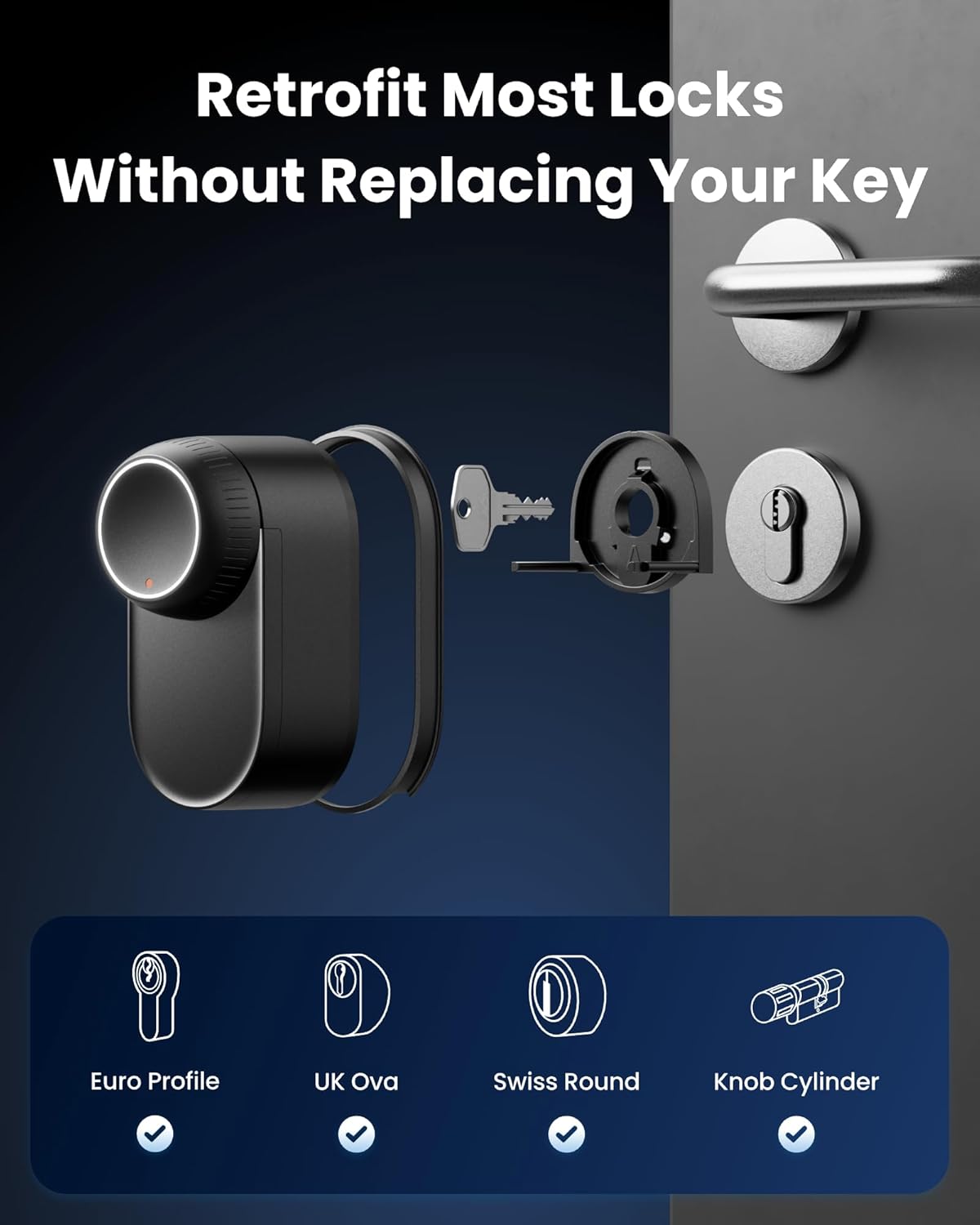
This is clearly aimed at people who want a retrofit solution for Euro profile cylinders and don’t want to change the whole door hardware. If you have a standard cylinder with the right friction function (key can be used from both sides), you’re fine. If your door is weird, there’s an extra adapter kit you might need to buy, which is a bit annoying but at least they thought about it. Overall, the feature list is long, but the good news is that most of it is actually usable, not just bullet points for the product page.
Pros
- Biometric options (face, palm vein, fingerprint) work reliably and are genuinely useful day-to-day
- Retrofit design fits Euro profile cylinders without drilling and installs in minutes on standard doors
- Includes keypad and Matter hub, with solid integration into Alexa, Google, HomeKit and other platforms
Cons
- High price compared to simpler smart locks if you don’t fully use the biometric features
- Bulkier look on the door and keypad is quite techy, not very discreet
- Requires a compatible friction Euro cylinder and sometimes an extra adapter kit for unusual doors
Conclusion
Editor's rating
After living with the SwitchBot Lock Ultra Vision Pro for a bit, my overall take is: it’s a very capable smart lock with genuinely useful biometrics, not just gimmicks. The face and palm recognition work well enough that I almost never reach for my keys anymore, and the fingerprint and PIN are solid backups. Installation on a Euro cylinder was straightforward on my door, and I didn’t have to drill or change the hardware, which was important for me in an apartment.
It’s not perfect. The hardware is still quite visible, the app can feel a bit busy, and the price is on the high side compared to simpler solutions. You also need to make sure your cylinder is compatible (friction type, right dimensions), and if your door is unusual you might have to buy the extra adapter kit. Battery life looks decent so far and the dual-battery setup is reassuring, but if you live somewhere very cold you’ll want to keep an eye on it at first.
I’d say this is for people who really care about keyless entry and smart home integration. If you’re the type who always has your phone, watch, and smart speakers set up, and you like the idea of just walking up to the door and having it open, you’ll probably be happy with it. If you just want a cheap way to unlock your door from an app once in a while, this is overkill and you can save money with a simpler lock. Overall, it’s a strong product with a clear focus on biometrics and convenience, and it mostly delivers on that promise.