
Summary
Editor's rating
Is it good value compared to Ring, Eufy and others?
Simple, modern look that doesn’t scream ‘tech gadget’
Battery life: decent, but not magic
Build quality and how it handles real-world conditions
Video, audio and motion: does it actually work day to day?
What this Yale doorbell actually offers
Pros
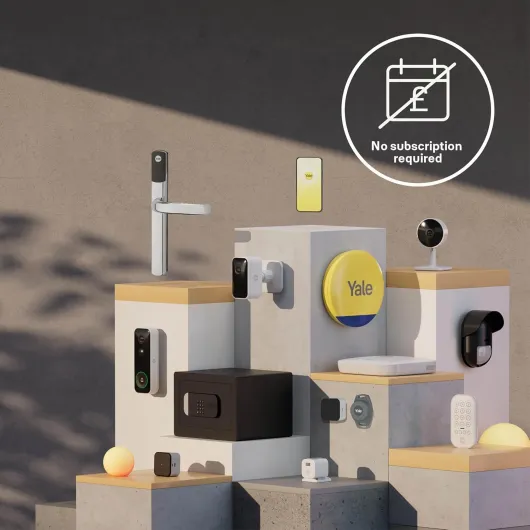
- No mandatory subscription needed for 2–4 days of motion recordings
- Clear 1080p video with decent night vision for typical front-door distances
- Flexible power options (battery or wired) and straightforward installation
Cons
- Notifications sometimes arrive with a noticeable delay
- Smarter AI detections (parcel, vehicle) require a paid subscription
- Battery needs the whole unit taken down for charging and doesn’t last for months in busy locations

Specifications
View full product page →| Brand | Yale |
A doorbell for people who hate subscriptions
I grabbed the Yale Smart Video Doorbell mainly because of one thing: no mandatory subscription. I was tired of brands that sell you a camera and then hold your recordings hostage behind a monthly fee. On paper, this one gives you local storage for a couple of days, 1080p image, night vision, and works with the Yale Home app and Alexa. So I wanted to see if it actually holds up in day-to-day use or if it’s just another connected gadget that sounds good in the specs but is annoying in real life.
I've been using it for just over two weeks, in battery mode, on a fairly busy street. We get deliveries every other day, plus random door knockers, neighbours, and some car and foot traffic in front of the house. Enough activity to properly test motion detection, notifications, and how the battery copes. I also linked it to Alexa to see if the integration is actually useful or just a line on the box.
Right away, I noticed a few things: the install is simple if you’re even slightly handy, the app is decent but not perfect, and notifications sometimes arrive with a small delay. It's not unusable, but if you expect instant response every single time, you’ll notice those few seconds. Also, the whole “no subscription” thing is true, but some AI features are clearly pushed behind the paid plan, which annoyed me a bit.
Overall, my first impression is: this is a pretty solid mid-range doorbell. It does the basics: you see who’s at the door, you can talk to them, and you get recordings without paying extra. But it’s not flawless, and if you’re very picky about speed, smart features, or deep integrations with other services, there are competitors like Eufy or Ring that are more polished, with their own trade-offs.
Is it good value compared to Ring, Eufy and others?
On the money side, this Yale doorbell sits in that middle price bracket: not bargain-basement, not ultra-premium. Where it becomes interesting is the local storage without a mandatory subscription. If you’re sick of paying monthly just to see who dropped a parcel, this is clearly a big plus. You get 2–4 days of recordings stored locally and can download clips to your phone. For many people, that’s enough – you usually check footage within a day or two if something happens.
Compared to a Ring doorbell, the hardware price might be similar, but with Ring you pretty much need the subscription to get full use out of it. Over a couple of years, those monthly fees add up. With Yale, you can skip the subscription entirely and still have motion recordings and live view. The catch is that some smarter AI features like parcel and vehicle detection live behind the paid plan, so if you want the full smart experience, you’re back in the same boat as with competitors.
Against Eufy, things are a bit tighter. Eufy is also big on local storage and no subscription, and their app and ecosystem feel a bit more mature in some areas. If you’re already invested in Yale locks or alarms, then this doorbell makes more sense because it fits into that system. If you’re starting from scratch and just want the best no-sub doorbell, I’d seriously compare this with Eufy models before deciding. Yale isn’t bad value, but it’s not automatically the best deal either.
Overall, I’d say the value is good but not unbeatable. You get solid basics, no forced subscription, and a known security brand. On the downside, the chime is extra, some smart features are paywalled, and the app and notifications are not as polished as the top players. If you find it at a decent discount, it’s easy to recommend. At full price, it’s still reasonable, but you should be aware of the competition and what they offer for similar money.
Simple, modern look that doesn’t scream ‘tech gadget’
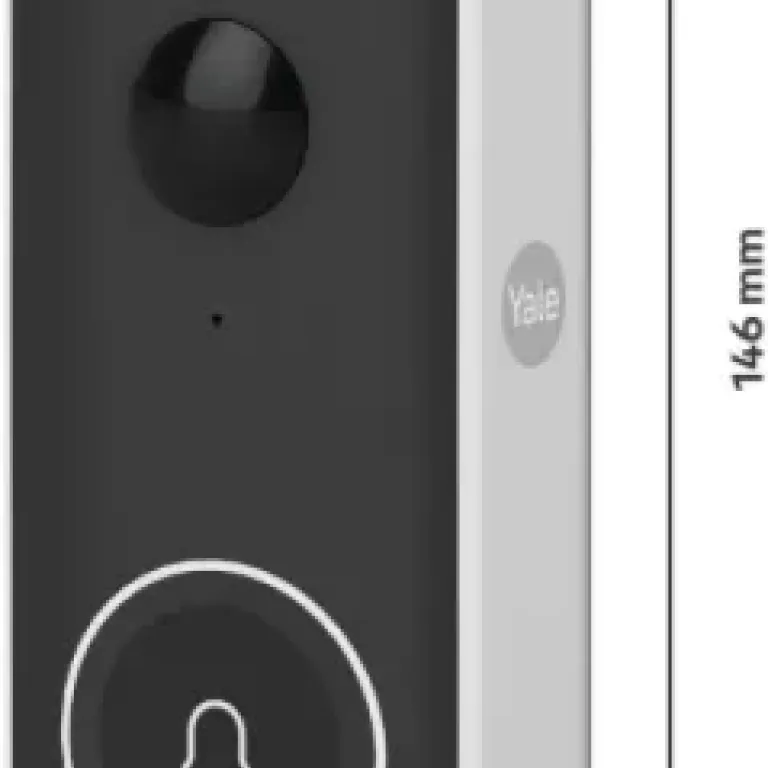
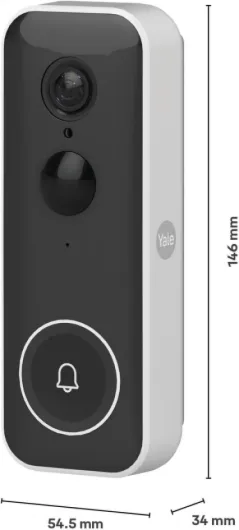
Design-wise, the Yale Smart Video Doorbell is pretty low-key, which I like. It’s a tall, narrow unit (about 146 x 55 mm) in white, with a camera at the top and the button at the bottom. It doesn’t look bulky or cheap when it’s on the wall. If you’re worried about something ugly stuck next to your door, this one is fine – it just looks like a modern doorbell with a camera, nothing flashy.
The build is rated IP65, so it’s meant for outdoor use and can handle rain and dust. Mine is partially exposed to the elements and we had a couple of wet days; no issues so far, no condensation in the lens or weird fogging. The plastic casing feels decent – not super premium, but not flimsy either. It’s the kind of plastic you expect on a mid-range security product. The button has a clear click when pressed and doesn’t feel mushy, which is important because visitors don’t always press gently.
One thing I noticed is that the white colour is nice on a light or neutral wall, but if your front door area is darker or more traditional, it might stand out more than you want. There’s no colour choice mentioned (at least where I bought it), so you’re stuck with white. Also, the form factor is quite tall compared to some compact doorbells, so think a bit about placement if you have a narrow frame or limited space between the door and the wall edge.
Overall, the design gets a thumbs up from me for being discreet and practical. It’s not trying to be some design object, but it doesn’t look like a cheap CCTV box either. It blends in enough that people don’t immediately stare at it, but it’s still obvious where to press. For a security gadget, that’s pretty much what I want: functional, clear, and not embarrassing to have on the front of the house.
Battery life: decent, but not magic
I chose to run the Yale Smart Video Doorbell on its built-in rechargeable battery instead of wiring it in, because I wanted to see how practical it is for someone who doesn’t want to mess with mains power. After about two weeks of regular use – a few rings per day, several motion events, and me opening the live view a couple of times daily – the battery dropped a bit more than I expected but still in a reasonable range.
In my case, with moderate traffic at the front door, the app was estimating roughly 4–6 weeks of battery life on a full charge. I’d say that sounds realistic. If your door is quiet, you’ll probably get longer. If you live on a busy street with constant motion alerts and you’re always checking the live feed, expect to charge more often. The Yale Home app does show the battery level clearly, so at least you can plan ahead and not be surprised by a dead doorbell.
Recharging itself is straightforward but a bit annoying: you have to take the unit off the mount and plug it in. There’s no removable battery pack like some competitors offer, which means your doorbell is offline while it’s charging unless you have a second unit. For most people it’s not a dealbreaker, but it’s something to know. If you hate that idea, you’re better off wiring it in with an AC adapter (which, of course, is sold separately).
Overall, I’d rate the battery as decent but not outstanding. It’s fine if you accept charging it every month or so, depending on your situation. If you’re expecting to put this up and forget about it for half a year on battery power, that’s not what you’re getting here. Personally, I’m okay with plugging it in every now and then, but if I were installing this for someone who doesn’t like fiddling with tech, I’d probably suggest going wired.
Build quality and how it handles real-world conditions
In terms of durability, I haven’t had it for months and months yet, but I can at least talk about the overall build and first signs. The unit feels solid in the hand: no creaking, no loose parts, and the button doesn’t feel like it’s going to fall apart after a month of use. At 220 grams, it has a bit of weight to it, which gives a more robust feel than some ultra-light plastic doorbells I’ve tried before.
We’ve had some typical mixed weather – a couple of rainy days, some cold nights and slightly warmer afternoons. With its IP65 rating, the doorbell handled this fine. No water ingress, no weird behaviour after rain, and the lens stayed clear. I don’t see any obvious weak points in the casing where water would easily get in. The mount also feels reasonably secure once screwed into the wall; it doesn’t wobble or rattle when you press the button.
One thing to keep in mind is that, like most of these devices, it’s still just a plastic box outside your house. If someone really wants to rip it off the wall, they can. That’s not unique to Yale; Ring, Eufy, all of them have that issue. The main point is that it should hold up to normal daily use, weather, and people pressing the button, and so far it looks like it will. Yale is a known brand in locks and security, and this doesn’t feel like some ultra-cheap white-label gadget.
Long term, I’d be more worried about battery degradation over a couple of years than the shell breaking. That’s just the nature of rechargeable batteries. Given the EU spare part availability of 2 years mentioned in the info, I’d say this is aimed at a normal consumer lifespan, not something you keep for 10 years. For the price range, I’d call the durability acceptable: not tank-like, but sturdy enough for typical home use.
Video, audio and motion: does it actually work day to day?
In terms of performance, I’d say this doorbell is good but not flawless. The 1080p video during the day is clear enough to see faces, parcels, and car plates if they’re reasonably close. It’s not cinema quality, but it does the job for security. Colours are okay, and I didn’t notice any weird distortion. The live view opens in a few seconds most of the time, assuming your Wi‑Fi is decent. There were a couple of times it took longer or briefly froze, but nothing dramatic.
Night vision is handled with infrared, and within the claimed ~6 metres it’s usable. Faces are still recognisable near the door, and you can see someone at the gate or the front step. Past that, it gets darker and grainier, which is normal. It’s not a floodlight camera, so don’t expect it to light up your whole driveway. If you have a porch light on, the image improves a lot. For basic night monitoring, I was satisfied. You’re not going to inspect tiny details, but you can clearly see who came by.
Motion detection is where things get a bit mixed. By default, it picked up every car and pedestrian going past the house, which got annoying quickly. After I played with the sensitivity and privacy zones in the app, it calmed down. Now it mostly triggers for people coming up the path or standing close to the door. There is still the odd false alert, but nothing crazy. The human / parcel / vehicle detection is where the subscription comes in, so without paying you just get basic motion detection, not the smarter categories.
As for notifications, yes, there is sometimes a small delay. When someone presses the bell, my phone usually rings within 2–3 seconds, but I’ve had a few cases where it took more like 5–7 seconds. It’s still usable, but if the delivery driver is in a hurry, they might already be walking away. Motion alerts also vary a bit depending on Wi‑Fi. I wouldn’t call it unusable, but this is not the fastest system I’ve tried. For normal home use, it’s fine, but if you’re super strict about real-time response, that might annoy you.
What this Yale doorbell actually offers
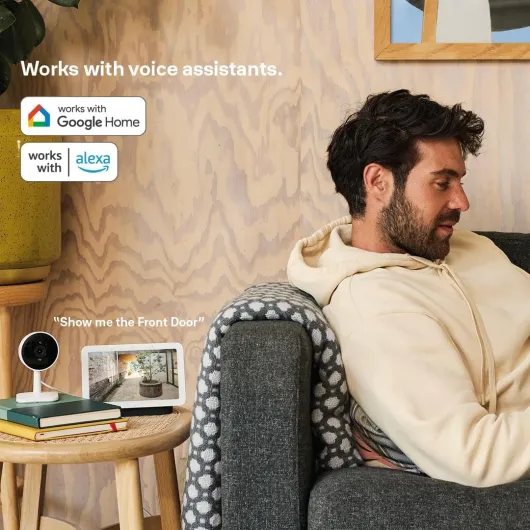
On the spec sheet, the Yale Smart Video Doorbell is fairly straightforward: 1080p video, night vision up to about 6 metres, two-way audio, motion detection, and the choice between wired power or built-in rechargeable battery. It connects over Wi‑Fi and talks to the Yale Home app, and you can also hook it into Alexa. You don’t get a physical chime included in the box, which is worth noting – the chime is extra, and without it you rely on your phone for alerts.
The big selling point is that you get 2–4 days of local recordings without a subscription. That means when the camera detects motion, it records short clips (you can set them between 10 and 60 seconds) and stores them locally. You then pull them from the activity feed in the app. If you want 30 days of cloud history plus the fancier AI detections for parcels and vehicles, then you’re back into subscription territory. So yes, it works without a subscription, but the company still nudges you toward paying more if you want everything.
In everyday use, the core features work as advertised: you get a call-style notification on your phone when someone rings, you can open the live view any time, and you can talk to whoever is at the door. Motion detection can be tuned a bit with privacy zones and sensitivity, which helps cut down on false alerts from cars or people walking past. It’s not ultra granular, but enough for a typical house front.
My general opinion on the feature set: it’s solid but basic. If you’re just after a camera that records visitors and lets you answer the door from your phone, it ticks those boxes. If you’re coming from something like a higher-end Ring setup with rich integrations, advanced AI, and lots of automation, this will feel a bit bare-bones. For the price and the no-sub requirement, I think it’s fair, but clearly not the most advanced option on the market.
Pros
- No mandatory subscription needed for 2–4 days of motion recordings
- Clear 1080p video with decent night vision for typical front-door distances
- Flexible power options (battery or wired) and straightforward installation
Cons
- Notifications sometimes arrive with a noticeable delay
- Smarter AI detections (parcel, vehicle) require a paid subscription
- Battery needs the whole unit taken down for charging and doesn’t last for months in busy locations
Conclusion
Editor's rating
After actually living with the Yale Smart Video Doorbell, my overall feeling is that it’s a solid, no-nonsense option if your main goal is to see who’s at the door without getting trapped in a subscription. It covers the essentials: decent 1080p video, usable night vision, two-way audio, motion-triggered recordings, and a battery or wired power option. The app is okay, the notifications work most of the time with a small delay, and the build feels sturdy enough for normal outdoor use.
Where it falls short is in the little details. The notification delay can be irritating if you expect instant reaction every time. The local storage of 2–4 days is fine, but the more advanced AI features you might expect in 2026 are locked behind a subscription. The battery is acceptable but not outstanding, and taking the whole unit down to recharge is a bit of a pain. It’s not a disaster, but it’s not flawless either.
I’d recommend this doorbell to people who: want basic, reliable video at the door; hate mandatory subscriptions; and maybe already use other Yale products. If you’re very picky about speed, deep smart-home integrations, and long-term advanced features, you might be happier with something like Eufy or even Ring (if you’re okay with paying monthly). For most average households that just want to upgrade from a dumb doorbell to something connected, this Yale model gets the job done at a fair price, with a few quirks you can probably live with.


![Smart Video Doorbell [NO SUBSCRIPTION REQUIRED] Full HD Live View & Two-Way Audio - Motion Recordings - Customisable Privacy Zones - Night Vision - Real-Time Call - Works with the Home app Yale Smart Video Doorbell](https://www.smart-doorbell-guru.com/storage/836353/51ziYZ1jJnL._AC_SL1500_.jpg)