
Summary
Editor's rating
Value: good if you care about local storage and HomeKit, less so if you want plug-and-play
Design: not ugly, not pretty, just very doorbell
Power & wiring instead of battery: nice if you hate recharging stuff
Durability & weather: holds up fine, but long-term is still a question mark
Performance: video, detection and Wi‑Fi in real life
What this thing actually does (beyond the buzzwords)
Pros
- Hardwired or PoE power means no battery charging and more reliable 24/7 recording
- Local microSD recording with optional NAS backup and RTSP/ONVIF support (no forced subscription)
- Good vertical field of view and decent 2K image quality in the Aqara app, plus solid night vision
Cons
- Setup and wiring are more involved than battery doorbells; not ideal for beginners or renters
- HomeKit Secure Video limits resolution to 1200p, underusing the full 2K hardware
- App is functional but not as polished or fast as some big-name competitors

Specifications
View full product page →| Brand | Aqara |
A wired doorbell that actually likes HomeKit
I installed the Aqara Doorbell Camera G400 a few weeks ago to replace a very basic wired chime that came with the house. I wanted three things: proper HomeKit support, 24/7 local recording without a subscription, and something that wouldn’t die at the first heavy rain. On paper, the G400 ticks all of that: PoE or transformer power, 2K video, Wi‑Fi 6, HomeKit Secure Video, NAS backup, the whole lot.
In practice, it feels like a product aimed more at people who don’t mind fiddling with settings and wiring rather than someone who just wants to plug it in and forget it. It works, but you need to be ready to spend an evening or two getting everything dialed in: zones, notifications, storage, HomeKit, and so on. If you’re used to the super guided setup of something like a Ring or Nest doorbell, this will feel a bit more manual.
My use case: standard UK/EU-style front door with a short path, existing low‑voltage wiring already in place, and a basic NAS on the network. I mostly tested it with an iPhone and Apple TV as the HomeKit hub, plus a couple of Alexa speakers and a Google Nest Hub. So I did try it across ecosystems, not just in Aqara’s app. I also used a 256 GB microSD card for continuous recording to see how the 24/7 feature behaved.
Overall, my first impression is that the G400 is a pretty solid all‑rounder for people who care more about local storage and ecosystem flexibility than about having the most polished app. It’s not perfect and there are a few annoying details, but it gets the core job done: you see who’s at your door, you can talk to them, and the footage doesn’t depend on some random cloud subscription staying alive.
Value: good if you care about local storage and HomeKit, less so if you want plug-and-play
In terms of value for money, I’d put the Aqara G400 in the “pretty solid” category, with some caveats. You’re paying for features that not everyone will use: PoE, NAS backup, RTSP/ONVIF, HomeKit Secure Video, Wi‑Fi 6, etc. If you actually care about those things, the price makes sense and it compares well against brands that lock everything behind subscriptions. The fact that you can do 24/7 recording to microSD and mirror that to a NAS without a monthly fee is a big plus for me.
Compared to something like Ring, you avoid subscription creep, but you give up some of the super polished app experience and the big ecosystem of accessories. Compared to Eufy, you get better HomeKit support (proper HSV), but the software feels a bit more nerdy and less guided. For people already in the Aqara ecosystem, it obviously integrates better with the rest of their stuff, though it still works fine as a standalone doorbell.
Where the value is a bit weaker is for users who just want a simple doorbell with a clean app and don’t care about NAS or PoE. If you’re never going to touch RTSP or HomeKit Secure Video and you don’t own a NAS, some cheaper Wi‑Fi doorbells will cover your needs for less money and with a simpler install. Also, the resolution cap when using HomeKit (1200p) slightly undercuts the “2K” selling point if you’re fully in the Apple world.
All in all, I’d say the G400 offers good value for tech‑minded users who want local storage and broad ecosystem support. For a more casual user who doesn’t want to think about wiring, network shares and AI zones, the value is a bit more questionable and a simpler, maybe battery‑powered model might make more sense.
Design: not ugly, not pretty, just very doorbell
Design‑wise, the Aqara G400 is pretty standard. It’s a tall, slim rectangle (around 14.1 x 5.3 x 3.1 cm) with the camera on top and the button at the bottom. The aspect is more functional than stylish. If you’ve seen other video doorbells, you won’t be surprised. It doesn’t scream high‑end, but it also doesn’t look cheap or toy‑like. Once mounted next to the door, it just blends in and you stop noticing it.
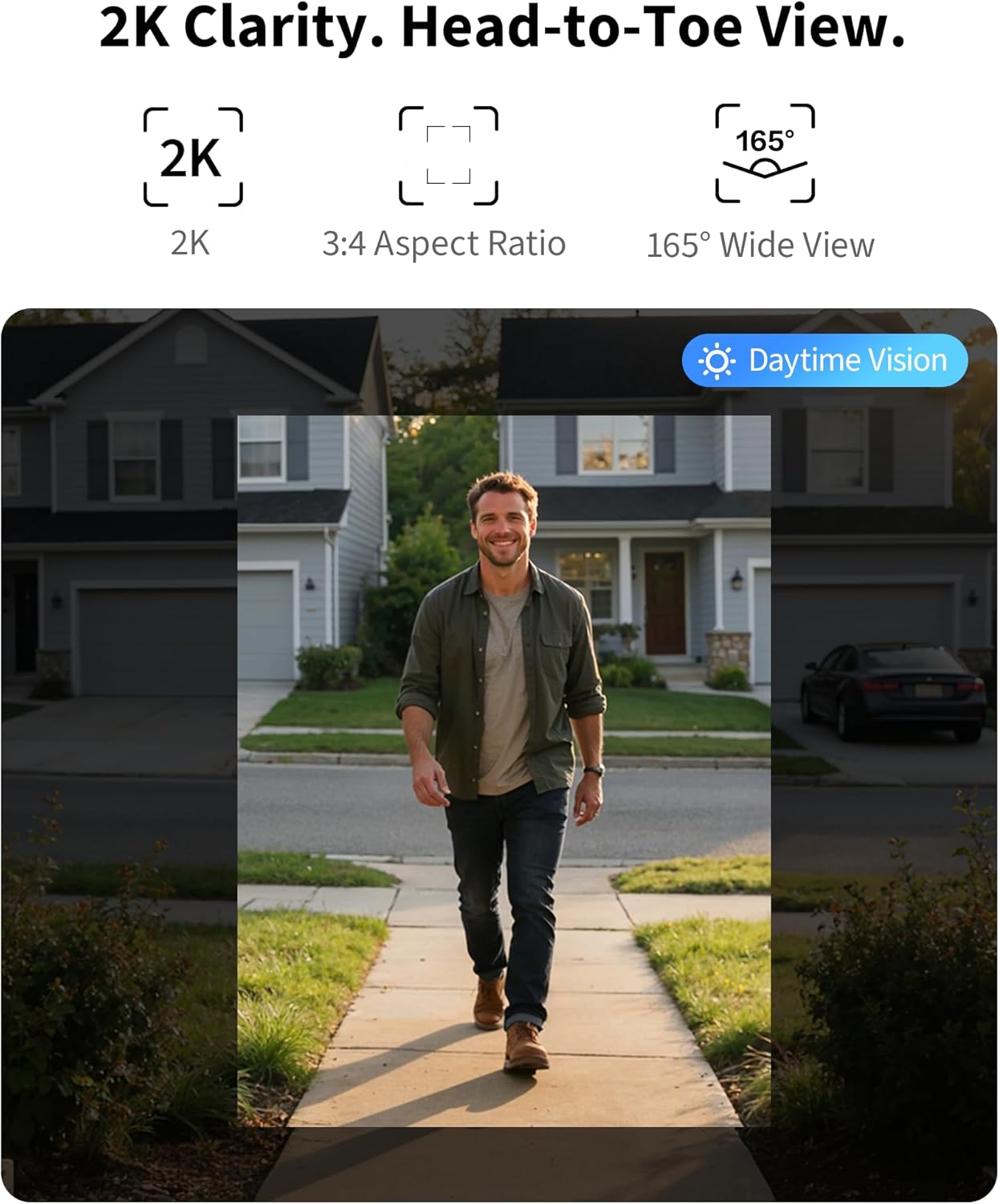
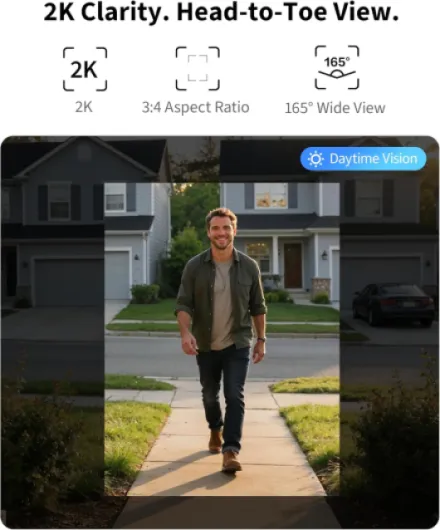
The kit includes a wedge mount, which is actually useful. My door is recessed and slightly to the side of the path, so I needed to angle the camera a bit to see people properly. With the wedge, it took a bit of trial and error, but I managed to get a view where I can see faces and packages near the floor. The 165° vertical field of view helps a lot for that head‑to‑toe coverage. Horizontally, it’s wide enough, but if your door is at a weird angle, plan to spend a few minutes adjusting.
The indoor chime unit looks like a small, neutral white box. It plugs into a socket, so you don’t need batteries. It’s not something you’ll admire, but it’s discreet enough in a hallway or living room. The LEDs on both the doorbell and chime are not too bright, which I appreciate. Some brands love blinding status lights; here it’s more restrained. The button ring lights up so visitors know where to press, even at night, which is basic but important.
Overall, the design is practical rather than pretty. The plastic doesn’t feel premium, but it also doesn’t feel flimsy. The IP65 rating gives at least some confidence that it’s made for outdoor use and not just a rebranded indoor camera. If you want something that looks super sleek and designer‑ish, this isn’t it. If you just want a unit that doesn’t look out of place on a normal house, it’s fine.
Power & wiring instead of battery: nice if you hate recharging stuff
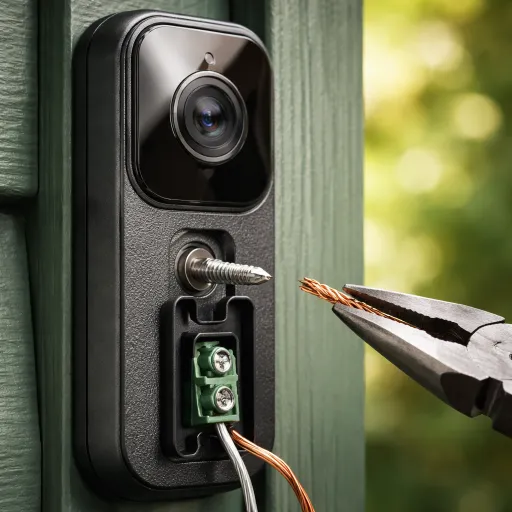
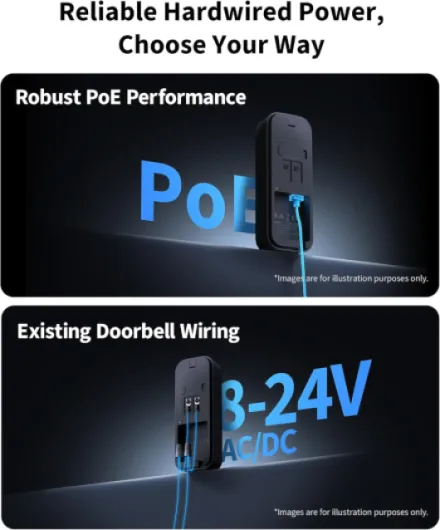
This doorbell has no battery, which is both the point and the limitation. You either wire it to an existing 8–24V AC/DC doorbell transformer or you use PoE. In my case, I reused the old doorbell wiring with a 16V transformer already in place, and it worked fine. Power draw is low (around 2 W), so you’re not going to notice it on your bill. The main benefit is obvious: you never have to climb a ladder to recharge anything, and it’s always on for 24/7 recording.
Compared to battery‑based models I’ve tried (from Ring and Eufy), this is honestly more comfortable for long‑term use. With those, I was constantly checking battery levels or dealing with slightly reduced performance in cold weather. Here, it just runs. The trade‑off is that installation is a bit more involved. If you don’t already have doorbell wiring or PoE near the door, you either need to get an electrician involved or start drilling and pulling cables yourself, which not everyone will want to do.
On PoE, I liked that it’s a single‑cable solution: power + data in one Ethernet cable. For people with a small rack or a PoE switch, this is ideal. The connection felt a bit more stable than Wi‑Fi and you don’t rely on wireless coverage at the door. If your router is far from the door or your walls are thick, I’d seriously consider PoE as the main option. Once it’s in, you forget about it.
If you were hoping to just stick a battery doorbell on the wall with double‑sided tape, this is not that kind of product. It’s clearly aimed at a more permanent install. Personally, I prefer this approach: zero battery management and no risk of the bell being dead when a delivery turns up. But if you’re renting or you can’t touch the wiring, that’s a clear downside and you might want to look elsewhere.
Durability & weather: holds up fine, but long-term is still a question mark
The G400 is rated IP65, which basically means it can handle dust and jets of water. In normal words: it should cope with rain, wind and general outdoor grime. I’ve had it mounted outside for a few weeks, including a couple of heavy rain days and some colder nights. So far, no fogging in the lens, no water ingress, and no random reboots, which is a good sign. The plastic housing wipes clean easily with a cloth; it doesn’t stain or yellow quickly (at least not yet).
The physical button feels reasonably solid. It has a firm click and doesn’t feel mushy. I had a cheap doorbell before where the button started sticking after a few months of weather abuse; nothing like that here so far. The mounting plate and screws are standard, nothing fancy, but they hold the unit tight against the wall. If someone really wants to rip it off, they can, like with most consumer doorbells, but it doesn’t feel like it will just fall off on its own.
Internally, I haven’t noticed any overheating. The unit gets slightly warm to the touch after long use, especially when streaming continuously, but not worryingly so. Being hardwired at low wattage probably helps with long‑term stability. I also like that recording is local to a microSD card and optionally to a NAS via SMB—no dependency on some cloud server that might change terms or shut down. Of course, microSD cards can fail over time, so if you go for 24/7 recording, don’t cheap out on the card quality.
Long‑term durability (multi‑year) is still a question mark, obviously. It’s a fairly new model and the brand isn’t as battle‑tested in the doorbell space as Ring or Nest. But based on the build quality and the IP rating, I don’t see any immediate red flags. Let’s say it feels reassuring enough for the price, but I wouldn’t mind seeing a more robust metal mounting bracket or some anti‑theft screw as a bonus.
Performance: video, detection and Wi‑Fi in real life
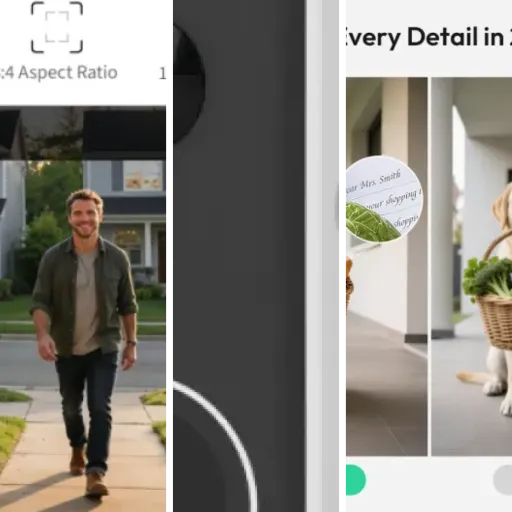
On the performance side, the G400 is good overall, with a couple of quirks. The 2K resolution in the Aqara app is sharp enough to recognize faces and read courier logos without effort. The 3:4 aspect ratio actually makes sense for a door: you see the person’s face and what’s on the ground, which is better than the classic wide but short view. At night, the 940 nm infrared LEDs give a clear black‑and‑white image without that obvious red glow, so it’s more discreet than many other cameras.
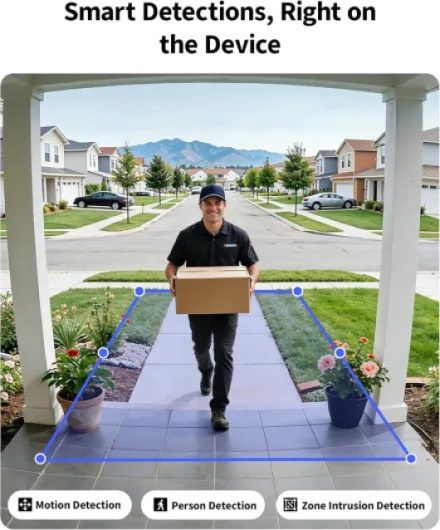
Motion detection is handled locally, and you can set activity zones. After a few days of tweaking, I got it to the point where it mostly triggers on people coming to the door and not on cars or tree movement. Out of the box, it was a bit too sensitive and I was getting more alerts than I wanted. Person detection is fairly accurate: it occasionally confuses a large package or a cat close to the camera, but nothing dramatic. You can also use face recognition and package detection through the cloud, but I didn’t find those essential.
Network‑wise, Wi‑Fi 6 support is nice if you have a busy network. I tried both Wi‑Fi and PoE. On PoE, the connection was rock solid and latency from button press to phone notification was usually 2–3 seconds, sometimes faster. On Wi‑Fi, it was slightly more variable, especially when my router was under load, but still acceptable for a doorbell. The chime rings instantly every time, even if the app is a bit slower to show the video.
Where it’s less ideal is the app responsiveness. The Aqara app is usable, but it’s not the snappiest. Loading the live view can take a couple of seconds more than I’d like, especially on mobile data. In HomeKit, it’s sometimes faster, sometimes slower, depending on Apple’s mood that day. It’s not unusable, just not super slick. Overall, though, for the core job—show me who’s at the door and let me talk to them—it performs well enough that I didn’t feel the need to mess with it after the first week.
What this thing actually does (beyond the buzzwords)
On the spec sheet, the Aqara G400 is quite loaded. You get 2K video (3:4 aspect ratio), wired power via 8–24V AC/DC or PoE, Wi‑Fi 6 (2.4 and 5 GHz), local recording to microSD (up to 512 GB), plus backup to an SMB NAS. It works with HomeKit Secure Video, Alexa, Google Assistant and SmartThings. For a doorbell, that’s a lot of boxes ticked. There’s also local AI for person detection and zones, a built‑in chime in the separate indoor unit, and IP65 weather resistance.
In day‑to‑day use, the main functions are pretty classic: someone presses the button, the indoor chime rings, your phone gets a notification, and you can open the app (or Home app) to see and talk to them. Motion detection can also ping you even if they don’t ring, and you can set custom zones so you’re not spammed every time a car passes by. There are some extras like voice‑changing intercom and quick replies, but honestly, I mostly ignored those after trying them once.
One important detail: if you use HomeKit Secure Video, the resolution caps at 1200p, not the full 2K, and this also affects the Aqara app if you’ve linked them together. So the fancy 2K spec is mostly for people who stick to Aqara’s own app or RTSP/ONVIF streams to an NVR. It’s not tragic, but if you were expecting razor‑sharp video in the Apple Home app, keep that in mind. Image is still decent, just not as crisp as it could be.
Overall, the feature set is pretty complete for the price bracket. It’s clearly targeting people who want to avoid cloud subscriptions and who like having options (PoE, NAS, RTSP, etc.). If you just want something dead simple that you set up in 5 minutes, this might feel like overkill, but if you’re the kind of person who runs a NAS or cares about HomeKit, the G400 starts to make more sense.
Pros
- Hardwired or PoE power means no battery charging and more reliable 24/7 recording
- Local microSD recording with optional NAS backup and RTSP/ONVIF support (no forced subscription)
- Good vertical field of view and decent 2K image quality in the Aqara app, plus solid night vision
Cons
- Setup and wiring are more involved than battery doorbells; not ideal for beginners or renters
- HomeKit Secure Video limits resolution to 1200p, underusing the full 2K hardware
- App is functional but not as polished or fast as some big-name competitors
Conclusion
Editor's rating
The Aqara Doorbell Camera G400 is a solid wired doorbell for people who care about local recording, HomeKit Secure Video, and having options like PoE and NAS backup. It’s not flashy, but it does the job: decent 2K picture in the Aqara app, good vertical field of view to see both faces and packages, and reliable chime + notifications once you’ve tuned the motion zones. The hardwired power (or PoE) means you never think about batteries, which is honestly a relief compared to many competing models.
On the flip side, it’s not the most beginner‑friendly product. Installation can be more involved if you don’t already have wiring or PoE, the app is functional but not super slick, and if you rely on HomeKit you have to accept the lower resolution cap. Some of the advanced features (RTSP, NAS backup) are great, but only if you’re the kind of person who will actually use them. Otherwise, you’re paying for capabilities that stay unused.
So, who is it for? If you’re a bit tech‑savvy, you like the idea of subscription‑free 24/7 recording, and you live in the Apple or mixed smart home world, the G400 is a strong option that should keep you happy for a while. If you’re renting, hate dealing with wiring, or just want a super simple, pretty app experience with minimum tweaking, you’ll probably be better off with a more mainstream, often battery‑powered alternative.