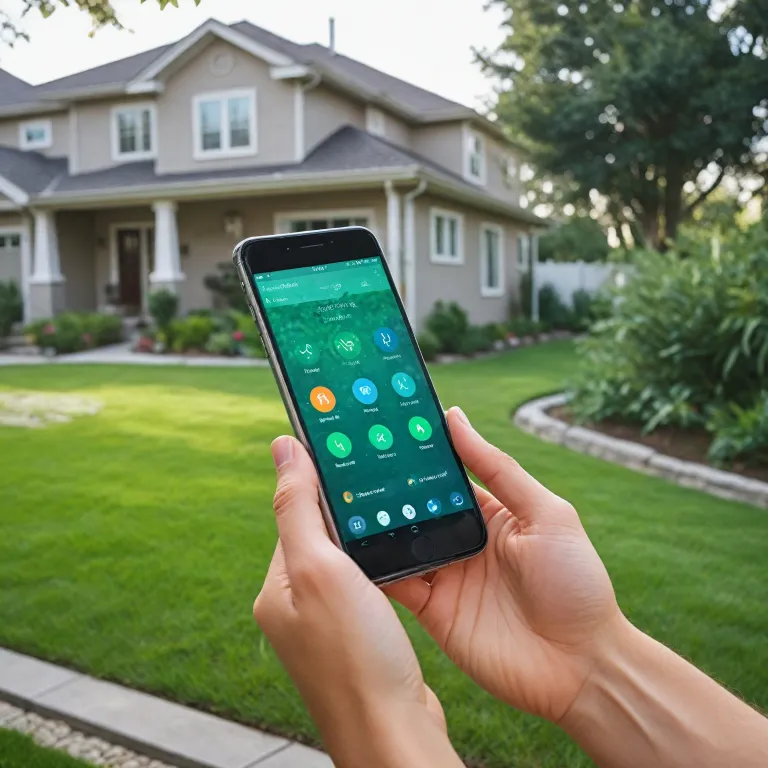

Understanding what a sprinkler controller does
What Does a Sprinkler Controller Actually Do?
A sprinkler controller, sometimes called an irrigation controller or sprinkler timer, is the central device that manages when and how much water your irrigation system delivers to your lawn or garden. Whether you’re using a basic indoor controller or a full-featured smart sprinkler controller, its main job is to automate watering schedules for different zones in your yard. This helps you save water, keep your plants healthy, and avoid overwatering or dry spots.
How Modern Controllers Make a Difference
Today’s smart sprinkler controllers, like the Rachio smart, Orbit Hyve, Hunter Hydrawise, and Rain Bird models, go beyond simple timers. They connect to Wi-Fi and use local weather data to adjust watering times automatically. For example, if rain is in the forecast, your smart controller can skip a scheduled watering to save water and lower your bill. Many of these controllers can be managed through an app, letting you control your irrigation system from anywhere—whether you’re at home or away.
- Zones and Stations: Most irrigation controllers let you divide your yard into zones or stations. This means you can customize watering for different areas, like flower beds, lawns, or vegetable gardens.
- Integration: Some smart sprinkler controllers work with Amazon Alexa or other smart home platforms, making it easy to add voice control or integrate with your existing smart home setup.
- Price and Features: There’s a wide range of prices and features. Basic sprinkler timers are more affordable, while smart irrigation controllers with advanced weather and app features cost more but offer greater convenience and water savings.
Why Upgrade to a Smart Sprinkler Controller?
Switching from a manual or basic controller to a smart irrigation controller can help you use water more efficiently, adapt to changing weather, and keep your landscape looking its best. Brands like Rachio, Orbit Hyve, Hunter, and Rain Bird offer models for different needs, from small gardens to large properties with multiple zones. If you want to dive deeper into choosing the right model for your needs, check out this comprehensive guide to choosing the right Ring doorbell model, which also covers smart home integration tips.
Key features to look for in a smart sprinkler controller
Essential Capabilities for Modern Irrigation
When evaluating a smart sprinkler controller, it’s important to focus on features that make irrigation more efficient and convenient. Today’s smart controllers go beyond simple scheduling, offering advanced tools to help you save water, money, and time.
- App Integration: Most smart sprinkler controllers, like the Rachio smart or Orbit Hyve, come with dedicated apps. These apps let you control watering schedules, monitor water usage, and receive alerts directly from your smartphone, whether you’re at home or away.
- Weather-Based Adjustments: Top models such as the Rain Bird and Hunter Hydrawise use local weather data to automatically adjust watering times. This means your irrigation system won’t run during rain or when the soil is already moist, helping conserve water and prevent overwatering.
- Zone Customization: Smart controllers allow you to set up multiple zones or stations. This is especially useful if your yard has areas with different watering needs. For example, the Hydrawise HPC and Rachio controllers support several zones, letting you tailor irrigation for each part of your garden.
- Voice Assistant Compatibility: Many smart sprinkler controllers work with Amazon Alexa or Google Assistant. This feature lets you start or stop watering with simple voice commands, adding another layer of convenience.
- Water Usage Reports: Look for controllers that provide detailed reports on water consumption. This helps you track savings and spot inefficiencies in your irrigation system.
- Easy Installation and Upgrades: Some controllers, like the Orbit Hyve smart and Hunter Pro, are designed for quick installation and can be used as indoor controllers or mounted outdoors with weatherproof cases.
- Flexible Scheduling: Advanced scheduling options let you set custom watering times for each zone, skip watering after rain, or add extra cycles during dry spells.
- Price and Value: While features are important, compare the price of different controllers. Some, like the Rachio smart and Rain Bird, offer a full suite of features at a premium, while others like the Orbit Hyve provide solid performance at a lower price point.
Comparing Popular Models
| Controller | Zones Supported | Weather Integration | App Control | Price Range |
|---|---|---|---|---|
| Rachio Smart | 8-16 | Yes | Yes | High |
| Orbit Hyve | 6-12 | Yes | Yes | Mid |
| Rain Bird | 4-12 | Yes | Yes | Mid |
| Hunter Hydrawise | 6-12 | Yes | Yes | High |
Choosing the right smart irrigation controller depends on your yard’s size, the number of zones you need, and your budget. For a deeper dive into smart home devices and how they integrate with your connected lifestyle, check out this comprehensive guide to smart doorbells.
Comparing manual vs. smart sprinkler controllers
Manual vs. Smart: What Sets Them Apart?
When deciding between a manual sprinkler controller and a smart irrigation controller, it’s important to weigh the differences in convenience, efficiency, and adaptability. Manual controllers, sometimes called sprinkler timers, require you to set schedules directly on the device. They often lack connectivity and advanced features, making them suitable for basic irrigation needs but less ideal for those seeking automation or water savings.
- Manual Controllers: Typically offer simple programming for start times and duration. Adjustments must be made on-site, and they don’t respond to local weather changes. Brands like Orbit and Hunter offer reliable manual options, but you’ll need to monitor rain and adjust settings yourself.
- Smart Sprinkler Controllers: These devices, such as the Rachio smart controller, Rain Bird, or Orbit Hyve, connect to Wi-Fi and often include an app for remote management. They can automatically adjust watering schedules based on local weather data, helping you save water and money. Integration with platforms like Amazon Alexa adds voice control for even more convenience.
Feature Comparison Table
| Feature | Manual Controller | Smart Controller |
|---|---|---|
| Programming | On-device only | App, web, or voice control |
| Weather Adjustments | Manual | Automatic (local weather integration) |
| Zones Supported | Usually 4-12 zones | 4-16+ zones, more flexible |
| Integration | None | Amazon Alexa, smart home systems |
| Price | Lower | Higher, but potential savings |
| Maintenance | Basic | App notifications, remote troubleshooting |
Which Controller Fits Your Needs?
If you want to automate your irrigation system, save water, and control your sprinklers from anywhere, a smart sprinkler controller is the way to go. Models like the Rachio smart, Rain Bird, and Hunter Hydrawise HPC offer advanced features such as zone customization, rain skip, and remote access. For those who prefer simplicity and don’t need connectivity, a manual controller or sprinkler timer from Orbit or Hunter may suffice.
Don’t forget to consider the number of zones your yard requires, compatibility with your current irrigation system, and whether you want indoor or station indoor controllers. For a deeper dive into how smart technology is reshaping home devices, check out this guide on appliance smart technology.
Installation tips for your new sprinkler controller
Preparing for Installation
Before you start installing your new smart sprinkler controller, take a moment to review your current irrigation system. Check how many zones or stations you have, as this will determine the type of controller you need. Most smart controllers, like the Rachio smart or Orbit Hyve, support multiple zones, but make sure your chosen model matches your system’s requirements. Also, confirm if your setup is indoor or outdoor, since some controllers are designed specifically for indoor use, such as the station indoor models.Gathering the Right Tools and Materials
You’ll typically need a screwdriver, wire strippers, and possibly a drill if you’re mounting the controller on a wall. Have your Wi-Fi credentials handy, since most smart irrigation controllers connect to your home network for features like local weather integration and remote control via an app. If you’re replacing an older sprinkler timer, take a photo of the wiring before disconnecting anything—this makes it easier to connect the wires to your new controller.Step-by-Step Setup
- Turn off power to your current sprinkler controller to avoid electrical hazards.
- Remove the old controller and label each wire according to its zone or station. This helps prevent confusion during installation.
- Mount the new smart controller, such as a Hunter Hydrawise HPC or Rain Bird, following the manufacturer’s instructions. Most brands provide clear diagrams for wiring zones, common wires, and rain sensors.
- Connect the wires to the corresponding terminals on the new controller. Double-check each connection to ensure proper operation of each irrigation zone.
- Restore power and follow the setup instructions in the controller’s app. Many smart controllers, including those from Rachio and Orbit Hyve, guide you through connecting to Wi-Fi, adding zones, and configuring watering schedules based on local weather data.
Tips for a Smooth Installation
- Choose a location with a strong Wi-Fi signal for your smart irrigation controller. This ensures reliable access to app features and weather updates.
- If you’re using voice assistants like Amazon Alexa, check compatibility with your chosen controller before installation.
- Consider future expansion. If you plan to add more zones or upgrade your irrigation system, select a controller that supports additional stations.
- Keep the controller’s manual and app support handy for troubleshooting or adjusting settings after installation.
Popular Models and Their Installation Features
| Controller | Zones Supported | Indoor/Outdoor | App Integration | Price Range |
|---|---|---|---|---|
| Rachio Smart | 8-16 | Indoor | Yes | $$$ |
| Orbit Hyve Smart | 6-12 | Indoor/Outdoor | Yes | $$ |
| Hunter Hydrawise HPC | 6-12 | Indoor/Outdoor | Yes | $$$ |
| Rain Bird | 4-16 | Indoor/Outdoor | Yes | $$ |
With the right preparation and attention to detail, installing a smart sprinkler controller can be straightforward and rewarding. Whether you choose a Rachio, Orbit Hyve, or another brand, you’ll gain more control over your irrigation system and potentially save water by leveraging local weather data and smart scheduling features.
Common mistakes to avoid when choosing a sprinkler controller
Overlooking Compatibility with Your Irrigation System
One common mistake is not checking if the smart sprinkler controller works with your current irrigation system. Many controllers, like the Rachio smart or Orbit Hyve, support a range of zones and station types, but not all systems are the same. Make sure the controller you choose matches the number of zones and the type of valves you have. Some controllers are designed for indoor use only, while others can handle outdoor environments.Ignoring Local Weather Integration
Smart irrigation controllers can save water by adjusting schedules based on local weather. However, not all models offer full weather integration. If you want your irrigation system to skip watering when rain is forecast, look for controllers with weather intelligence, like the Hunter Hydrawise or Rain Bird models. Skipping this feature can lead to wasted water and higher bills.Focusing Only on Price
While price is important, choosing the cheapest sprinkler timer or controller may mean missing out on essential features. Some budget models lack app support, smart scheduling, or integration with platforms like Amazon Alexa. Consider the long-term value, not just the upfront cost.Not Considering App and Smart Home Integration
A smart sprinkler controller should make your life easier. If you want to control your irrigation from your phone or integrate with other smart devices, check for app compatibility and smart home support. Controllers like Rachio and Orbit Hyve smart offer robust app experiences and work with Amazon Alexa. Others may have limited or no app features.Forgetting About Installation Requirements
Some irrigation controllers require a professional for installation, especially if you have a complex system or need to add zones. Others, like the station indoor models, are designed for easy DIY setup. Check the installation process and make sure you have the right tools and knowledge before buying.- Check compatibility with your irrigation system and number of zones
- Look for weather-based scheduling to save water
- Balance price with features and long-term value
- Ensure app and smart home integration meets your needs
- Review installation requirements before purchase
Overlooking Support and Updates
Smart controllers, like the Hunter Hydrawise HPC or Rachio, often receive firmware updates that add features or improve reliability. Make sure the brand offers good customer support and regular updates. This helps keep your irrigation controller running smoothly for years to come.Maintaining and troubleshooting your sprinkler controller
Keeping Your Smart Sprinkler Running Smoothly
Regular maintenance is key to ensuring your smart sprinkler controller, whether it’s a Rachio, Orbit Hyve, Rain Bird, or Hunter Hydrawise, works efficiently season after season. Here are practical steps and troubleshooting tips to help you get the most from your irrigation system:- Check for Software Updates: Most smart controllers, like the Rachio smart or Hydrawise HPC, receive firmware updates via their app. Keeping your controller updated ensures compatibility with local weather data and new features.
- Inspect Wiring and Connections: Periodically check the wiring between your controller and sprinkler zones. Loose or corroded wires can cause a zone or station to stop working. Indoor controllers are less prone to weather damage, but it’s still important to inspect connections.
- Test Each Zone: Use the controller’s manual test mode or app to run each zone. Look for clogged nozzles, broken sprinkler heads, or low water pressure. Addressing these issues early can prevent uneven watering and wasted water.
- Monitor Water Usage: Many smart irrigation controllers track water usage. Compare your current usage to previous months to spot leaks or inefficiencies. Some controllers, like the Orbit Hyve smart, offer detailed reports in their app.
- Review Weather Integration: Make sure your controller is set to adjust schedules based on local weather. Features like rain skip or seasonal adjustments help save water and prevent overwatering. If your controller isn’t responding to rain, check the rain sensor or app settings.
- Replace Batteries (if applicable): Some controllers or sensors, especially wireless rain sensors, require battery changes. Set a reminder to check these annually.
Common Issues and Quick Fixes
| Problem | Possible Cause | Solution |
|---|---|---|
| Zone not activating | Wiring issue, faulty solenoid, app misconfiguration | Check wiring, test solenoid, review app zone settings |
| Controller offline | Wi-Fi drop, power loss | Restart router, check power supply, reconnect via app |
| Schedules not running | Rain delay active, incorrect programming | Check rain delay, review and update schedules in app |
| Excessive water use | Leaking valves, overlapping zones | Inspect valves, adjust zone timing and coverage |