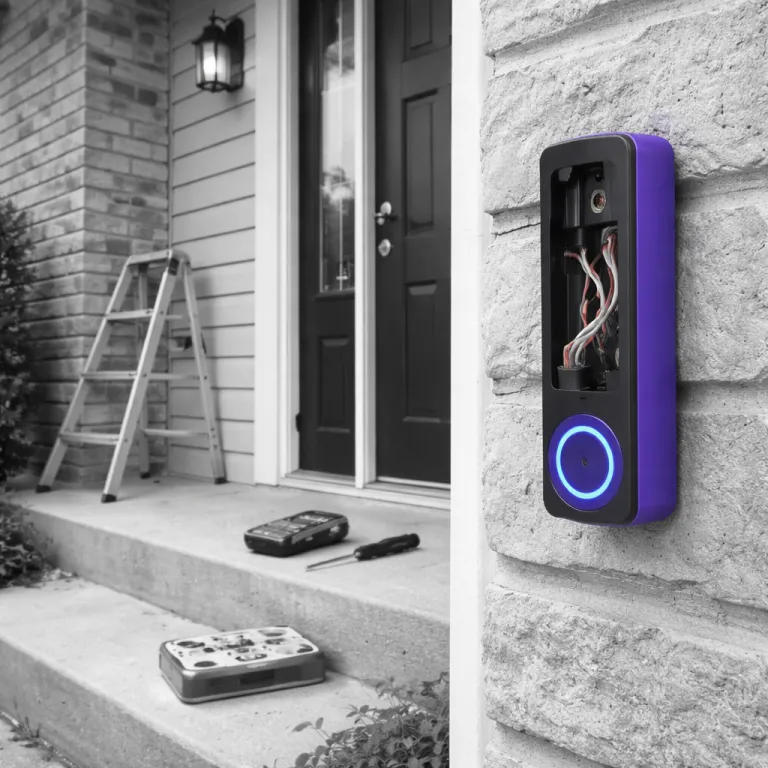

Smart doorbell installation guide for choosing wired or battery first
A smart doorbell only feels smart when it fits your home. Before you install any smart doorbell or video doorbell, you need to decide whether a wired doorbell or a battery powered unit makes more sense for your wiring, WiFi, and patience. This first step saves you from buying the wrong device and then spending Sunday reinstalling your old doorbell button.
Start at the existing doorbell on the wall and remove the faceplate. If you see two thin wires attached to screws behind the button, you probably have a traditional wired doorbell that can support a smart video upgrade with the right transformer. If there are no wires at the door, or the wires are corroded or broken, a battery powered smart doorbell camera will be easier to install and maintain.
Check the chime inside your home next, because chime compatibility shapes the whole installation. Mechanical chimes use physical hammers and metal bars, while digital chimes play electronic tones and sometimes need an extra chime adapter unit. Some smart devices skip the existing chime entirely and use a wireless plug in chime or your phone app as the alert, which changes how you connect the device and where you run power.
Voltage is the quiet deal breaker for many installing doorbell projects. A typical transformer for a wired doorbell should provide between 16 and 24 volts, which is enough for most smart video models from Ring, Google Nest, and Eufy. If your transformer is older or underpowered, the video feed may cut out when the doorbell camera activates, or the chime may buzz instead of ringing clearly.
WiFi strength at the doorbell location matters as much as power. Stand where the doorbell will be installed, connect your phone to the same WiFi network, and check the signal in your router app or WiFi analyzer, aiming for better than minus 70 dBm. Weak WiFi means your smart security alerts will lag, your app will struggle to connect, and your video recordings may look like a slideshow instead of a smooth smart video stream.
Think about how you actually answer the door before you install smart hardware. If you always have your phone nearby, relying on the app and a plug in chime is fine, but if you have kids or guests, a loud mechanical chime still helps. Your smart doorbell installation guide should start with these lifestyle questions, not just with which screws and wires come in the box.
Pre install checklist that avoids power and WiFi surprises
Once you have chosen between a wired doorbell and a battery powered model, run through a quick but thorough checklist. This is the part most manuals rush, yet it is where you avoid tripped circuit breaker issues, dead chimes, and endless app errors. Treat each step as a small insurance policy against having to reinstall doorbell hardware twice.
First, confirm power and transformer voltage safely. Turn power off at the correct power breaker for the existing doorbell circuit, then remove the old doorbell button from the wall and gently pull it forward to expose the wire connections. Use a non contact voltage tester or a multimeter at the transformer and at the chime to confirm that when you turn power back on, you see a stable 16 to 24 volts and no unexpected spikes.
Next, identify your chime type and whether the new device supports it. Mechanical chimes usually work with most smart doorbell models, but some digital chimes need a small jumper wire or diode installed at the chime box, and skipping that step causes buzzing or no sound. If your home uses a wireless chime kit instead of a wired chime, you may need to replace it with a compatible smart chime unit or rely on phone notifications only.
Then, test WiFi where the video doorbell will live. Many smart devices only support 2 point 4 gigahertz WiFi at the door, and mesh systems that blend bands can confuse a smart doorbell when it tries to reconnect after a power cut. For deeper detail on how wireless frequency bands affect smart security performance, guides on band selection for smart doorbells explain why a dedicated 2 point 4 gigahertz network near the door can stabilize your video stream.
Plan the physical installation path before you touch any screws. Check whether the wall is brick, wood, or siding, because that changes which screws and anchors you need and whether you must drill pilot holes for the mounting plate. Confirm that the camera view will not be blocked by a railing, a plant, or a storm door, and adjust the location slightly so the doorbell camera can see faces and packages clearly.
Finally, prepare your phone and accounts before you install smart hardware. Download the manufacturer app, create account credentials, and sign in while you still have the old doorbell working, because the app will guide you through pairing the new device. This way the app will not time out while you stand outside holding wires and trying to remember a password.
Step by step wired smart doorbell installation without guesswork
Wired installation looks intimidating, but when you break it into clear steps, it becomes manageable. The key is to respect electricity, label every wire, and follow steps in the order the manufacturer suggests, not the order that seems fastest. Rushing a single step with the circuit breaker or transformer can leave your new smart doorbell camera dead on arrival.
Start by turning off power at the correct circuit breaker and confirming that the old doorbell is inactive. Press the existing doorbell button several times to ensure the chime stays silent, then remove the button from the wall and gently pull the wires forward. Take a photo of how each wire connects to the screws, because that image will save you if a label falls off or a wire slips back into the wall cavity.
Disconnect wires from the old button and straighten the exposed copper ends. If the insulation is cracked or the wire is brittle, trim it back slightly and strip fresh copper so the new device has a clean contact point. Never leave stray strands of wire that could touch each other and short the circuit when you turn power back on.
Mount the new bracket or plate for the smart doorbell using the supplied screws and wall anchors. On brick or concrete, pre drill holes with a masonry bit, then tap in anchors gently so they sit flush with the wall and keep the unit stable. Check the level before tightening screws fully, because a crooked video doorbell looks unprofessional and can skew motion detection zones.
Connect the doorbell wires to the new device terminals, matching the labels or polarity if the instructions require it. Most models simply need each wire secured under a terminal screw, but some include a small power module or chime adapter that must be wired at the indoor chime box, so read the installation guide carefully. When you install smart hardware from brands like Ring or Nest, that extra module often stabilizes power and prevents the chime from humming.
Before you snap the unit onto the bracket, restore power at the breaker and watch for lights on the device. The app will then guide you through WiFi setup, and the app will usually ask you to press and hold a side button on the doorbell to enter pairing mode. If you are building a broader smart home, consider how a Zigbee hub or similar bridge can make your smart devices, including the doorbell, more reliable and less dependent on a single WiFi router.
Battery powered smart doorbells and chime compatibility decisions
If your home lacks existing wiring or you rent and cannot touch the electrical system, a battery powered smart doorbell is the least invasive path. These models avoid any need to disconnect wires or touch a transformer, yet they still provide a full video feed and two way audio through the app. The trade off is that you must manage charging cycles and think carefully about how you will hear the chime indoors.
Start by choosing a mounting location that balances camera coverage and WiFi strength. Hold the unit where you plan to install doorbell hardware, then open the app and check the live video preview to confirm that faces are centered and the field of view captures packages on the ground. Avoid mounting the device too close to a metal frame, because metal can block WiFi and reduce smart security reliability.
Mark the screw holes on the wall, drill pilot holes if needed, and insert anchors for softer materials like drywall or siding. Attach the mounting plate with the supplied screws, making sure it feels solid, because a loose plate can cause the unit to vibrate and trigger false motion alerts. Slide the battery powered doorbell onto the plate until it clicks, then secure any anti theft screw at the bottom if the design includes one.
Chime options differ significantly between brands and models. Some battery powered units, such as certain Ring doorbell models, can use an optional plug in chime that connects to your WiFi and plays tones when someone presses the button, while others rely solely on phone notifications. If you want a traditional sound, check whether the device can integrate with an existing wired chime through an adapter, or whether you must add a wireless chime kit from the same manufacturer.
Battery life claims often assume mild weather and light usage, so plan for shorter real world performance. In colder climates, expect to recharge every one to three months, depending on how often the camera records motion and how frequently you stream live video. Keep a spare battery charged if your model supports quick swaps, because that prevents gaps in coverage while the main battery charges indoors.
During setup, the app will walk you through pairing the device, naming its location, and adjusting motion zones. Take time to fine tune these zones so passing cars or sidewalk traffic do not trigger constant alerts, which drain the battery and clutter your smart security timeline. Once configured, test the chime, the app notifications, and the video quality at different times of day to ensure the doorbell camera performs reliably in both bright sun and low light.
WiFi stability, smart security networking, and app setup that actually works
Even the best camera and cleanest wiring cannot fix a weak network. Smart doorbells depend on stable WiFi to stream video, send alerts, and let the app connect quickly when someone presses the button. If your signal at the door hovers near minus 70 dBm or worse, you will see spinning loading icons instead of visitors.
Start by checking which WiFi band your smart doorbell supports. Most models still require 2 point 4 gigahertz for range, even if your router also offers 5 gigahertz, and mesh systems that automatically steer devices can cause reconnect problems after a power cut. If your router does not let you separate bands, a small 2 point 4 gigahertz only extender near the door can give the doorbell camera a dedicated, stable link.
For homes with frequent outages or spotty broadband, consider backup connectivity options. Some advanced smart devices can pair with IoT SIM card solutions that keep smart security systems online during internet failures, which is especially useful for remote properties or second homes. Understanding how these cellular links integrate with your video doorbell helps you avoid gaps in recording when your main line drops.
During app setup, follow steps carefully and do not rush the pairing process. The app will usually ask you to scan a QR code on the unit, connect temporarily to a setup WiFi network broadcast by the doorbell, then hand off credentials to your home network. Stay close to the router during this process, because moving too far away while the device negotiates its first connection can cause silent failures.
Once the device is online, adjust video quality and recording settings to match your network capacity. If your upload speed is limited, lowering the resolution slightly can make live video more responsive and reduce buffering when multiple smart devices are active. Test the stream from both inside the home and over mobile data to confirm that the app will connect reliably when you are away.
Finally, secure your account and device access. Use a strong, unique password when you create account details, enable two factor authentication if the service offers it, and review which family members or guests can access the video history. Treat your smart doorbell like any other networked security camera, because whoever controls the app controls a live view of your front door.
Five common installation errors and how to fix each one fast
Most smart doorbell problems trace back to a small missed detail during installation. The good news is that you can usually fix these issues without calling an electrician, as long as you understand what each symptom means. Think of this section as the troubleshooting half of your smart doorbell installation guide.
The first and most common error is forgetting to turn power off at the breaker before touching wires. If you see sparks or feel warmth at the doorbell location, stop immediately, turn power off, and verify with a tester before you touch anything again. Once safe, check that no wire ends are touching each other or the metal mounting plate, then reconnect them cleanly under the terminal screws.
The second error involves transformer voltage and chime modules. If your new video doorbell powers on but the chime buzzes or stays silent, you may have skipped installing the supplied jumper wire or chime adapter at the indoor chime box. Open the chime cover, follow steps in the manual to connect the adapter between the transformer and chime terminals, and retest the doorbell button.
The third error is weak WiFi or band steering conflicts. When the app will not stay connected or the live video freezes, check whether the doorbell is trying to use a blended 2 point 4 and 5 gigahertz network from a mesh system, which some models handle poorly. Creating a dedicated 2 point 4 gigahertz network name and reconnecting the doorbell to that simpler network often stabilizes smart security performance immediately.
The fourth error is mounting the unit in the wrong place or at the wrong angle. If you only see the top of heads or mostly sky in the video, adjust the bracket or add a wedge kit to tilt the camera toward the approach path and package drop zone. Avoid placing the device too close to a corner where walls block the microphone and motion sensors, because that can make visitors hard to hear and detect.
The fifth error is skipping app configuration and permissions. When notifications never arrive, check that the app has permission to send alerts on your phone, that motion detection is enabled, and that you did not set overly restrictive activity zones that exclude your walkway. Run a few tests by pressing the button and walking through the detection area, then tweak sensitivity until you get reliable alerts without constant false alarms.
If you still struggle after these checks, reset the device to factory settings and repeat the install smart process from the beginning. Sometimes a clean start, with careful attention to each step, resolves odd behavior that started when the unit first tried to connect with half finished settings. Keep your original photos of the wiring and chime connections handy, because they remain your best reference when rebuilding the system.
Optimizing everyday use and long term reliability of your smart doorbell
Once your smart doorbell is online and stable, small tweaks can make it feel like a polished part of your home rather than a gadget experiment. Focus on how quickly you can respond to visitors, how clearly you can see them on video, and how reliably the system behaves over months, not just on day one. A thoughtful setup now reduces maintenance and frustration later.
Start with motion zones and privacy settings in the app. Draw zones that cover your walkway and doorstep while excluding public sidewalks or neighboring driveways, which keeps your video doorbell focused on relevant activity and respects privacy. Many apps also let you mask parts of the frame, such as a neighbor window, so the doorbell camera does not record areas you do not own.
Next, tune audio and notification behavior. Test the microphone and speaker by standing at the door and speaking through the app, then adjust volume so visitors can hear you clearly without distortion or echo. Decide whether you want rich notifications with thumbnail images, which can make alerts more useful but may slightly increase data use and battery drain on both the doorbell and your phone.
Plan a simple maintenance routine for the device and its power source. For wired models, inspect the mounting screws and wire connections once or twice a year, especially after storms or extreme temperature swings, to ensure nothing has loosened. For battery powered units, set calendar reminders to check charge levels and clean the lens, because a dirty lens can make night video look hazy and reduce the effectiveness of your smart security system.
Finally, keep firmware and app software up to date. Manufacturers regularly release updates that improve video quality, fix WiFi bugs, and add features like smarter motion detection or package specific alerts. Enable automatic updates where possible, but schedule them for times when you are home, so you can confirm that the doorbell reconnects properly after each change.
Over time, you may integrate the doorbell with other smart devices, such as smart locks or lighting. Linking the doorbell button to trigger a porch light at night or to start recording on an additional outdoor camera can create a layered security experience without much extra effort. As your system grows, revisit your network and power plans to ensure that the foundation you built during installation still supports everything reliably.
Key figures and practical statistics for smart doorbell installations
- Most wired video doorbells require a transformer output between 16 and 24 volts AC, which aligns with common residential doorbell transformers and ensures enough power for both the camera and chime without overheating the unit (data referenced by Tom's Guide).
- WiFi signal strength of at least minus 70 dBm at the doorbell location is generally needed for stable video streaming, while a stronger signal around minus 60 dBm or better significantly reduces buffering and connection drops during peak home network usage (based on typical router manufacturer recommendations).
- Consumer testing from multiple review outlets shows that 2 point 4 gigahertz WiFi provides roughly 30 to 50 percent better range through walls than 5 gigahertz, which explains why most smart doorbells still rely on the lower band for reliable outdoor connectivity in real homes.
- Field measurements from smart home installers indicate that cold weather can reduce lithium ion battery capacity in battery powered doorbells by 20 to 40 percent, meaning a claimed six month battery life may drop to three or four months in winter climates with frequent sub zero nights.
- Surveys of smart home support calls consistently find that incorrect chime wiring or missing jumper wires account for a large share of installation issues, with some installers reporting that chime related mistakes cause more than one third of first visit troubleshooting requests.
FAQ about smart doorbell installation and setup
How do I know if my existing wiring can support a smart doorbell ?
Check behind your current doorbell button for two low voltage wires and locate the indoor chime and transformer, then use a multimeter to confirm that the transformer outputs between 16 and 24 volts AC. If the wires are intact and the voltage is within this range, most wired smart doorbells will work with only minor adjustments. Severely corroded wires, missing transformers, or voltages outside this range usually mean you should either upgrade the transformer or choose a battery powered model.
Can I install a smart doorbell in an apartment or rental ?
In many rentals, you can install a battery powered smart doorbell using adhesive mounts or existing screw holes, as long as you do not alter electrical wiring or drill into restricted surfaces. Always check your lease and ask your landlord before changing any door hardware, especially if you plan to replace the original doorbell button. When wiring changes are not allowed, a wireless chime and phone notifications usually provide enough flexibility without permanent modifications.
Why does my smart doorbell keep disconnecting from WiFi ?
Frequent disconnections usually point to weak signal strength at the door, interference from walls or metal frames, or band steering issues on mesh routers that confuse 2 point 4 gigahertz only devices. Check the signal level in your router app, aim for better than minus 70 dBm, and consider adding a 2 point 4 gigahertz extender or separate network name for the doorbell. Also verify that your router firmware is current and that you are not blocking the doorbell with a guest network or overly strict security settings.
Do I need a subscription for my smart doorbell to be useful ?
Many smart doorbells offer basic live video, two way audio, and motion alerts without a subscription, but paid plans often add cloud recording, longer video history, and advanced detection features. Decide whether you need to review past events regularly or only want real time alerts, because that determines whether a subscription is worth the ongoing cost. Some brands provide local storage on a base station or microSD card, which can reduce or eliminate subscription needs if you are comfortable managing your own recordings.
Is it safe to install a wired smart doorbell myself ?
For most homes with standard low voltage doorbell wiring, careful DIY installation is safe if you always turn power off at the breaker, verify with a tester, and follow the manufacturer instructions closely. The work typically involves only low voltage circuits, not full mains wiring, but you should still avoid touching bare wires when power is on and never guess about transformer connections. If you are unsure about any step, especially when replacing a transformer or working near the main electrical panel, hiring a licensed electrician is the safer choice.