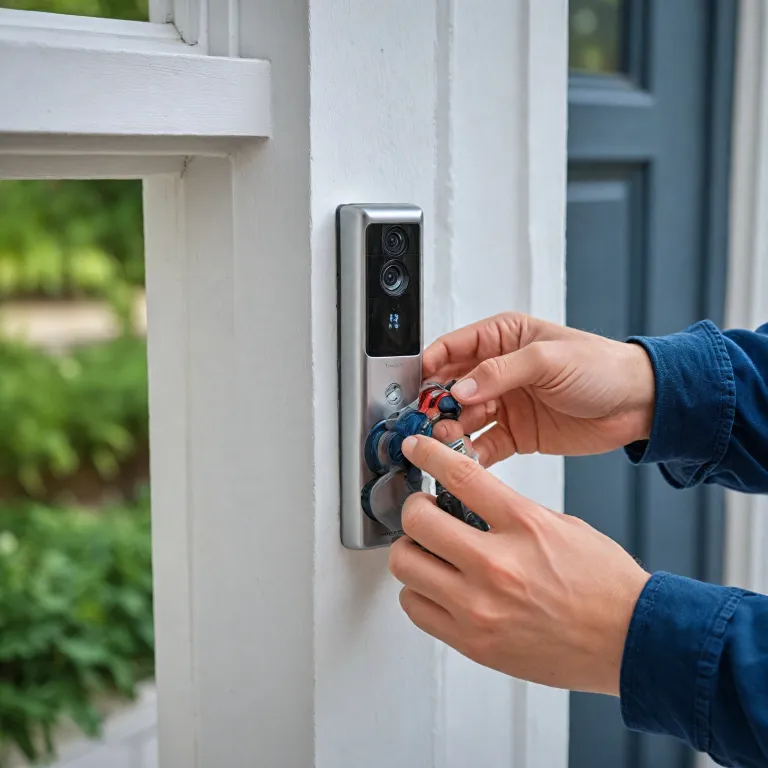
Why camera maintenance tips matter for every smart doorbell
Smart doorbells rely on a small camera that works constantly. This exposed camera equipment faces rain, dust, heat and cold, which slowly reduce image quality and reliability. Applying consistent camera maintenance tips will protect your investment and keep your home monitoring dependable.
The lens on a doorbell camera sits close to passing traffic, insects and dirty fingers. Over time, lenses collect dust, oily smudges and tiny scratches that distort the image and weaken motion detection accuracy. Regular maintenance of the camera lens and camera body helps the image sensor capture a clear image and reduces the risk of long term damage.
Many people assume these compact cameras are sealed and maintenance free. In reality, camera equipment on a front door needs more care than indoor cameras, because weather and pollution attack every exposed surface. When you keep camera surfaces clean and dry, the camera sensor and electronics will operate at a stable temperature and maintain good performance.
Doorbell cameras also depend on stable power and a healthy battery in models with internal storage. Poor power connections or a failing battery can interrupt recording and even corrupt firmware, which controls the image processing pipeline. Including power checks and firmware updates in your regular maintenance routine will reduce unexpected outages and extend the life of your camera gear.
Thoughtful care does not require professional servicing every month. Instead, a simple schedule of visual inspection, gentle cleaning and occasional sensor cleaning where the design allows will keep camera systems reliable. These camera maintenance habits support both security and privacy, because a clean camera can record accurately when an incident occurs.
Cleaning routines that protect lens, sensor and camera body
Effective cleaning starts with understanding which parts of the camera are safe to touch. On most smart doorbells, the lens and surrounding bezel are accessible, while the internal image sensor and camera sensor remain sealed. You should focus routine cleaning on external lenses, microphone holes and the camera body, avoiding any aggressive tools that could cause damage.
Begin by turning off power or disabling the camera in the app. This simple step will prevent accidental alerts and ensures the image sensor is not actively processing while you clean camera surfaces. If your model has a removable battery, take care to remove it gently and store the battery in a dry place during cleaning.
Use a soft microfiber cloth as your primary cleaning tool for the lens and camera body. A microfiber cloth traps dust without scratching delicate coatings on camera lens glass or plastic lenses, and it works well on multiple cameras around the home. For stubborn spots on the lens, a dedicated lens pen or lens cleaning solution designed for camera gear offers better control than household sprays.
Never spray liquid directly onto the camera equipment, because moisture can seep into seams and reach the image sensor. Instead, apply a small amount of lens cleaning fluid to the microfiber cloth or lens pen pad, then gently clean the lens in circular motions. This careful cleaning method will reduce streaks, protect the lens mount area and maintain good image quality.
Remember that regular maintenance is more effective than occasional deep cleaning. A quick wipe every few weeks removes dust before it bonds with moisture and becomes harder to remove from lenses and camera body surfaces. For more complex smart displays that integrate with doorbells, guides on the benefits of Google Nest Hub for smart doorbells can complement these camera maintenance tips.
Protecting image quality from dust, weather and daily wear
Outdoor cameras face constant exposure to dust, rain and ultraviolet light. Over time, this exposure can degrade the camera body, cloud the lens and even affect the image sensor behind protective glass. Smart doorbell owners should treat their camera equipment as sensitive gear, not as indestructible hardware fixed to a wall.
A good quality camera bag is not relevant for a fixed doorbell, but the same principles of protection apply. Shielding the camera lens from direct sunlight and heavy rain with a small overhang or canopy will reduce thermal stress and water spots on lenses. This simple architectural care also helps keep camera seals intact, which protects the camera sensor and internal electronics from moisture damage.
Dust is a persistent threat to image quality, especially in urban streets or near busy roads. Fine dust particles settle on the lens and can scatter light, lowering contrast and sharpness in the final image. Regular maintenance that includes gentle cleaning of the lens and surrounding bezel will keep camera optics clear and maintain good image quality for motion detection and facial recognition.
Some advanced doorbells share design concepts with larger cameras, including a defined lens mount and protective glass over the image sensor. While users cannot perform direct sensor cleaning on most doorbells, they can still prevent contamination that might reach the image sensor area. Reading a detailed guide such as the comprehensive guide to the Nest doorbell camera helps clarify which parts of the camera equipment are user serviceable.
Weather related expansion and contraction can loosen screws and seals on the camera body. During regular maintenance checks, gently test for movement, listen for rattling gear and visually inspect for cracks that might allow dust or water inside. Addressing these issues early, possibly through professional servicing, will preserve both the camera sensor and the overall structural integrity of the camera equipment.
Power, battery health and firmware updates for reliable cameras
Even the cleanest lens cannot compensate for a camera that keeps shutting down. Smart doorbells depend on stable power, whether through wired connections or an internal battery that requires charging. Monitoring battery health and cable condition is therefore as important as any physical cleaning of the camera body or lens.
For battery powered cameras, avoid letting the battery drain completely on a regular basis. Deep discharges can shorten battery life and eventually cause the camera equipment to reboot unexpectedly, which may interrupt recordings and harm image quality during critical moments. Instead, schedule charging when the app indicates moderate levels, and take care to keep camera charging contacts free from dust and corrosion.
Wired doorbells rely on household power and low voltage transformers. Over time, loose connections or corroded terminals can cause intermittent power loss, which stresses the camera sensor and firmware as the system restarts. Including a quick visual inspection of wiring in your regular maintenance routine will help prevent these power related issues and protect the internal gear.
Firmware updates play a central role in camera maintenance, because they refine image processing, security protocols and power management. Many manufacturers release firmware updates that improve image sensor performance, optimize stroke width in on screen overlays and fix bugs that previously caused damage to recordings. Always apply firmware updates through the official app, and avoid interrupting power or battery supply while the camera installs new firmware.
If your doorbell repeatedly fails to reconnect after updates, consult targeted resources such as troubleshooting tips for when your Ring doorbell will not connect to WiFi at specialized WiFi troubleshooting guides. These guides complement physical camera maintenance tips by addressing network and power interactions. Together, careful power management, healthy batteries and up to date firmware create a stable foundation for long term camera maintenance.
Safe handling, storage and professional servicing of camera gear
Although smart doorbells remain fixed outdoors, many households also use companion cameras indoors. The same camera maintenance principles apply to these additional cameras, especially when handling, storing or transporting them. Treat every camera as precision gear, because a single drop can misalign the lens mount or crack the image sensor cover glass.
When you need to remove a doorbell camera for painting or renovation, handle the camera body by its sides. Avoid pressing directly on the lens or microphone openings, since this pressure can cause subtle damage that only appears later as blurred image corners or distorted sound. Place the camera equipment on a soft surface and, if possible, cover the lens with a temporary cap or clean microfiber cloth.
For households with multiple cameras, organize accessories such as lens pen tools, microfiber cloths and spare batteries in a small camera bag. This simple step keeps camera gear clean and reduces the chance of losing essential cleaning tools when you need to clean camera surfaces quickly. It also reinforces the habit of regular maintenance, because all camera maintenance items remain visible and accessible.
Some issues, such as internal condensation, persistent focus problems or suspected sensor cleaning needs, require professional servicing. Attempting to open sealed cameras can void warranties and expose the image sensor and camera sensor to dust and electrostatic damage. A qualified technician can evaluate whether the lens, internal lenses or other gear components need repair or replacement to restore good image quality.
Professional servicing is particularly valuable after physical shocks, lightning events or power surges. Even if the camera appears to work, hidden damage to firmware, power regulation circuits or the image sensor may shorten its lifespan. Combining careful day to day care with timely expert assessment ensures that both cameras and supporting equipment continue to protect your home effectively.
Advanced camera maintenance tips specific to smart doorbells
Smart doorbells introduce unique maintenance challenges that differ from traditional cameras. Their fixed position near eye level makes the lens a frequent target for fingerprints, while their role in security means any loss of image quality has direct safety implications. Applying tailored camera maintenance tips will help keep camera performance consistent in this demanding environment.
First, pay attention to how ambient lighting changes across seasons. Strong backlighting from the street or garden can reveal every speck of dust on the lens, reducing contrast and creating flare in the image. Regular maintenance that includes lens cleaning before high glare periods, such as late afternoon, will help the image sensor capture a more balanced image.
Second, consider how insects and spiders interact with the camera body and nearby surfaces. Webs and droppings can quickly obscure the camera lens and confuse motion detection algorithms, which rely on clean image data from the camera sensor. Gently cleaning the surrounding wall and using non staining deterrents, where permitted, will reduce this type of contamination on lenses and camera equipment.
Third, review the on screen overlays and notifications that your doorbell displays. If text or icons appear fuzzy, it may indicate either a dirty lens or a firmware issue affecting stroke width and rendering. In such cases, perform careful cleaning with a microfiber cloth and lens pen, then check for firmware updates that might improve image quality and overall camera maintenance.
Finally, remember that the goal is to keep camera systems reliable without over handling them. Excessive cleaning or aggressive sensor cleaning attempts on sealed units can cause more damage than dust itself. A balanced approach, combining gentle care, regular maintenance and respect for manufacturer limits, will keep camera gear functioning as a trustworthy guardian at your door.
Building a long term maintenance routine for smart doorbell cameras
Establishing a structured routine turns occasional cleaning into effective camera maintenance. Start by creating a simple checklist that covers lens inspection, camera body cleaning, power verification and firmware updates for all cameras in your home. This checklist will help you keep camera tasks organized and ensure no aspect of camera maintenance is overlooked.
Schedule quick visual checks every month, focusing on dust buildup, spider webs and water spots on the camera lens. During these checks, use a microfiber cloth or lens pen to clean camera surfaces gently, paying attention to lenses, microphone holes and any visible sensor windows. Note any changes in image quality, such as increased noise or softness, which might signal deeper issues with the image sensor or camera sensor.
Every few months, perform a more detailed review of your camera equipment. Confirm that power cables remain secure, battery levels stay stable and firmware updates have been applied successfully to all cameras. Inspect the camera body for cracks, discoloration or signs of impact damage that could compromise seals and allow dust or moisture to reach internal gear.
Documenting these regular maintenance activities in a notebook or app can reveal patterns over time. For example, repeated fogging at certain temperatures may indicate a sealing problem that requires professional servicing rather than more frequent lens cleaning. By tracking when you clean, adjust or repair cameras, you gain a clearer picture of how environmental factors affect image quality and long term durability.
Ultimately, smart doorbell care is about preserving both security and clarity. A well maintained camera, supported by thoughtful cleaning, stable power and timely firmware updates, will continue to deliver a sharp image when it matters most. This disciplined approach to camera maintenance tips ensures that your camera gear remains a reliable witness at your front door for many years.
Frequently asked questions about smart doorbell camera care
How often should I clean my smart doorbell camera lens ?
For most environments, cleaning the lens and nearby camera body once a month is sufficient. In dusty or coastal areas, you may need to clean camera surfaces every two weeks to protect image quality. Always adjust the frequency based on visible dust and any decline in image clarity.
Can I use household glass cleaner on my doorbell camera lens ?
Household glass cleaners are not recommended for camera lens coatings. They may contain chemicals that damage protective layers and leave streaks that reduce image quality. Use a microfiber cloth with dedicated lens cleaning fluid or a lens pen designed for camera equipment instead.
Do smart doorbell cameras need professional servicing ?
Most routine camera maintenance can be done at home, but certain issues require professional servicing. Persistent fogging, internal condensation, focus problems or suspected sensor damage should be evaluated by a qualified technician. Professional assessment protects the image sensor and preserves warranties on the camera equipment.
Will firmware updates affect my saved video clips ?
Firmware updates typically focus on performance, security and image processing rather than stored footage. However, interruptions to power or connectivity during updates can sometimes corrupt files or settings. To reduce risk, ensure stable power and network connections before starting firmware updates on any cameras.
What is the safest way to handle a smart doorbell during renovation work ?
Turn off power, gently remove the camera body and hold it by the sides. Avoid touching the lens or exposed connectors, and place the camera equipment on a soft, clean surface. Cover the lens with a microfiber cloth or cap until you reinstall the camera to prevent dust and accidental scratches.