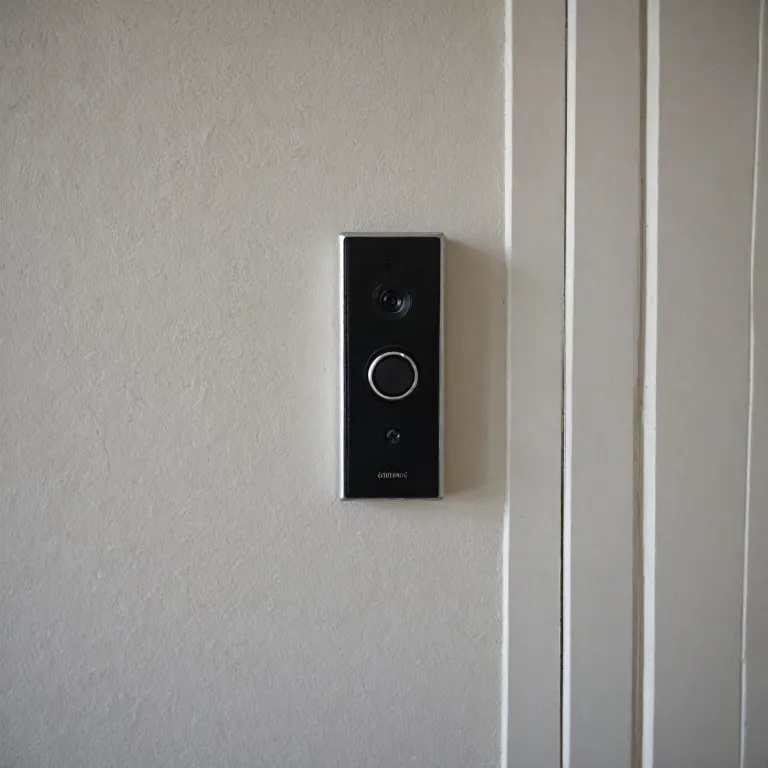

Understanding the link between smart doorbells and remotely operated light switches
How Smart Doorbells and Remotely Operated Light Switches Work Together
Smart doorbells have become a global standard for modern home security and convenience. But their true potential is unlocked when combined with wireless light switches and remote control lighting systems. When someone rings your smart doorbell, the ability to control light—whether it’s a porch light, hallway light, or even a light fan—directly from your phone or a wireless wall switch adds a new level of safety and comfort. Many smart lighting products, like a wireless light switch kit or a switch receiver, can be paired with your smart doorbell. This integration allows you to turn on lights remotely, making it appear as if someone is home or simply lighting the way for visitors. Some products, such as those compatible with Amazon Alexa or Feit Electric smart lighting, offer voice control and seamless automation. The number of available products is growing, with options for single pole, neutral wire required, and even battery free switches. A typical setup might include a remote switch or a wireless wall switch installed near your entryway. When the doorbell rings, you can use your phone, a remote, or even a rocker switch to control the lights. This is especially useful if your existing wiring doesn’t support a standard wall switch, as many wireless light switch kits do not require a neutral wire. For those interested in how these integrations are changing home entry, you can read more in this guide to smart doorbell home entry solutions. This resource covers the latest trends in smart doorbell and lighting control, including product comparisons and setup tips. In the following sections, we’ll look at what features to consider in a remote light switch, the benefits of integrating these systems, and practical advice for setup and troubleshooting.Key features to look for in a remotely operated light switch
Essential Qualities in a Modern Remote Light Switch
When considering a remotely operated light switch to pair with your smart doorbell, it’s important to focus on features that ensure reliability, compatibility, and ease of use. The right switch can make your smart lighting setup seamless and responsive, especially when integrated with other smart home products.
- Wireless Connectivity: Look for wireless light switch kits that use stable protocols like Wi-Fi, Zigbee, or Z-Wave. This ensures your switch can communicate efficiently with your smart doorbell and other devices.
- Remote Control Options: A quality switch should offer remote control via smartphone apps, voice assistants like Amazon Alexa, or dedicated remote receivers. This flexibility lets you control lights from anywhere, whether you’re at home or away.
- Compatibility with Standards: Make sure the product supports standard wiring setups, including single pole and three-way configurations. Some switches require a neutral wire, so check your wall box before purchasing.
- Battery-Free Operation: Some wireless wall switches are battery free, using kinetic energy or other innovative solutions. This reduces maintenance and is more eco-friendly.
- Integration with Smart Lighting: Choose switches that work with popular smart lighting brands like Feit Electric. This ensures your lights, fan, and doorbell system can all be managed together.
- Design and Finish: Many products come in white or other neutral colors to blend with most interiors. Consider rocker switches for a modern look and easy operation.
- Global Compatibility: If you’re setting up a system outside North America, check if the switch supports global voltage standards and works with your local infrastructure.
- Number of Switches and Receivers: Some kits offer multiple switches and receivers, letting you control several lights or zones from a single remote or app.
For a deeper dive into how enterprise IoT solutions are shaping smart doorbell technology and remote control systems, you can explore this detailed resource on enterprise IoT and smart doorbells.
Evaluating these features will help you select a product that not only meets your needs today but also adapts to future smart home upgrades. The right switch kit can transform how you control lights and interact with your smart doorbell, making your home more secure and convenient.
Benefits of integrating a remotely operated light switch with your smart doorbell
Enhancing Security and Convenience with Smart Lighting
Integrating a remotely operated light switch with your smart doorbell brings a new level of control and flexibility to your home. When someone rings your doorbell, you can instantly turn on your porch or hallway lights from anywhere using a wireless wall switch or a remote control. This not only helps you see who is at your door, but also deters unwanted visitors by making your home appear occupied, even when you are away.
Seamless Automation and Voice Control
Modern smart lighting products, such as a wireless light switch kit or a switch receiver, often work with popular platforms like Amazon Alexa. This allows you to control lights with simple voice commands or automate routines. For example, you can set your lights to turn on automatically when motion is detected by your smart doorbell, or schedule them to operate at specific times. These features are especially useful for those who want hands-free operation or need to manage lighting remotely.
Energy Efficiency and Customization
With smart lighting, you can control the number of lights or specific areas, like a single pole light fan or multiple rooms, using a single remote switch. Many wireless wall switches are battery free and require no neutral wire, making installation easier and more energy efficient. This flexibility means you can customize your lighting to suit your needs, whether you want to illuminate your entryway, porch, or the entire house.
Compatibility and Integration with Existing Systems
Most smart light switches are designed to fit standard wall switch boxes and work with a wide range of products, including white rocker switches and remote light kits. Brands like Feit Electric offer solutions that integrate seamlessly with your smart doorbell system, ensuring a smooth user experience. For more insights on how a smart home control panel can further enhance your doorbell and lighting setup, check out this guide to smart home control panels.
- Remote control of lights increases safety and comfort
- Wireless light switches offer flexibility for renters and homeowners alike
- Smart integration supports automation and voice commands
- Energy savings with efficient, customizable lighting options
Common challenges and troubleshooting tips
Typical Issues When Connecting Smart Switches
Integrating a smart light switch with your smart doorbell can be straightforward, but some common challenges can arise. Many users encounter compatibility issues, especially when mixing products from different brands or global standards. For example, not all wireless light switch kits work seamlessly with every smart doorbell or home automation system. Checking if your switch receiver and remote control are compatible with your existing setup is essential.
Power and Wiring Concerns
One frequent obstacle is the requirement for a neutral wire. Some smart switches, especially those designed for single pole installations, need a neutral wire to function. Older homes may lack this, making installation tricky. Products labeled as "battery free" or "no neutral wire required" can offer a solution, but always verify the product details before purchase. Feit Electric and other brands offer options that cater to various wiring scenarios.
Wireless Connectivity Problems
Wireless wall switches and remote light controls rely on stable Wi-Fi or other wireless protocols. Interference from other devices, thick walls, or distance from the router can cause connectivity drops. If your smart switch kit loses connection, try relocating your wireless receiver or boosting your home network signal. Some products offer a dedicated receiver to improve reliability.
Integration with Voice Assistants
Many users want to control lights with Amazon Alexa or similar platforms. Not all switches or kits support voice control out of the box. Double-check if your chosen product is compatible with Amazon Alexa or other smart home hubs. Sometimes, a firmware update or additional setup step is required to enable voice commands for your light switches and remote controls.
Troubleshooting Tips
- Always follow the manufacturer's installation guide for your specific switch product.
- If your wireless light switch is unresponsive, check the power supply and ensure the receiver is properly connected.
- Resetting the switch or remote control can resolve many pairing issues.
- For persistent problems, consult the support resources for your product or consider reaching out to the brand's customer service.
By understanding these common challenges and solutions, you can enjoy a smoother experience when integrating smart lighting and remote control with your smart doorbell system. This ensures your lights, switches, and doorbell work together to enhance both convenience and security.
Step-by-step guide to setting up your remotely operated light switch
Gathering Your Tools and Devices
Before starting, make sure you have all the necessary components. Most wireless light switch kits include a switch, a receiver, and sometimes a remote control. Check if your product requires a neutral wire, as some smart lighting solutions—like Feit Electric or other standard wall switches—do. Also, confirm compatibility with your existing lights and smart doorbell system.Turning Off Power and Preparing the Wall Switch
Safety first: turn off the power at the circuit breaker before touching any wires. Remove the existing wall switch cover and carefully disconnect the wires. If your kit is battery free, installation may be simpler, but always double-check the instructions for your specific product.Wiring the Switch Receiver
Connect the switch receiver according to the manufacturer’s diagram. For single pole setups, you’ll typically connect the line, load, and possibly a neutral wire. Some wireless wall switch kits are designed to work without a neutral, but many smart products require one. Secure all connections and tuck the receiver into the wall box.Mounting and Pairing the Wireless Switch
Attach the new smart switch or wireless rocker to the wall. If your kit includes a remote switch, mount it in a convenient location. Many products offer adhesive or screw options for easy installation. Pair the switch with the receiver following the product instructions—this often involves pressing a button on both devices until a light indicates successful pairing.Testing and Integrating with Your Smart Doorbell
Restore power and test the switch. Use the remote control or wireless switch to turn the lights on and off. If your system supports integration with Amazon Alexa or other smart home platforms, follow the app prompts to add the new device. This lets you control lights remotely, enhancing your doorbell’s functionality—like illuminating your entryway when someone rings the bell.Troubleshooting Common Issues
If the switch or receiver doesn’t respond, double-check wiring connections and ensure the receiver is within range of the wireless switch. For products requiring a neutral wire, confirm it’s properly connected. If you experience interference or inconsistent control, try relocating the receiver or checking for signal obstructions. Refer to the product manual or manufacturer’s support for model-specific guidance.| Step | Key Product Terms | Considerations |
|---|---|---|
| 1. Gather Components | switch kit, receiver, remote, wall switch | Check compatibility, number of switches, battery free options |
| 2. Power Off & Prep | standard, white, wire required | Safety, identify neutral wire |
| 3. Wiring | neutral, single pole, light fan | Follow product diagram, secure connections |
| 4. Mount & Pair | wireless wall, rocker, remote switch | Mount securely, pair devices |
| 5. Test & Integrate | amazon, smart, control light | Test function, connect to smart home |
Real-life scenarios: how a remotely operated light switch makes a difference
Everyday Convenience at Your Fingertips
Imagine arriving home after dark with your hands full. With a smart doorbell and a wireless light switch kit, you can use your phone or a remote to control your porch lights before you even reach the door. This seamless integration means no more fumbling for keys or light switches in the dark. Many products, like the Feit Electric smart lighting range, offer compatibility with popular platforms such as Amazon Alexa, letting you use voice commands for hands-free control.
Enhanced Security for Unexpected Visitors
When your smart doorbell notifies you of someone at the door, a remotely operated light switch lets you turn on exterior lights instantly, even if you’re not home. This can deter unwanted visitors and give the impression that someone is present. Wireless wall switch receivers and battery-free remote controls make it easy to add this layer of security without complex wiring or a neutral wire.
Flexible Lighting for Different Needs
- Single pole and multi-location control: Whether you want to control a single light or multiple lights from different locations, smart switch kits offer flexibility. Some products allow you to pair several remote switches with one receiver, adapting to your home’s layout.
- Light fan and appliance integration: Many smart switches are not limited to lights. You can control ceiling fans or other appliances, expanding the usefulness of your smart home setup.
Making the Most of Standard and Wireless Options
Not every home has a neutral wire available at the wall switch. Fortunately, there are wireless light switch products designed for these situations, letting you install a remote switch without rewiring. This is especially helpful in older homes or rental properties where modifications are limited.
Global Access and Peace of Mind
With remote control features, you can manage your lights from anywhere in the world. Whether you’re traveling or just out for the evening, you can check the status of your lights and switch them on or off as needed. This global access, combined with the reliability of standard and smart products, offers peace of mind and convenience for any homeowner.