Summary
Editor's rating
Is it worth the price compared to other doorbells?
Tall, slim, and low-key on the wall
Battery life vs wiring: what actually makes sense
Build quality, weather, and long-term use
Alerts, video, and real-world responsiveness
What you actually get and how it fits into a normal home
Pros
- Clear vertical field of view that shows visitors head to toe and packages on the ground
- Smart detection for people, packages, animals, and vehicles with useful alerts
- Works well with Google Nest speakers/displays as chimes and for live view
Cons
- No 24/7 continuous recording on the battery model, even with Nest Aware
- Locked into the Google Home app, not compatible with the older Nest app
- Battery needs periodic recharging if not wired, especially in high-traffic areas
Specifications
View full product page →| Brand | |
| Indoor/Outdoor Usage | Indoor, Outdoor |
| Compatible Devices | Smartphone |
| Power Source | Battery Powered |
| Connectivity Protocol | Bluetooth, Wi-Fi |
| Controller Type | Nest |
| Mounting Type | Wall Mount |
| Video Capture Resolution | 720p |
A smart doorbell that feels built for Google people
I’ve been using the Google Nest Doorbell (Battery, Ivy color) as my main doorbell for a while now, and overall it’s a pretty solid piece of kit, especially if you already use Google Assistant or have Nest/Google speakers at home. It’s not perfect, and there are a couple of things that annoyed me, but it does the core job: you see who’s at the door, you get alerts, and you can talk to people from your phone. For me, that’s basically what I wanted.
Before this, I had a basic wired chime and no camera, so I was constantly guessing if someone had actually rung or if a delivery had been dropped off and left somewhere random. With the Nest Doorbell, I get motion alerts and person/package alerts on my phone, and my Google speakers call out “Someone’s at the front door”. That alone has made deliveries and random visitors way easier to manage, especially when I’m in another room or not at home.
But it’s not all perfect. You’re locked into the Google Home app, and if you were used to the old Nest app, you’ll probably find the change annoying. Also, the battery model doesn’t do 24/7 continuous recording, even if you pay for Nest Aware, which is something I think Google could be clearer about. It records events, not a full timeline, so if you’re expecting to scroll back through the entire night like a full CCTV system, this is not that.
So, in short: it’s a good smart doorbell that works well day-to-day, especially for package watching and quick communication with visitors. Just go in knowing it’s very Google-centric, the subscription adds up if you want more history, and the battery limitations matter if you’re picky about full surveillance. If you’re okay with those trade-offs, it gets the job done nicely.
Is it worth the price compared to other doorbells?
In terms of price, the Nest Doorbell (Battery) sits in the higher bracket compared to basic video doorbells, but not at the absolute top of the market. You’re paying partly for the Google integration and the smarter detection features. If you already have Google Nest speakers, displays, or other Google Home gear, the value feels better because it plugs right into what you own. Your speakers become chimes, your displays show the live feed, and you manage everything from one app.
Where the value gets a bit more debatable is the subscription side. Out of the box, you get 3 hours of event history for free, which is okay if you just want to check something that happened recently. But if you miss something overnight or are away for a weekend, 3 hours is basically nothing. Nest Aware (which costs extra each month) bumps you up to more days of event history and adds features like familiar face detection. For some people, that’s worth it for peace of mind. For others, it just feels like yet another subscription bill. And again, even with Nest Aware, this specific doorbell doesn’t do 24/7 continuous recording, which reduces the value if that’s what you wanted.
Compared to cheaper brands like Blink or some no-name Wi‑Fi doorbells, the Nest definitely feels more polished: faster alerts, smarter detection (person/package), better integration with smart speakers, and a more reliable app experience. Compared to Ring, the pricing is in the same ballpark once you factor in subscriptions, so it mostly comes down to whether you prefer Google’s ecosystem or Amazon’s. If you’re already deep into Alexa and Ring, switching to Nest probably doesn’t make much sense. If you’re already using Google Assistant and Nest Cams, the Nest Doorbell is the logical fit.
Overall, I’d call the value “pretty solid but not mind-blowing.” You’re paying for a well-integrated, easy-to-use doorbell that works nicely in a Google home, not for crazy specs or ultra-cheap hardware. If you catch it on sale, it feels like a good buy. At full price, it’s fair, as long as you’re okay with maybe adding a Nest Aware subscription on top for proper history.
Tall, slim, and low-key on the wall
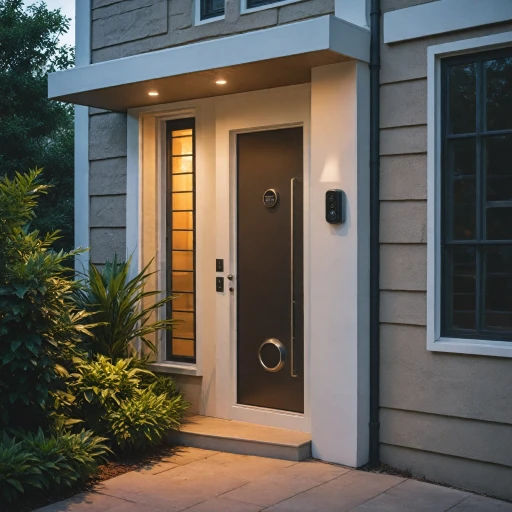
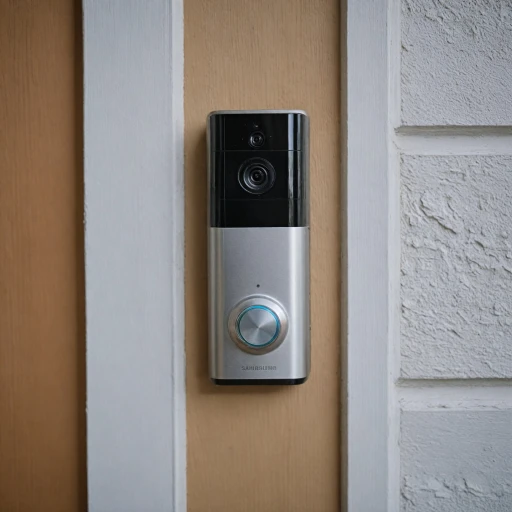
Design-wise, the Nest Doorbell is pretty clean and low-profile. The Ivy color is a muted green/gray that blends in well if you have a neutral or modern exterior. It doesn’t scream “security camera” like some chunkier video doorbells. It’s tall and narrow (about 6.3 x 1.8 x 0.95 inches), so it fits nicely on a door frame or a slim section of wall without looking bulky. I mounted mine on the door frame using the included plate, and it doesn’t look out of place at all.
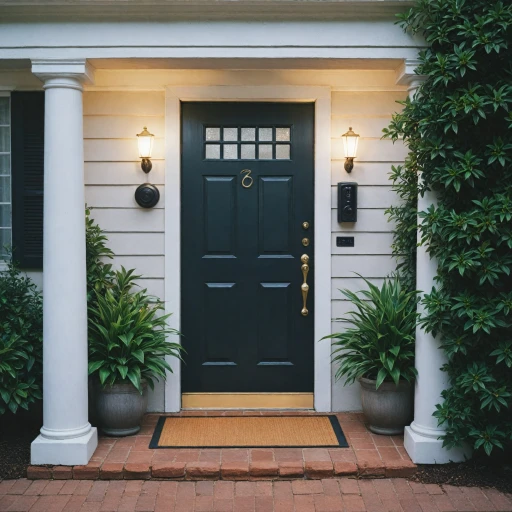
The main thing I noticed is the vertical field of view. The camera is clearly designed to show head-to-toe shots and the area near your doorstep where packages usually land. In practice, this works well: I can see visitors from head to foot and see Amazon boxes sitting right under the camera. You don’t get a super wide left-right view like some other brands, but for a doorbell, the vertical framing makes more sense most of the time. If your door is set back in an odd corner or you need to see far off to the sides, you might feel a bit limited.
The button is big and obvious, with a light ring around it when someone approaches or presses it. People seem to understand instantly where to press, which is more important than it sounds. Some cheaper doorbells have confusing designs where visitors end up pressing the camera lens or tapping random spots. Here, it’s obvious. The microphone and speaker are built in and don’t stand out visually, which keeps the look clean.
Overall, I’d call the design modern and practical. It’s not flashy, but it feels thought-out. The only thing to be aware of is color choice and placement: the Ivy color looks good against light or neutral walls, but if you have a very dark exterior, you might prefer a darker variant so it blends even more. Functionally though, the tall, slim design and vertical view are the main design choices that actually matter day-to-day, and those work well.
Battery life vs wiring: what actually makes sense
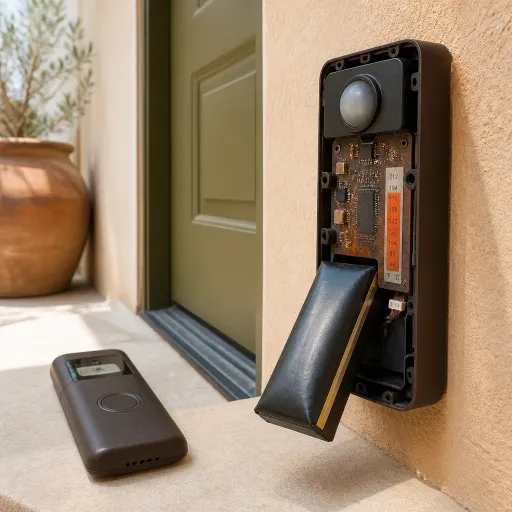
The battery side of this doorbell is decent, but how good it feels really depends on how busy your front door is and how aggressive your motion settings are. In my case, with a moderate number of daily events (a few deliveries a week, some foot traffic, and me going in and out), the battery lasted roughly 6–8 weeks before dropping low enough that I felt like charging it. That matches pretty well with what other users report. Charging is done via USB‑C, which is convenient because most people have a cable lying around. A full charge takes a few hours.
That said, battery mode has some trade-offs. First, no 24/7 continuous recording, even if you pay for Nest Aware. The doorbell only records events (motion, people, rings), not a full timeline. Google does this mainly to save battery, but it’s something you need to understand before buying. If you’re looking for a doorbell that doubles as a full-time security camera with constant recording, this isn’t it. Also, if you place it in a very busy area (like facing a street or sidewalk), it will trigger a lot, and the battery will drain faster. You can tweak activity zones to reduce that, but it’s something you’ll probably have to fine-tune.
Once I wired it into my existing doorbell transformer, things got easier. I basically don’t think about the battery anymore. It still technically has a battery inside, but it stays topped up from the wired power, and I get to keep my old indoor chime working. If you own your place and already have a wired doorbell, I’d honestly recommend wiring it from the start. The installation is simple if you’re comfortable turning off the breaker and connecting two low-voltage wires. If you’re renting or don’t have wiring, battery-only is fine, just factor in that every month or two you’ll need to take it down to charge.
Overall, I’d say the battery is good enough for casual use and rentals, but wiring it in is the “set and forget” option. Just don’t buy it expecting infinite battery life or full continuous recording, because the hardware and software are clearly designed around short event clips, not full-on CCTV behavior.
Build quality, weather, and long-term use
The Nest Doorbell feels solid in the hand. It doesn’t have that cheap hollow plastic vibe some budget doorbells have. It’s rated IP65, which basically means it can handle dust and water jets, so normal rain and outdoor conditions are fine. Mine has gone through heavy rain, some pretty cold nights, and hot days, and I haven’t seen any condensation inside the lens or weird glitches from weather yet. The finish hasn’t faded or peeled either.
The mount and plate feel secure once they’re properly screwed in. There’s always a small worry with doorbells that someone could just yank them off, but the way this one clips into the base plate makes it not super easy to pull off without tools. It’s not theft-proof, but it’s not like some super flimsy clip either. If you’re in a high-theft area, you might still want to angle it or place it where it’s less tempting, but for a typical suburban or city front door, it feels fine.
On the software side, durability is more about how it behaves over months. I haven’t had issues with it randomly dropping off Wi‑Fi or needing constant reboots. Firmware updates happen in the background through Google Home; you’ll sometimes notice new features or slightly different menus, but it hasn’t broken anything for me so far. The only long-term annoyance I see a lot of people mention, and I’ve bumped into as well, is account and setup weirdness if you move houses, change Wi‑Fi, or try to transfer the device between accounts. It’s not as smooth as it should be, and some users report hitting a wall when trying to fully reset and reconfigure it.
So physically, I trust it to sit outside for years. It doesn’t feel fragile and the weather rating seems legit in practice. The weak point is more the ecosystem and account management, not the hardware. If you’re the kind of person who changes routers, Wi‑Fi names, and smart home setups every few months, be prepared for some frustration. If you mostly set it up once and leave it alone, it behaves like a stable, long-term device.
Alerts, video, and real-world responsiveness
In day-to-day use, the performance is pretty solid. Motion alerts come through quickly on my phone, usually within a second or two of someone walking up to the door. When someone presses the doorbell, my Google Nest speakers announce it almost immediately, and my phone pops a notification with a thumbnail of who’s there. Compared to some cheaper systems I’ve tried (like older Blink gear), the delay is much shorter, so I’m not just getting a notification of someone’s back as they walk away.
Video quality is good enough for typical home use. It’s 720p, not full-blown 1080p or 4K, but the HDR helps a lot with tricky lighting. My doorway gets strong sunlight in the afternoon and is darker at the top, and the Nest Doorbell still shows faces clearly without turning everything into a white blur. At night, the infrared night vision kicks in and people are still recognizable at close range. You’re not getting cinema quality, but for identifying visitors and checking packages, it does the job comfortably.
The built-in smarts are one of the better parts. Even without a subscription, it can tell the difference between people, packages, animals, and vehicles, and it labels the notifications accordingly. In practice, that means you can set it up so you don’t get spammed every time a car passes, but you still see when someone actually walks up to your door. With Nest Aware, you can go further with familiar face detection, so it can say things like “Someone you know is at the door” versus an unknown person. If you’re privacy-sensitive, you might not care about that, but it’s handy for filtering alerts.
Streaming and two-way audio are generally reliable on a decent Wi‑Fi network. When I open the live view, it usually loads within a few seconds. Audio is clear enough to tell a delivery driver where to leave a box. There can be slight lag if your Wi‑Fi is struggling, but that’s more on your home network than the device itself. One nice touch: if Wi‑Fi or power goes out, the doorbell can store up to about an hour of recorded events locally, so you don’t completely miss what happened during a short outage. It’s not full offline storage, but it’s better than nothing.
What you actually get and how it fits into a normal home
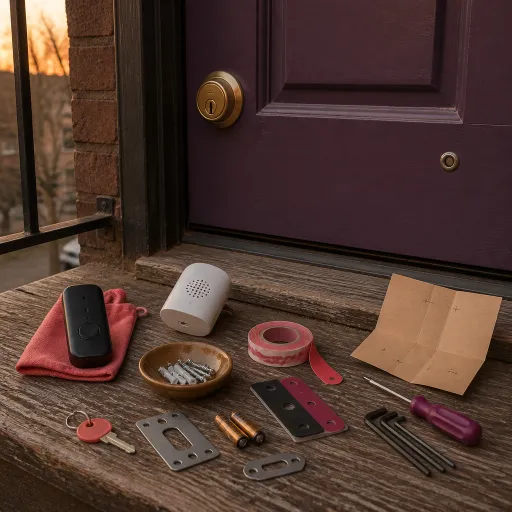
Out of the box, the Nest Doorbell (Battery) is fairly straightforward: you get the doorbell itself, a base plate, wall anchors and screws, a wire connector if you want to hook it into existing doorbell wiring, and a charging cable. No separate indoor chime included, which might surprise some people who expect an old-school ding-dong box in the package. Instead, Google expects you to use your existing wired chime (if you wire it), or smart speakers/displays as the chime. If you don’t have those, keep in mind there’s no separate plug-in chime here.
The doorbell works either fully on battery or wired to your existing doorbell transformer (24V AC recommended). I tested it first in pure battery mode for a couple of weeks, then hooked it up to the existing doorbell wires. In battery mode, it still works fine as a smart doorbell; wiring it mainly helps with convenience (no charging) and using your old chime. The camera is 5 MP with up to 720p video capture, HDR, and night vision. It’s not 4K or anything fancy, but it’s clear enough to recognize faces and read packages at a normal distance.
Setup is done entirely through the Google Home app. You scan the QR code on the device, follow the prompts, connect it to Wi‑Fi (2.4 or 5 GHz), and that’s it. If you’ve already got other Google Nest devices, it slides into your existing setup pretty easily. If you’re coming from the older Nest ecosystem and still love the Nest app, this is where it can feel like a downgrade since the doorbell does not work with the Nest app at all. Everything is in Google Home now.
In daily use, the presentation is simple: open Google Home, tap the doorbell, and you see the live feed with buttons for talk, mute, history, and settings. You get 3 hours of free event history by default, which is fine for casual use. If you want more, you’ll end up looking at Nest Aware subscriptions for extra days of event history or 24/7 recording on other supported cameras. For this doorbell specifically, even with Nest Aware, you’re still event-based, not full continuous recording, which is an important detail that’s easy to miss if you just skim the product page.
Pros
- Clear vertical field of view that shows visitors head to toe and packages on the ground
- Smart detection for people, packages, animals, and vehicles with useful alerts
- Works well with Google Nest speakers/displays as chimes and for live view
Cons
- No 24/7 continuous recording on the battery model, even with Nest Aware
- Locked into the Google Home app, not compatible with the older Nest app
- Battery needs periodic recharging if not wired, especially in high-traffic areas
Conclusion
Editor's rating
The Google Nest Doorbell (Battery) is a good fit if you want a smart doorbell that just works with Google gear and you care more about reliable alerts than ultra-high video specs. The vertical field of view is genuinely useful for seeing people head to toe and checking packages on the ground, and the person/package/vehicle detection cuts down on pointless notifications. The hardware feels solid, the weather rating holds up, and the option to run it on battery or wire it into an existing chime gives you some flexibility depending on whether you rent or own.
On the downside, it’s very tied to the Google Home app, and the older Nest app is simply not an option. If you were hoping to keep everything in the old Nest interface, that’s not happening. The lack of 24/7 recording on this battery model, even with a paid Nest Aware plan, is another limitation you need to accept. And while the battery life is decent, it’s not magic—you’ll be taking it down to charge every month or two unless you wire it. Account and reset issues some users describe are also something to keep in mind if you move or regularly change your network setup.
So who is it for? It’s good for people already in the Google ecosystem, anyone who wants clear alerts about people and packages, and renters who need a battery-powered option but might wire it later. Who should skip it? If you’re hardcore about 24/7 recording, if you hate subscriptions, or if you’re deep into the Ring/Alexa world already, this probably isn’t the best match. For everyone else, it’s a solid, practical smart doorbell that gets the basics right without trying to be flashy.