
Summary
Editor's rating
Is it worth the money once you factor in subscriptions and hassles?
Slim, clean design that doesn’t scream ‘security gadget’
Power and wiring: not a battery model, and that matters
Weather, wear, and how it holds up over time
Video, audio, and alerts: how it actually performs day to day
What this doorbell actually offers in real life
Pros
- Clear video with useful 4:3 view that shows both people and packages
- Reliable person alerts and decent night vision for everyday security
- Wired power means no battery charging and true 24/7 streaming
Cons
- Requires proper 16–24V transformer, installation can be a hassle
- Key features and longer history locked behind Nest Aware subscription
- Uses older Nest app and future support from Google feels uncertain

Specifications
View full product page →| Brand |
A good wired doorbell, but you need to know the catches
I’ve been using the Google Nest Doorbell (Wired, the old Nest Hello) for a while now, and I’ll be blunt: it does the core job well, but it’s not a simple plug‑and‑play gadget and there are a few things Google doesn’t shout about. If you just look at the product page, you see 24/7 streaming, person alerts, night vision, all the usual smart buzzwords. In real life, you quickly notice the small setup headaches, the dependency on subscriptions, and the fact that this model is basically living on borrowed time in Google’s ecosystem.
I installed it myself to replace a basic wired chime, and the first surprise was the power requirements. The specs say 16–24V AC, but most people don’t check their transformer before buying. If you’re on low voltage, you’ll either get errors or a chime that behaves weirdly, like half‑ringing or getting stuck. I had to crawl into the attic, track the transformer and swap it. Not hard if you’re comfortable with basic electrical work, but if you’re not, you’re calling an electrician or a Nest Pro and adding cost right away.
Once it’s running, though, the experience is much nicer than a dumb doorbell. You get a clear video feed, quick alerts when someone walks up, and you can talk to people at the door even when you’re not home. For deliveries, this is really practical: I’ve told drivers where to leave packages, and I’ve been able to check if something was actually dropped off or not. That part “just works” most of the time and is honestly the reason I keep it.
But you also feel how tied in you are to Google’s decisions. This thing still uses the old Nest app, not the Google Home app, and Google has a history of killing Nest products or changing features. If they decide to retire the Nest app down the road, this doorbell is basically stuck. So yes, it’s a decent smart doorbell with good video and reliable alerts, but you should buy it knowing it’s not some timeless device you’ll keep for 10 years without worrying about support.
Is it worth the money once you factor in subscriptions and hassles?
Value is where this doorbell gets a bit mixed for me. As a one‑time purchase, the price is not cheap but not insane compared to other big‑name video doorbells. For that money, you get good video quality, reliable alerts, and a design that doesn’t look like a toy. If you’re already invested in Nest cameras and maybe already paying for Nest Aware, it fits into that system nicely and feels like part of a bigger setup. In that case, the cost makes more sense, because you’re spreading the subscription over multiple devices.
If this is your only Google camera, the story changes. Out of the box, you only get about three hours of event history, which is honestly not much. If something happens overnight while you’re asleep and you only check in the afternoon, it might already be gone. To really use the "smart" side of it (familiar faces, longer history, package detection), you’re pushed toward Nest Aware. It’s not insanely expensive, but it’s another monthly charge, and over a few years you easily double what you originally paid for the hardware.
You also have to factor in possible extra costs: a new transformer if your voltage is too low, maybe an electrician if you’re not comfortable doing that, and the time spent dealing with app quirks or the split between Nest and Google Home. Plus, there’s the slightly uncomfortable feeling that this is an older, rebranded product and Google has a habit of sunsetting things. If they ever decide to retire the Nest app, your doorbell may still work in some limited way, but there’s no guarantee it’ll get much love.
So in terms of raw value, I’d put it at "good but not outstanding." It’s not a rip‑off because the core functions are strong and it genuinely improves how you handle visitors and deliveries. But it’s also not a bargain, especially if you end up paying for Nest Aware just to get features you probably assumed were included. If you want the cleanest integration with Google and don’t mind subscriptions, it’s fine. If you’re trying to keep ongoing costs down, there are simpler and cheaper options that might be enough for you.
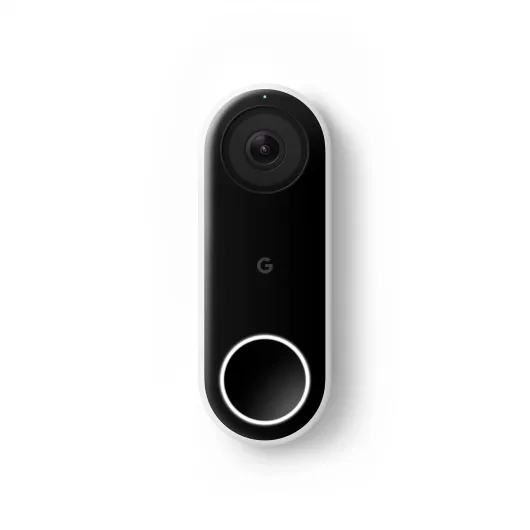
Slim, clean design that doesn’t scream ‘security gadget’
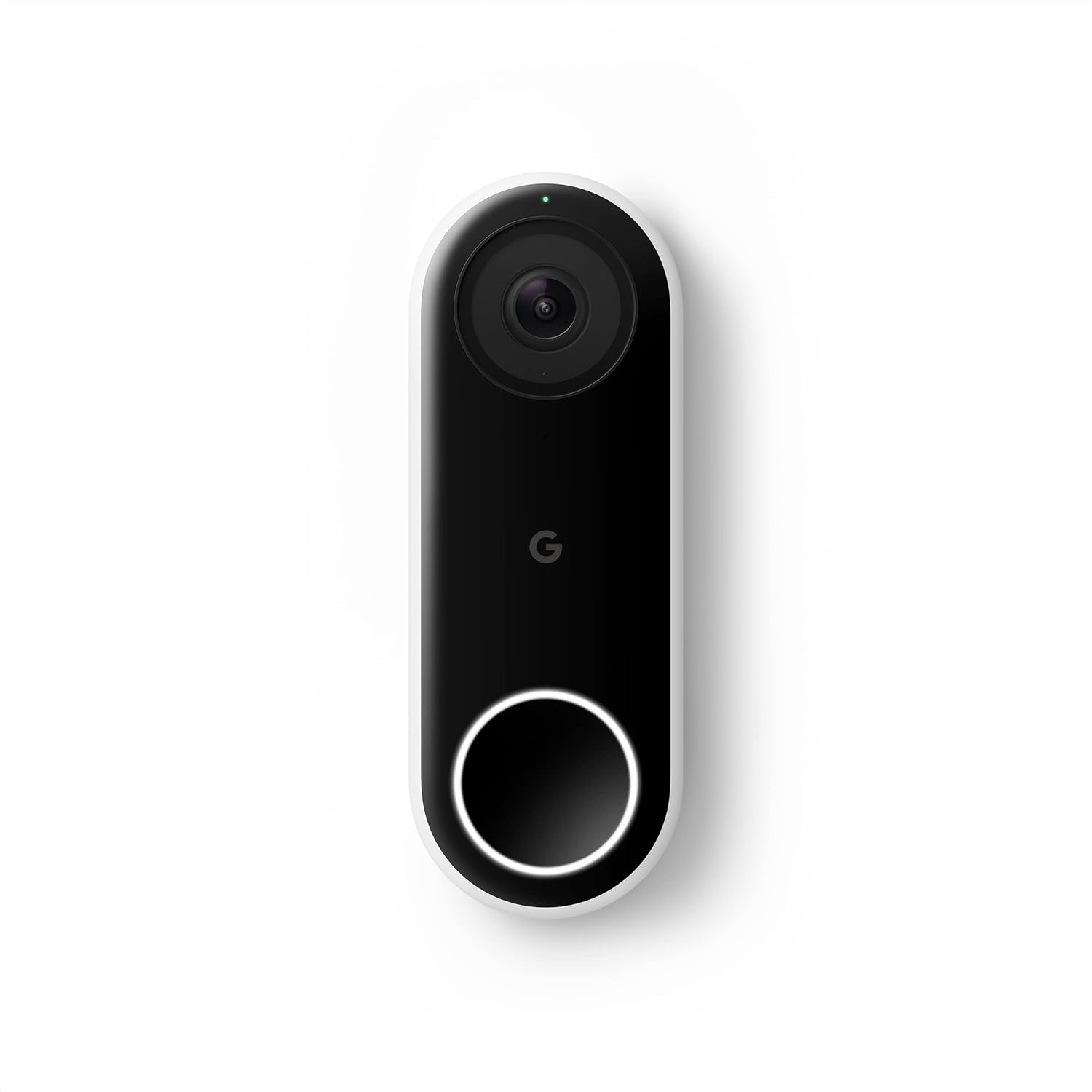
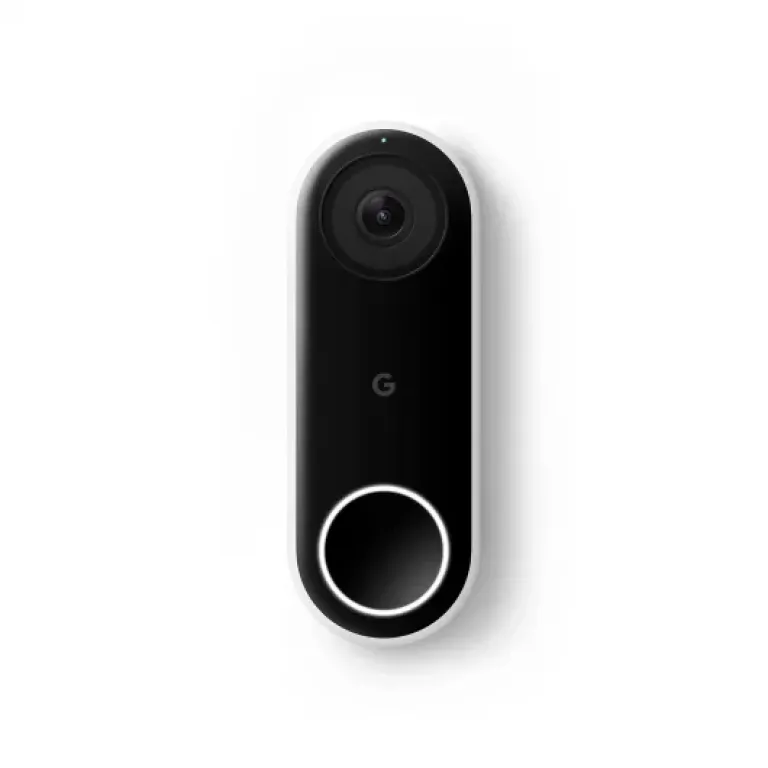
Design‑wise, the Nest Doorbell (Wired) is pretty clean and low‑key. It’s a slim vertical pill shape with a camera on top and a button on the bottom. Mine is the black/white version, and on a standard door frame it doesn’t look bulky or ugly. Compared to some chunkier video doorbells from other brands, this one sits closer to the wall and doesn’t look like you bolted a small brick next to your door. If you care about how your front door looks, this is one of the less intrusive options.
The button has a light ring so visitors can actually tell where to press, even at night. That sounds basic, but some cheaper doorbells are weirdly unclear. The ring glows softly, and when someone presses it, it lights differently so you know it’s registered. I’ve had a few years of use in direct afternoon sun, and the housing hasn’t yellowed or cracked. One older unit I had (same model) developed a slightly finicky button after several years of sun exposure, but the camera and body still held up.
Google includes a 15‑degree wedge in the box, which is handy if your door frame is recessed or you want to angle the camera more towards the walkway. In my case, without the wedge I mostly saw people only once they were right in front of the door. With the wedge, I catch them earlier as they come up the path. Little detail, but it makes the alerts more useful. The mounting plate and screws are standard stuff, nothing fancy, but they do the job.
From a day‑to‑day perspective, the design is just practical. It doesn’t get in the way, people recognize it as a doorbell, and it doesn’t look like a cheap plastic gadget even though it is plastic. It’s not some design object you’re going to admire, but it’s neat and modern enough that it blends in with most homes. If you want a low‑profile smart doorbell instead of a big tech box on your wall, this one is pretty solid on that front.
Power and wiring: not a battery model, and that matters
Just to be clear: this is the wired Nest Doorbell, not the battery version. It doesn’t run on a rechargeable pack; it needs a proper doorbell transformer that outputs 16–24V AC, 10–40 VA. If your house already has a modern doorbell transformer, you’re probably fine. In my case, the existing transformer was around 10V, and the Nest complained about low voltage. It still kind of worked, but the indoor chime was acting weird and the app kept flagging it. I ended up replacing the transformer with a 20V unit from the hardware store for about $20–25.
This is one of those things people underestimate. The install guide mentions the voltage, but if you’re not used to dealing with this stuff, you might just mount it, wire it, and then wonder why the chime is buzzing or the app says there’s not enough power. Swapping the transformer isn’t rocket science, but it does mean cutting power at the breaker, working with mains wiring, and crawling into wherever the transformer is hidden (attic, basement, near the panel). If that sounds like a nightmare, you’re either going to be annoyed or paying someone else to do it.
The upside of being wired is you never have to think about charging. Once the power is sorted, it just stays on 24/7. No battery swaps, no reminders, no doorbell going dead because you forgot to charge it. For me, that’s worth the initial hassle, especially since it does continuous streaming. A battery doorbell that’s always streaming would need charging way more often, so this approach makes sense for a more permanent setup.
So there’s no battery life to rate here, but there is a clear trade‑off: stable power forever, in exchange for more complicated installation. If you rent, or you’re not allowed to mess with wiring, this model is probably not the right choice. If you own your place and don’t mind a bit of DIY (or paying once for an electrician), the wired setup is fine and you never think about power again afterwards.
Weather, wear, and how it holds up over time
Durability has been decent in my experience. The doorbell is rated IP54, so it’s protected against dust and splashing water but not full submersion. Mine is directly facing west and gets hammered by late afternoon sun and occasional heavy rain. Over a few years, the housing hasn’t cracked, and the camera lens is still clear, not foggy or scratched up. The plastic doesn’t feel premium, but it hasn’t turned brittle either, which is what I care about more than fancy materials.
Where I did notice wear was the physical button on one older unit. After several years of direct sun and weather, the button sometimes didn’t register unless you pressed a bit harder. It still lit up, and the camera worked fine, but you could tell the switch wasn’t as crisp as day one. That said, this was after long exposure, not in a few months. Compared to some cheaper doorbells I’ve seen die in a year, I’d say this is acceptable, just not perfect.
There are also reports from some users about units failing or getting grainy images after a few months, and then running into warranty headaches between Amazon and Google. I personally haven’t had that exact failure, but it’s worth mentioning because it’s not just one random comment. If the sensor goes bad and each side points you to the other for warranty, it’s frustrating. So while the physical shell and general build feel okay, the long‑term support side is less reassuring.
Overall, if you install it properly and your wiring is within spec, the doorbell itself seems to handle everyday weather, sun, and temperature swings reasonably well. Just don’t expect military‑grade toughness, and keep your purchase proof somewhere safe in case you need to push for a replacement. From a pure physical durability standpoint, I’d call it pretty solid but not bulletproof, with the weak link being more the support experience than the plastic shell itself.
Video, audio, and alerts: how it actually performs day to day
In terms of pure performance, the Nest Doorbell (Wired) is one of the more reliable ones I’ve used. The video quality is sharp enough to clearly see faces, license plates at close range, and packages on the ground. It’s 720p on paper, but the HDR and the 4:3 aspect ratio help more than the raw resolution number suggests. In bright sun, shadows don’t completely blow out, and at night the infrared night vision is good enough to recognize people without guessing. You’re not getting security‑camera‑grade detail from 20 meters away, but for a doorbell it’s solid.
The motion and person alerts are where it stands out a bit. With person detection enabled, I don’t get spammed every time a car passes the house, which used to be a big problem with older motion‑only cameras. The doorbell is usually quick to send an alert when someone steps onto the porch, even if they don’t press the button. I’d say there’s a delay of a couple of seconds between motion and my phone buzzing, which is fine. Sometimes, depending on Wi‑Fi, there’s a longer lag, but that’s more down to the network than the device itself.
Two‑way audio is generally clear. I’ve used it to talk to delivery drivers and visitors while I was at work or in another part of the house. There’s a slight delay, but nothing crazy. People can hear me well, and I can hear them unless there’s strong wind or background noise. The pre‑recorded quick responses are also handy if you’re busy and just want to say something like “leave it at the door” without opening a full call.
Where it can get annoying is when your Wi‑Fi or router is a bit flaky. I’ve had moments where, while on my own home Wi‑Fi, the live view would fail to connect, but as soon as I turned off Wi‑Fi and used mobile data, it worked. That tells me the doorbell itself was fine, but the app and home network sometimes don’t play nicely. If you already have other Nest or Google Wi‑Fi gear, you’ll probably be okay, but if your network is borderline, expect the occasional spinning wheel when you try to view live video.
What this doorbell actually offers in real life
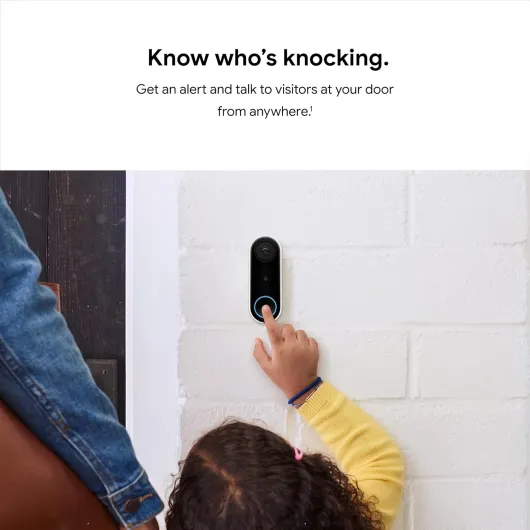
On paper, the Google Nest Doorbell (Wired) is a 24/7 streaming video doorbell with HDR, night vision, and person alerts. In practice, what that means is: whenever someone walks up to your door, your phone buzzes, you tap the notification, and you see a live view with the option to talk back. The camera uses a 4:3 ratio instead of the usual 16:9, so you see more vertically – basically head‑to‑toe and the package on the ground. That part is genuinely useful; I can actually see boxes right up against the door instead of just someone’s shoulders and face.
Out of the box, you get live view, notifications, and about three hours of event history without paying for Nest Aware. So if something happened recently, you can scroll back a bit and check. If you want longer history, familiar face alerts, or fancy detection like packages, you need to subscribe. That’s where the product shifts from “buy once” to “ongoing cost.” If you already pay for Nest Aware for other cameras, it’s fine. If this is your only Google camera, it feels a bit like you’re renting part of the product you already bought.
The other thing people don’t always realize: this is the older, wired model, now renamed, and it requires the Nest app, not Google Home. So you end up with two Google apps if you already have newer devices. Setup, settings, and most of the advanced stuff is in Nest. It still works, but it feels like a product from the previous generation that Google just rebranded instead of properly updating. That’s important if you like everything in one app.
Overall, the feature set is pretty solid: clear video, two‑way audio, motion/person alerts, integration with your phone, and it can use your existing chime if everything is wired correctly. It does what a smart doorbell should do. Just be aware there’s a difference between what’s included and what’s locked behind the Nest Aware subscription, and that you’re buying into an older app ecosystem that Google may not care about forever.
Pros
- Clear video with useful 4:3 view that shows both people and packages
- Reliable person alerts and decent night vision for everyday security
- Wired power means no battery charging and true 24/7 streaming
Cons
- Requires proper 16–24V transformer, installation can be a hassle
- Key features and longer history locked behind Nest Aware subscription
- Uses older Nest app and future support from Google feels uncertain
Conclusion
Editor's rating
Overall, the Google Nest Doorbell (Wired) is a solid choice if you want a reliable, always‑powered video doorbell and you’re okay living in Google’s world. The camera quality is good, the 4:3 view is actually practical for seeing both faces and packages, and the person alerts cut down on useless notifications. Once you get past the wiring and possible transformer upgrade, it’s pretty much set‑and‑forget, and being able to talk to visitors or delivery drivers from your phone is genuinely useful in daily life.
Where it’s less convincing is around long‑term value and ecosystem. It still runs on the older Nest app, not Google Home, and Google’s track record with Nest products doesn’t exactly scream long‑term stability. If you want more than a few hours of history or smarter detection, you need a Nest Aware subscription, which adds ongoing cost. Add in the potential hassle of warranty support bouncing between retailer and Google, and it’s not a totally carefree purchase.
If you already use Nest cameras, don’t mind subscriptions, and prefer a wired, low‑profile doorbell, this is a good fit. If you’re starting from scratch, hate monthly fees, or don’t want to deal with transformers and wiring, you might be happier with a simpler or newer model, even if the specs on paper look similar. It gets the job done well, but it’s not the best value for every type of user.