
Summary
Editor's rating
Value for money: good if you’re in a flat and accept the trade-offs
Design: discreet outside, chunky tablet inside
Battery life: depends a lot on how busy your hallway is
Day-to-day comfort: screen is handy, audio is the weak spot
Build quality, weather resistance and long-term support
Video quality, motion detection and app: solid, with some annoyances
What the EZVIZ CP4 actually is (and what it isn’t)
Pros
- Installs through existing peephole, no drilling or wiring needed – ideal for flats and rentals
- Good 1080p image quality with wide 166° view and usable night vision up to around 5 m
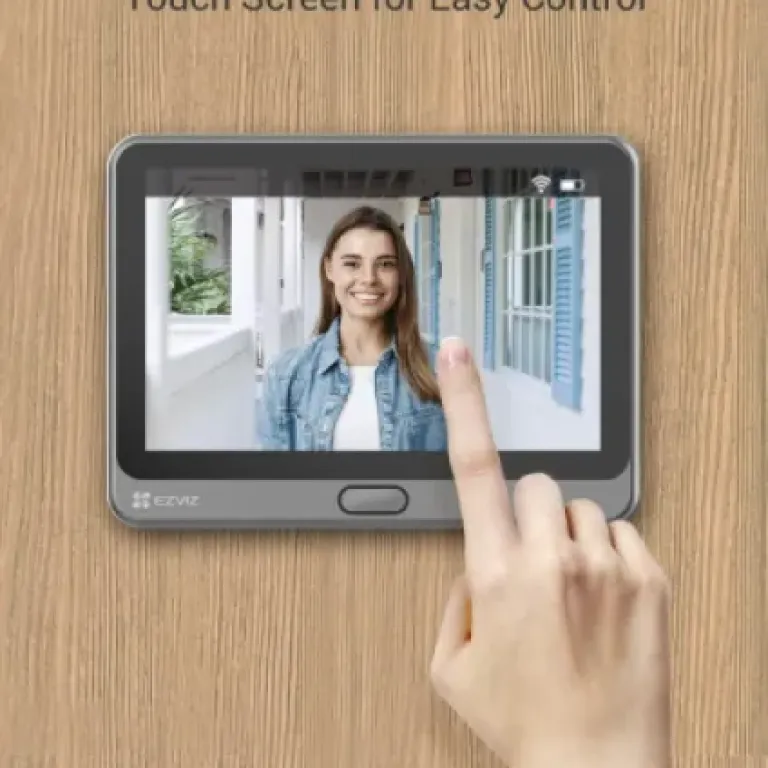
- Indoor 4.3" screen makes it easy to see visitors without using your phone, suitable for all ages
- Supports large microSD cards (up to 512 GB) so you can avoid cloud subscriptions
Cons
- Two-way audio is weak on the visitor side, conversations can be hard to hear outside
- Motion sensitivity settings are basic (only low/medium/high) and can trigger too often in busy hallways
- Push notifications for motion can be delayed by 20–40 seconds, not ideal for real-time interaction

Specifications
View full product page →| Brand | EZVIZ |
A peephole camera that actually makes sense for flats
I put the EZVIZ CP4 on the door of a fairly standard flat door, replacing the usual tiny peephole. I was mainly looking for something that didn’t need wiring, didn’t upset the landlord, and still let me see who was outside when I’m not home. In that sense, this product ticks quite a few boxes: it uses the existing peephole hole, runs on battery, and talks to your phone over Wi‑Fi. No electrician, no drilling, no messing around with mains power.
After a couple of weeks of use, my general feeling is: it’s a pretty solid, practical gadget if you live in an apartment and you’re tired of squinting through a peephole or rushing to the door when someone rings. It’s not perfect, and it has some annoying sides (sound quality, motion sensitivity, and push notification delay stand out), but it does what it says: you see who’s at the door, you can talk to them, and it records clips so you can check later.
Compared to a classic video doorbell that mounts next to the door and usually needs wiring or a chunky bracket, the CP4 feels more “renter‑friendly”. Everything is either inside the door (the screen/block) or in the peephole spot. From the outside, it mostly just looks like a slightly larger peephole with a button, not some huge brick. If your building is picky about what you can put on the front door, that matters.
In this review, I’ll go through what I actually noticed in day‑to‑day use: setup, picture quality, motion detection, battery, and whether the app and notifications are reliable enough to trust. I’ll also be blunt about the weak points, because there are a few that can get on your nerves depending on how busy your hallway is and how picky you are with responsiveness.
Value for money: good if you’re in a flat and accept the trade-offs
In terms of value, the CP4 sits in a kind of middle ground. It’s usually cheaper than the big brand wired video doorbells, but not bargain‑basement cheap either. For the money, you get a 1080p camera, an indoor touch screen, battery power, microSD support up to 512 GB, night vision, and human detection. You don’t need to buy a separate chime or screen, and you don’t need an electrician. For apartment living, that combo is actually pretty good value, especially if drilling or rewiring is a no‑go.
The other point that helps the value is that local storage works well. You’re not forced into a subscription. EZVIZ obviously tries to sell you their cloud, but you can ignore it and just rely on a microSD card. Over time, that saves you a fair bit compared to systems that are half‑useless without a paid plan. If you’re okay with a bit of DIY on the setup and occasional firmware updates, you get a full door monitoring setup without ongoing fees.
On the downside, there are some compromises for the price: audio quality is mediocre, notification delays are noticeable, and motion sensitivity lacks fine tuning. If you compare it to more expensive systems, you clearly feel where they’ve cut corners. Also, the 2.4 GHz Wi‑Fi only limitation can be annoying if your router defaults to a combined 2.4/5 GHz network; you might have to fiddle with settings or temporarily disable 5 GHz like one user did.
Overall, I’d rate the value as pretty solid if you live in a flat and mainly want a smarter peephole without monthly costs. If you need super fast, ultra‑configurable security with perfect audio and instant alerts, you’re probably looking at spending more on a different ecosystem. For most everyday users who just want to see who’s at the door, talk briefly to couriers, and keep a basic video log, the CP4 gives a fair amount of features for what it costs.
Design: discreet outside, chunky tablet inside
From a design point of view, the CP4 is a mix of good ideas and a couple of compromises. On the outside of the door, the camera and button unit is surprisingly discreet. It’s not as bulky as some smart doorbells, and because it sits flush where the peephole goes, it doesn’t scream “expensive gadget” too much. The blue ring that lights up when someone approaches or presses the button is actually quite handy: visitors instantly see where to press, and at night it makes it obvious that there’s a camera and a bell.
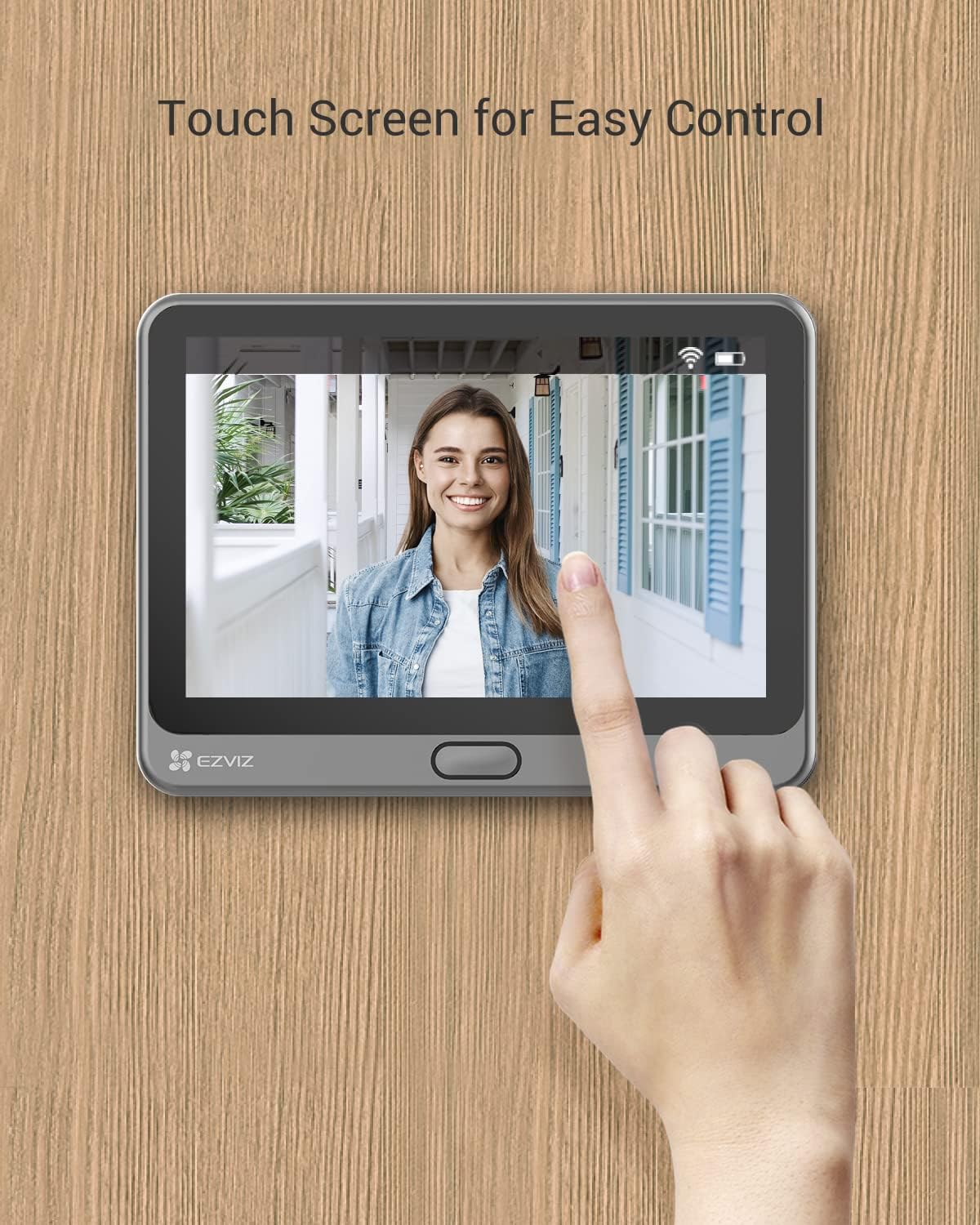
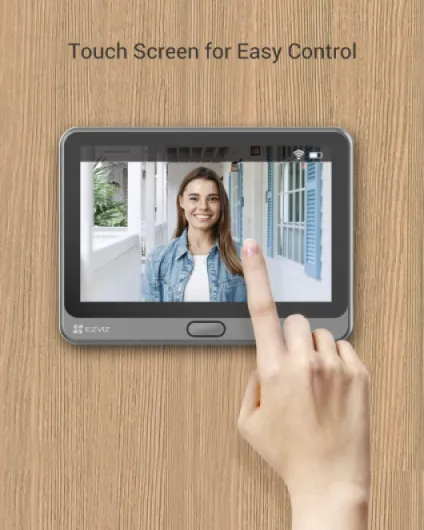
Inside, the main unit looks like a small plastic tablet stuck on the door. The 4.3" colour screen is big enough to see faces clearly without squinting. The touch controls are basic but workable: you tap to browse recordings, change some settings, or answer the door. The home button is simple and does what it should: one press and you see the live view. It’s much more comfortable than bending over to look through a peephole, especially if you’re tall or have kids who also want to check who’s there.
The downside is that the inside module is quite chunky and obviously plastic. It doesn’t look premium, but it doesn’t feel cheap to the point of worrying about it breaking either. It’s just functional. If you’re expecting something that blends into a high‑end hallway, this isn’t it. It’s more “decent gadget on the back of the door” than “interior design piece”. The good thing is it’s all on the inside, so guests don’t really see it unless you leave the door open.
Installation wise, the design is focused on flat doors. It supports peephole diameters from 14 to 50 mm and door thickness between roughly 35 and 105 mm. That covers most standard apartment doors. I like that you don’t have to drill new holes: you remove the old peephole, pass the cable and camera through, and clamp everything with the supplied hardware. It’s not as sleek as a wired doorbell integrated into the wall, but for renters or people who don’t want to mess with electrics, the design choice makes sense and keeps things manageable.
Battery life: depends a lot on how busy your hallway is
The CP4 runs on a built‑in 4600 mAh battery, and EZVIZ claims up to 90 days of standby. In real life, it’s obviously lower because you’re not just leaving it idle. With a moderate amount of motion and maybe a handful of doorbell presses per day, users seem to land anywhere between about a week and three weeks per charge. One reviewer said they get around 2–3 weeks and have only had to charge it a few times over several months. Another, with a busier walkway, only gets about a week. So the honest answer is: it heavily depends on how much movement it has to record.
Charging is done via micro‑USB on the inside module. The good thing is you don’t have to remove the whole device from the door. You can plug in a power bank and let it hang on the little hook while it charges, which is practical. The downside is that charging is a bit slow. It’s not dramatic, but don’t expect a quick 30‑minute top‑up. Plan to leave it plugged in for a few hours, ideally overnight, especially if it’s pretty empty.
If your door is in a quiet corridor, battery life is fine and you’ll probably only think about it once or twice a month. If your door faces a busy shared hallway with constant traffic, the camera will wake up and record a lot, and the battery will drain much faster. Adjusting motion sensitivity and maybe limiting certain detection options helps, but with only three sensitivity levels, there’s a limit to how much you can tune it. The PIR vs smart human detection modes also don’t seem to change the battery that much according to at least one user.
Personally, I’d say the battery is good enough but not impressive. It’s clearly more convenient than a wired install, but you have to accept some level of maintenance. If you hate charging gadgets, this might annoy you. If you’re used to topping up things like headphones and phones anyway, plugging this in every couple of weeks won’t feel like a big deal. Just keep a power bank or a long cable handy, and it’s manageable.
Day-to-day comfort: screen is handy, audio is the weak spot
In everyday use, the 4.3" indoor screen is honestly one of the big plus points. You don’t need to grab your phone every time there’s a noise in the hallway. You just hit the home button and see who’s outside instantly. For kids, older people, or anyone who doesn’t always have their phone on them, that’s much more comfortable than a classic app‑only doorbell. You can also set the screen to turn on automatically when someone approaches, so you get a quick glance without any action.
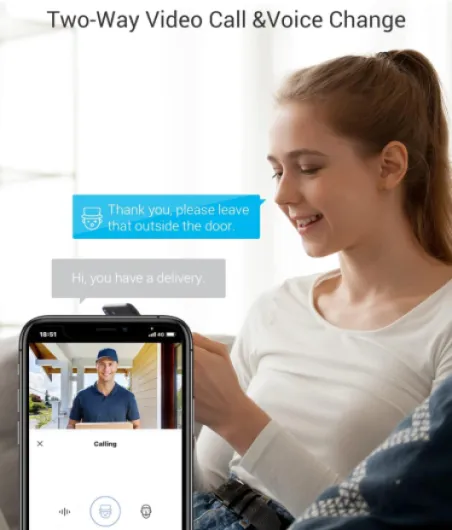
The app side is also fairly comfortable once set up. When the doorbell rings, the phone notification coming in like a call is a nice touch. You can answer, decline, or just ignore it. Watching recordings is straightforward: they’re sorted by date and event type, and the timeline is simple to scrub through. There’s no big learning curve, even for less tech‑savvy people. One 75‑year‑old reviewer managed to install and configure it in a couple of hours, which gives you an idea of the difficulty level.
The real weak spot in terms of comfort is the two-way audio. Several people, and I noticed the same, say the speaker on the outside isn’t great. You can usually hear the visitor clearly on your side, but they don’t always hear you well, especially if there’s background noise or you’re speaking from a bit further away from your phone or the indoor screen. It’s usable for basic “I’ll be there in a minute” or “leave it at the door”, but don’t expect crystal‑clear conversations.
Another comfort downside: the push notification delay. If motions alerts show up 30–40 seconds after the event, that’s borderline for catching delivery drivers who don’t like to wait. It’s still fine to check who came by after the fact, but if your main goal is to talk to them live every time, you might get frustrated. Overall, though, living with the CP4 is fairly easy: no need to rewire anything, simple controls, and the indoor screen really changes how you interact with the door compared to just a peephole.
Build quality, weather resistance and long-term support
On paper, the CP4 has an IP54 rating, which means it’s protected against dust and splashes. For a typical flat door where the outside part is under a roof or in a corridor, that’s more than enough. It’s not meant to sit in direct heavy rain all day on a gate at the end of a driveway, but for an apartment landing or sheltered front door it should cope just fine. The outside camera module feels solid enough when mounted; I didn’t feel like it was going to fall off or crack if someone knocked the door a bit harder.
The inside module is mostly plastic, but the finish is okay. The unit feels reasonably sturdy, and the way it clips onto the mounting plate is secure. You can detach it to charge or adjust cables if needed, but it doesn’t wobble in normal use. At around 650 grams, it has some weight to it, which gives a slightly more serious feel than a very light, hollow gadget. I wouldn’t throw it around, but hanging on the back of a door that opens and closes all day, it doesn’t feel fragile.
One thing I actually appreciate is that EZVIZ is clear about firmware support until 2031‑01‑12. After that, no more updates or security patches. It’s a bit harsh to read, but at least you know what to expect. For a connected camera, that matters: if you plan to keep it 10+ years, be aware it might stop getting fixes after about 7 years. They do say they’ll still handle hardware issues under warranty rules, but from a security point of view, after that date you’re basically on your own.
Long‑term durability is always hard to judge early, but based on the feel and the user base (over 6,000 reviews and a 4.3/5 average on Amazon), it doesn’t look like a product that breaks all the time. Most complaints are about software behaviour (notifications, sensitivity) rather than things physically failing. So I’d say the durability looks decent for the price bracket: solid enough for everyday use, fine for typical flat conditions, with a clear but finite software support window.
Video quality, motion detection and app: solid, with some annoyances
On the performance side, the CP4 is generally decent. The 1080p image is sharp enough to recognise faces clearly and, as one Amazon user mentioned, even read car number plates within reasonable distance. The 166° viewing angle covers pretty much everything in front of the door, so you don’t have big blind spots. During the day, colours are normal and there’s not too much distortion. At night, the infrared kicks in and you get a black‑and‑white view that’s clear up to about 5 metres. For a flat corridor or small landing, that’s more than enough.
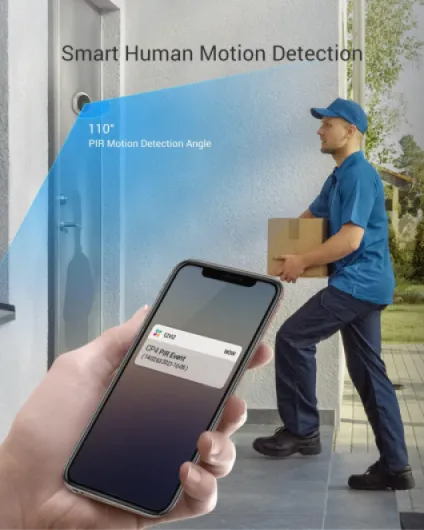
Motion detection is where it gets a bit mixed. In theory, the combo of PIR sensor and human‑shape detection should cut down on false alerts. In practice, it depends heavily on your hallway. If people walk past at 6–7 metres, even on low sensitivity it can still trigger quite often, as one user reported. You only get three levels (low, medium, high), no fine‑grained slider or custom zones like you see on some higher‑end systems. So if your door faces a busy walkway, expect more clips than you might want, and that has an impact on battery life.
The EZVIZ app is usable enough. When someone rings, the notification looks like a phone call, which is handy because you notice it faster than a normal push alert. For simple live view and checking recordings, it’s straightforward. Where it falls short is notification speed. Several times I saw a delay of 20–40 seconds between movement and notification, even on the same Wi‑Fi network. That’s not ideal if you want to catch couriers in real time. It’s still okay for checking who came by, but if you expect instant alerts, you might be a bit disappointed.
One more point: EZVIZ really pushes their cloud subscription in the app. It’s not aggressive to the point of being unusable, but you do see recurring prompts. The good news is that the local microSD option works fine, so you don’t have to pay monthly if you don’t want to. Just budget for a decent card if you want to keep several weeks of clips. Overall, performance is: video quality good, night vision good for short distances, detection acceptable but not very configurable, and app OK with some lag and a bit of subscription nagging.
What the EZVIZ CP4 actually is (and what it isn’t)
The CP4 is basically a digital peephole with a built‑in camera and a 4.3" touch screen on the inside. Outside, you get a small camera module with a doorbell button that goes where your old peephole used to be. Inside, the big unit with the screen hooks onto a plate fixed to the door. Everything is battery powered, so no wires running through walls. It connects to your 2.4 GHz Wi‑Fi and talks to the EZVIZ app on your phone.
On paper, it offers 1080p video, a 166° viewing angle, night vision up to around 5 metres, PIR and human‑shape detection, two‑way audio, and storage either on a microSD card (up to 512 GB) or in the EZVIZ cloud (paid). The brand openly says they’ll support firmware updates until early 2031, which is at least clear, even if it reminds you that it has a shelf life from a security point of view.
In daily use, it behaves like a hybrid between a video doorbell and an indoor monitor. When someone presses the button or walks past, the screen can light up automatically so you can see them from inside, and at the same time you get a notification on your phone. If you’re out, the alert looks like a phone call in the app when the bell is pressed, and you can answer and talk to the person. For motion events without a ring, you just get a classic alert and a short recording.
It’s worth being clear on what it’s not. It’s not a full-blown security system, and it’s not really meant for houses with big porches or gates far from the door. The night vision range is short, and the motion detection is tuned for a flat corridor or someone standing right in front of the door. If your door opens directly onto a busy street or a shared hallway with constant traffic at 5–7 metres, you’ll get a lot of clips, even on low sensitivity, and you’ll have to accept that or fiddle with zones and settings as much as the app allows.
Pros
- Installs through existing peephole, no drilling or wiring needed – ideal for flats and rentals
- Good 1080p image quality with wide 166° view and usable night vision up to around 5 m
- Indoor 4.3" screen makes it easy to see visitors without using your phone, suitable for all ages
- Supports large microSD cards (up to 512 GB) so you can avoid cloud subscriptions
Cons
- Two-way audio is weak on the visitor side, conversations can be hard to hear outside
- Motion sensitivity settings are basic (only low/medium/high) and can trigger too often in busy hallways
- Push notifications for motion can be delayed by 20–40 seconds, not ideal for real-time interaction
Conclusion
Editor's rating
After living with the EZVIZ CP4 for a while, my honest take is that it’s a practical, no‑nonsense peephole camera that suits flats and rented places pretty well. It installs through the existing peephole, doesn’t need wiring, and gives you a clear 1080p view with decent night vision. The indoor screen is genuinely useful and makes daily use much easier than app‑only doorbells. Add the option for big local storage via microSD and you get a setup that works fine without any subscription.
It’s not flawless. Two‑way audio is on the weak side, motion detection settings are a bit crude, and notifications can be slow enough to miss quick visits. Battery life ranges from okay to just average depending on how busy your hallway is. The app also pushes the cloud subscription a bit too much for my taste. But the core job—showing and recording who’s at your door—gets done reliably most of the time, which is what most people want.
I’d recommend the CP4 to flat dwellers and renters who want a wire‑free, peephole‑based solution and don’t want to pay monthly fees. It’s also a good fit for households with kids or older people thanks to the simple indoor screen. On the other hand, if your door faces a very busy corridor, if you’re obsessed with instant, perfectly tuned alerts, or if top‑tier audio quality is critical, you might be happier with a higher‑end wired doorbell or a different brand. For everyday use at a reasonable price, though, this one gets the job done.