
Summary
Editor's rating
Is it worth the money compared to other doorbells?
Tall, modern, and a bit confusing for visitors
Battery life: decent, but depends a lot on how busy your front door is
Build quality, weather, and long-term feel
Video, audio, and app: does it actually work when someone rings?
What you actually get and how it fits into your setup
Pros
- Clean, modern design with good build quality and IP54 weather rating
- Solid video quality with HDR and usable night vision
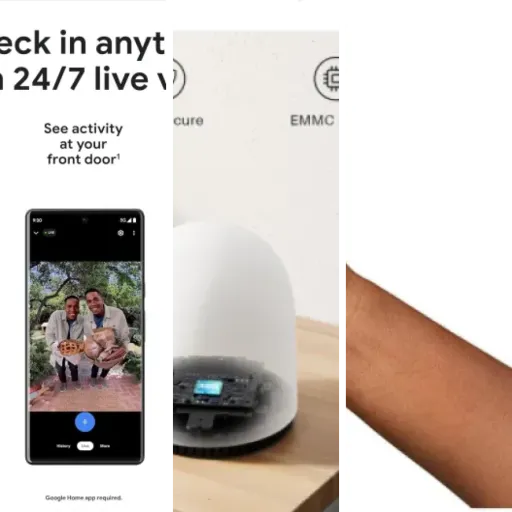
- Easy setup and smooth integration with Google Home and Nest displays/speakers
Cons
- Notifications can be easy to miss, especially on phones often set to silent
- No included chime or power adapter, and wired power guidance is confusing
- Vertical video and button/camera layout may not suit everyone

Specifications
View full product page →| Brand |
A smart doorbell that mostly does what you expect
I’ve been using the Google Nest Doorbell (Battery) in Ash for a few weeks now, and I’ll be straight: it’s a good smart doorbell, but it’s not perfect. If you’re already in the Google ecosystem (Google Home speakers, Nest Hub, Android phone, etc.), it fits in pretty well. If you’re not, there are a few things that might annoy you, especially around the app and notifications.
In daily use, it does the basics: it records when someone comes to the door, sends motion alerts, and lets you talk to whoever’s outside. The video quality is decent, the night vision is usable, and the battery life is okay if you don’t have constant traffic in front of your house. But some details, like notification loudness and the vertical video format, can be frustrating depending on what you expect from a doorbell.
I installed it on a regular UK front door, slightly sheltered but still getting some rain and wind. Setup was done through the Google Home app, and I tested it on both Android and an iPhone in the house. I also compared it with a cheaper ring-style doorbell I had before, so I wasn’t going in blind. I knew what I wanted: clear video, reliable alerts, and not having to charge the thing every five minutes.
So this review is just that: how it behaves in real life, not on paper. I’ll go through the design, performance, battery, app experience, and if I think it’s worth the price. There’s a lot to like, but also a few points where I honestly expected more from a Google-branded gadget at this price.
Is it worth the money compared to other doorbells?
Price-wise, the Nest Doorbell (Battery) sits in the mid to upper range of video doorbells. It’s definitely more expensive than generic brands and some entry‑level models, and roughly in the same ballpark as Ring and other big names. For that money, you get solid integration with Google Home, decent video and night vision, and a product that looks and feels more polished than the cheap stuff. But you also don’t get a chime, a power adapter, or fully clear wiring guidance, which stings a bit.
Another thing to factor in is Nest Aware. The doorbell works without a subscription, but if you want longer video history (like 30 days of events), you’ll probably end up paying for it. That turns the total cost into something you feel every month. If you’re okay with just short event clips and not having a big archive of footage, you can skip it, but then you’re not using the full potential of the device. Compared to some competitors, the free tier feels a bit limited.
In terms of value, I’d say it’s good if you’re already deep into Google’s ecosystem. If you use Android, Google Assistant, Nest Hubs, etc., it makes sense to pay a bit more for something that plugs in cleanly. If you’re on iPhone and mostly use Alexa or other smart home gear, I’m less convinced. You’re paying for integration you won’t fully use, and the notification behaviour on iOS isn’t great if your phone is often on silent.
So overall, the value is “pretty solid but not mind‑blowing”. You’re paying for a clean design, decent performance, and the Google name. There are cheaper doorbells that do the basics just as well if all you want is a camera and a ding. But if you care about Google Home integration and a more polished look, the price becomes easier to justify, as long as you accept the small flaws and maybe a subscription on top.

Tall, modern, and a bit confusing for visitors
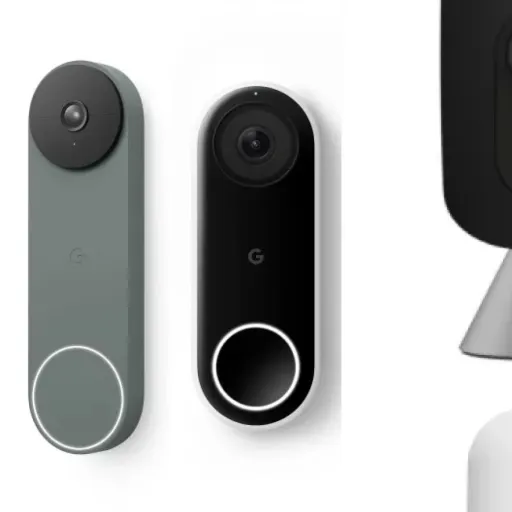
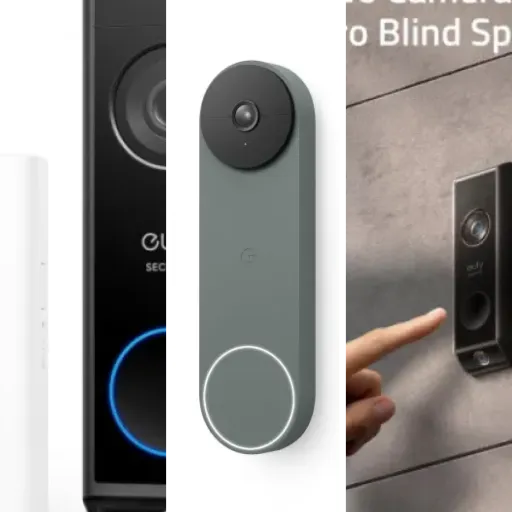
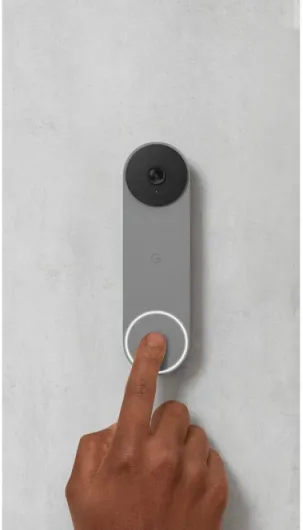
The design is probably one of the first things you notice with this Nest Doorbell. It’s a long, pill-shaped device with a camera lens at the top and a round button at the bottom. The Ash colour is a sort of soft grey that looks fine on a modern door frame. It doesn’t scream “security camera,” which I like. It just looks like a slightly techy doorbell. It’s not bulky and sits fairly flat on the wall once the base plate is mounted.
However, I totally see what one of the Amazon reviewers meant when they said visitors might try to press the camera instead of the button. The round camera and the round button look a bit too similar at a quick glance. During my first week, I actually saw a delivery guy tap the top section before realising the button was lower down. It’s not a disaster, but it’s a small design oversight. A clearer icon or a ring of light around the button would help a lot.
Another thing: the vertical aspect ratio of the video matches the tall design. This is good if you care about seeing from head to toe and any packages on the ground, but it does feel narrow when you’re used to more standard wide video. If your doorway is in a tight corridor, it’s fine. If you have a wide porch and want to see side‑to‑side, you’ll feel the limits. I found myself sometimes wishing I could see a bit more of the sides, especially when people stood off‑center.
On the wall, it looks neat and modern, but keep in mind it’s quite obvious. If you’re in an area where you don’t want to show you’ve got cameras, this is not subtle. Overall, I like the look, but the usability around where to press and the tall video shape are things you really notice in daily use.
Battery life: decent, but depends a lot on how busy your front door is
The Nest Doorbell runs on a built‑in battery, and this is where experiences can vary a lot. In my case, with a medium amount of activity (maybe 10–20 events a day between people, post, and random motion), I was getting roughly 1.5 to 2 months before it dropped to the point where I felt I needed to recharge. That’s not bad, but it’s not “set and forget” either. You do have to remember to plug it in every so often, and if you’re lazy like me, you’ll probably let it run low a few times.
Charging is done via the included USB cable, but there’s no power adapter in the box, so you’ll use your own. A full charge takes a few hours. During that time, unless you have it wired, your doorbell is basically offline if you take it off the mount. You can leave it up and run a longer cable if you want, but that looks messy. So in practice, I’d usually charge it at night when we didn’t expect visitors, which is a bit of a compromise.
If your door is on a busy street with constant motion, expect the battery to drain faster. Every motion event and recording uses power, so the more action, the shorter the interval between charges. On the flip side, if you live in a quiet cul‑de‑sac with just a few visitors a day, you might stretch it to a couple of months or more. But don’t expect miracles; it’s still a small battery powering a camera and Wi‑Fi connection.
You can technically wire it to existing doorbell wires to keep it topped up, but Google doesn’t make this very clear for UK setups. There’s confusion around which power supply you need (24V AC/AC, etc.), and there’s no official Nest power adapter in the box. You end up reading forums and buying third‑party stuff, which isn’t great for a product at this price. So as a pure battery doorbell, it’s fine, but if you want a semi‑permanent wired setup to avoid charging, be ready to do some homework.
Build quality, weather, and long-term feel
In terms of build, the Nest Doorbell (Battery) feels solid enough for outdoor use. It’s not metal or anything fancy, but the plastic doesn’t feel cheap. The IP54 rating means it’s protected against dust and splashes, and in my use it handled rain and wind without any real problem. I had it mounted in a spot that still gets a fair bit of rain, and it never shut down or complained about moisture.
One thing that lines up with an Amazon review: in heavier rain, the lens can fog or get water spots. It doesn’t break anything, but the image can be hazy until it dries. A small hood or cover above it would probably fix most of this. It’s not unique to Nest; most exposed cameras have this issue. But if you live somewhere with constant rain, just know you’ll occasionally see a blurry picture until the water clears.
The mounting plate and screws feel decent. Once it’s on the wall, it doesn’t wobble or rattle. I tugged on it a bit to see how it holds up, and it stayed in place. Could someone determined rip it off? Probably, like most doorbells. But for normal use, it feels secure enough. The weight is light (just over 200g), so it doesn’t stress the wall or door frame.
Long‑term, I’d say it feels like a product that will hold up a few years without falling apart, as long as you don’t abuse it. The bigger question for durability is actually software support and cloud services. Google has a history of killing products, which always sits in the back of my mind. For now, everything works fine, but when you buy this kind of smart hardware, you’re also betting that the app and cloud features will still be there in a few years. Hardware-wise, no major complaints, just the usual weather and lens annoyance you get with outdoor cameras.
Video, audio, and app: does it actually work when someone rings?
Let’s talk about performance, because this is where opinions will split. On the positive side, the video quality is good for a battery doorbell. HDR helps with tricky lighting, like a bright street and a darker hallway behind the visitor. Faces are clear enough to identify people, and you can see packages easily thanks to the vertical framing. Night vision is solid: it’s not cinema-level, but you can see who’s there and what they’re holding, which is what matters. Compared to a cheaper no‑name doorbell I had before, this is a step up.
Audio is okay. The two‑way talk works, there’s a small delay, but nothing crazy. People outside can hear you, and you can hear them, but it’s not super loud. If there’s traffic noise or wind, you’ll sometimes have to ask them to repeat. It’s usable, just not something I’d rely on for long conversations. It’s more “quick message to the delivery driver” than “chat with your friend at the door for five minutes”.
Where I hit some frustration is the notification side. On my Android phone, the alerts came through, but the volume and general impact were not as strong as I’d like for a doorbell. It’s easy to miss a ring if your phone is in another room or on vibrate. On my partner’s iPhone, it was even harder – once the phone is on silent or focus mode, alerts are basically gone, and that kind of defeats the point of a doorbell for some people. You can work around this with smart speakers and displays, but it’s not as simple as having a loud chime that always rings.
The app itself (Google Home) is functional but a bit clunky at times. It’s not as focused as a dedicated security app; it’s trying to manage all your smart home stuff. I had one or two moments where the live view took a few seconds to load, which is annoying when someone is already walking away. Motion detection is decent, but you’ll need to tweak sensitivity or you’ll end up with lots of clips of cars or people just passing by. Overall, it works, but it doesn’t feel perfectly tuned as a “doorbell first, camera second” device.

What you actually get and how it fits into your setup
Out of the box, the Google Nest Doorbell (Battery) is pretty straightforward. You get the doorbell itself, a base plate, wall anchors and screws, a USB charging cable, and a small wire connector if you want to hook it to existing doorbell wiring. There’s no separate chime included and no power adapter in the box, which is worth mentioning. If you want a wired setup or a loud indoor chime, you’ll probably end up buying extra gear.
The doorbell connects over Wi‑Fi and is controlled through the Google Home app. It supports both Wi‑Fi and Bluetooth, but in practice you just follow the QR code in the app and let it handle the rest. It has a 145° field of view, which is more vertical than horizontal. That’s on purpose so you can see packages on the ground as well as the person’s face, but it does feel like watching a tall smartphone video all the time. Some people will like it; personally I’d prefer a bit more width.
Features-wise, it has HDR video, night vision, and two‑way audio. It can do local storage backup (with a limited buffer) and works with Nest Aware if you pay for it to get longer video history. Without a subscription, you still get event-based clips, but if you’re used to 30 days of continuous or rich history from other systems, this feels a bit trimmed down. IP54 rating means it can handle rain and dust, but it’s not something I’d want to blast with a pressure washer.
In terms of ecosystem, it plays best with Google devices. You can have it show the video on a Nest Hub, get alerts on your phone, or ping Google speakers. It technically supports Amazon Alexa, but it’s clearly not the main focus. If you’re deep into Alexa gear, I’d think twice and maybe compare this with something more neutral or Amazon‑centric. Overall, the presentation is: clean device, decent features, but you may need to budget for a subscription and maybe extra hardware to get the full experience.
Pros
- Clean, modern design with good build quality and IP54 weather rating
- Solid video quality with HDR and usable night vision
- Easy setup and smooth integration with Google Home and Nest displays/speakers
Cons
- Notifications can be easy to miss, especially on phones often set to silent
- No included chime or power adapter, and wired power guidance is confusing
- Vertical video and button/camera layout may not suit everyone
Conclusion
Editor's rating
The Google Nest Doorbell (Battery) is a solid smart doorbell that does most of what you’d expect: decent video, good night vision, reliable motion detection, and easy integration with Google Home gear. The design looks modern on the wall, the installation is simple if you stick to battery use, and day‑to‑day it mostly just does its job. If you’re already using Google Assistant, Nest Hubs or Google speakers, it fits into that setup nicely and feels like the natural choice.
On the flip side, it’s not perfect. The vertical video format won’t please everyone, notification loudness and behaviour on phones (especially iPhones on silent) can make it easy to miss a ring, and Google doesn’t help much if you want a proper wired setup with a clear, official UK power solution. Add to that the likely extra cost of a Nest Aware subscription if you want better video history, and the bill climbs quickly. There are also some small design quirks, like visitors occasionally poking the camera instead of the button.
I’d recommend this doorbell mainly to people who are already in the Google ecosystem and want a neat-looking, wireless doorbell with decent performance and are fine paying a bit more for it. If you’re on a tight budget, want a super loud, traditional-style chime, or live on iOS with your phone always on silent, I’d look at alternatives or at least go in with realistic expectations. It’s a good product overall, but definitely not the best fit for every house or every user.