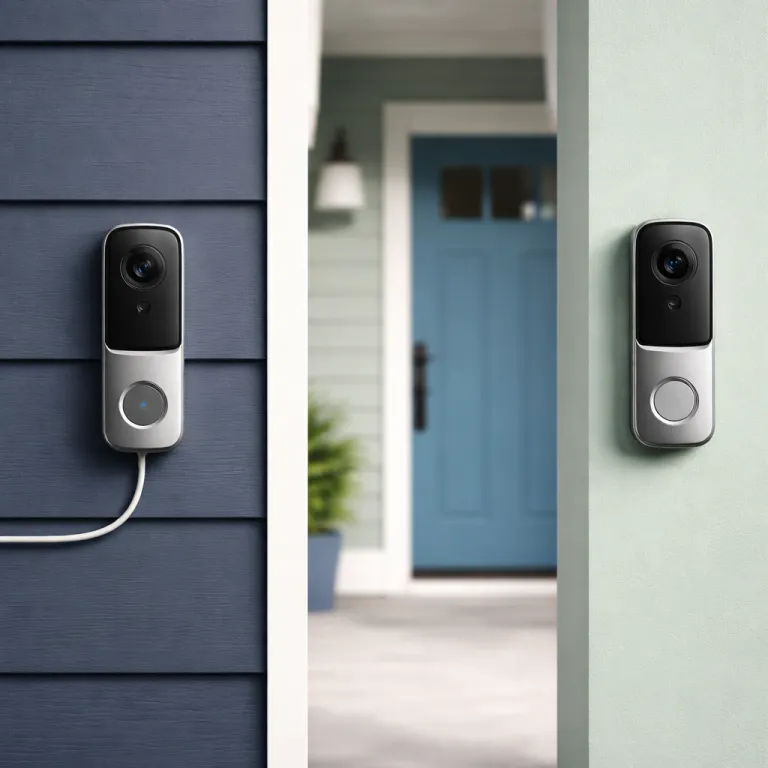
Wired vs wireless doorbell camera: the five questions that decide your setup
Start by looking at the doorbell already on your wall. If you have an existing wired doorbell and it still rings, you are halfway to a reliable wired video doorbell with a stable power supply. Many homeowners only realise this after they read the small print on the box and see the voltage requirement.
The second question is whether that existing transformer delivers at least 16 volts of alternating current, because most wired doorbells and every major wired doorbell camera from Ring, Google Nest and Blink expect 16 to 24 volts to work properly. For example, Ring recommends 16–24 V AC at 50/60 Hz for many wired models, and Google Nest lists a similar range for its hardwired doorbells in their support documentation. Blink’s wired-compatible systems follow the same low-voltage standards. If your current wired doorbell chime is very old or weak, or your video doorbells keep rebooting, that is often a sign the power supply is under spec and a transformer upgrade is needed. A quick multimeter test or a visit from an electrician can confirm whether your wired doorbell wiring and transformer are ready for a modern video doorbell or whether you should consider a battery powered wireless doorbell instead.
The third question is about drilling and landlord rules, which matters if you rent and want a doorbell wireless option that does not upset your lease. Battery powered wireless doorbells such as the Blink Doorbell or a Ring Doorbell Battery model can mount with adhesive or small screws, while wired doorbells usually need a hole for the cable and a fixed bracket. If your landlord bans drilling into brick or you plan to move soon, a flexible wireless video doorbell that you can remove in minutes is usually the smarter choice.
Climate is the fourth question and it affects both wired and wireless doorbells in different ways. In very cold regions, a battery powered wireless doorbell camera can see its battery life drop from several months to a few weeks, especially if the video camera sends frequent motion alerts. Ring, for instance, notes that battery performance declines below freezing, and similar guidance appears in Blink and Google Nest documentation. A wired doorbell camera avoids that specific battery problem but will shut down completely during a power cut unless you pair it with a backup power supply or a smart lock that can still work offline.
The final question is how comfortable you feel with basic electrical work and smart home apps. If you are happy to turn off a breaker, connect two low voltage wires and follow an installation guide, a wired and wireless capable model such as the Google Nest Doorbell Battery or Eufy E340 gives you more long term flexibility. If you prefer a quick peel and stick installation with minimal tools, a battery powered wireless doorbell camera will get you video, night vision and app alerts without touching your existing doorbell wired circuit at all.
How wired doorbell cameras work in real homes
A wired doorbell camera taps into the same low voltage circuit that powers your mechanical chime. That circuit usually runs from a transformer near your electrical panel to the chime and then to the doorbell button, and a modern video doorbell simply replaces that button while keeping the power supply and chime in place. When everything is sized correctly, you get continuous power, reliable video and no need to recharge a battery.
In practice, the pros cons balance of a wired doorbell camera depends heavily on the age of your wiring and transformer. A strong 16 to 24 volt transformer lets a wired Ring Doorbell Pro, a wired Google Nest Doorbell or a wired Blink Doorbell equivalent run their video camera, Wi Fi radio and night vision without dimming your indoor chime. An undersized transformer, by contrast, can cause your wired doorbells to go offline when the infrared night vision turns on or when the video doorbell sends a burst of wireless video to your phone after a motion event.
Installation is the other major factor and it is where many first time buyers hesitate. Swapping a simple wired doorbell button for a smart video doorbell means shutting off power, labelling the two low voltage wires and mounting a larger plate, which can feel intimidating if you have never opened a junction box. If you are unsure about the wiring behind your existing doorbell button, guides on choosing the right door bell button for your smart home, such as the one on this specialist resource, can help you understand how the doorbell wired circuit should look before you start.
Once installed correctly, a wired doorbell camera tends to be the most set and forget option for front door security. You never need to remove the doorbell camera to charge a battery, so the camera can keep recording video clips and sending alerts even when you are away for weeks. Many homeowners also prefer the slimmer profile of wired doorbells, because they do not need to make room for a large battery pack behind the camera housing.
There are trade offs though, and you should read them carefully before you choose a wired model. A wired doorbell camera will usually stop working during a power outage unless your router and transformer sit behind a battery backup, which means no live video or motion alerts when the lights go out. You are also tied to the location of your existing doorbells wiring, so moving the video doorbell to a better angle for your porch or driveway can require new cabling and more invasive installation work.
Battery powered wireless doorbells: speed, flexibility and hidden chores
A battery powered wireless doorbell camera solves the wiring problem by putting the power source inside the unit. Instead of drawing current from a transformer, the wireless doorbell runs on a rechargeable pack or replaceable cells, which makes installation as simple as screwing a bracket into the wall and pairing the video doorbell with your Wi Fi. For renters or anyone without an existing doorbell, this is often the easiest path to smart security at the front door.
Real world battery life for wireless doorbells depends on three main factors, which are motion activity, temperature and video settings. A Ring Doorbell Battery model or a Blink Doorbell running at high resolution with frequent motion alerts in a busy street can need charging every one to two months, while the same doorbell wireless setup on a quiet cul de sac with fewer visitors might stretch to four or even six months. Ring’s published estimates for typical use fall into this range, and Google Nest’s battery doorbells quote similar multi month runtimes under moderate activity. In cold climates, especially below freezing, the chemistry inside the battery powered pack slows down and you may see the wireless video doorbell report low power even when the battery is half full.
Wireless doorbells also change how you think about outages and network failures. Because the power supply is inside the doorbell camera, a battery powered model can keep recording and sending alerts during a blackout as long as your Wi Fi router and internet connection stay alive, which is a big advantage over a purely wired doorbell. If your internet drops, some wireless video doorbells can still record video locally to internal storage or a microSD card, but many popular models from Ring and Google Nest require a cloud subscription for full length recordings.
Before you choose between a wired vs wireless doorbell camera, you should also consider how often you are willing to climb a ladder. Every recharge means taking the doorbell camera off its mount or swapping in a spare battery, which can be awkward if your front door is exposed to rain or you have a high porch. Some homeowners solve this by buying a second battery powered pack and rotating it, but that adds to the total cost of ownership for a wireless doorbell system.
If you are curious how wireless doorbells fit into a broader smart home, resources on understanding thermostat wiring for smart doorbells, such as the guide on this wiring focused article, can help you see how low voltage circuits and smart devices share similar principles. The same careful thinking about power, voltage and safety that applies to a thermostat also applies when you mount a battery powered video doorbell near metal frames or existing electrical boxes. Taking the time to read those details now can prevent frustrating connection issues or false alerts later.
Hybrid wired wireless models and brand specific trade offs
Hybrid wired wireless models try to give you the best of both worlds. Devices such as the Google Nest Doorbell Battery and some Eufy video doorbells can run on an internal battery powered pack but also connect to existing wiring for trickle charging, which reduces how often you need to remove the camera. In practice, this means you can start with a wireless doorbell installation and later connect it to a wired circuit if you renovate or move to a home with a transformer.
Each major brand handles this wired vs wireless doorbell camera flexibility differently, so it pays to read the specifications carefully. The Google Nest Doorbell Battery, for example, can use existing nest doorbells wiring to keep the battery topped up, but it still runs primarily on its internal battery and does not behave exactly like a traditional wired doorbell. Some Ring Doorbell models offer both wired and battery options in the same housing, while certain Blink Doorbell devices are designed mainly for wireless video use and treat wiring as an optional power supply rather than a full integration with your indoor chime.
Hybrid models also highlight how subscription plans shape the real pros cons picture. A Google Nest Doorbell Battery or a Ring Doorbell with hybrid power can send rich alerts and show you live video without a subscription, but you usually need a paid plan to store video clips for more than a few hours or days. For example, Ring Protect and Nest Aware both offer tiered plans that add multi day or multi week history, person alerts and advanced event filtering, and those recurring fees can become a major part of the total cost of ownership.
For apartment dwellers and renters, hybrid wireless doorbells can be a smart way to future proof your purchase. You can mount the doorbell wireless today with adhesive, enjoy the camera, night vision and motion alerts, then reuse the same video doorbell as a fully wired doorbell camera when you eventually buy a house. If you live in a building where you cannot change the shared chime or transformer, a hybrid model lets you sidestep that limitation while still gaining most of the features of wired doorbells.
If you want a curated list of models that work well in smaller spaces, a guide to top smart doorbells for apartments on this apartment focused comparison page can help you narrow down the field. Pay close attention to whether each model is truly wired wireless or simply battery powered with an optional plug in adapter, because that difference affects how the doorbell will work with your existing chime and power supply. When in doubt, choose the model that matches your current living situation rather than an imagined future renovation.
Transformer upgrades, installation costs and long term value
Many homeowners only learn about transformers when their new wired doorbell camera refuses to power on. A traditional doorbell transformer steps mains voltage down to a safe 16 to 24 volts for your chime and doorbell button, and smart video doorbells draw more current from that same power supply than older mechanical buttons ever did. If the transformer is too weak, the video camera may flicker, the Wi Fi may drop or the indoor chime may buzz instead of ringing cleanly.
Upgrading a transformer is not a casual DIY job for most people, because it involves working inside your electrical panel or junction box. Electricians familiar with smart doorbells can usually replace an old transformer in under an hour, and that labour cost is often worth it for the stability it brings to a wired doorbell system. When you compare the total cost of a wired vs wireless doorbell camera, you should include the potential price of a transformer, a chime adapter and any extra mounting hardware in your budget.
Battery powered wireless doorbells shift those costs into different areas. Instead of paying an electrician, you might buy a spare battery, a plug in chime or a corner mount to angle the camera away from the street, and those accessories can add up quickly. Over several years, the cost of replacement batteries and subscription plans for cloud video storage can match or exceed the one time expense of upgrading a transformer for a wired doorbell camera.
Long term value also depends on how you use the doorbell camera day to day. If you rely heavily on motion alerts to monitor deliveries, pets or a shared driveway, a wired doorbell with unlimited power can handle frequent recordings without you worrying about draining a battery. If you mainly want to answer the occasional ring and check who is at the door, a battery powered wireless video doorbell may offer better value because you avoid electrical work and can take the device with you when you move.
From a security perspective, both wired and wireless doorbells can provide strong coverage when installed thoughtfully. Position the camera so that faces fill at least one third of the frame at typical standing distance, and test the night vision performance by walking up to the door after dark to see how clearly the video doorbell captures your features. Whether you choose a Ring Doorbell, a Google Nest model or a Blink Doorbell, the combination of reliable power, solid Wi Fi and well tuned alerts matters more than any single specification on the box.
Practical scenarios: matching wired and wireless doorbells to real homes
Imagine a detached house with an existing chime that has worked for years. In that scenario, a wired doorbell camera such as a Ring Doorbell Pro or a wired Google Nest Doorbell often delivers the best mix of continuous power, strong video and minimal maintenance, especially if the transformer already meets the 16 to 24 volt requirement. The homeowner can set motion zones, fine tune alerts and then largely forget about the hardware while it quietly records video in the background.
Now picture a rented flat with no existing doorbell and a landlord who dislikes drilling. A battery powered wireless doorbell such as a Blink Doorbell or a Ring Doorbell Battery model can mount to the frame with adhesive, send wireless video to the tenant’s phone and come down cleanly at the end of the lease. In this case, the pros cons calculation clearly favours wireless doorbells, because the tenant avoids electrical work, keeps the deposit safe and still gains a useful doorbell camera for everyday security.
Townhouses and semi detached homes often sit somewhere between those two extremes. They may have an old wired doorbell with thin cabling and a weak transformer, which makes a direct upgrade to a high end video doorbell risky without extra work. Here, a hybrid wired wireless model such as the Google Nest Doorbell Battery can start life as a simple wireless doorbell and later connect to upgraded wiring when the owner renovates the hallway or replaces the chime.
For families who travel frequently, the choice between a wired vs wireless doorbell camera also touches on peace of mind. A wired doorbell that never needs charging can keep watching the porch and sending alerts about visitors or packages even during long trips, as long as the home’s power and internet stay stable. A battery powered wireless video doorbell can offer similar coverage, but only if you remember to top up the battery before you leave and if cold weather does not shorten its runtime unexpectedly.
Finally, think about accessibility and ease of use for everyone in the household. Older relatives or children may find a traditional chime easier to understand than app based alerts, which argues for a wired doorbell camera that integrates cleanly with an existing chime. Tech savvy users who live on their phones might prefer a wireless doorbell that pushes rich notifications, live video and quick reply options directly to their screens, turning the doorbell into a central part of their daily security routine.
Key statistics on wired and wireless doorbell cameras
- Most smart wired doorbell cameras require a transformer rated between 16 and 24 volts of alternating current, which is higher than many legacy doorbell systems that were originally sized only for a simple mechanical chime.
- Battery powered wireless doorbells typically need recharging every one to six months, with high traffic locations and cold climates pushing runtimes toward the shorter end of that range.
- Hybrid wired wireless models such as the Google Nest Doorbell Battery can reduce manual charging frequency significantly when connected to existing wiring, because the trickle charge keeps the internal battery topped up under normal use.
- Professional installation for a wired doorbell camera and transformer upgrade often takes under two hours for an experienced electrician, which can make the one time labour cost competitive with several years of subscription and accessory expenses for wireless doorbells.
- Cloud storage plans for popular brands such as Ring and Google Nest can add a recurring monthly fee per doorbell, so over a five year period the total cost of ownership for a video doorbell system may be several times the initial hardware price.
| Typical setup | Example models | Power and install | Realistic battery life | Indicative ongoing costs |
|---|---|---|---|---|
| Fully wired doorbell camera | Ring Doorbell Pro, wired Google Nest Doorbell | Requires 16–24 V AC transformer and existing chime wiring; often needs professional installation | Not applicable (continuous power from transformer) | Optional cloud storage subscription for multi day history and advanced alerts |
| Battery powered wireless doorbell | Ring Doorbell Battery, Blink Doorbell | Mounts with screws or adhesive; no existing wiring required | About 1–2 months in busy areas, up to 4–6 months in quieter locations under mild weather | Replacement batteries, optional plug in chime and paid cloud plans for full length recordings |
| Hybrid wired wireless model | Google Nest Doorbell Battery, selected Eufy doorbells | Starts as wireless; can connect to 16–24 V AC wiring later for trickle charging | Several months on battery alone; significantly longer intervals when wired for top ups | Similar subscription options to fully wired models, plus potential electrician costs if you add wiring |
FAQ about wired vs wireless doorbell cameras
Is a wired doorbell camera more reliable than a wireless model ?
A wired doorbell camera is generally more reliable for heavy use because it has a continuous power supply and does not depend on a battery that can drain or degrade. As long as the transformer and wiring meet the voltage requirements, a wired video doorbell can record frequent motion events and stream live video without interruptions. Wireless doorbells can be just as dependable for lighter use, but they require regular charging and careful placement to maintain a strong Wi Fi connection.
Do I need an electrician to install a wired video doorbell ?
You do not always need an electrician, but many homeowners benefit from hiring one, especially when the existing transformer is old or underpowered. Replacing a simple doorbell button with a smart camera is usually straightforward, yet upgrading the transformer or running new low voltage cable involves working near mains wiring, which carries safety risks. If you are not comfortable turning off breakers and identifying electrical components, paying a professional can ensure your wired doorbell is safe and stable.
How often do battery powered wireless doorbells need charging ?
Most battery powered wireless doorbells need charging every one to three months in a typical suburban setting, though very quiet locations can stretch that to around six months. High motion areas, frequent live view checks and cold weather all shorten battery life, sometimes dramatically. Buying a spare battery and rotating it can reduce downtime, but it also increases the overall cost of your wireless doorbell system.
Can I switch from a wireless doorbell to a wired setup later ?
Yes, you can switch later if you choose a hybrid model that supports both wired and wireless power. Devices such as the Google Nest Doorbell Battery and some Ring Doorbell models can start as purely wireless video doorbells and later connect to existing wiring for continuous charging. When you plan for that future upgrade, make sure your home has or can support a 16 to 24 volt transformer and suitable low voltage cabling to the door.
Which is better for renters, a wired or wireless doorbell camera ?
For most renters, a battery powered wireless doorbell camera is the better choice because it avoids drilling into walls and altering existing electrical systems. Wireless doorbells can usually be mounted with removable adhesive or small screws, and they can move with you when your lease ends. If your landlord allows minor electrical work and there is already a wired doorbell, a hybrid model can offer more flexibility, but always confirm permissions before touching shared wiring.