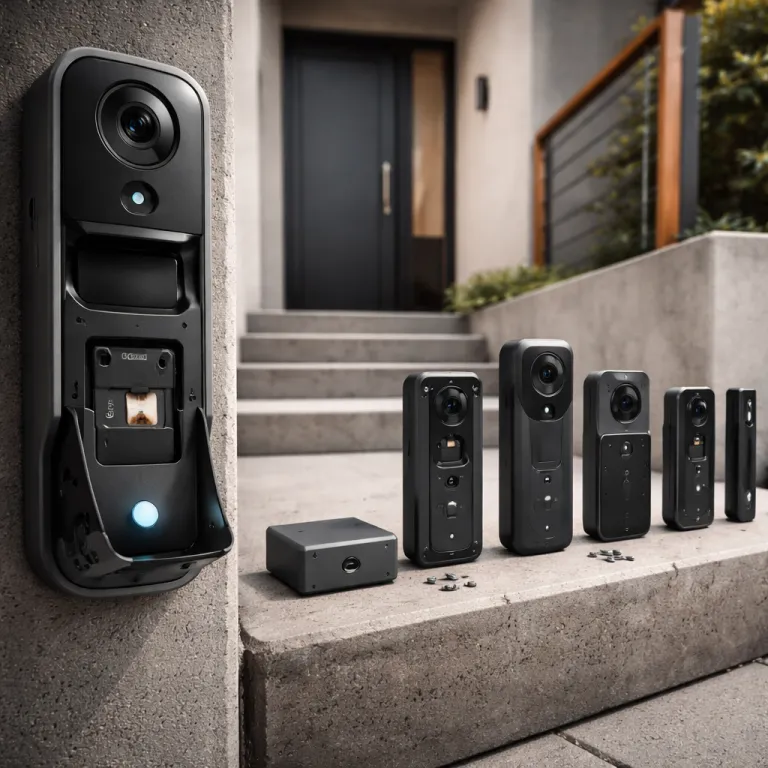
Why a doorbell camera with local storage changes your front door privacy
A doorbell camera with local storage gives you control first, not the cloud. When a smart video doorbell records directly to a local card or hub, your security footage stays on your property instead of on a remote server that might be shared, breached, or suddenly locked behind a higher subscription tier. For a tech savvy homeowner already running doorbell wifi automations and voice assistants, that shift from cloud storage dependency to local storage autonomy is the real upgrade.
Think about what a typical cloud based video doorbell does with every motion detection event. The camera with wifi sends compressed video to a vendor data center, where it is stored, analyzed, and often used to improve their own smart cameras and video analytics, which means your front step becomes a training dataset. A doorbell camera with local storage flips that model, because the video storage either lives on a microsd card inside the doorbell camera, on a battery powered hub in your living room, or on a dual band router attached drive that you manage yourself.
Local storage does not mean giving up modern features or accepting poor video quality. The best doorbell cameras with local storage now offer 2K or higher smart video resolution, color night vision, and reliable person detection without sending every frame to the cloud. You still get a responsive chime, instant alerts over doorbell wifi, and integration with Amazon Alexa or Google Assistant, but you decide when video doorbells talk to the internet and when they simply behave as private security cameras on your own network.
Five standout doorbell cameras with local storage and how their memory really works
Local storage architecture matters more than glossy marketing photos when you choose a video doorbell. The Eufy Video Doorbell E340 pairs the doorbell camera with a HomeBase hub that includes 16 gigabytes of encrypted storage built in, and you can expand that storage capacity further when you upgrade to the newer HomeBase 3 model. In independent tests by reviewers such as PCMag and Wirecutter, that translates to roughly two to four weeks of motion detection clips from one or two doorbell cameras at 2K resolution before you need to manage files, with no recurring subscription for basic security recording.
The Aqara G4 (often sold as the Aqara Smart Video Doorbell G4) takes a hybrid approach that appeals to Apple Home users who want both privacy and convenience. This smart doorbell works as a Matter compatible hub and supports on device recording to a microsd card while also integrating with HomeKit Secure Video, so encrypted cloud storage can coexist with local storage for redundancy. If you care about end to end encryption and already use iCloud for other cameras, this video doorbell with local storage plus cloud backup gives you flexible options without forcing you into a single ecosystem.
Reolink offers one of the most straightforward designs with its battery powered doorbell camera that accepts a standard microsd card and does not require any hub at all. You slide a card into the Reolink WiFi doorbell, connect it to your dual band wifi, and the Reolink video clips stay on that card unless you explicitly export them to another device. For buyers who want a doorbell with local recording and minimal cloud storage exposure, this Reolink battery doorbell is one of the best options because it keeps the architecture simple and transparent.
Wyze Video Doorbell Pro adds another twist by supporting a microsd card for event recording directly in the chime module. In this design, the doorbell with chime acts as both an audible alert and a local storage node, so your video doorbells can keep recording even if the wifi connection to the wider internet drops. It is a clever way to separate the camera with battery at the door from the storage hardware inside, which can improve both security and reliability during power or network issues.
The latest Nest Doorbell (battery) generation still leans on cloud storage, but it quietly adds more on device processing than earlier Nest cameras. You get a few hours of free cloud history and smart detection that runs locally on the doorbell camera, which reduces how much raw video must be uploaded for basic alerts. For a tech savvy buyer who wants a bridge between pure cloud and pure local storage, this Nest video doorbell can be a reasonable compromise, especially in multi camera setups where you already pay for a Nest subscription.
To make these differences easier to scan, the table below summarizes how each model handles memory and subscriptions based on manufacturer specifications and typical 2K motion based recording.
| Model | Local storage type | Default capacity | Expandable? | Approx. 2K retention* | Hub required | Subscription notes |
|---|---|---|---|---|---|---|
| Eufy Video Doorbell E340 | HomeBase hub (internal flash) | 16 GB | Yes, with HomeBase 3 | ~14–28 days | Yes (HomeBase) | Local recording without plan; cloud optional |
| Aqara Smart Video Doorbell G4 | microSD card + HomeKit Secure Video | Card slot up to 512 GB | Yes (user supplied card) | ~30+ days with 128 GB | Works as its own hub | iCloud+ needed for HSV; local works without |
| Reolink WiFi Doorbell (battery) | microSD card in camera | Card slot up to 256 GB | Yes (user supplied card) | ~7–21 days with 32 GB | No | No mandatory subscription |
| Wyze Video Doorbell Pro | microSD card in chime module | Card slot up to 128 GB | Yes (user supplied card) | ~10–25 days with 64 GB | Chime base recommended | Cam Plus adds cloud AI; local works free |
| Nest Doorbell (battery) | On device processing + cloud history | Few hours free cloud | Cloud retention via Nest Aware | Up to 60 days event history with plan | No separate hub | Subscription required for long history |
*Retention estimates are based on manufacturer guidance and third party lab style testing at 2K or similar resolution with motion based recording; actual results vary with bitrate, activity level, and clip length.
If you want to compare these architectures in more depth, a detailed hands on review of a dual cam battery video doorbell with built in storage and package detection is available in this dual camera smart video doorbell test. That kind of independent testing often reveals how manufacturers actually implement local storage, from file systems on the microsd card to how quickly you can scrub through recorded video. Reading those details helps you understand whether a doorbell camera with local storage will behave like a reliable security recorder or just a cloud camera with a token card slot.
Remote access, exports, and what happens when things fail
Owning a doorbell camera with local storage does not mean you lose remote access when you leave home. Eufy, Aqara, Reolink, Wyze, and Nest all allow you to stream live video over wifi or mobile data, while the actual recording stays on a microsd card, hub, or internal storage. The trick is that your phone connects back to your home network through an encrypted tunnel, so you can review doorbell cameras footage without sending every frame to long term cloud storage.
Exporting clips for insurance or police reports is where these systems differ more sharply than their spec sheets suggest. With the Eufy Video Doorbell E340, you typically open the app, select a motion detection event, and download the video file directly to your phone, which then lets you share it as a standard clip without exposing the entire storage archive. Reolink video workflows are similar, but you can also pull the microsd card from the Reolink camera and read it on a computer, which is helpful when you need to hand over several days of video quality footage in one batch.
Failure modes deserve as much attention as headline features when you rely on a doorbell with local recording for security. If a hub dies in a HomeBase or Aqara setup, you may lose access to the local storage until you repair or replace that device, so keeping a backup export of critical events is wise. When a microsd card corrupts in a Reolink or Wyze doorbell camera, you usually lose only the data on that card, which is why using a high endurance card and replacing it every few years is a practical maintenance habit.
Battery failures create a different risk profile for wireless video doorbells that rely on local storage. If the battery dies mid event, the doorbell camera may stop writing to the card or hub, leaving a gap in your security timeline exactly when you care most. Wired doorbell cameras with chime modules and internal backup power reduce that risk, but they require more careful installation and a stable doorbell wifi connection to keep smart video features responsive.
For a deeper look at how a no monthly fee wireless video doorbell behaves when the network or power drops, you can read this independent wireless doorbell camera without subscription review. Tests like these often reveal whether a doorbell with local storage keeps buffering video during short outages or simply skips those seconds, which matters when reconstructing incidents later. Paying attention to these edge cases now saves frustration when you actually need to rely on your security footage.
Privacy first configuration for each local storage ecosystem
Out of the box, many smart video doorbells default to more data sharing than a privacy focused buyer expects. The first step with any doorbell camera with local storage is to walk through every settings page and disable optional cloud storage, broad analytics, and unnecessary telemetry where the vendor allows it. You want the doorbell with local recording to use the internet only for remote access and essential security updates, not for constant background uploads.
On Eufy Video Doorbell E340 systems, prioritize local storage on the HomeBase and turn off any automatic cloud backup that might be offered during setup. Then tighten motion detection zones so the camera with battery does not record every passing car, which reduces both storage wear and the amount of personal data you hold about neighbors. For Aqara G4, decide whether you truly need HomeKit Secure Video cloud storage or whether on device microsd card recording plus encrypted Home app access already meets your security and privacy goals.
Reolink doorbell cameras make it relatively easy to stay local because they do not require a subscription or hub, but you should still review remote access permissions carefully. Limit account sharing to family members who actually need to view video doorbells feeds, and use strong passwords plus two factor authentication to protect the app that controls your doorbell wifi devices. Wyze and Nest products often push cloud features more aggressively, so be deliberate about which smart features you enable and which you leave off to keep your security cameras as private as possible.
For homeowners who want a structured walkthrough of privacy focused setup on a wireless smart video doorbell, this detailed wireless smart video doorbell test is a useful reference. It shows how motion detection tuning, chime volume control, and dual band wifi configuration all affect both usability and privacy in daily use. Following a similar checklist when you install any doorbell camera with local storage helps you avoid silent defaults that send more data to the cloud than you realize.
When cloud first video doorbells still make sense
Not every household should run entirely on local storage, even if privacy is a priority. Frequent travelers, landlords managing several properties, and families coordinating care for older relatives sometimes benefit from cloud storage because it centralizes video doorbells across locations. In those cases, a mixed strategy where one primary doorbell camera with local storage handles your main residence while cloud first cameras cover secondary spaces can balance security, convenience, and cost.
Cloud storage shines when you need long retention without babysitting a microsd card or hub capacity. A Nest video doorbell with a paid subscription can keep weeks of continuous video, which is useful when you only realize something happened days later and need to scroll back through time. Ring cameras and other cloud centric systems also integrate tightly with Amazon Alexa routines, making it easier to automate chime announcements, smart lighting, and security workflows across many devices.
The trade off is that you accept more data in vendor hands and more dependence on subscription pricing. If a company changes its terms, your doorbell cameras might lose features unless you pay more, and your historical video could be subject to law enforcement requests that bypass your direct control. A doorbell camera with local storage avoids those risks for your primary entryway, while cloud first video doorbells can still serve as flexible tools for less sensitive locations.
For tech savvy homeowners, the key is to map each camera with its role rather than chasing a single best system. Use a doorbell with local recording and strong night vision at the front door where privacy and video quality matter most, then deploy simpler cloud based cameras with Amazon Alexa integration in areas where convenience outweighs data minimization. This layered approach respects both your security needs and your practical reality of managing multiple smart cameras over time.
How to choose the best doorbell camera with local storage for your home
Start by deciding whether you prefer a wired doorbell with constant power or a battery powered model that is easier to install. Wired video doorbells usually support higher bit rate video quality, more reliable chime behavior, and continuous recording to local storage without worrying about recharging cycles. Battery powered doorbell cameras offer flexible placement and simpler setup, but you must plan for regular charging or solar accessories to keep security features active.
Next, look closely at the type of local storage each model uses and how you will access it. A microsd card inside the doorbell camera is simple and cheap, but physically retrieving it can be awkward if your door is exposed or the camera housing is tight. Hub based storage, like the Eufy HomeBase or Aqara G4 hub, keeps the card or internal storage inside your home, which is safer from tampering and often easier for exporting longer video segments.
Pay attention to network compatibility and wifi stability, because a doorbell camera with local storage still relies on a solid connection for live viewing and notifications. Dual band wifi support helps reduce interference, especially in dense neighborhoods where many routers compete on the same channels. If your router struggles to reach the front door, consider adding a mesh node or powerline adapter near the chime location to keep smart video alerts fast and reliable.
Finally, evaluate extra features through the lens of your actual habits rather than marketing checklists. Color night vision is valuable if your porch lighting is weak, while advanced motion detection zones matter more if your door faces a busy street. Integration with Amazon Alexa, Google Assistant, or Apple Home should serve your routines, not dictate them, so choose the doorbell cameras that fit your existing ecosystem instead of rebuilding your smart home around a single video doorbell.
Key statistics on smart doorbells, local storage, and security
- According to a 2022 industry report by Parks Associates, roughly one in five broadband households in the United States now owns at least one video doorbell, reflecting rapid adoption of smart security at the front door compared with earlier years. Exact percentages vary by study and year, but the trend line is consistently upward.
- Testing by reviewers such as Consumer Reports and other lab style publications has shown that doorbell cameras with local storage can retain between about 7 and 30 days of motion based clips on a 32 gigabyte microsd card, depending on resolution, bitrate, and recording schedules. Heavier use, such as 2K video at higher bitrates, shortens that window.
- Research and case summaries from digital rights groups including the Electronic Frontier Foundation (EFF) have highlighted that several major cloud camera providers have complied with law enforcement data requests without user consent in some circumstances, which is one reason privacy focused buyers increasingly prefer local storage options.
- Data from the UK Office for National Statistics (ONS) indicates that homes with visible security measures, including video doorbells and cameras, experience lower burglary rates than similar homes without such devices, suggesting a meaningful deterrent effect even when cameras are not monitored continuously.
- Testing by independent reviewers has found that dual band wifi support can reduce connection dropouts by up to roughly 40 percent for smart cameras placed at exterior doors, which directly improves the reliability of motion alerts and recorded clips, especially in congested 2.4 GHz environments.
FAQ about doorbell cameras with local storage
Does a doorbell camera with local storage work without any internet connection ?
Most doorbell cameras with local storage can continue recording to a microsd card or hub during an internet outage, but you will temporarily lose remote access and push notifications. Live viewing and clip playback usually remain available on the same wifi network, so you can still monitor your door from inside the house. Once the connection returns, the app typically syncs event logs without uploading all stored video to the cloud.
How much local storage do I really need for a video doorbell ?
For a single front door, 16 to 32 gigabytes of local storage is usually enough for roughly one to three weeks of motion based clips at 2K resolution. Busy streets, wide detection zones, and high bitrate settings will fill storage faster, so you may want 64 gigabytes or more if your door faces heavy traffic. Hub based systems with expandable storage give you more flexibility if you plan to add extra cameras later.
Are doorbell cameras with local storage more secure than cloud only models ?
They can be more private because your footage is not stored long term on third party servers, which reduces exposure to breaches and external data requests. Security still depends on strong passwords, regular firmware updates, and careful configuration of remote access features. A poorly secured local system can be vulnerable, so treat your doorbell app and home network with the same care as online banking.
Can I use local storage and cloud storage at the same time ?
Several ecosystems, such as Aqara with HomeKit Secure Video or Nest with its latest doorbell, support both local and cloud storage in parallel. This hybrid approach lets you keep a private archive on a microsd card or hub while using the cloud for longer retention or easier sharing. It is a good option if you want redundancy without relying entirely on either model.
What happens to my recordings if someone steals the doorbell ?
If the storage is inside the doorbell, such as a microsd card in the camera body, a thief could remove both the device and the footage in one move. Systems that store video on an indoor hub or chime module keep recordings safe even if the exterior doorbell is damaged or stolen. For high risk locations, choosing a doorbell camera with local storage that lives inside the home is a practical security upgrade.