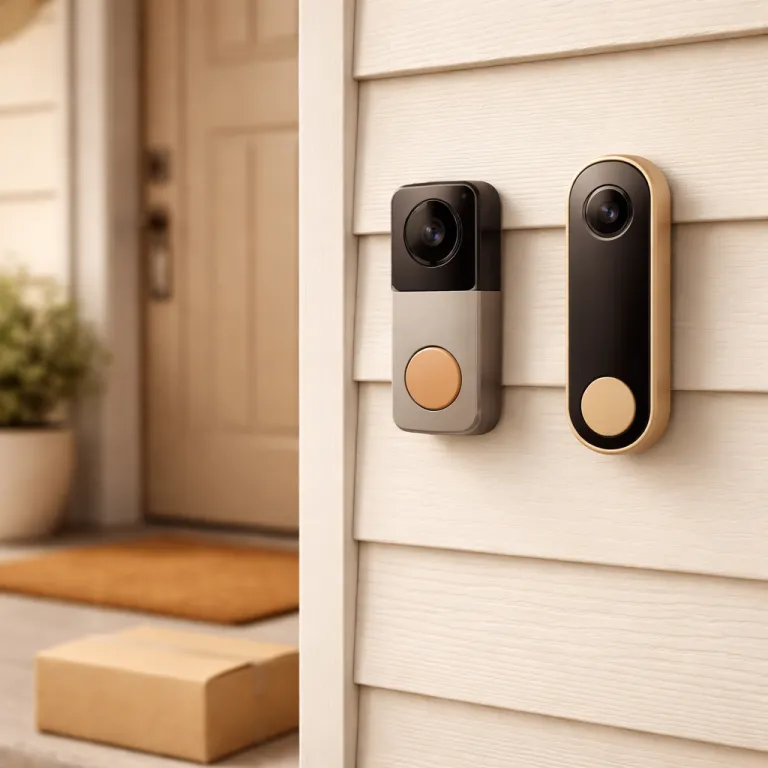

Ring doorbell vs Nest doorbell: how the ecosystems shape your daily routine
When you compare Ring doorbell vs Nest doorbell, the first real fork in the road is ecosystem, not pixels. If your home already leans on Alexa speakers, Ring security cameras, a Ring Alarm base station, and other Ring devices, adding a Ring video doorbell keeps everything in one app and one security system, while a Nest doorbell fits far more naturally into a household that already uses Google Nest speakers, Nest Cam units, and the Google Home app for every smart device. For a first time buyer, this choice quietly decides which voice assistant answers your front door, which subscription you pay, and which security cameras you might add later.
Ring is owned by Amazon, so every Ring doorbell, every Ring cam, and most Ring accessories sit neatly inside the Alexa universe. You can ask an Echo Show to pull up the live video from your Ring video doorbell, arm your Ring Alarm, or check other security systems that integrate with Ring, and the experience feels cohesive even when you add extra video doorbells or standalone security cameras over time. Google owns Nest, so a Nest doorbell, a Nest Cam, and any Nest Secure style equipment sit inside the Google Home app, where you can group cameras, automate lights, and use a Nest Hub display as a dedicated video screen for your front door.
In daily use, that means a Ring doorbell works best if you already shout commands at Alexa, while a Nest doorbell feels natural if you say “Hey Google” to control smart devices. The Ring ecosystem offers more hardware variety, from budget Ring video models to higher end Ring cameras with radar, and Ring offers frequent discounts that make starter kits attractive on Amazon and in retail stores. The Nest combination of a Nest doorbell and a Nest Cam is narrower but more tightly integrated with Google services, which matters if you want your video history, cloud storage, and smart home routines all managed through one Google account.
Video quality, night vision, and smart detection: what you actually see
On paper, the Nest Doorbell (battery) and Nest Doorbell (wired, 2nd gen) reach up to 960 × 1280 or 960 × 1280 with HDR, while many Ring video doorbell models, such as the Ring Video Doorbell (2nd gen) and Ring Battery Doorbell Plus, record at 1080p or 1536p with HDR (per current product pages as of early 2024). In practice, the Ring doorbell vs Nest doorbell comparison is less about raw pixels and more about how each camera handles tricky lighting, like a backlit porch at sunset or heavy rain on a dark winter afternoon, where Ring video processing leans on HDR to keep faces visible and Nest cameras lean on higher resolution framing and smart exposure. During testing on a shaded terrace, Nest doorbells produced slightly sharper text on parcels, while Ring devices delivered stronger contrast that makes people stand out from the background.
At night, both brands use infrared night vision, but their tuning differs in ways you will notice. A Nest doorbell tends to show a wider field of view with more even lighting, which helps when you want to see both the visitor and any packages on the ground, while a Ring doorbell often shows brighter faces in the center of the frame, which is useful when you care most about clear identification for security. If you pair either brand with a separate motion sensing night lamp near the entrance, as explained in this guide on using a night lamp with a motion sensor for calm and safety after dark, you can dramatically improve video quality and reduce false alerts from passing cars.
Smart detection is where Nest pulls ahead for many buyers who want intelligence without constant upsells. The latest Nest doorbell offers on device AI that can label people, packages, vehicles, and animals, and it keeps around three hours of event video history for free (according to Google’s current Nest Aware documentation in early 2024), which means you still have basic security even if you skip a subscription. Ring offers motion zones, 3D motion detection, and radar based features on its flagship video doorbells, but richer person alerts and longer cloud storage generally sit behind Ring Protect paid plans, so the long term cost of smart security can climb if you rely on multiple cameras and doorbells.
Installation, wiring, and battery life: what it takes to get either doorbell running
For a first time buyer comparing Ring doorbell vs Nest doorbell, installation is often the most stressful part, yet both brands try to keep it manageable. Battery powered Ring doorbells, such as the Ring Video Doorbell (Battery) model, mount with a simple bracket and use a removable battery pack, while wired Ring devices and wired Nest doorbells tie into your existing chime transformer, which may require checking voltage and sometimes hiring a professional electrician. If you live in a flat or older house without reliable doorbell wiring, a battery powered video doorbell from either Ring or Nest is usually the safest starting point.
Battery life is where marketing and reality diverge, especially in cold climates. Ring battery doorbells often claim several months of runtime under typical conditions, but in a busy urban street with frequent motion events and sub zero nights, you may see closer to four to six weeks before the battery needs a recharge, while a Nest doorbell battery model behaves similarly when its camera records many video clips and uploads them to cloud storage. To keep frustration low, plan for a spare battery pack or a short USB charging routine, and remember that frequent live view checks, extra cameras around the property, and high sensitivity motion zones all drain the battery faster.
Network setup is another hidden variable that shapes your experience. Both Ring and Nest devices rely on stable Wi Fi, and choosing between 2.4 GHz and 5 GHz bands can affect range and video reliability, which is why guides on 2.4 GHz versus 5 GHz Wi Fi for smart doorbells are worth reading before you drill any holes. If your router sits far from the front door, a Ring Chime Pro or a Google Nest Wi Fi mesh point can help, but you should factor that extra equipment into your total cost, especially when you plan to add more security cameras, extra video doorbells, or other smart devices later.
Subscriptions, storage, and five year costs: where the real winner emerges
The most important part of the Ring doorbell vs Nest doorbell decision rarely appears in glossy marketing, yet it determines your long term satisfaction. Both brands technically work without a subscription, but without paid cloud storage you lose most of the value of a video doorbell, because you cannot review past events or share clips with neighbours, landlords, or the police after a security incident. When you add up subscriptions for multiple cameras, doorbells, and security systems over five years, the quiet monthly charge can exceed the price of the original equipment.
Google Nest currently offers Nest Aware and Nest Aware Plus plans that, at the time of writing, start at around eight dollars per month or eighty dollars per year for a whole household in the United States, covering your Nest doorbell, Nest Cam units, and other Nest devices with extended video history and richer smart alerts (exact pricing varies by region and should be checked on Google’s official Nest Aware page). Ring offers several subscription tiers that start around three dollars ninety nine per month for a single Ring doorbell and climb toward twenty dollars per month for professional monitoring of a Ring Alarm security system, which also covers unlimited Ring cameras and video doorbells for cloud storage (based on Ring Protect plan information available in early 2024). If you own a small flat with one Nest doorbell and one Nest Cam, the Nest plan can feel efficient, while a larger house with many Ring cameras around the perimeter may benefit from Ring bundles that combine professional monitoring and storage together.
Over five years, that means a household with three Ring cameras, one Ring video doorbell, and a Ring Alarm on a mid tier plan could easily spend more on subscriptions than on the original devices. A similar home with one Nest doorbell, two Nest Cam units, and a single Google Nest display might pay slightly less overall, but the exact winner depends on how many cameras and doorbells you run and whether you value professional monitoring. Before you buy, sketch a simple table of hardware, cloud storage costs, and any professional monitoring fees, and remember that both Amazon and Google sometimes adjust pricing, so checking current offers and terms on their official support pages is essential.
Privacy, security, and data handling: what happens to your video once it leaves the camera
Smart doorbells are security devices first, but they are also internet connected cameras that constantly collect video and audio around your front door. When you compare Ring doorbell vs Nest doorbell, you are also comparing how Amazon and Google handle your data, how long they keep your clips in cloud storage, and how they respond to law enforcement requests for access to those recordings. Both companies encrypt video in transit and at rest, yet their policies and optional settings differ in ways that matter if you care deeply about privacy.
Ring has faced scrutiny for past partnerships with police departments and for how easily law enforcement could request footage from Ring cameras without a warrant, which pushed the company to tighten policies and add more transparency tools, as documented in public transparency reports and independent privacy analyses. Google Nest has also received questions about how its security cameras and Nest Secure style systems interact with broader Google data collection, but it generally positions the Nest doorbell and Nest Cam as privacy aware devices with clear controls for retention and sharing. If you want to understand the broader risks of internet connected security equipment, this analysis of risks posed by Internet of Things devices in smart doorbells offers a useful framework for evaluating both brands.
Neither Ring nor Nest currently offers full facial recognition for general consumer doorbells in all regions, although both use forms of person detection and smart alerts that rely on AI. You should still treat any video doorbell as a powerful surveillance tool and configure motion zones carefully, so you monitor your own property rather than the entire street, which also helps reduce false alerts and saves cloud storage. For maximum control, review your account settings regularly, disable unnecessary sharing, and remember that every extra camera, every additional Nest combination of devices, and every new integration with other security systems increases the surface area for potential data exposure.
Use cases and clear winners: which doorbell fits which type of home
Once you strip away marketing gloss, the Ring doorbell vs Nest doorbell debate comes down to matching strengths to your actual life. If you already own an Echo speaker, like Alexa routines, and plan to build a full Ring ecosystem with Ring cameras, a Ring Alarm, and maybe a floodlight cam, then a Ring video doorbell is the natural winner for you. If your home already runs on Google Nest speakers, a Nest Hub display, and a couple of Nest Cam units, then a Nest doorbell keeps everything in one Google Home app and uses the same smart detection engine across all your cameras.
For renters or people in flats, battery powered models from both brands avoid electrical work and let you move the doorbell if you change homes, though Ring offers slightly more variety in battery models and accessories. Owners of detached houses with a strong Wi Fi network and existing wired chimes may prefer wired doorbells, where Ring and Nest both deliver reliable power, but Nest leans on its higher resolution aspect ratio and free short term storage, while Ring leans on 3D motion detection and radar based features on its higher end devices. If you want professional monitoring as part of a broader security system, Ring currently has the more mature package with Ring Alarm, while Nest Secure hardware has been phased out, leaving Google to focus on cameras and doorbells rather than full alarm systems.
For buyers who hate subscriptions, Nest has a slight edge because its latest Nest doorbell offers useful on device AI and a few hours of event history without forcing you into a paid plan. For buyers who want the most flexible mix of cameras around the property, floodlights, and doorbells, Ring still offers the broadest catalogue and frequent Amazon discounts, though you should budget for cloud storage and any professional monitoring you might add later. In short, there is no single universal winner, but there is a clear winner for each type of household once you map your ecosystem, your appetite for subscriptions, and how much you value advanced motion features versus higher resolution video.
Advanced features and future proofing: thinking beyond the first doorbell
Choosing between Ring doorbell vs Nest doorbell is rarely a one off decision, because most homeowners eventually add more cameras, doorbells, or other smart devices. Ring has built a broad catalogue of security cameras, from compact indoor cams to robust outdoor floodlight cams, and all of these Ring cameras integrate with Ring video doorbells and Ring Alarm in a single app that supports routines, shared users, and unified alerts. Google Nest focuses on a smaller but tightly integrated range of Nest Cam models and Nest doorbells that live inside the Google Home app, where you can group devices by room and automate them alongside lights, thermostats, and speakers.
If you care about advanced motion features, Ring’s higher end video doorbells use radar to create 3D motion detection, which lets you define precise zones and cut down on false alerts from passing traffic, while Nest leans on its AI engine to classify people, packages, vehicles, and animals in the frame. Over time, those differences shape how noisy your notifications feel and how quickly you can scan a timeline of events, especially when you have several cameras around the house and multiple doorbells on different entrances. Both brands push firmware updates that add features and security patches, so whichever ecosystem you choose, you should keep automatic updates enabled to maintain security and performance.
Looking ahead, the most future proof choice is usually the one that aligns with your existing voice assistant, your preferred app, and your tolerance for ongoing cloud storage fees. If you are already deep into Google services, a Nest combination of Nest doorbell, Nest Cam, and a Google Nest display will likely age gracefully as Google refines its smart home platform. If you are more invested in Amazon hardware, a suite of Ring cameras, a Ring video doorbell, and perhaps a Ring Alarm with optional professional monitoring will give you a cohesive security system that can expand as new devices and offers appear.
Key figures on smart video doorbells and home security
- Market analysts report that global video doorbell sales have grown by more than 20 percent annually in recent years (for example, several 2022–2023 smart home market reports), reflecting a rapid shift from traditional doorbells to smart security devices at the front door.
- Consumer testing labs consistently find that most mainstream video doorbells record at either 1080p or 2K class resolution, with higher resolutions offering clearer detail but also requiring more bandwidth and cloud storage capacity.
- Independent surveys of homeowners indicate that more than half of smart doorbell owners subscribe to a paid cloud storage plan, which means recurring fees are now a standard part of modern home security budgets.
- Field tests in cold climates show that battery powered video doorbells can lose up to 20 to 30 percent of their effective battery life during extended periods of sub zero temperatures, which has direct implications for charging schedules.
- Studies on Wi Fi performance in residential buildings suggest that moving a router or adding a mesh node within 5 to 7 meters of the front door can significantly reduce video buffering and missed motion events for smart doorbells.
FAQ on Ring and Nest smart doorbells
Is Ring or Nest better if I already use a voice assistant at home ?
If you mainly use Alexa speakers and displays, Ring is usually the better fit because its doorbells, cameras, and Ring Alarm integrate tightly with Amazon devices. If you rely on Google Assistant and Google Nest speakers or displays, a Nest doorbell and Nest Cam setup will feel more natural inside the Google Home app. Matching your doorbell to your existing voice ecosystem keeps daily use simpler and avoids juggling multiple apps.
Can I use Ring or Nest doorbells without paying for a subscription ?
Both Ring and Nest doorbells work without a subscription, but you lose access to recorded video history and many advanced features when you skip cloud storage plans. Nest currently offers around three hours of free event video history and on device AI detection on its latest Nest doorbell (check current product pages for updates), which is more generous than Ring’s free tier. If you care about reviewing past events or sharing clips, you should budget for at least a basic subscription from either brand.
Which is easier to install, a Ring doorbell or a Nest doorbell ?
Battery powered models from both Ring and Nest are straightforward for most homeowners, requiring only a drill, a mounting bracket, and Wi Fi setup through a smartphone app. Wired models from either brand can be more complex because they depend on existing doorbell transformers and chimes, and older houses sometimes need electrical upgrades. If you are not comfortable working with wiring, choosing a battery model or hiring a professional installer is the safest route.
How do Ring and Nest handle privacy and data security ?
Ring and Nest both encrypt video in transit and at rest, and they offer account security features such as two factor authentication, but their policies differ on data retention and law enforcement requests. Ring has tightened its practices after criticism of past police partnerships, while Google Nest emphasizes clear controls for sharing and deleting footage within the Google Home app. Whichever brand you choose, you should review privacy settings, limit sharing, and configure motion zones to focus on your own property.
What should I consider when planning long term costs for a smart doorbell system ?
Long term costs include the price of the doorbell itself, any additional cameras, optional chimes or Wi Fi extenders, and especially ongoing cloud storage or professional monitoring fees. Over five years, subscription charges for multiple Ring or Nest devices can exceed the original hardware cost, so it is wise to map out how many cameras and doorbells you expect to own. Comparing total five year costs for each ecosystem will give you a clearer picture of which option is truly the best value for your home.
Ring vs Nest: core specs and real world behavior
| Model (example) | Resolution & aspect ratio | Field of view (approx.) | Typical battery life in moderate use* | Night vision behavior |
|---|---|---|---|---|
| Ring Video Doorbell (Battery) | 1080p, 16:9 with HDR | 155° horizontal | Up to 2–3 months in low traffic; around 4–6 weeks on a busy street | Bright central exposure, strong contrast on faces, background slightly darker |
| Ring Battery Doorbell Plus | 1536p HD+, 1:1 | 150° × 150° | Similar to standard Ring battery models, with faster drain at high motion sensitivity | Good vertical coverage for packages, vivid highlights around visitors |
| Nest Doorbell (battery) | 960 × 1280, 3:4 with HDR | 145° diagonal | Roughly 1–2 months in typical suburban use; shorter in cold climates | Even illumination across frame, slightly softer but more balanced overall scene |
| Nest Doorbell (wired, 2nd gen) | 960 × 1280, 3:4 with HDR | 145° diagonal | Unlimited while powered; no battery to recharge | Consistent exposure, wide view of doorstep and packages, stable color at night |
*Battery life figures are based on manufacturer guidance and independent testing summaries from 2023–2024 under moderate motion and temperate weather; your results will vary with Wi Fi strength, temperature, and motion frequency.
Conclusion: the right smart doorbell for each type of buyer
For Alexa households that want a full security system with optional professional monitoring, Ring is the stronger choice: its video doorbells, Ring cameras, and Ring Alarm form a broad, affordable ecosystem, especially for larger homes that can exploit unlimited camera plans. For Google Assistant users who value built in smart detection, cleaner privacy controls, and short free event history, Nest doorbells and Nest Cam units provide a streamlined experience inside the Google Home app.
If you are a renter or live in a flat, start with a battery powered Ring or Nest model and prioritize ease of installation and Wi Fi reliability over niche features. If you own a detached house and want wired power, pick Nest when higher resolution framing and integrated Google services matter most, or choose Ring when radar based 3D motion detection and professional monitoring are bigger priorities. By matching your preferred voice assistant, your tolerance for subscriptions, and how many cameras you plan to add over five years, the “best” smart doorbell becomes obvious for your specific home rather than in abstract spec sheets.