
Summary
Editor's rating
Value for money: decent if you accept the trade-offs
Design: functional, a bit generic, but not ugly
Materials and build: better than toy-grade, still clearly budget
Early impressions on durability and everyday use
Video, audio and app performance: usable, with a few hiccups
Installation: “Install in a snap” is a stretch
What this system actually is (and what it isn’t)
Pros
- Solid 7-inch wired video intercom with clear 1080p image and good night vision
- Supports multiple indoor monitors, useful for small buildings or multi-unit homes
- Decent build quality (metal/ABS, IP55) and reliable wired connection between camera and screen
Cons
- Installation is not as simple as advertised; manual is vague and requires DIY skills
- Tuya app experience is a bit laggy and not very polished compared to big brands
- Unknown brand with uncertain long-term software support and limited documentation

Specifications
View full product page →| Brand | TRDEWR |
A cheap smart intercom that needs a bit of patience
I installed this "Ring Doorbell Multi-Family Building 7" Tuya" kit in a small 3-apartment house I own, mainly to stop tenants from missing parcels and random visitors. I’ll say it right away: this is not a real Ring product, it’s a Tuya-based wired video intercom from a lesser-known brand (TRDEWR). So if you’re expecting the polished Ring ecosystem, this isn’t it. It’s more of a budget, semi-DIY solution that leans on the Tuya Smart app.
In practice, I used it for around three weeks before writing this, going back and forth to test calls from the street panel, image quality, and how the app behaves over WiFi. I also asked two tenants (one older, one younger) to use the 7-inch indoor monitor daily and tell me when things annoyed them. So my feedback is a mix of my own nerdy testing and their more casual use.
The short version: the hardware is pretty solid for the price, the image is decent, and the night vision is good enough to see faces clearly. But the system is a bit rough around the edges: the interface looks dated, the documentation is thin, and setup is not plug-and-play if you’re not used to wired doorbells. It works, but you have to be willing to fiddle with it.
So if you want a polished, install-in-10-minutes gadget, this is probably not for you. If you’re okay saving some money, doing some drilling, and dealing with a slightly clunky app, then it starts to make sense. I’ll break down what worked and what annoyed me in more detail below.
Value for money: decent if you accept the trade-offs
In terms of value, this system sits in that interesting middle zone: much cheaper than brand-name multi-apartment intercoms, but obviously less polished. For the price you typically see it at online, you get a 7-inch monitor, a metal/plastic outdoor camera with 1080p, night vision, and Tuya app support. If you compare that to big-brand multi-family systems, you’re easily saving quite a bit of money, especially if you’re willing to install it yourself.
What you give up is mainly: strong documentation, easy installation, and a refined app experience. There’s also the brand trust factor. With Ring, Hikvision, or similar, you know what you’re getting and there’s lots of online help. With TRDEWR, you’re basically on your own with a generic Tuya device. That said, once installed, it does the core job: people ring, you see them, talk to them, and you can answer from your phone. For a small rental building or a multi-generation house, that’s already a good upgrade over a dumb buzzer.
Compared to a classic single-family smart doorbell (like a mainstream Ring or Nest), this product wins on multi-monitor support and the fact that it’s wired for video, so you don’t depend entirely on WiFi quality for the main connection. But it loses on ease of use, design, and ecosystem features. If you only need one doorbell and one household, I’d personally pay a bit more for a cleaner experience. If you need several indoor stations or you’re on a tighter budget, this becomes more interesting.
So overall, I’d say value for money is pretty solid if you’re handy and not too picky about software polish. If you need something plug-and-play with strong support, this is probably not the right place to save money. For a practical, low-cost wired video intercom with smart extras, though, it gets the job done.
Design: functional, a bit generic, but not ugly
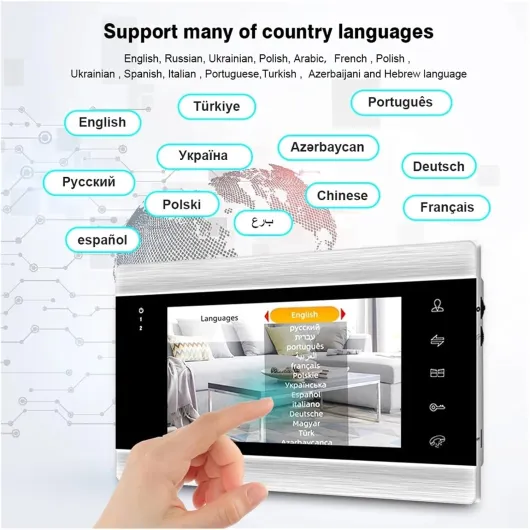
Design-wise, the whole setup looks pretty standard for a wired intercom. The indoor 7-inch monitor is basically a flat white (in my case) plastic slab with a touchscreen and a few touch buttons at the bottom. It’s not exactly stylish, but on the wall in a hallway it just looks like any other intercom screen. No one in the building commented on it, which I take as a sign it blends in fine. The bezels are a bit thick, and the interface graphics look like something from an older Android tablet, but it’s readable and clear.
The outdoor camera/doorbell unit is a mix of metal and ABS plastic. It feels sturdier than I expected for a no-name brand. The front has the camera at the top, an IR LED area for night vision, and the call button with a small label space. It’s not sleek, but it looks like a regular apartment building intercom. I mounted it next to the existing old audio-only doorbell panel, and visually it didn’t clash too much. The color (listed as "6-6", whatever that means) is a kind of neutral metallic/grey tone that doesn’t draw too much attention.
One design thing I liked: the 7-inch screen size is actually pretty comfortable. You can easily recognize faces and see if someone is holding a package or something else. On smaller 4.3" screens you often have to squint. The touch controls are a bit basic, but they respond well enough. I didn’t have big issues with missed taps, although the UI icons are a bit old-school and some labels are not super clear at first.
On the downside, the overall design screams "generic OEM" rather than something you’d proudly show off. There’s no real cable management channel on the back of the monitor, so you have to think a bit about how to hide the wires in the wall. The outdoor unit could use a slightly more angled mount; as it is, the 92° viewing angle is okay, but if your doorway is narrow or recessed, you might wish you could tilt it more. In short: design is functional and discreet, but nothing you’re going to get excited about.
Materials and build: better than toy-grade, still clearly budget
The listing mentions Metal/ABS, and that matches what I felt in hand. The outdoor unit has a metal front plate that gives it a bit of weight and rigidity, while the sides and housing are plastic. It doesn’t feel flimsy; when I screwed it to the wall, there was no creaking or bending. I’ve installed cheaper intercoms where the plastic flexes when you press the button – this one doesn’t do that, which is already a good sign for a low-cost device.
The indoor 7-inch monitor is mostly ABS plastic. The shell feels okay, not premium, but not super cheap either. When you press on the screen edges, there’s a tiny bit of flex, but nothing alarming. The touch screen itself is glossy and attracts fingerprints, but that’s expected. The power supply and included connectors look generic, but I didn’t see any loose solder joints or badly crimped cables. For this price range, the build quality is pretty solid, at least on first contact.
I did a basic weather test on the outdoor unit since it’s rated IP55 waterproof. It’s been through some heavy rain and wind over two weeks, plus I sprayed it lightly with a garden hose to see if water would get in around the camera lens or button. So far, no fogging inside the camera and no malfunction. Obviously I can’t say anything about long-term corrosion yet, but short term it seems to handle the elements as advertised.
Where you feel the budget side is mainly in the finish. The plastic edges are a bit sharp in some places, the back of the units is not super refined, and the screws they include are very basic. I swapped a couple for better anchors because the ones in the box felt a bit soft. Still, overall materials and build are decent for a low-cost system: not premium, not junk, just functional and good enough for a small building or house if you’re not too picky.
Early impressions on durability and everyday use
I haven’t had this system running for years obviously, but after a few weeks of daily use, I can at least comment on short-term durability and general feel. The outdoor unit has been rained on several times and hit by direct afternoon sun. No discoloration yet, no water inside the lens, and the call button still clicks the same as day one. The IP55 rating seems believable so far. I wouldn’t mount it in a place where it gets blasted by a pressure washer, but for normal rain and dust, it looks fine.
Indoors, the monitor has survived some casual abuse: one tenant tends to tap the screen a bit too hard, and a kid tried to mash the on-screen buttons with sticky fingers. No dead zones on the touch screen, no cracks, and the plastic casing hasn’t loosened. The unit does get slightly warm on the back after being on all day, but not hot. I left the screen on auto-sleep after 30 seconds to avoid burn-in or ghosting; so far, no issue there either.
The part I’m a bit cautious about long term is the software side. Tuya tends to update things from time to time, and with these off-brand devices, there’s always a small risk of an update breaking some feature or the product not getting proper firmware support. Right now, everything works, but I don’t have a lot of confidence that this will be supported as smoothly in 3–4 years as a big-brand system. If the app ever stops working, the wired intercom should still function locally, which is at least some peace of mind.
So my early verdict on durability: hardware feels okay and should hold up for normal home or small building use, but I can’t guarantee long-term software support. If you’re the kind of person who keeps gear for 8–10 years, I’d consider that. If you just want something cheap that works for the next few years, this seems acceptable based on what I’ve seen so far.
Video, audio and app performance: usable, with a few hiccups
Let’s talk about how it actually works day to day. The camera is advertised as 1080p with a 92° viewing angle, and I’d say that’s roughly accurate. On the 7-inch indoor screen, the image is clear enough to recognize faces, even if the person stands a bit off to the side. It’s not razor sharp like a high-end IP camera, but for checking who’s at the door, it’s totally fine. The colors are a bit washed out, but nothing dramatic. Night vision is actually one of the better points: the IR LEDs light up the area well, and you can clearly see faces and basic details within a few meters.
Audio is okay but not perfect. The hands-free answering mode works: you tap to answer and talk like a speakerphone. There is a slight delay, and the sound can echo if there’s background noise, but overall both sides could understand each other without shouting. On a couple of windy days, the person outside sounded muffled, but that’s pretty common with outdoor intercoms. Indoors, the speaker is loud enough; I kept the volume at around 70% and it was already plenty in the hallway.
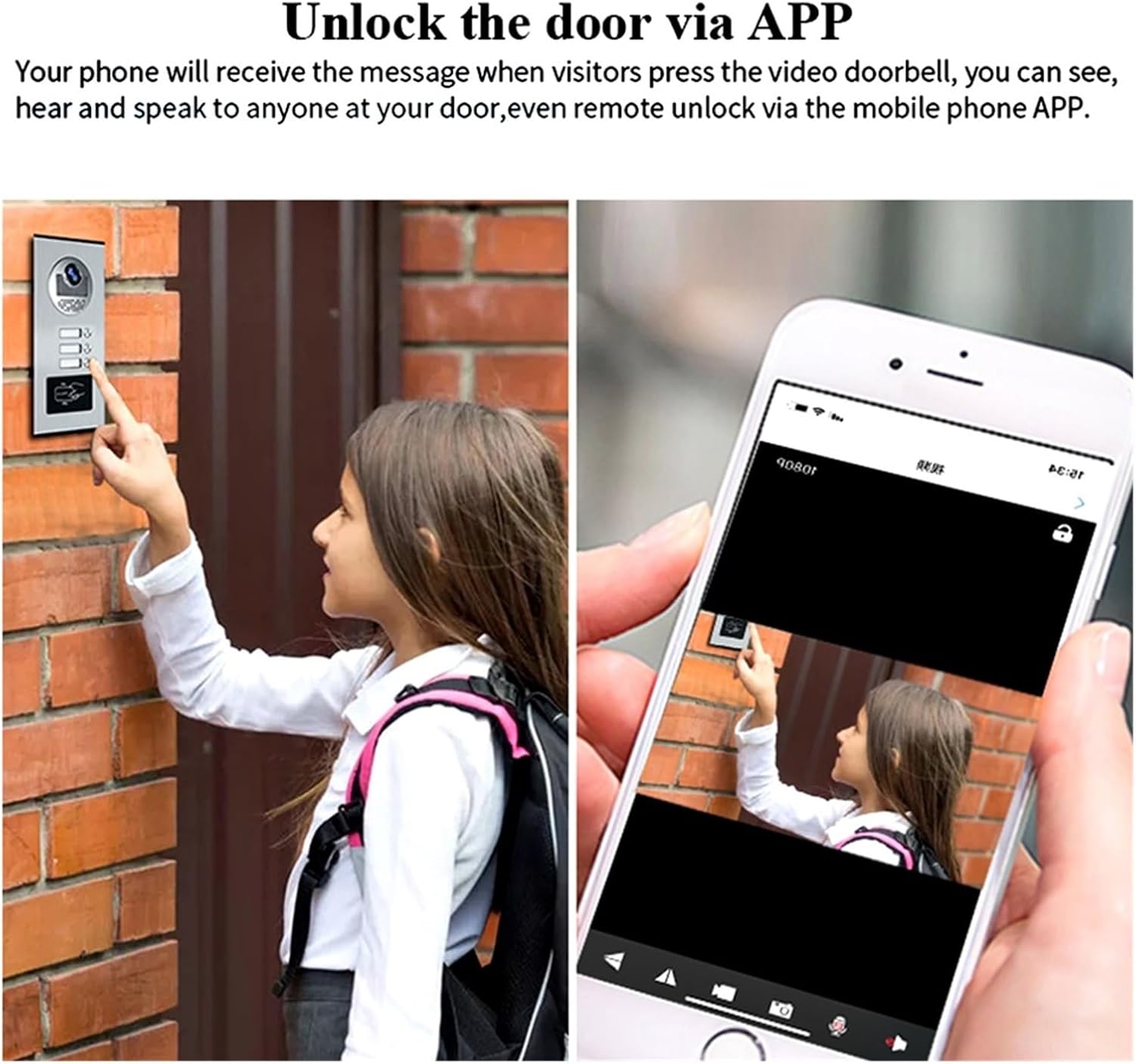
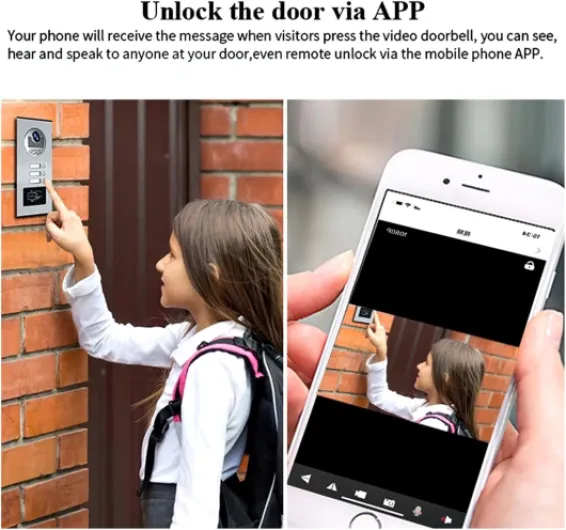
The app side is where things get a bit more “meh”. It uses the standard Tuya Smart app, which I already had for some plugs and bulbs. Adding the device was not too hard: press the pairing button, connect to WiFi, and it showed up. Once set up, I did get notifications on my phone when someone rang. Video through the app is a bit slower than on the indoor monitor and there’s a noticeable lag, especially on mobile data. Sometimes the notification arrived 3–4 seconds after the ring, and once or twice I tapped the alert and the stream took 6–7 seconds to load. It’s not terrible, but if you’re picky about responsiveness, you’ll notice it.
Overall, performance is decent but not flawless. The wired connection between outdoor and indoor units is reliable, and I had no random dropouts there. The WiFi/app side is usable but feels like a budget system: small lags, occasional hiccup where the video freezes for a second, and the interface is not as polished as bigger brands. For the price, though, it still does the core job: you can see and talk to visitors locally and remotely, with acceptable quality.
Installation: “Install in a snap” is a stretch
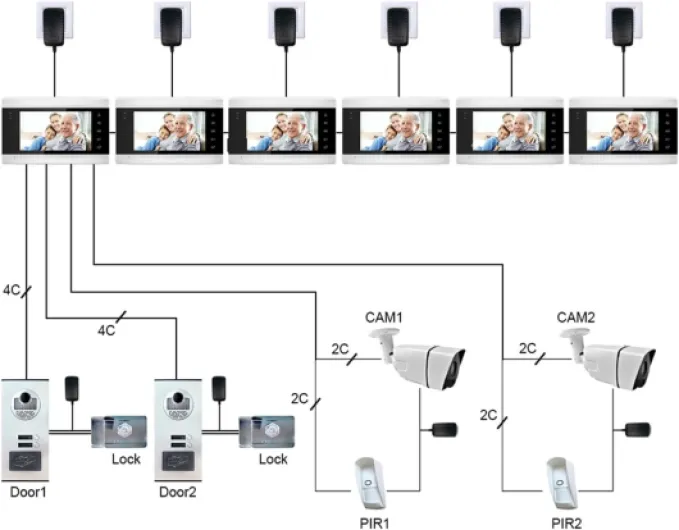
The listing claims “Apartment Install In A Snap”, but that’s optimistic. This is a wired system, so you need to be comfortable with running cables, drilling walls, and dealing with a bit of low-voltage wiring. In my case, I replaced an old audio-only intercom, so I already had a cable run between the entrance and the hallway. That helped a lot. I reused the existing cable (after checking the gauge) and just adapted the wiring to match the new terminals.
The manual is where things get annoying. It’s a small leaflet with generic diagrams that try to cover multiple versions of the product. The text is in basic English, but not very detailed. You get a basic idea of which wires go where, but if you want to connect more than one monitor or integrate with an electric strike lock, you’ll have to think a bit and maybe look up similar Tuya intercom schematics online. It took me about 2–3 hours total to mount everything nicely, including drilling, wall anchors, and cleaning up cable exits.
On the software side, pairing with the Tuya app is fairly straightforward if you’ve used Tuya before. Put the device in pairing mode, connect to your 2.4 GHz WiFi, and it pops up. The part that can confuse less techy users is understanding that the video itself is wired; WiFi is only for app access, not for the main connection. I had to explain this twice to a tenant who thought bad WiFi would make the screen inside unusable (it doesn’t – the screen works fine even if WiFi is off).
So in practice, installation is doable for a handy person, but I wouldn’t hand this to my parents and expect them to set it up alone. If you already have doorbell wiring and a drill, it’s manageable. If your walls are finished and you have no cable runs, be ready for dust and some swearing. Once installed, though, it’s relatively low-maintenance. Just don’t buy it thinking it’s a stick-on, battery-powered doorbell – it’s not.
What this system actually is (and what it isn’t)
On paper, this is a wired video intercom kit with a 7-inch color touch screen inside, a camera doorbell unit outside, and Tuya Smart app integration over WiFi. The product page throws around the word “Ring”, but there’s no link to the real Ring ecosystem. It’s built around Tuya, like a lot of generic smart home stuff you find online, and the brand name on the listing is TRDEWR, which I’d never heard of before.
The key specs are pretty straightforward: 1080p camera resolution, about 92° viewing angle, IP55 weather resistance, and a 7-inch indoor monitor with a touch screen. It supports multiple monitors (they claim up to 12), which is interesting for small buildings or if you want one screen per floor. Connection between the outdoor unit and the indoor monitor is wired, and WiFi is only for the smart features/app, not for the video link itself. So if you were hoping to skip cables completely, that’s not how this one works.
In practice, the kit I got had: one outdoor camera/doorbell unit, one 7-inch monitor, a basic power supply, a small bag of screws and anchors, and a thin paper manual with very generic diagrams. No fancy accessories, no extra brackets. The manual is usable but vague, especially if you want to expand to more monitors or integrate with other Tuya devices. I had to do a bit of guessing and double-check some wiring diagrams online.
Overall, I’d describe it as a budget multi-family intercom system with smart add-ons, not a polished mainstream smart doorbell. It does the basics: visitor rings, you see them on the screen, you talk hands-free, and you can also answer via the app. But if you’re used to big-brand UX and clean apps, this will feel a bit rough and “Chinese OEM” style. It gets the core job done, but don’t expect fancy extras or super intuitive menus.
Pros
- Solid 7-inch wired video intercom with clear 1080p image and good night vision
- Supports multiple indoor monitors, useful for small buildings or multi-unit homes
- Decent build quality (metal/ABS, IP55) and reliable wired connection between camera and screen
Cons
- Installation is not as simple as advertised; manual is vague and requires DIY skills
- Tuya app experience is a bit laggy and not very polished compared to big brands
- Unknown brand with uncertain long-term software support and limited documentation
Conclusion
Editor's rating
After living with this Tuya-based 7" multi-family video doorbell for a few weeks, my feeling is pretty clear: it’s a functional budget option for small buildings or houses that need more than a simple one-household doorbell, as long as you’re okay with some DIY and a slightly clunky app. The hardware is better than I expected for a no-name brand: the outdoor unit feels solid, the 7-inch screen is comfortable to use, and the night vision and 1080p video are good enough to clearly see who’s at the door, day or night.
Where it falls short is mainly in the user experience. The manual is vague, installation is not what I’d call “in a snap”, and the Tuya app works but has small lags and a dated feel. It’s not terrible, just not polished. If you’ve used big-brand smart doorbells, you’ll notice the difference right away. But once everything is wired and configured, it does its job reliably: visitors ring, the monitor lights up, you talk hands-free, and you can also answer from your phone when you’re away.
I’d recommend this to handy owners of small multi-family buildings, villas with several units, or people on a budget who want a wired intercom with smart access. If you hate wiring, want perfect UX, or care a lot about brand support and long-term software updates, I’d look at better-known systems instead, even if they cost more. For what it is – a low-cost, wired multi-monitor intercom with Tuya integration – it’s decent and practical, but don’t expect miracles.