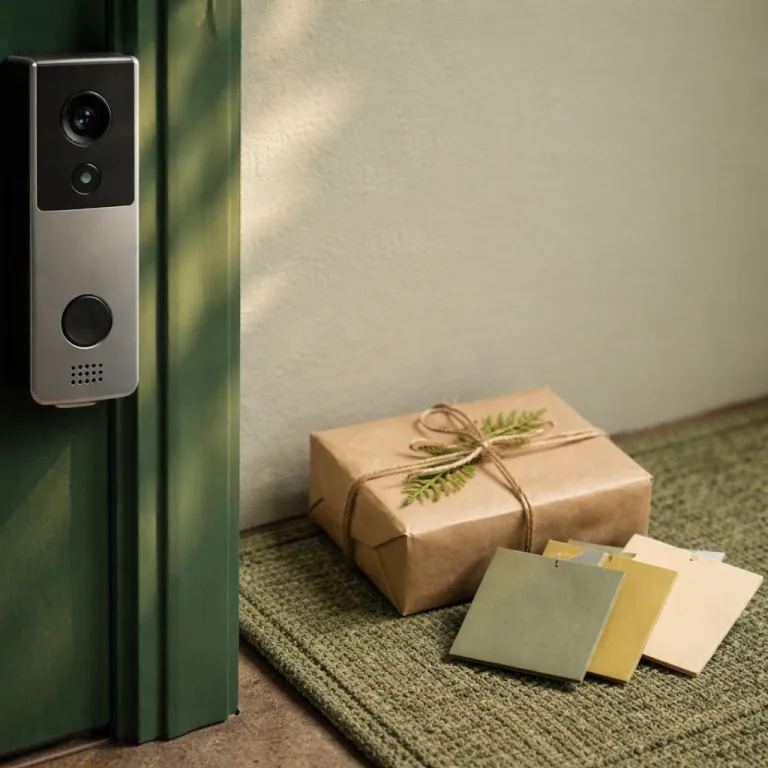
Why two-way audio feels awkward and how to fix it
Most people test two-way audio on a new smart doorbell once, then quietly stop using it. Because every wireless or wired video doorbell adds roughly 1.5 to 3 seconds of latency, normal back and forth speech breaks and visitors talk over you. Independent testers such as Wirecutter, RTINGS, and Smart Home Solver routinely measure this delay range on popular models like Ring Video Doorbells, Google Nest Doorbells, and Blink Video Doorbells. For example, RTINGS has reported around 2 seconds of delay on a Ring Video Doorbell Pro 2 over typical home Wi‑Fi, while Smart Home Solver’s tests of a Nest Doorbell (battery) and Blink Video Doorbell often land between 1.5 and 3 seconds depending on network load. To make smart security feel natural, you need short phrases, clear pauses, and a simple system you can repeat without thinking.
Think of your doorbell camera as a compact intercom, not a phone call. You press talk, give one clear instruction in a calm voice, then wait in silence while the courier or stranger reacts on the live view. This rhythm works across brands, whether you use a Ring Video Doorbell, a Google Nest Doorbell, a Blink Doorbell, or another smart video doorbell with two-way audio.
Latency matters more than microphone specs or doorbell audio marketing claims. A powerful speaker on a Ring wired doorbell or a Nest battery doorbell still sounds confusing if you ramble or repeat yourself. The most useful smart doorbell two-way audio tips focus on timing, not technology, so you treat the delay as normal and build your scripts around that predictable pause.
Before you worry about subscription tiers or cloud storage plans, get comfortable speaking through the device. Open the app, start a live view, and practice three short lines while standing just inside your door. When you later read full product reviews, you will understand how features like motion detection, field view, and night vision support those spoken scripts instead of replacing them.
Audio etiquette also depends on how your system handles push-to-talk. Some video doorbells default to hands-free, which feels like a walkie-talkie stuck open and encourages people to talk over each other. Others, including several Ring doorbells and Blink Video models paired with a Sync Module, require you to hold a button, which slows you down but sharply reduces confusion. In Wirecutter-style hands-on tests, that push-to-talk behaviour often trims real-world overlap because you naturally speak in one short burst, release the button, and let the other person respond.
Courier scripts that get packages where you want them
Couriers typically spend under a minute at your door, so you have maybe 10 to 15 seconds of attention for any script. A good smart doorbell two-way audio tip for deliveries is to lead with reassurance, then give one precise instruction, then stop talking. That structure works whether you use a Ring wireless doorbell, a Nest Doorbell on battery, or a Blink Doorbell linked to a Sync Module and local storage.
Here is a simple three line script for parcels when you see the courier on live view. Use these as copy-ready snippets you can save in a notes app:
- Line 1: “Hi, I see you at the door, this is the homeowner.”
- Line 2: “You can leave the package by the left side of the door, away from the street.”
- Line 3: “Thank you, that spot is perfect for our security camera.”
Those phrases respect the latency of most wireless video doorbells and avoid awkward overlap. They also work across ecosystems, whether you are using Amazon Alexa on an Echo Show to answer a Ring Video Doorbell, or Alexa Google style setups where a Google Nest Hub shows your Nest Doorbell feed. The key is that you treat the doorbell as a one way announcement channel, not a full conversation, because the audio delay makes back and forth chat clumsy.
For higher value deliveries, you can adapt the script without sounding like a surveillance system. Try this three step version:
- Line 1: “Hi, I am speaking through the smart doorbell, thanks for waiting.”
- Line 2: “Could you please place that parcel behind the plant by the door, it is safer there.”
- Line 3: “Our smart security system is recording video, so you are all set.”
If you worry about package theft, pair these scripts with clear placement and camera coverage. A wide field view on a video doorbell, reliable motion detection, and either cloud storage or local storage help you document what happens after the courier leaves. For a deeper look at what these devices actually prevent, it is worth reading a detailed guide on package theft prevention with smart doorbells before you invest in more doorbells or a larger system.
Stranger and sales scripts that stay calm and non-committal
Talking to strangers through a smart doorbell can feel confrontational if you sound too sharp or too curious. The goal is to project presence and control without revealing whether you are home, which is where smart doorbell two-way audio tips really earn their keep. Think of it as a polite intercom filter that lets you decide who ever reaches your actual door.
When someone you do not recognize rings, start with a neutral opener. A reliable line is:
- “Hello, I am speaking through the video doorbell, how can I help you today?”
Then pause and let the latency play out while your doorbell camera and night vision quietly record the interaction for your security records.
If the visitor is a salesperson or fundraiser, you can shut things down without escalating. After they explain their purpose, respond with:
- “Thank you for stopping by, but we are not interested, please remove this address from your list.”
Then wait again, because your wireless or wired doorbell audio will lag, and talking over them only prolongs the exchange.
For someone who seems uncertain or possibly lost, keep your tone softer but still guarded. Try:
- “You have reached a private home, and I am not opening the door right now, can you tell me who you are looking for?”
That sentence signals boundaries while your smart security system, whether Ring, Nest, or Blink Video, quietly captures high resolution video.
In some regions, you must think about consent when recording both audio and video. Two party consent laws can treat a doorbell intercom like any other recording device, especially when cloud storage or local storage keeps clips for longer periods. If you are unsure how your area treats doorbell gen models with advanced microphones, read your local regulations and the privacy section of your Amazon, Google Nest, or Blink documentation before relying heavily on two-way audio.
Maintaining that balance between safety and courtesy also depends on hardware upkeep. A dirty microphone grille or misaligned doorbell camera can make your voice sound harsh or muffled, which strangers may interpret as impatience. For practical maintenance routines that keep both video doorbells and audio components clear, a guide on essential camera maintenance tips for smart doorbell owners is worth a careful read.
Neighbor etiquette, do-not-disturb hours, and when silence wins
Neighbors sit in a different category from couriers and strangers, and your scripts should reflect that. Overusing two-way audio with people who live next door can feel like you are hiding behind your smart doorbell, even when your intention is simple convenience. The best smart doorbell two-way audio tips for neighbors focus on when not to use the speaker at all.
If you recognize a friendly neighbor on live view, ask yourself one quick question. Is there any safety or timing reason not to open the door in person? If the answer is no, it is usually better to walk to the door, especially when your doorbell camera shows daylight and no obvious security risk.
When you genuinely cannot come to the door, a short, warm script keeps things from feeling cold. Say:
- “Hi, it is me, I am tied up right now, could you please leave a note or send me a message later?”
That line acknowledges the relationship while still using the intercom style distance that smart security systems provide.
Do-not-disturb hours deserve their own rule set. Late at night, a wireless video doorbell with aggressive motion detection may send alerts for every cat or car, but you do not need to answer each ping with your voice. In many cases, letting the system quietly record to cloud storage or local storage is safer and less stressful than starting a sleepy conversation through the speaker.
For unexpected late visitors, a firmer script helps. You might say:
- “It is late, and I am not opening the door, please come back during the day or contact us in writing.”
That sentence works whether you use a Ring doorbell with Amazon Alexa, a Nest Doorbell with Google Nest, or a Blink Doorbell connected through a Sync Module, because it is clear, brief, and easy to understand even with audio delay.
There will also be times when silence is the best response. If your video doorbells show someone behaving suspiciously but not directly engaging with the door, you can simply monitor the live view and let the system capture video and doorbell audio without speaking. In those moments, your field view, night vision, and overall system design matter more than any script, so it pays to read full setup guides and think carefully about camera placement.
Tech settings that make your scripts sound human
Even the best scripts fall flat if your settings fight against them. Before you rely on any smart doorbell two-way audio tips, spend ten minutes in the app adjusting volume, motion detection zones, and notification styles. Those small tweaks determine whether you catch a courier in time or end up shouting into the void after they have walked away.
Start with audio levels on your specific doorbell gen model. On many Ring Video Doorbells and Blink Video Doorbells, the default speaker volume is set high enough to startle visitors, especially at night. Dial it back until your voice sounds like a normal intercom rather than a public address system, then test again from outside the door.
Here is a quick settings checklist with typical menu paths (names vary slightly by app version). Imagine each step as a simple screenshot: first the device list, then the gear icon, then the audio or motion menu, then the slider or zone editor:
- Lower speaker volume
Ring: open the Ring app > tap your doorbell > Device Settings > General Settings or Audio Settings > adjust Speaker Volume slider.
Nest: open Google Home > choose your doorbell > tap the gear icon > Audio > change Doorbell volume or Talk and listen level.
Blink: open the Blink app > tap your doorbell > Settings > look under Audio for Speaker Volume or similar. - Draw motion zones
Ring: Ring app > doorbell > Motion Settings > Motion Zones > drag the shapes so they cover your porch but not the street.
Nest: Google Home > doorbell > gear icon > Events or Activity zones > add a zone and outline the area where people stand.
Blink: Blink app > doorbell > Motion Settings > use the grid or zone tool to disable far away areas. - Test push-to-talk
Open live view in your app, press and hold the microphone icon, say a short line, then release. Step outside and repeat so you can hear how long the delay feels on your network.
Next, tune motion detection so you get alerts when people actually approach the door, not when cars pass 20 metres away. A narrower field view can reduce false alarms, but you still want enough coverage for package drops and side approaches. Most modern video doorbells from Ring, Google Nest, and Blink let you draw zones, which is worth the effort because it directly affects how often you use two-way audio.
Integration with voice assistants also shapes your etiquette. If you answer through Amazon Alexa on an Echo Show or through a Google Nest Hub, practice your scripts from those devices as well as from your phone. The latency and echo can feel slightly different, especially on wireless networks, so you want muscle memory for each path before a real stranger or courier appears at the door.
Storage choices subtly influence how confident you sound. Knowing that your system is recording to cloud storage or to a reliable local storage card makes it easier to stay calm, because you are not relying solely on memory if something goes wrong. Whether you pay for a subscription with Ring, Nest, or Blink, or stick to free tiers, the important part is that your doorbell camera reliably keeps both video and doorbell audio for long enough to be useful.
If you are considering a broader front door system that combines a smart lock, intercom, and video doorbell, it helps to see how these pieces work together. A detailed test of a video smart lock with integrated doorbell and touchscreen calling shows how unified hardware can simplify your scripts. In that kind of setup, your voice, your camera, and your lock all respond in sync, which makes every short phrase you speak through the system feel more natural and controlled.
Battery life, wired power, and how often you actually talk
How you power your smart doorbell quietly shapes how often you use two-way audio. Battery powered doorbells from Ring, Blink, and Google Nest give you flexible placement but punish heavy live view use with shorter battery life. Wired models tie into existing chimes and offer steadier power, which encourages more frequent use of scripts without worrying about a flat battery at the worst moment.
If you own a battery model, build your etiquette around quick, decisive interactions. Each time you open live view or hold the talk button, you draw extra power, especially on older doorbell gen devices with less efficient chipsets. That does not mean you should avoid speaking, but it does mean your smart doorbell two-way audio tips should emphasize one or two clear sentences rather than long conversations.
Owners of wired systems can afford to be more liberal with talk time. A Ring wired doorbell or a Nest Doorbell wired model can handle frequent live view checks and extended intercom use without draining a battery. Even then, short scripts remain easier for visitors to follow, and they reduce the chance that latency will cause people to talk over each other.
Blink Doorbell users with a Sync Module and local storage face a slightly different trade off. Because clips save automatically without a paid subscription, you may lean more on recorded video than on real time speech. In that case, your scripts can focus on essential moments, like redirecting a courier or firmly declining a stranger, while the system quietly logs the rest.
Whatever hardware you choose, remember that etiquette and configuration work together. A carefully placed doorbell camera with strong night vision, tuned motion detection, and a reliable storage plan makes every short phrase you speak more effective. When you read full reviews on Amazon or brand sites, pay attention not just to video specs but to how owners describe real world audio behaviour, because that is where your daily experience will live.
FAQ
How long should I wait before speaking again through my smart doorbell ?
Most smart doorbells introduce 1.5 to 3 seconds of audio delay, so wait at least three full seconds after each sentence before speaking again. That pause gives the visitor time to hear you, respond, and prevents both sides from talking over each other. Practising this rhythm once or twice using live view will make it feel natural quickly.
Is it rude to talk to neighbors only through the doorbell camera ?
Using two-way audio with neighbors occasionally is fine, but relying on it every time can feel distant. A good rule is to open the door in person whenever it is safe and convenient, and reserve the intercom style interaction for times when you are busy, away, or unsure who is outside. Clear, friendly scripts help soften those moments when you genuinely cannot come to the door.
Do I need a subscription for effective two-way audio use ?
Two-way audio works without any subscription on most Ring, Nest, and Blink models, because it relies on live streaming rather than stored clips. Paid plans mainly affect how long your video and doorbell audio recordings stay in cloud storage, not whether you can speak in real time. If you prefer local storage, look for models and Sync Module options that save clips to a card or drive instead.
What should I say if a stranger at the door makes me uncomfortable ?
Keep your script short, firm, and non-committal about whether you are home. A simple line like “You have reached a private home, I am not opening the door, please state your business” sets a boundary while your smart security system records video and audio. If their behaviour stays suspicious, stop talking, keep monitoring the live view, and contact local authorities if needed.
Can I use Alexa or Google Assistant to answer my video doorbell ?
Many Ring and Blink doorbells integrate with Amazon Alexa, while Nest Doorbells work closely with Google Nest displays and speakers. Once linked, you can answer the door using voice commands on an Echo Show or Nest Hub, which makes two-way audio more convenient in daily life. Just remember that latency still applies, so use the same short sentence and pause etiquette even when speaking through a smart display.