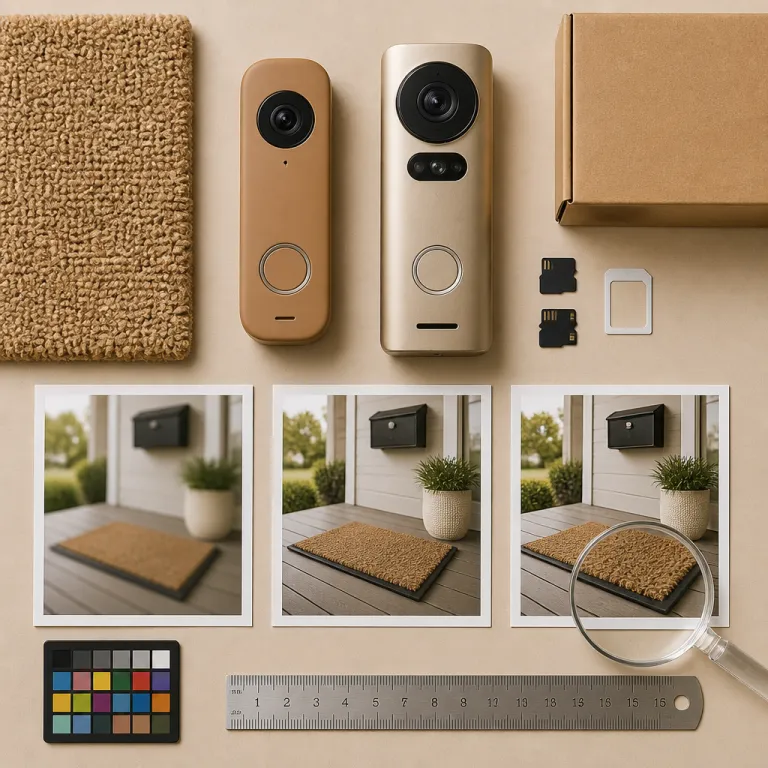
Section 1 – What resolution really means on a smart doorbell
When you compare a doorbell camera 2K vs 4K resolution, you are really comparing how many pixels the image sensor can pack into each frame. In practical terms, resolution refers to the total grid of pixels that builds the image, and that grid decides how much detail and clarity you can pull from the video when you pause or zoom. At the front door, those extra pixels only matter if they translate into clearer faces, readable license plates, and usable footage in low light.
On paper, higher resolution offers higher video quality because the pixel count is larger, but camera resolution is only one piece of the puzzle. Lens quality, compression, and how the cameras perform in shadows or porch lighting can erase much of the theoretical advantage of a higher resolution camera. A 4K security camera with poor optics can produce softer images than a well tuned 2K camera that balances detail clarity, noise reduction, and realistic colours.
Think of resolution like text size on a screen, where the number of pixels defines how sharp letters look when you lean in. At three to eight feet, which is the typical field view distance for a visitor at your door, 2K already renders facial details sharply enough for identification on a phone screen. Moving to a higher resolution such as 4K mainly helps when you crop the image, zoom into the video, or try to read small details at the far edge of the frame.
Section 2 – 2K vs 4K at the door: what your eyes actually see
Stand one metre from most modern doorbell cameras and the jump from 1080p to 2K is obvious, while the jump from 2K to 4K is subtle. At that distance, a 2K camera already shows skin texture, clothing patterns, and eye shape with enough detail clarity that you can confidently recognise a regular visitor. A 4K camera adds more pixels, but your phone or tablet screen often downsamples that image, so the perceived clarity gain is smaller than the marketing suggests.
Where 4K pulls ahead is when you zoom into recorded footage, especially around the edges of the field view where distortion and compression usually smear details. If someone lingers near the driveway, a higher resolution image can keep license plates and logos legible after cropping, while 2K may blur those fine details into mush. That is why 4K resolution offers a real advantage for wide angle lenses that cover both the porch and the street, or for homes with long front walks where visitors stay farther from the camera.
From a security perspective, the real test of a doorbell camera 2K vs 4K resolution is whether you can identify a person after something goes wrong. If a package disappears, you want video footage that shows faces, clothing, and movement clearly enough that a neighbour or officer can say, “I know who that is.” In that scenario, a well tuned 2K security camera already gives you strong evidence at typical porch distances, while 4K mainly helps when you need to zoom into distant parts of the frame.
Section 3 – Security, identification, and when 4K earns its keep
4K starts to justify its higher cost when your security system needs to cover more than the doormat. If your doorbell’s field view includes the street, parked cars, or a shared walkway, higher resolution images can keep license plates readable and faces recognisable even when people stay ten or fifteen metres away. That extra detail can also help with smart features such as facial recognition, especially on models highlighted in guides to top smart doorbells with facial recognition that rely on clean, high contrast images.
There is a trade off though, because higher resolution means more storage bandwidth, more processing, and more chances for compression to smear fine details if your WiFi struggles. When choosing security hardware, you should weigh whether 4K video quality will actually improve your outcomes, or whether a strong 2K camera with better low light performance and reliable motion detection will serve you better. For many suburban homes, 2K resolution offers enough detail for identification while keeping cameras cost, network load, and storage needs under control.
To make that decision easier, imagine two sample setups using common codecs. A typical 2K H.264 stream might run at 5 Mbps and use around 2.2 GB per hour of continuous recording, while a 4K H.264 stream at 12 Mbps can consume roughly 5.4 GB per hour under similar conditions. Switching to H.265 (HEVC) often cuts those figures by about 30 to 50 percent, but the relative gap between 2K and 4K remains, so higher resolution still demands more bandwidth and storage.
Section 4 – Bandwidth, storage, and the hidden costs of extra pixels
Every step up in resolution increases the amount of data your doorbell streams, and that data has to squeeze through your home WiFi and your internet upload pipe. A 4K stream can be roughly four times the size of a 1080p stream, while 2K usually lands in the middle, which means higher resolution footage can choke older routers or weak mesh nodes near the front door. If your network is already busy with streaming, gaming, and work calls, a 4K doorbell camera will sometimes drop frames or downgrade video quality to cope.
Those larger files also hit you in the wallet through cost storage, whether you pay a monthly cloud subscription or run a local Network Attached Storage box. Cloud plans often charge more when storage bandwidth and total gigabytes per month climb, so a 4K security camera that records every motion event can double or triple your ongoing cost compared with a 2K model. Local storage avoids subscriptions but still fills SD cards and hard drives faster, forcing you to overwrite footage sooner or buy larger drives.
When you compare a doorbell camera 2K vs 4K resolution, think about how many days of footage you want to keep and how often you will actually review images. For many households, 2K resolution offers a sweet spot where the pixel count is high enough for detail, but the cameras perform efficiently enough that storage, bandwidth, and cost stay manageable. In practice, that means you can keep more days of usable footage, maintain stable streaming to your phone, and still enjoy crisp images without constantly worrying about data caps.
Section 5 – Battery life, low light performance, and real world reliability
Battery powered doorbells pay a steep price for every extra pixel they process, especially when they push 4K video over WiFi several times per day. The processor has to work harder to encode higher resolution footage, and that extra work drains batteries faster even if the image looks only slightly better on your phone. In long term testing on cold porches and shaded entryways, 2K cameras usually last weeks longer between charges than comparable 4K models.
Low light performance complicates the doorbell camera 2K vs 4K resolution debate, because cramming more pixels onto a small sensor can shrink each pixel and reduce its ability to gather light. A well designed 2K camera with a bright lens and smart noise reduction can produce cleaner night images than a 4K camera that pushes tiny pixels too hard. When cameras perform poorly after sunset, you see grainy images, smeared motion, and faces that lose detail clarity just when security matters most.
Reliability also extends beyond the sensor to how the whole security system behaves in daily use, from motion alerts to clip playback. If a 4K doorbell constantly drops to lower resolution because of weak WiFi, you are paying for pixels you rarely see, while a stable 2K stream will feel better and more trustworthy. For many first time buyers, a robust 2K model with strong low light tuning and predictable battery life is the best choice for everyday security.
Section 6 – How to choose the right resolution for your front door
Start by mapping your field view and asking what you truly need to see, not what the box promises. If your main concern is greeting visitors and watching packages at three to five metres, a doorbell camera 2K vs 4K resolution comparison usually favours 2K for its balance of clarity, cost, and efficiency. If you also want to monitor cars on the street or read license plates at a distance, then a higher resolution camera with wide angle lenses can earn its keep.
Next, audit your network and storage so you understand how much storage bandwidth and upload capacity you can spare for security footage. A modest internet plan and a busy household often pair better with 2K cameras, because they keep video quality high without overwhelming routers or inflating cloud storage bills. When cameras cost less up front and cost storage less over time, you can invest the savings in better lighting, stronger WiFi, or extra sensors for your security system.
Finally, think about installation realities, such as whether you need to mount the camera on brick, siding, or even through glass or a storm door. If you are dealing with tricky placements, guides on mounting a doorbell through a storm door or glass panel can be more important than chasing higher resolution. The right choice is the camera that will stay online, capture clear images when it matters, and fit your home’s layout and privacy policy preferences without constant tinkering.
Key figures on doorbell camera resolution and performance
- At typical porch distances of three to eight feet, tests from multiple independent reviewers show that moving from 1080p to 2K can improve perceived facial detail by roughly 30 to 40 percent, while the jump from 2K to 4K often delivers less than a 15 percent visible gain on phone sized screens. These ranges are based on side by side comparison footage published in manufacturer demo clips and third party lab reviews from outlets such as Wirecutter and RTINGS, which measure sharpness and contrast at different viewing distances.
- Manufacturers and network specialists commonly estimate that 4K security footage requires about four times the bandwidth and storage of 1080p video, while 2K usually needs about twice as much as 1080p, which directly affects cloud subscription tiers and local disk capacity. These ratios align with typical bitrate recommendations in camera spec sheets, where 1080p streams often sit around 2 to 4 Mbps, 2K around 4 to 8 Mbps, and 4K around 8 to 16 Mbps depending on compression settings.
- Battery powered 4K doorbells typically see battery life reductions of 20 to 40 percent compared with similar 2K models under the same motion and recording settings, due to the extra processing and wireless transmission load. That range reflects figures quoted in manufacturer support documentation and long term user testing, where higher resolution modes consistently shorten the time between charges even when motion zones and clip length stay identical.
- Many consumer cloud storage plans for security cameras start with around 30 days of 1080p or 2K history for a single camera, but storing the same number of days in 4K can require upgrading to more expensive tiers or reducing retention to keep monthly costs stable. This pattern appears across major brands that scale pricing by total gigabytes stored per month, with 4K streams consuming the quota more quickly even when motion events are similar.
- Wide angle lenses on modern doorbell cameras often cover horizontal fields of view between 140 and 180 degrees, and higher resolution sensors help preserve edge detail in those wide scenes, especially when you digitally zoom into the far corners of the frame. Lab charts used in camera reviews show that 4K sensors retain more line pairs per picture height at the edges, while 2K sensors soften fine textures sooner as you move away from the centre.
FAQ
Is 4K resolution worth it on a doorbell camera for most homes ?
For most homes, 4K resolution is not essential because 2K already provides enough detail for identifying faces and tracking packages at typical porch distances. The extra pixels of 4K mainly help when you need to zoom into distant areas or read small text like license plates at the edge of the frame. Many buyers get a better overall experience by choosing a strong 2K model and investing the savings in lighting or WiFi upgrades.
Will a 4K doorbell camera use more WiFi bandwidth and storage ?
Yes, a 4K doorbell camera uses significantly more WiFi bandwidth and storage than a 2K or 1080p model. The larger files can strain older routers, slow other devices, and increase cloud storage costs if you keep long histories of footage. Before choosing 4K, check your internet upload speed and subscription pricing to be sure your network and budget can handle the extra load.
Does 2K resolution work well in low light compared with 4K ?
2K resolution often performs as well as or better than 4K in low light because each pixel on the sensor can be larger and gather more light. A well designed 2K camera with a bright lens and good noise reduction can produce cleaner night images than a 4K model that pushes tiny pixels too hard. When you care about night time security, sensor quality and image processing usually matter more than raw resolution.
How should I choose between 2K and 4K for a long driveway or street view ?
If your doorbell needs to watch a long driveway or capture activity on the street, 4K can be helpful because it preserves more detail when you zoom into distant parts of the frame. That extra clarity can make license plates and faces more recognisable at ten to fifteen metres. In those cases, a 4K model with a wide field of view and strong WiFi support can be worth the higher cost.
Will a 4K doorbell camera drain its battery faster than a 2K model ?
A 4K doorbell camera usually drains its battery faster than a comparable 2K model because encoding and transmitting higher resolution footage requires more processing power. The difference can be especially noticeable in busy locations with frequent motion events. If you want longer gaps between charges, a 2K battery powered doorbell is generally the more practical choice.