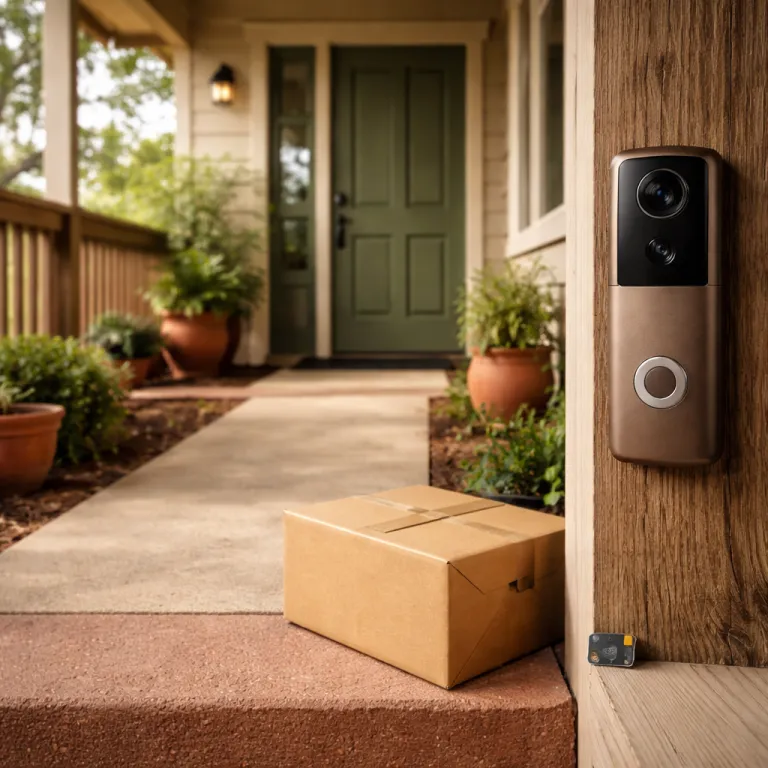
The quiet split between hardware you own and services you rent
Smart doorbells feel like physical gadgets, but the underlying business model is subscription first. When you look at what a video doorbell still offers after you cancel its plan, you quickly see which features live on the device and which were always rented from a cloud service. That split matters more to a security-conscious homeowner than any marketing claim about resolution or night vision.
Think of a modern video doorbell as two products bundled together. There is the physical doorbell with its camera, microphone, chime relay, and Wi‑Fi radio, and then there is the ongoing subscription that controls cloud recording, smart alerts, and how long your video history survives after each billing period. When you cancel a subscription, you are not just saving a few euros each month, you are deciding which half of that bundle you can live without.
Across brands, the pattern is consistent even if the details differ. A Ring Video Doorbell or Ring Video Doorbell Pro without an active Ring Protect plan still rings, still sends live view, and still pushes motion alerts, but your recorded clips are only retained for a limited time after cancellation and you lose the searchable archive that actually solves package theft disputes. According to Ring’s support pages (as of May 2024), once your final billing period ends, previously stored videos are permanently deleted after the standard retention window. A Google Nest Doorbell (battery) or Nest Doorbell (wired, 2nd gen) without Nest Aware keeps basic live streaming and very short event clips, yet the rich timeline, familiar face alerts, and multi‑day history that many people assume are standard quietly sit behind the paywall of subscriptions, as outlined in Google’s Nest Aware documentation updated in 2024. When you evaluate any smart doorbell after you stop paying, you are really judging how gracefully the device degrades when the monthly payments stop.
That is why the main topic for a buyer today is not just which doorbell looks sharpest on your phone, but which service you are comfortable renting for years. The subscription economics are blunt; industry research and market surveys published in 2023 indicate that households in the United States now spend well over the cost of a mid‑range camera every year on smart home subscriptions alone, with several analyst reports clustering around an average of roughly 40 dollars per month. If you do not mark that long‑term cost in your mental spreadsheet, the total you will pay over five years can easily double the sticker price of the hardware.
From a practical standpoint, you should treat every feature list as two columns. One column is what the doorbell will do forever, even after you cancel the plan and walk away from the cloud, and the other column is what only exists while your card stays on file. When you see phrases like “cloud history”, “advanced detection”, or “AI alerts” in a product description, assume they live in the rented column unless the brand clearly states they run locally on the device.
That rented column is where the subtle traps hide. A doorbell that keeps only live view and a chime is technically still working, yet functionally it may no longer support the way you reply to visitors, share clips with neighbours, or prove a delivery went missing. Before you subscribe, bookmark the product comparison page and print or save a copy, because terms change and you want a permanent record of what you were promised when you clicked subscribe.
It is also worth thinking about how you personally use notifications. If you rely on rich alerts that let you mute certain zones, mark a person versus a car, or reply with quick responses, you are probably leaning heavily on cloud features that will disappear the moment you cancel. When you see options to mute notifications per device or per subscription tier in the app, they are small reminders that your attention is part of the product design and that the service is tuned to keep you engaged enough to maintain your subscriptions.
For readers who like to organise research, treat this as a structured investigation rather than a casual browse. Create a folder in your browser, bookmark each brand’s “what you get without a plan” page, and add a short note about how the doorbell behaves once the subscription ends. That simple habit will support better decisions than any glossy marketing video, because you will have your own curated feed of facts instead of relying on vague promises.
Ring versus Google Nest: what really happens the day you cancel
Ring and Google Nest dominate the video doorbell market, yet they behave very differently once you cancel. With Ring, the moment you end a Ring Protect plan, your doorbell still sends motion alerts and live video, but your recordings stop being stored beyond the standard retention window and your historical clips are deleted after the final billing period, as described in Ring’s own support documentation (checked May 2024). With Google Nest, the shift from a paid Nest Aware plan back to the free tier feels gentler on paper, yet in practice the three‑hour event clip limit on many models can be just as punishing if you are away for a weekend.
Let us start with Ring, because its model is the clearest example of subscription as the new product line. A Ring Video Doorbell 4 or Ring Battery Doorbell Plus without an active Ring subscription is essentially a smart intercom with motion pings; you can reply in real time, but you cannot scroll back through last night’s motion events to check whether a package was taken. If you rely on a Ring Protect Basic or Plus plan to protect deliveries, you should plan for the fact that a device without Ring Protect will no longer give you the evidence trail you probably assumed was permanent.
Google Nest takes a slightly different approach, but the same principle applies. When you cancel Nest Aware, your Google Nest video doorbell falls back to a slimmed‑down free service that keeps only a few hours of event‑based clips, and anything older quietly drops off your timeline. As of early 2024, Google’s support pages state that many Nest doorbells on the free tier retain roughly three hours of event history, which can be enough for quick checks but not for reconstructing a weekend‑long incident. That means a Nest doorbell on the free tier still feels smart for quick checks, yet it will not support long‑term incident review unless you pay again.
The nuance with Nest Aware is that some intelligence genuinely runs on the device. A newer Google Nest video doorbell can still distinguish people from general motion without an active subscription, but rich features like familiar face recognition and extended history are tied to the paid service, as outlined in Google’s plan descriptions updated in 2024. If you want a deeper breakdown of how Nest Aware layers on top of the free tier, a dedicated guide to the benefits of a Nest Aware subscription for your smart doorbell offers a clear, structured explanation of what you gain and what you lose when you cancel.
On both platforms, the apps are designed to keep you close to the service. The Google Home app and the Ring app will send prompts to start a trial, nudge you with upgrade offers, and highlight features that only unlock when you add a card, which is why you should mentally mark boundaries between what is essential and what is optional. When you see banners about a free trial, treat them as a test window to simulate life without the plan, not as a risk‑free upgrade you will forget to cancel later.
There is also a subtle difference in how each company handles support and account control. With Ring, cancelling is usually a straightforward toggle, but if anything goes wrong with billing you may need to contact support through Amazon channels, whereas with Google Nest you might have to contact Google directly through the Google Store or Google app support pages. In both cases, keep a print or digital copy of your subscription terms and use a personal note in your password manager to remember when your billing period renews.
From a homeowner’s perspective, the key question is not whether Ring or Google Nest is “better” in the abstract. The sharper question is which ecosystem gives you a tolerable experience without a paid plan that still aligns with your security expectations and your budget over five years. If you are the type who will always subscribe, the differences in free tiers matter less, but if you know you will eventually cancel for cost reasons, you should weigh those free capabilities as heavily as you weigh camera specs.
Finally, remember that both brands are evolving their plans. Google has already shifted Nest Aware pricing and features several times, and Ring has adjusted retention periods and multi‑device discounts, which means the doorbell you buy today may behave differently in a few years. That is another reason to bookmark official plan pages, sign up for email updates where possible, and periodically review whether the service you are paying for still matches the promises that convinced you to subscribe in the first place.
Local AI, cloud history, and the brands that age gracefully after you cancel
Once you look beyond Ring and Google Nest, a different pattern emerges among brands that lean on local storage. Eufy and Aqara video doorbells, for example, keep recording to local memory cards or hubs even if you never pay for an optional subscription, which means a system built around those ecosystems still captures evidence without a monthly fee. The trade‑off is that some of the flashier cloud‑based AI features, such as advanced facial recognition that once ran on remote servers, will quietly disappear when you stop paying.
This is where the phrase “local AI” deserves careful attention. When a manufacturer claims that a video doorbell uses local AI, you need to ask whether that intelligence truly runs on the device’s own chip or whether it still depends on a cloud service that is bundled with a subscription. In practice, many Eufy and Aqara models do run core detection locally, so even without a plan they can still mark a person versus a passing car, but more exotic analytics often remain locked behind subscriptions.
The resilience of a smart doorbell without a paid plan also depends on how it integrates with your wider smart home. If you route notifications through a smart home control panel or a central hub, you may find that live view, chime control, and basic reply functions continue to work even when the brand’s own app nags you to subscribe. A well‑designed control panel can act as a neutral interface that survives subscription changes, giving you a consistent way to manage feeds, mute alerts, and support multiple brands without juggling separate apps.
Local storage does not solve every problem, though. If your doorbell is stolen or damaged, any recordings stored only on the device vanish with it, which is why some homeowners still accept a minimal subscription for off‑site backup while relying on local AI for day‑to‑day detection. The smart move is to treat the cloud as a safety net rather than the only place your video feed lives, so that your system retains meaningful function even if you later re‑enable a plan for extra redundancy.
From a usability standpoint, brands that support flexible notification controls tend to age better. If you can easily mute certain zones, mark important events, and adjust how your feed behaves without digging through paywalled menus, you are less likely to feel pressured into a subscription just to tame noisy alerts. Look for apps that let you configure notification and mute combinations per device, so that you can quiet a back door camera while keeping the front doorbell fully active.
There is also a subtle but important difference in how brands expose their settings. Some tuck key controls behind small icons or nested menus, while others present clear options to view status pages, export logs, or print summaries of motion events, and those design choices signal how they view your long‑term relationship with the service. A company that makes it easy to generate a printable report of your own data is usually more comfortable with you evaluating the product critically, including how it behaves without a subscription.
When you compare ecosystems, pay attention to how they handle feeds and archives. A robust system will let you filter by topic, mark events for later review, and even export clips without friction, while a weaker one may limit you to a thin chronological scroll that becomes useless once the paid plan ends. In testing and user reports, the systems that treat your history as your property, not as a teaser for upsells, are the same ones that feel trustworthy when you eventually stop paying.
Finally, consider how you will get help if something breaks after you cancel. Some brands restrict live chat or priority support to paying subscribers, while others maintain full support channels regardless of your plan, which matters when a firmware update suddenly changes how your doorbell behaves. Before you commit, read the support pages, check whether you can contact Google, Amazon, or another vendor easily, and ask yourself whether this is a company you trust to stand behind the hardware even when you are not feeding its subscription revenue.
Total cost over five years and the tests to run during your free trial
The most honest way to judge a smart doorbell service is to run the numbers over five years. Add the upfront hardware price, then layer in the subscription cost for the period you realistically expect to stay subscribed, and finally imagine the device’s value once you rely only on the free tier. That exercise often reveals that a seemingly cheap video doorbell with an aggressive subscription can cost more than a pricier, subscription‑light rival over the same billing period.
Start with a simple spreadsheet or even a piece of paper. For each candidate doorbell, write down the monthly or annual subscription, the length of any free trial, and what the device will still do without a plan, including whether it keeps recording locally or only offers live view. Then compare that to a scenario where you never subscribe at all, because some homeowners find that a well‑placed camera with local storage and strong live alerts meets their needs without any ongoing service.
During the free trial, your mission is not to enjoy every premium feature. Your mission is to simulate life after you cancel, which means turning off the plan a few days before the trial ends and watching how the doorbell behaves when it falls back to the free tier. Pay attention to whether you can still reply quickly to visitors, whether motion alerts remain timely, and whether the app quietly pushes you to resubscribe with banners that feel more like pressure than support.
To make that evaluation easier, turn the process into a short checklist:
- Can you still access recent clips and export or save them without a paid plan?
- Do motion alerts arrive quickly enough to be useful when you are away from home?
- Does live view connect reliably on mobile data as well as Wi‑Fi?
- Are key settings, such as zones and notification controls, still available on the free tier?
- How aggressively does the app prompt you to upgrade once the trial ends?
Use that window to test edge cases. Leave a package out overnight, ask a friend to ring the bell at odd hours, and see how easy it is to mark important events in the app or export clips before they expire, because that is exactly what you will face if something goes wrong after you stop paying. If the system makes it hard to bookmark or print important clips without an active plan, that is a red flag about how the service values your data.
Think too about how you like to consume information. Some people prefer a clean list of events, others want a calendar view, and some rely on email digests or smart speaker announcements, and a good app will let you subscribe to notifications that match your habits. If you find yourself constantly adjusting mute settings or hunting for a way to filter the feed just to keep noise under control, the long‑term experience may feel more like managing a social network than a security tool.
On the financial side, remember that subscriptions rarely stay flat. Companies adjust prices, bundle new features, or split plans into tiers, which means the Google or Ring subscription you sign up for today may look very different in a few years, and you should be prepared to cancel entirely if the value no longer matches the cost. Keeping a simple reminder in your calendar to review each service annually is a low‑friction way to protect your budget.
Finally, treat support quality as part of the total cost. If you have to contact Google, Amazon, or a smaller vendor three times just to resolve a billing issue, the time you spend is a hidden fee that never shows up on a statement. A trustworthy brand will support both subscribers and non‑subscribers with clear documentation, responsive help channels, and transparent policies about what happens to your data and your doorbell when you walk away from the subscription service.
Once you have run these tests and tallied the numbers, you will see the pattern clearly. The best smart doorbell for a security‑conscious homeowner is not the one with the flashiest marketing, but the one that remains genuinely useful, predictable, and respectful of your data even after you decide to stop paying for the subscription service. That is the standard every brand should be held to, and the standard you should quietly apply before you let any new device watch over your front door.
Key figures that shape smart doorbell subscription decisions
- Industry research and analyst estimates suggest that United States households now spend on average more than 40 dollars per month on smart home subscriptions, which means a typical family pays the equivalent of a mid‑range video doorbell every year just to keep existing devices fully functional. This figure is drawn from multiple market reports published between late 2022 and mid‑2024, so you should always check the latest data for updated averages.
- Ring Protect Basic, priced at roughly five dollars per month for a single camera according to Ring’s published plans as of May 2024, can add more than 300 dollars to the five‑year cost of ownership for one doorbell, and that figure doubles or triples when you include multiple cameras or higher‑tier plans.
- After a Nest Aware plan is cancelled, Google Nest video doorbells revert to only a few hours of event‑based clips on the free tier, as described in Google’s support materials updated in 2024, which can leave multi‑day incidents undocumented and forces many homeowners to maintain at least a minimal subscription for peace of mind.
- Brands that support local storage, such as Eufy and Aqara, can reduce ongoing subscription costs to zero for some users, but they still require investment in hubs or memory cards, which typically adds between 30 and 150 dollars to the initial setup.
- Across major platforms, free trial periods for premium doorbell subscriptions usually range from 30 to 60 days, giving buyers a limited window to test how the device behaves both with and without paid features before committing to long‑term payments.