

Understanding z wave technology for garage doors
What Makes Z-Wave Technology Stand Out for Garage Door Automation?
Z-Wave is a wireless communication protocol designed specifically for smart home automation. When it comes to controlling your garage door, Z-Wave offers a reliable and secure way to connect your garage opener, door sensor, and remote controller to your smart home hub. This technology enables seamless integration with other smart devices, making it easier to automate open and close actions, monitor your garage remotely, and enhance overall smart security.
How Z-Wave Works with Garage Door Openers
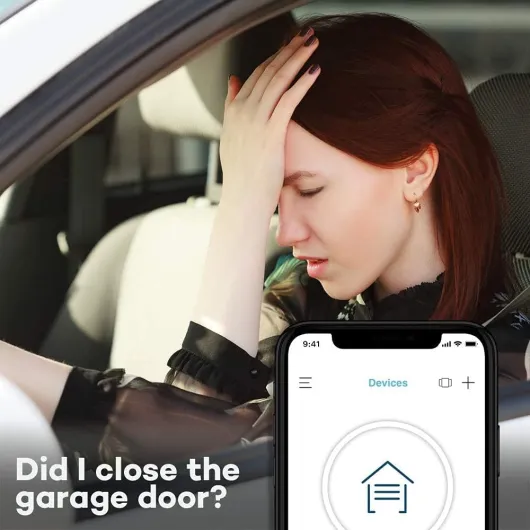
A Z-Wave certified garage door controller acts as a bridge between your existing garage opener and your smart home system. The controller communicates wirelessly with your hub, allowing you to use your smartphone or voice assistant for door control. Many Z-Wave garage controllers come with a tilt sensor or door sensor to detect the open or closed status of your garage door, providing real-time updates and alerts.
- Compatibility: Most Z-Wave garage controllers are compatible with a wide range of garage openers, but always check for certified models to ensure smooth integration.
- Wireless Convenience: Z-Wave operates on a low-frequency band, reducing interference and extending range, which is ideal for garages located farther from the main hub.
- Automation: You can set schedules or automate routines, such as closing the garage at night or when you leave home, enhancing smart garage security.
Why Choose Z-Wave for Your Smart Garage?
Choosing a Z-Wave garage door opener means you benefit from a robust ecosystem of compatible devices, from door tilt sensors to relay modules. The technology supports mesh networking, so each device strengthens the overall signal, making your garage controller more reliable. Additionally, Z-Wave is known for its strong security protocols, which help protect your garage from unauthorized access.
For those curious about how smart garage systems interact with traditional doorbell wiring or why some smart devices only buzz inside the house, you can find more details in this helpful guide on smart doorbell buzzing issues.
| Feature | Benefit |
|---|---|
| Wireless Z-Wave Protocol | Stable, long-range control for your garage |
| Certified Compatibility | Works with most major garage door openers |
| Smart Automation | Automate open/close routines and enhance security |
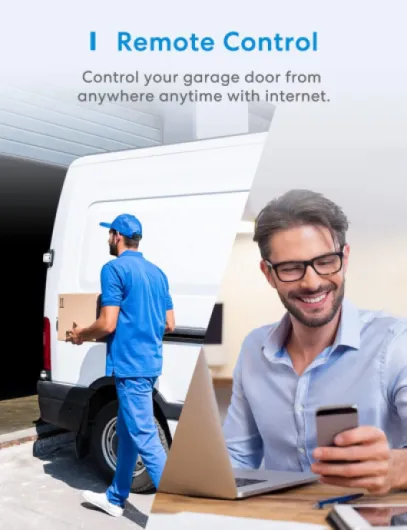
| Remote Control | Manage your garage from anywhere via app or hub |
| Real-Time Sensor Feedback | Monitor door status and receive alerts |

Key features to look for in a z wave garage door opener
Essential Capabilities for Modern Garage Door Automation
When selecting a Z-Wave garage door opener, it’s important to focus on features that enhance both convenience and security. The right combination of smart technology and reliable hardware can transform your garage into a seamless part of your home automation system. Here’s what to look for:
- Z-Wave Certification and Compatibility: Ensure the garage door controller or opener is Z-Wave certified. This guarantees compatibility with your existing smart hub and other Z-Wave devices, making integration smoother and more reliable.
- Wireless Control and Remote Access: Look for models that offer robust wireless connectivity. Remote control via smartphone apps or voice assistants allows you to open, close, and monitor your garage door from anywhere, adding a layer of convenience and smart security.
- Sensor Integration: A quality smart garage opener should include a door sensor or tilt sensor. These sensors provide real-time status updates, letting you know if the garage door is open or closed, which is crucial for both safety and peace of mind.
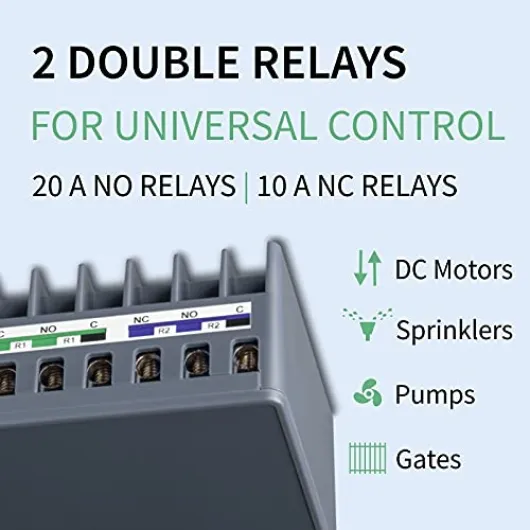
- Relay and Automation Features: Advanced models support relay modules for more precise door control. Automation options, such as scheduling open/close times or integrating with other smart devices, can streamline your daily routine.
- Security Protocols: Prioritize openers with strong encryption and authentication protocols. Features like rolling codes and secure wireless transmission help protect against unauthorized access to your garage.
- Price and Value: Compare the price of different wave garage openers, considering the features offered. Sometimes, a slightly higher price brings added reliability, better support, or longer warranty periods.
- Ease of Installation: Some garage controllers are designed for DIY installation, while others may require professional help. Check if the product comes with clear instructions or support resources, especially if you’re new to smart garage automation.
- Compatibility with Existing Garage Door Systems: Not all smart controllers work with every garage door opener. Confirm that your chosen device is compatible with your current setup, including the type of opener remote and door control system you have.
For a deeper dive into how sensors and relays interact with your garage door system, you might find this resource on understanding the intricacies of doorbell wiring diagrams helpful. It covers the technical side of connecting smart devices and sensors, which is especially relevant if you plan to handle installation yourself.
By focusing on these key features, you’ll be better equipped to choose a Z-Wave garage door opener that fits your smart home needs, offers reliable control, and keeps your garage secure month after month.
Installation tips and common challenges
Preparing for a Smooth Setup
Before installing a Z-Wave garage door opener, it’s important to check compatibility with your existing garage door and smart home hub. Many certified controllers and sensors are designed to work with a wide range of garage opener models, but always confirm that your chosen device supports your garage’s make and model. Look for compatibility with your current Z-Wave hub or automation system, as this ensures seamless integration and control.
Essential Tools and Components
- Controller and Sensor: Most smart garage door solutions include a main controller and a tilt sensor or door sensor. The sensor wave technology detects the open close status of your garage door, sending updates to your hub or app.
- Relay and Power: Some garage door controllers require wiring a relay to your existing opener. Ensure you have the necessary tools, such as a screwdriver, wire strippers, and mounting hardware.
- Wireless Setup: Many modern systems offer wireless installation, reducing the need for complex wiring and making the process more accessible for DIY enthusiasts.
Common Installation Challenges
- Signal Range: Z-Wave relies on a mesh network, so distance between your garage and the nearest hub or repeater can affect performance. If your garage is detached or far from your main home, consider adding a Z-Wave range extender.
- Sensor Placement: Proper positioning of the tilt sensor or door sensor is crucial for accurate status updates. Install the sensor on the top panel of the garage door for best results.
- Controller Mounting: Secure the smart controller near your existing garage opener, ensuring it’s protected from moisture and extreme temperatures.
- Power Supply: Some controllers are battery-powered, while others require a wired connection. Check the power requirements before starting installation.
Tips for a Reliable Smart Garage Experience
- Follow the manufacturer’s instructions for pairing the garage controller with your Z-Wave hub. This step is essential for remote control and automation features.
- Test the open close function using your app or remote controller before finalizing installation.
- Update your hub’s firmware to the latest gen for improved security and compatibility.
- Label wires and connections if you need to disconnect your garage opener during setup.
For those interested in how custom IoT development is shaping the future of smart garage and door automation, you can read more in this in-depth article on custom IoT development for smart doorbells.
Security considerations for smart garage access
Protecting Your Smart Garage from Unauthorized Access
When adding a Z-Wave garage door opener to your smart home, security should be a top priority. The convenience of remote control and automation comes with the responsibility to safeguard your garage and home from potential threats. Here are some essential considerations to keep your smart garage secure:- Certified Devices Matter: Always choose a Z-Wave certified garage door controller or opener. Certification ensures the device meets strict security standards and is compatible with your existing hub or automation system.
- Secure Wireless Communication: Z-Wave technology uses encrypted wireless signals, but make sure your controller, relay, and sensors are updated to the latest gen for enhanced protection. Older devices may lack the latest security protocols.
- Hub and Network Security: Your smart garage opener relies on your home network. Use strong, unique passwords for your hub and Wi-Fi. Regularly update firmware for your hub, garage controller, and any connected door sensor or tilt sensor.
- Monitor Access and Activity: Many smart garage systems offer activity logs. Check these regularly to spot any unusual open close events. Some controllers send alerts to your phone when the garage door is accessed, adding an extra layer of smart security.
- Physical Security Still Counts: Even with advanced automation, don’t overlook traditional security. Ensure your garage door is sturdy and the opener remote or remote controller is kept secure. Avoid leaving remote garage controls in vehicles parked outside.
- Sensor Placement and Tamper Alerts: Properly install your door tilt sensor and door sensor to detect unauthorized attempts to open the garage. Some sensor wave models include tamper detection, alerting you if someone tries to disable them.
Balancing Convenience and Security
Smart garage door openers offer unmatched convenience, but it’s important to balance ease of use with robust security. When evaluating price, consider the value of advanced security features like encrypted communication, certified compatibility, and reliable sensor wave technology. Investing in a secure, compatible garage opener or door controller can help protect your home and give you peace of mind month after month.Integrating your garage door opener with other smart devices
Connecting Your Garage Opener to Your Smart Home Ecosystem
Integrating a Z-Wave garage door opener with other smart devices can really boost the convenience and security of your smart garage. The process usually starts with making sure your garage controller is compatible with your existing smart hub. Most certified Z-Wave garage openers work with popular hubs, but always check compatibility before buying to avoid issues with remote control or automation features.
Automation and Scene Creation
Once your opener is connected to your hub, you can set up automation routines. For example, you might program your smart garage door to open when your smart security system is disarmed, or close automatically at a certain time each night. Many users also link their garage door sensor or tilt sensor to receive alerts if the door is left open. This is especially useful for remote garage monitoring when you’re away from home.
- Door control: Use your hub’s app to open or close the garage door from anywhere.
- Sensor integration: Pair door tilt sensors or door sensors for real-time status updates.
- Relay and automation: Set up relays to trigger lights or cameras when the garage door opens.
Voice Assistant and Wireless Control
Many Z-Wave garage controllers can be linked with voice assistants through your hub. This allows hands-free control of your garage door opener using simple voice commands. Wireless integration also means you can use your phone as a remote controller, adding another layer of convenience to your smart garage setup.
Maximizing Security and Compatibility
When integrating your garage opener, always consider security. Make sure your hub and all connected devices use up-to-date encryption. Certified Z-Wave Gen 5 or newer devices offer improved wireless security and reliability. Also, check if your garage opener supports multiple users, so everyone in your household can have secure access via their own remote control or app.
| Device | Integration Type | Key Benefit |
|---|---|---|
| Garage Door Opener | Z-Wave Hub | Centralized control, automation |
| Door Sensor / Tilt Sensor | Wireless Pairing | Status alerts, open/close monitoring |
| Smart Security System | Scene Automation | Enhanced security, routines |
| Remote Controller | App or Voice | Convenient remote access |
With the right setup, your Z-Wave garage opener becomes a seamless part of your smart home, offering reliable door control, improved security, and flexible automation tailored to your needs and budget. Always review the price and features of each compatible garage controller to find the best fit for your home.
Troubleshooting and maintenance tips
Common Issues and Quick Fixes
Even the most reliable Z-Wave garage door opener can run into problems. If your smart garage controller isn’t responding, first check the wireless connection between the opener and your Z-Wave hub. Sometimes, interference from other devices or distance from the hub can cause communication issues. Try moving your hub closer or adding a certified Z-Wave range extender.
- Remote control not working: Ensure the opener remote and controller are paired correctly. Replace batteries in the remote if needed.
- Door sensor or tilt sensor not detecting movement: Inspect the sensor wave device for dust or misalignment. Clean the sensor and realign it with the garage door.
- Automation routines failing: Double-check your smart home automation settings in the hub app. Sometimes, a simple reset of the garage controller or hub resolves automation glitches.
- Open/close commands delayed: This could be due to network congestion. Reduce the number of devices on your Z-Wave network or schedule automation during off-peak hours.
Maintaining Your Smart Garage System
Regular maintenance helps keep your smart garage door opener running smoothly. Inspect the door opener and door tilt sensor monthly for signs of wear. Clean the door sensor and check the relay connections to ensure reliable door control. Firmware updates for your controller and hub can improve security and compatibility with new smart devices.
- Test the open/close function of your garage opener every month to confirm it responds to remote commands.
- Check the battery level in wireless sensors and replace them as needed to avoid unexpected downtime.
- Review your smart security settings to make sure only authorized users have remote garage access.
When to Seek Professional Help
If you notice persistent issues with your Z-Wave garage door opener, such as the door not responding to any controller or remote input, or if the automation features stop working entirely, it may be time to consult a certified technician. Professional support can help diagnose complex problems with your smart garage system, especially if you have a compatible garage setup with advanced automation or multiple gen devices connected.
| Issue | Possible Cause | Recommended Action |
|---|---|---|
| Controller not responding | Wireless interference, low battery, out of range | Check batteries, move hub closer, use range extender |
| Sensor wave not detecting | Dirty or misaligned sensor | Clean and realign sensor |
| Automation not working | Software glitch, outdated firmware | Restart devices, update firmware |
| Security alerts | Unauthorized access attempts | Update security settings, review access logs |