
Summary
Editor's rating
Value for money: is this better than a cheap Ring clone?
Chunky but discreet: design and build
Battery life and charging: does the 5000 mAh claim hold up?
Build quality and durability over time
Image quality, motion detection and app: how it actually performs
What you actually get and how it works day to day
Pros
- Easy peephole-style installation with no extra drilling for most apartment doors
- 4.3-inch indoor screen makes it simple to see visitors without using your phone
- Good 1080p image quality and acceptable night vision for corridor use
- Decent battery life (roughly several weeks to a couple of months in real use) with USB‑C charging
- Tuya app support for remote viewing, motion alerts and basic intercom
Cons
- Generic build and software; feels budget compared to big-brand doorbells
- Motion detection can be too sensitive and needs tweaking to avoid spam alerts
- Real-world battery life is far below the 180-day marketing claim in active hallways
- No clear weatherproof rating, better suited to indoor or sheltered doors

Specifications
View full product page →| Brand | Swokely |
A budget smart peephole that tries to do it all
I’ve been using this Swokely 2.4G WiFi video doorbell as a replacement for a basic peephole in an apartment door. No brand hype here, it’s basically a generic Tuya-based peephole camera with a 4.3-inch indoor screen and a small camera that fits where the classic peephole goes. I put it on my front door for about two weeks to see if it could replace both my old peephole and the cheap indoor camera I was using.
On paper, it looks pretty loaded: 1080p video, 120° wide angle, motion detection, Tuya app, night vision, and a big 5000 mAh battery that’s supposed to last up to 180 days on standby. It also supports microSD cards up to 128 GB and cloud storage if you want that. So, the promise is: simple install, decent image, and you can see who’s at the door both from the screen inside and from your phone.
In practice, it’s not as smooth as the product page makes it sound, but it’s not terrible either. You feel right away that it’s not from a big brand like Ring or Arlo: the interface is basic, the instructions are a bit clumsy, and the app setup takes a bit of patience. But once it’s running, it does what you expect: you see who’s in front of your door and you get alerts when someone moves in front of it.
If you’re expecting a polished smart home gadget, you might be a bit disappointed. If you just want a peephole camera with a screen so you don’t have to walk up to the door and squint through glass, it’s actually pretty practical. The rest of this review is just me going through what worked well, what was annoying, and whether I’d keep it or look at something else in the same price range.
Value for money: is this better than a cheap Ring clone?
Price-wise, this Swokely peephole camera usually sits below the big-name doorbells and roughly in line with other generic Tuya devices. You’re not paying for a famous logo here, which is obvious as soon as you open the box. But you do get some real advantages compared to a basic camera or a simple viewer: integrated screen, peephole mounting (no drilling new holes), 1080p video, motion detection, and app control. For an apartment renter who doesn’t want to mess with the building’s wiring, that combo has real value.
Compared to a cheap standalone digital peephole viewer (without Wi‑Fi), you’re paying a bit more, but you get remote access and notifications. If you’re often away from home or waiting for parcels, that’s worth the price difference in my opinion. Compared to a full-blown smart doorbell from bigger brands, you save money but sacrifice polish: the app is more basic, motion detection is less refined, and the build feels more “generic hardware store.” So it really depends what you’re after.
In daily use, the main benefit for me was just being able to see clearly who’s at the door on the 4.3-inch screen without having to approach the peephole. The Tuya app was a plus, but not something I used constantly. For someone who doesn’t care much about cloud subscriptions and just wants local recording to an SD card plus a big screen, this is actually a pretty good deal. You just have to accept the slightly clunky software and the lack of brand support.
So in terms of value for money, I’d call it “good but not mind-blowing.” There are cheaper basic viewers if you don’t need Wi‑Fi, and there are better systems if you’re ready to spend more. This sits in the middle: decent feature set, some compromises, but overall it gets the job done for a fair price.
Chunky but discreet: design and build
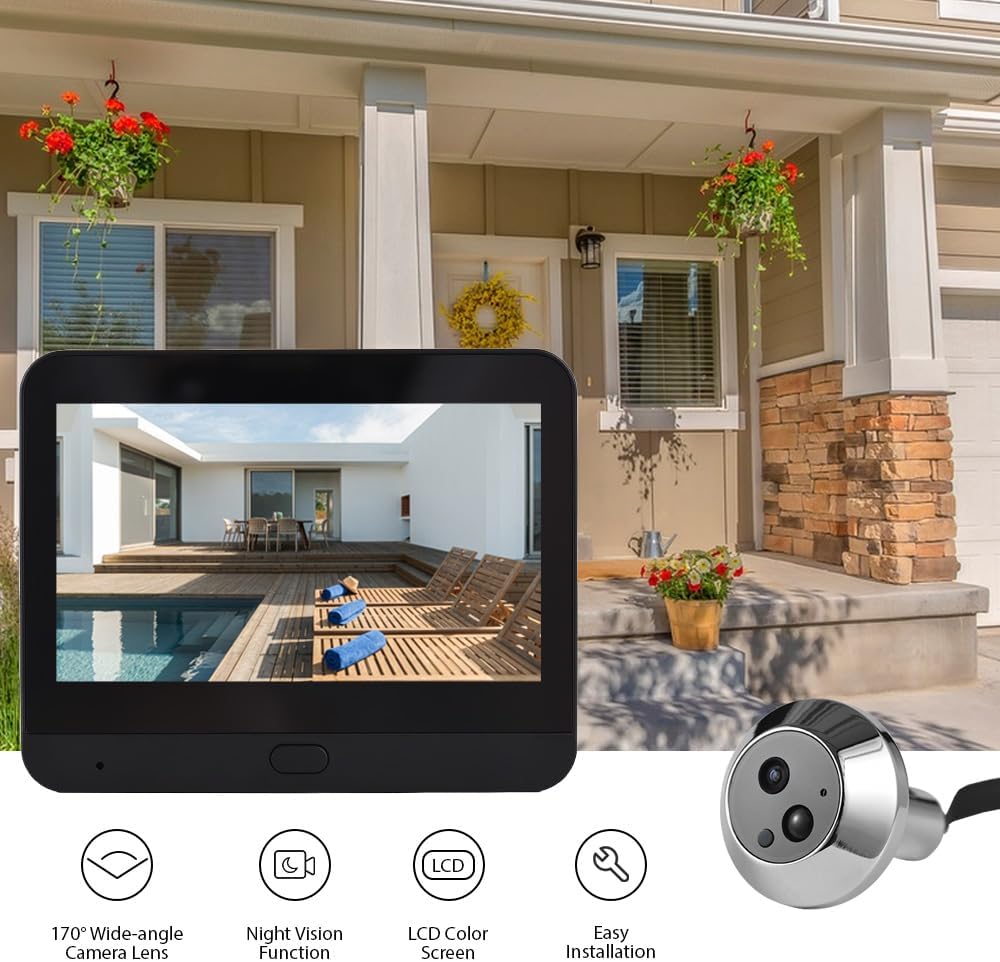
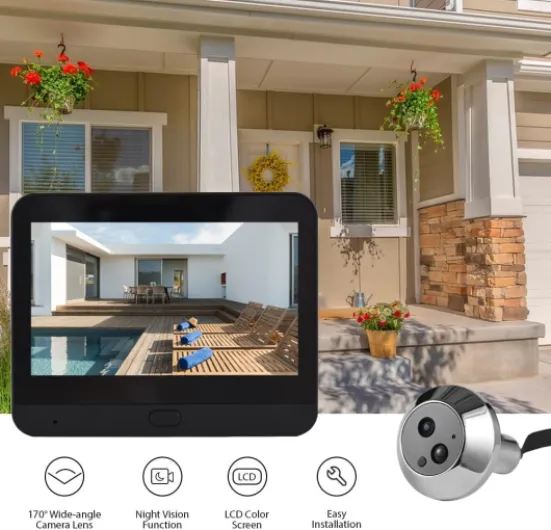
Design-wise, it’s pretty sober. I tested the black version. The outdoor module is small and low profile, so from the hallway it just looks like a slightly larger peephole with a tiny lens in the middle. No flashy logo, no bright LEDs constantly on. That’s a plus in an apartment building where you don’t want to attract too much attention to your door. The wide angle is 120°, which in practice gave me a good view of the corridor from side to side, without warping too much.
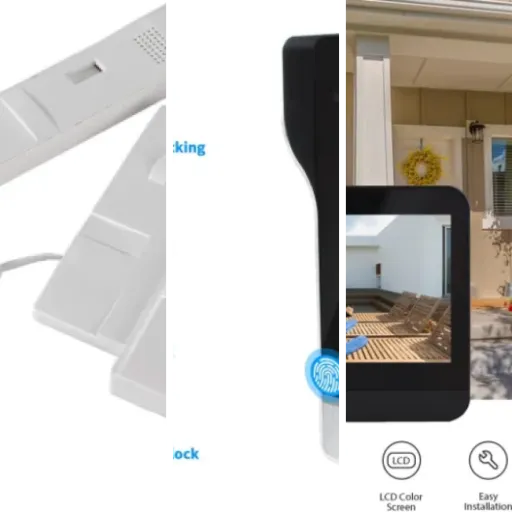
Inside, the main unit is a bit more visible. It’s a rectangular block with the 4.3-inch IPS screen on the front and a few touch or physical buttons (depending on the revision) on the side or bottom. It’s not super slim, so if your door opens close to a wall, you have to think about the clearance. On my door, I mounted it a bit off-center so it wouldn’t hit the wall when opening fully. It doesn’t look premium, but it’s not ugly either – just a basic plastic screen on a plate.
The mounting system is classic peephole style: the camera goes from outside through the existing hole, and you tighten it from the inside with a metal plate and screws that clamp the door. It supports door thickness from 35 to 120 mm and peephole hole diameters from 14 to 30 mm, which should cover most standard apartment doors. In my case, the existing hole was around 20 mm and about 45 mm thick, and it fit fine without needing to drill anything. That’s a big advantage compared to regular wired doorbells that need more invasive installation.
The only thing that feels a bit cheap is the plastic of the indoor unit. It doesn’t creak, but it has that generic hardware feel, not something that blends nicely with decor. Also, the cable between the camera and the screen is fixed, so you have to be careful during installation not to pinch it. For the price, the design is acceptable: not stylish, but functional and discreet. If you care a lot about aesthetics, you might find it a bit clunky, but for a hallway device that just hangs on the door, I didn’t really mind after a few days.
Battery life and charging: does the 5000 mAh claim hold up?
The product page talks about a 5000 mAh battery (they write 5000Ah, but clearly they mean mAh) with up to 180 days of standby. Obviously, that number is in “perfect lab conditions” with low usage and minimal motion events. In a real apartment hallway with people walking past and me playing with the settings, I didn’t get anywhere near 6 months, but it wasn’t terrible either.
Over roughly two weeks of use, with motion detection on medium sensitivity, a handful of doorbell presses per day, and me checking the live view from the app once or twice a day, the battery went from 100% down to around 70%. So at that pace, I’d estimate somewhere around 6–8 weeks of real-world use before needing a recharge, maybe more if you’re less obsessive than me with checking the feed. That’s still decent, especially for a peephole-style device that you don’t want to wire into mains power.
Charging is via USB‑C, which is a relief compared to all the micro‑USB junk out there. There’s a cable in the box but no wall adapter. You have two options: either take the whole indoor unit off the door and charge it near a socket, or run a long cable to the door and charge it in place. I went with the second option and just plugged it into a power strip in the hallway for a few hours. It does keep working while charging, so you don’t lose coverage.
There’s no fast charging here, but from about 20% to full it took roughly 3–4 hours with a normal 5V/2A charger. The battery indicator in the app and on the screen is basic but at least gives you an idea of remaining charge. Overall, battery life is good enough that it doesn’t become a weekly chore, but forget the 180-day marketing figure unless your door is in a dead corridor with almost no movement. For an apartment with moderate traffic, planning a recharge every couple of months seems realistic.
Build quality and durability over time
I obviously haven’t used this thing for a full year, so I can’t pretend I know exactly how it will age, but there are a few things you can tell from handling it. The outdoor camera module is a small metal/plastic combo. The front plate feels like metal, the body is lighter, probably plastic. It sits flush to the door and doesn’t wobble once you’ve tightened the mounting properly. I tried pressing and twisting it a bit to see if it felt loose, and it held up fine.
The indoor unit is all plastic. The screen is covered with a glossy surface that will pick up fingerprints if you touch it a lot, but it’s not the type of device you handle constantly. I didn’t notice any creaking when pressing on the frame or mounting it on the plate. The buttons click reliably. The overall impression is “generic but solid enough.” It’s not rugged, but for indoor use on the back of a door, it doesn’t need to be a tank.
Where I have some doubts is long-term durability of the cable and connectors. Because the camera and screen are linked by a flat cable that passes through the door hole, any repeated removal of the indoor unit or overtightening could stress that connection. During installation I had to be a bit careful not to bend the cable too sharply. Once installed, you don’t really touch it, so it should be fine, but if you’re the type to constantly tinker or move things around, that’s something to keep in mind.
As for weather, this is meant mainly for apartment doors or at least sheltered entrances. The specs mention an operating temperature from -20 to 55 °C, but there’s no clear IP waterproof rating. On a corridor door it’s no problem. On an exposed outdoor gate, I’d be more cautious. For typical indoor apartment use, the durability seems decent for the price, but if you need something to face direct rain, I’d look for a clearly weatherproof model instead.
Image quality, motion detection and app: how it actually performs
Let’s talk performance, because that’s what matters on a doorbell like this. The camera is 1080p with a 120° wide angle. In real life, the image on the 4.3-inch IPS screen is clear enough to easily recognize faces at door distance, usually 1–2 meters. It’s not razor sharp like a high-end phone camera, but you can see facial features, clothing, and small details like parcels in someone’s hand. On the Tuya app, the stream looks slightly more compressed, especially on weaker Wi‑Fi, but it’s still perfectly usable.
Night vision uses infrared LEDs. In my corridor, there’s a dim light that stays on at night, so the camera didn’t have to work in total darkness, but I did turn the hallway light off to test. In full dark, the IR kicks in and you get a black-and-white image. It’s a bit grainy, but faces and silhouettes are visible up to around 3–4 meters. Don’t expect to read tiny text on a package at night, but for basic security and seeing who’s at the door, it does the job.
Motion detection is where things get mixed. The sensor picks up movement reliably, but I had to tweak the sensitivity. At first, I got alerts every time someone passed down the corridor, even if they weren’t stopping at my door. That got annoying quickly. After lowering the sensitivity in the app, it was more reasonable, but I still got some false alerts from neighbors 2–3 doors down. On the positive side, it never missed someone actually coming to my door. There is a slight delay (1–2 seconds) between movement and the screen waking up, but by the time the person is in front of the door, you see them.
The Tuya app experience is okay if you’re already used to it. Pairing took me two tries; the QR code method didn’t work the first time, but the manual Wi‑Fi setup did. Once connected, live view loads in a few seconds on a decent 2.4 GHz Wi‑Fi network. Audio is half-duplex and a bit tinny, with a short delay, but I could still hold a basic conversation with the courier. Compared to big-brand systems, the app and motion logic feel a bit rough, but for the price bracket, the performance is pretty solid. If you want perfectly smooth, you’ll have to pay more.
What you actually get and how it works day to day
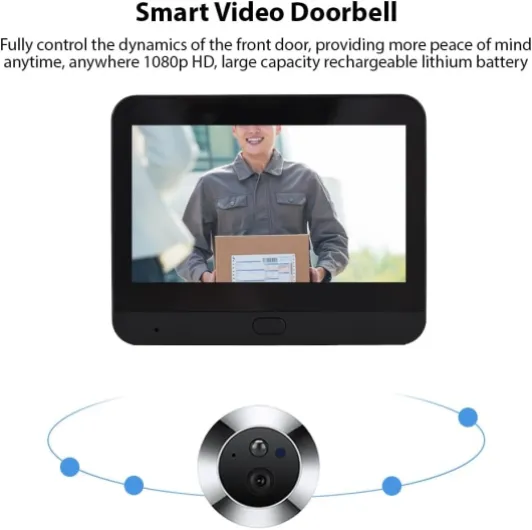
Out of the box, you get the indoor main unit with the 4.3-inch IPS screen, the small outdoor peephole camera module, a metal mounting plate, screws, a Type‑C charging cable and a paper manual. No power adapter, just the cable. The indoor unit is roughly 11 × 9 × 2.5 cm, so about a small smartphone thickness but more square. The camera head is tiny, around 4 × 4 × 1.5 cm, which is good because it doesn’t look too bulky on the outside of the door.
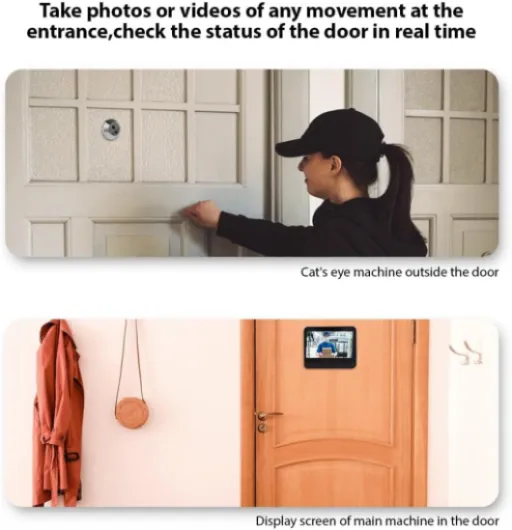
The idea is pretty simple: the camera replaces your peephole, connects with a flat cable to the indoor screen unit, and that indoor unit has the battery, Wi‑Fi and controls. There’s also a doorbell function, so visitors press a button and it rings inside. Through the Tuya app, you can see live video, get motion alerts, and talk to whoever is at the door using the built‑in microphone and speaker (intercom style). It supports Alexa / Tuya ecosystem, so you can at least integrate it a bit with the rest of your smart gear if you already use Tuya.
Daily use is straightforward. When someone approaches the door, the motion detection can wake the screen and record a clip to the SD card or cloud (if you set it up). If someone rings, the indoor screen turns on and you see them right away. From the couch, I mostly used the big screen instead of the app because it’s just quicker to tap the physical buttons than unlocking my phone and opening Tuya. The app is more for when I’m not at home or if I want to check the history.
So overall, in terms of concept, it’s basically a digital peephole with Wi‑Fi added on top. It’s not as polished as a classic video doorbell from big brands, but it’s more convenient than a dumb peephole. For an apartment where you can’t easily run wires or mount a big doorbell plate, the peephole form factor makes sense. The main thing is whether you can live with the quirks of a generic Tuya device, which I’ll get into in the next sections.
Pros
- Easy peephole-style installation with no extra drilling for most apartment doors
- 4.3-inch indoor screen makes it simple to see visitors without using your phone
- Good 1080p image quality and acceptable night vision for corridor use
- Decent battery life (roughly several weeks to a couple of months in real use) with USB‑C charging
- Tuya app support for remote viewing, motion alerts and basic intercom
Cons
- Generic build and software; feels budget compared to big-brand doorbells
- Motion detection can be too sensitive and needs tweaking to avoid spam alerts
- Real-world battery life is far below the 180-day marketing claim in active hallways
- No clear weatherproof rating, better suited to indoor or sheltered doors
Conclusion
Editor's rating
After a couple of weeks with this Swokely 2.4G WiFi peephole doorbell, my feeling is pretty clear: it’s a practical, no-frills solution for apartments where you want a digital peephole with a screen and some smart features, without going all-in on an expensive ecosystem. The 1080p image is good enough, the 4.3-inch screen is genuinely useful, and the battery life is solid if you’re not in a super busy corridor. Motion detection and the Tuya app do what they’re supposed to, even if they’re a bit rough around the edges.
It’s not perfect, though. The build is clearly budget, the software feels generic, and motion alerts can get noisy if you don’t tweak the settings. Don’t expect the same smooth experience as a Ring or Nest doorbell, and don’t count on the advertised 180 days of battery unless your door barely sees any movement. But for someone renting an apartment, with an existing peephole and no desire to drill or call an electrician, it’s a pretty solid middle-ground option.
I’d recommend it to: renters, people who mainly want a clear indoor screen, and those already using Tuya devices who want to add a door viewer on the cheap. I’d skip it if you want polished integration with a big-brand ecosystem, top-tier motion detection, or full weatherproofing for an exposed outdoor door. In short: not fancy, not trash, just a decent, functional peephole camera that earns its keep if your expectations are realistic.