
Summary
Editor's rating
Value for money: budget-friendly, but with clear trade-offs
Design: functional but you can tell it’s budget gear
Materials and build: solid enough, but don’t expect miracles
Durability and long-term feel (based on short-term use)
Video, audio, and app performance: usable, with some quirks
What you actually get in the box and how it’s supposed to work
Does it actually make building access easier and safer?
Pros
- Affordable multi-family video intercom with support for up to 12 monitors
- Decent 1080p video and usable night vision for basic building security
- Wired connection between doorbell and monitors is stable, with Tuya app as a bonus for remote access
Cons
- Tuya app notifications and call connection can be slow or inconsistent
- Budget build quality and rough interface, with minimal documentation
- Unknown brand and generic ecosystem may concern users who want strong long-term support

Specifications
View full product page →| Brand | QAXRZCUCD |
A cheap way to make an old building a bit smarter
I set this Multi-Family 7" WiFi Tuya Smart Video Intercom up in a small 4-unit building to see if a low-cost, no-name system could actually replace a classic buzzer panel and a bunch of random doorbells. I’m not an installer, just a reasonably handy owner who’s tired of people missing deliveries or having strangers walk in because the old analog buzzer was basically useless. So I went in with moderate expectations: if it lets people see who’s at the door and open the gate from their phone, I already call that a win.
First thing: this is clearly a China-sourced, generic system with a brand name (QAXRZCUCD) that doesn’t mean anything to me. The listing is a bit messy: it says wired, WiFi, Bluetooth, indoor-only and IP55 waterproof all in one place. So you need to filter the noise and focus on what actually matters. The outdoor camera/doorbell is wired and weather resistant, the indoor monitors are 7-inch touch screens, and the whole thing talks to the Tuya Smart app over WiFi. That’s the core of it.
I used it for about two weeks with four indoor monitors (one per flat) and a shared outdoor panel. During that time we had deliveries, visitors, and a couple of late-night ringers. Everyone in the building had at least one interaction with it, so I got honest feedback from people who are not tech fans at all. Think: older neighbor who still has a flip phone, plus a younger couple who live on their phones.
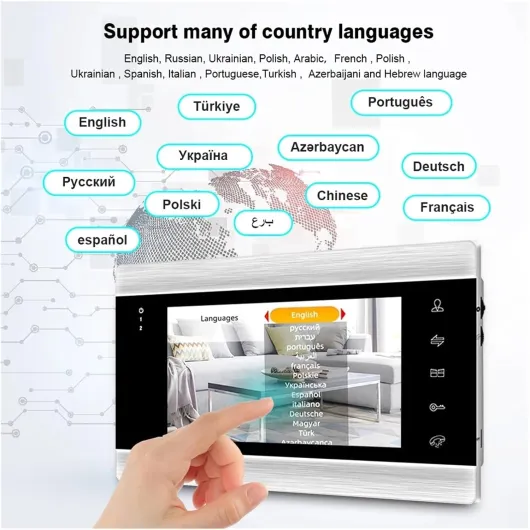
Overall, it does what it says on the tin: you can see who’s at the door, talk hands-free, and open the door remotely. But it’s not perfect. The app is sometimes slow to wake up, the translation in the menus is rough, and you can tell this is more “decent budget kit” than high-end security gear. If you accept that, it can be a pretty solid upgrade for a small building that doesn’t want to spend a fortune on a branded intercom system.
Value for money: budget-friendly, but with clear trade-offs
Price-wise, this system usually comes in well below the big brands like Hikvision, Aiphone, or Comelit for a similar multi-family setup. That’s its main selling point: for the cost of one or two branded monitors, you can often kit out a small building with several 7" screens and a camera unit. If you’re on a tight renovation budget or managing a small rental property, that’s attractive. You get video, app control, night vision, and multi-tenant support without blowing up the budget.
But the lower price shows up in a few areas: the app experience is less polished, the documentation is minimal, and the hardware finish is basic. If you have to pay an installer by the hour, those rough edges can eat into the savings, because they may spend more time figuring out wiring diagrams and settings. If you’re reasonably handy and willing to tinker, it’s good value for money. If you want a plug-and-play, fully documented system with local support, you might be disappointed and end up paying more in labor or troubleshooting.
Another point on value: the Tuya ecosystem is big, so if you already use Tuya devices (lights, plugs, cameras), having your doorbell in the same app is convenient. But if you care a lot about privacy or long-term cloud support, a big-name brand with clearer data policies might be worth the extra cost for your peace of mind. Here, you’re betting on a generic platform and a manufacturer with basically no brand recognition.
Overall, I’d place this in the “decent but nothing special” category for value. It’s a sensible choice if you want video intercom features on a budget and you accept that you’ll be doing some DIY thinking. There is better hardware and software out there, but at a much higher price. If price is your main concern and you’re okay with a few compromises, this system makes sense. If you want something polished and worry-free, you should probably spend more and go with a known brand.
Design: functional but you can tell it’s budget gear
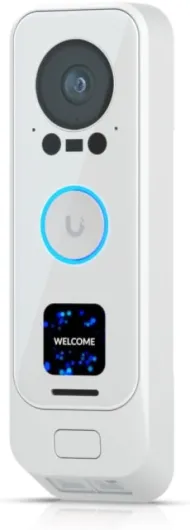
From a design standpoint, this intercom system is more utilitarian than pretty. The outdoor camera unit has that generic rectangular look you see on a lot of cheap video doorbells: black plastic front, metal frame, a camera eye on top, IR LEDs around it, microphone and speaker slots, and a call button. It doesn’t look bad, just very generic. Mounted next to an older buzzer panel, it still looks more modern, so the building at least feels a bit more up to date.
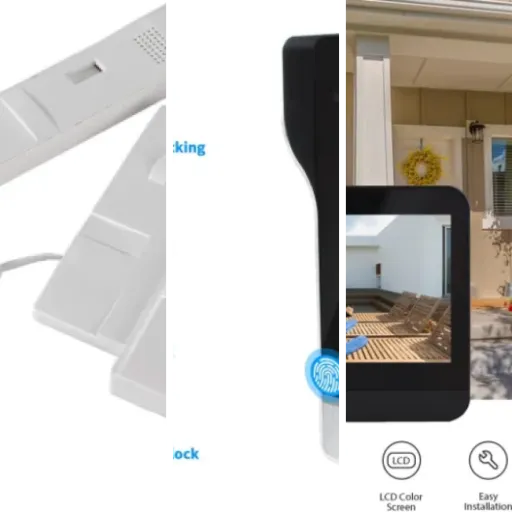
The indoor 7" monitors are thin and light, with a glossy screen and a plastic frame. They don’t scream quality, but they’re not ugly either. Think of the look of a cheap Android tablet stuck to the wall. The touch interface is responsive enough; I didn’t have to stab the screen repeatedly to get it to react. The icons are a bit dated visually, like something from an older Android skin, but everyone in the building figured out the basic functions without a long explanation, which is what matters.
One thing I liked is that wall mounting is simple. The back plate screws to the wall, the monitor clips onto it, and the wiring is accessible. It’s not as sleek as flush-mounted panels you see in new luxury buildings, but for a retrofit in an older hallway with uneven walls, it’s actually more forgiving. The downside is cable management: if your existing wiring is messy, there’s not much room to hide a thick bundle of cables behind the monitor, so you may end up doing some plaster or trunking work to make it look clean.
Overall, the design gets the job done: it looks modern enough, the screens are big and readable, and the outdoor unit doesn’t look cheap from a distance. Up close, you can see it’s not a premium product, but for a budget multi-family setup, I’d call the design decent but nothing more. If you’re very picky about aesthetics, you might be mildly annoyed, but most people in a regular apartment block probably won’t care.
Materials and build: solid enough, but don’t expect miracles
The product uses a mix of metal and ABS plastic. The outdoor doorbell camera has a metal outer frame that gives it a bit of weight and a more serious feel, while the central body and button are plastic. When you tap on it, it doesn’t feel hollow or flimsy, which is good. I don’t get the impression it’s going to fall apart at the first knock. The IP55 rating matches that feeling: it’s clearly meant to live outside and take some bad weather without drama.
The indoor monitors are another story: they’re very lightweight plastic, and when you handle them before mounting, they feel a bit toy-like. Once on the wall, that impression fades because you don’t touch them much except for the screen. The touch surface itself feels like a standard plastic-coated panel, not glass. You can see slight flex if you press too hard on the edges. It’s not worrying, but it reminds you that this is not high-end hardware. Still, after two weeks of daily use, no creaks, no loose parts, nothing rattling.
Connectors and terminals on the back are basic screw terminals and small plugs. The plastic on the terminals is okay, but I wouldn’t be yanking the wires around too roughly. It’s the kind of hardware where you should take your time during installation, strip the wires neatly, and tighten the screws properly. If you do that, it feels stable. If you rush and leave cables half-clamped, I can easily see connections loosening over time, especially if the monitor is bumped.
In short, the materials are in line with the price: not premium, not trash. For a small building or a budget renovation, they’re fine. If this was going into a very busy entrance with kids constantly poking it or drunk people slamming the button every weekend, I’d be a little more cautious and maybe add a bit of extra protection or at least mount it somewhere it doesn’t get kicked easily.
Durability and long-term feel (based on short-term use)
I only had about two weeks of real-world use, so I can’t pretend I know how this will behave in five years. But there are a few signs you can look at to guess durability. First, the outdoor unit’s metal frame and IP55 rating are reassuring. We had a couple of rainy days, and it didn’t show any fogging in the camera or weird behavior. The button still clicked fine, and there were no random false rings. That’s a good start.
Indoors, the plastic monitors didn’t show any marks or scratches from normal use. The screen is not Gorilla Glass, but since it’s on the wall and people just tap it gently, it’s not under heavy stress. Heat-wise, after long periods of idle time and a few active calls, the monitors only got mildly warm, nothing alarming. Cheap electronics that run too hot early on usually worry me; here that wasn’t the case.
The weak point in systems like this is often wiring and connectors, not the casing itself. The screw terminals held fine during the test, and I didn’t notice any flickering or intermittent connections. Still, if this is installed in a building with vibration (near a heavy door that slams all day), I’d suggest checking the connections after a few months or using small ferrules on the wires to make them more secure. The manual doesn’t really insist on that, but it’s common sense for low-cost hardware.
Realistically, I’d say the durability is probably good enough for a low-traffic residential building. In a busy commercial entrance with constant use and abuse, I’d be less confident and would probably look for something more robust and more easily serviceable. But for a basic apartment block where the main risks are weather and occasional rough button presses, it feels adequate, as long as you install it properly and don’t treat it like indestructible hardware.
Video, audio, and app performance: usable, with some quirks
This is where things matter most: can you actually see and talk to people clearly, and does the app respond fast enough? Overall, yes, but with some caveats. The camera is listed as 1080p with a 1/3" CMOS sensor and a 92° viewing angle. In real life, the image on the 7" monitor is sharp enough to recognize faces, delivery logos, and even read small text on packages if you lean in a bit. It’s not cinema quality, but it’s perfectly fine for security and access control.
At night, the infrared night vision kicks in and the image switches to black-and-white. The IR range is decent for a typical building entrance: you can clearly see someone standing about 2–3 meters from the door. If they’re further away, you still see shapes, but not much detail. We tested it with the hallway lights off and on; with lights off, the IR does its job. With lights on, the image sometimes looks a bit washed out, but still usable. If you have a bright porch light right above the camera, you might need to adjust its angle a bit to avoid glare.
Audio is hands-free on both sides. People inside the flats said they could hear visitors clearly most of the time. There is a slight echo if both sides speak at the same time, and the speaker volume on the outdoor unit could be a bit stronger in a noisy street, but for our quiet residential area, it was fine. On the app side, audio quality depends a lot on your phone’s connection. Over WiFi at home it was OK, over mobile data it sometimes stuttered or had a 1–2 second delay.
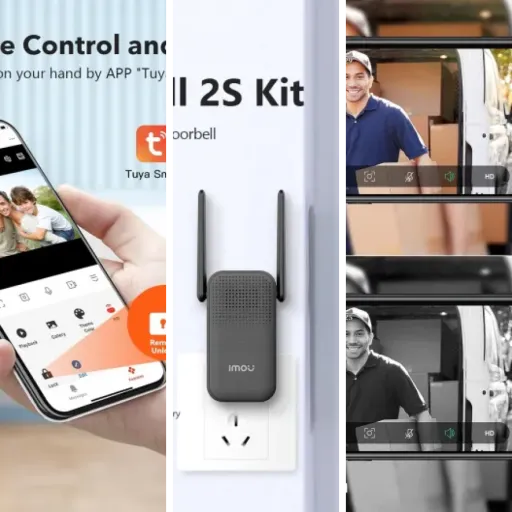
The Tuya app integration works, but it’s not instant. When someone rings, my phone usually got the notification within a couple of seconds, but occasionally it took 5–10 seconds, which is enough for a courier to start walking away. Inside the building, the monitors ring immediately, so the system itself is fast; it’s really the cloud and app that add lag. If you mainly rely on the indoor monitors, performance is pretty solid. If you rely heavily on the phone app for every ring, prepare for the occasional delay and missed call if your connection is bad.
What you actually get in the box and how it’s supposed to work
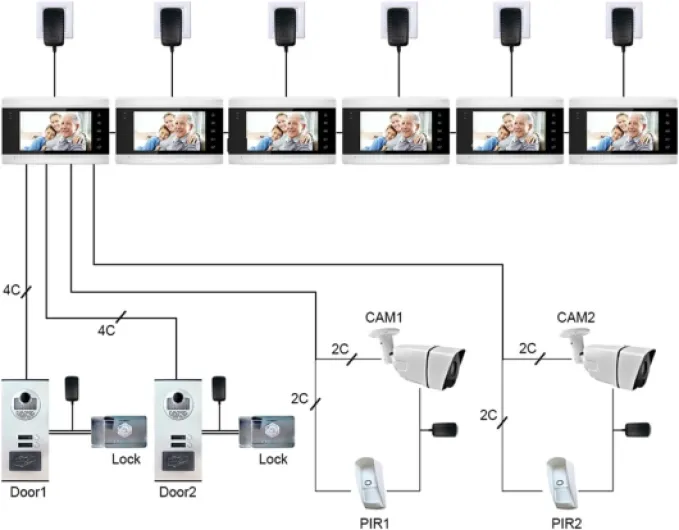
On paper, this system is a multi-family video intercom that can support up to 12 indoor monitors. In my case, I only tested four, but the wiring and menus clearly show it can go higher. The outdoor unit is a metal/ABS doorbell camera with a 1/3" CMOS sensor, 1080p resolution, infrared night vision, and an IP55 waterproof rating. That basically means it should handle rain and dust pretty well, but I wouldn’t mount it directly in a place where it’s constantly blasted by a power washer or salty sea spray.
Indoors, you get 7-inch color touch screens that sit on the wall. The interface is basic: live view, answer call, open door, settings, and some Tuya-related options. The spec sheet also mentions inductive card access, so it can work as a simple access control system if you pair it with compatible cards or tags. I didn’t have those, so I only used the video, audio, and door release functions. The connection from the outdoor unit to the monitors is wired, which is good for reliability, even if it means more work to install in an older building.
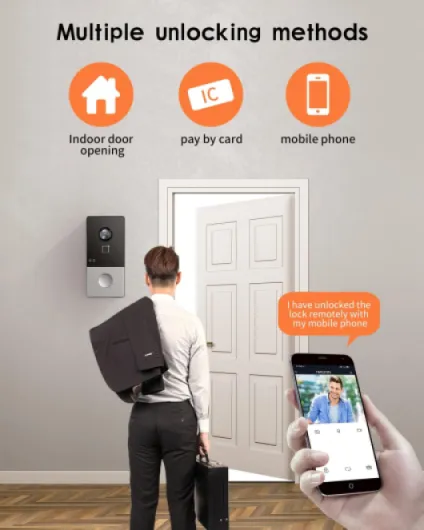
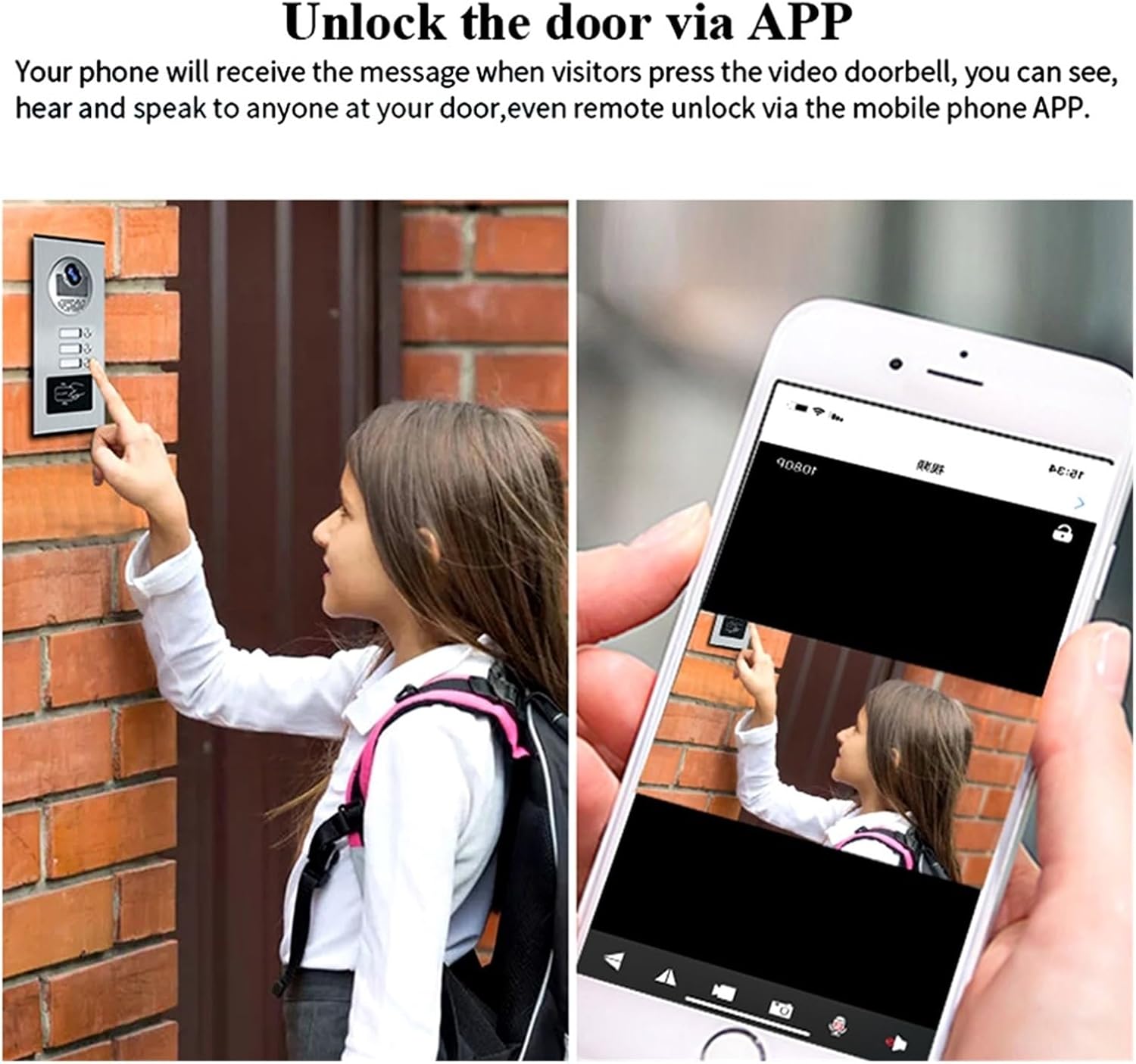
The “smart” part comes from the Tuya Smart app integration. Once you connect the indoor monitor to your WiFi, you can link it to your Tuya account. After that, when someone rings, you should get a push notification, see the video, talk, and unlock the door from your phone. In practice, it works, but with a bit of delay, especially if your WiFi is not strong or your internet connection is busy. It’s not instant like a high-end brand, but it’s usable.
Overall, the presentation is clear enough if you’re used to AliExpress-style products: a lot of features listed, some duplicated or confusing (Bluetooth is mentioned but honestly felt irrelevant in day-to-day use), and almost no real documentation beyond a thin manual. If you’re comfortable tinkering and figuring things out, it’s fine. If you expect a polished, branded ecosystem, this will feel a bit rough around the edges.
Does it actually make building access easier and safer?
From a practical point of view, I judge this system on a simple question: do people in the building feel more in control of who comes in? After two weeks, the answer was yes, but with some small complaints. Before, we had a basic audio-only buzzer that crackled so badly you couldn’t tell who was talking. Now, residents can see the visitor, which already stops the classic “just buzz me in” from randoms. One neighbor said she finally felt comfortable ignoring people she didn’t recognize instead of awkwardly opening the door.
For deliveries, it’s clearly better. Couriers ring, we see them, and if nobody is home in that flat, another neighbor can answer and either take the parcel or tell them to leave it in a safe spot. The fact that the system supports multiple monitors and can be used by several flats at once is a big plus. You can also answer from the Tuya app when you’re out, which helped once when a resident was at work and still managed to remotely unlock for a friend.
On the downside, the app’s inconsistency means you can’t rely 100% on remote access for critical situations. For example, one resident missed a visitor because the notification came late and then the app took several seconds to load the video. By the time it connected, the person had already left. Inside the building, though, the wired connection between the doorbell and the monitors is reliable: no missed rings, no random reboots during the test.
In terms of security, this is not a high-end access control system with logs and advanced encryption, but as a step up from a dumb buzzer, it works. You see who’s there, you decide if you open, and you can avoid letting in random people. For a small apartment block or a shared house, that’s already a meaningful improvement, as long as everyone understands its limits and doesn’t treat it like a bank-grade security system.
Pros
- Affordable multi-family video intercom with support for up to 12 monitors
- Decent 1080p video and usable night vision for basic building security
- Wired connection between doorbell and monitors is stable, with Tuya app as a bonus for remote access
Cons
- Tuya app notifications and call connection can be slow or inconsistent
- Budget build quality and rough interface, with minimal documentation
- Unknown brand and generic ecosystem may concern users who want strong long-term support
Conclusion
Editor's rating
After living with this Multi-Family 7" WiFi Tuya Smart Video Intercom for a couple of weeks in a small 4-unit building, my take is pretty straightforward: it gets the job done at a reasonable price, but you have to accept some quirks. Video quality is good enough, night vision works, the wired connection to the indoor monitors is reliable, and everyone in the building quickly got used to seeing who’s at the door before buzzing them in. That alone is a clear upgrade over an old audio-only buzzer.
Where it falls short is polish. The Tuya app sometimes reacts slowly, the on-screen menus feel a bit cheap, and the materials are clearly budget-level. This isn’t the kind of system you buy if you want a premium feel or rock-solid long-term support from a big brand. It’s more for people who say, “I want something that works, doesn’t cost a fortune, and I’m okay fiddling with it a bit.” For small apartment blocks, shared houses, or landlords doing a basic upgrade, it’s a pretty solid option. If you’re kitting out a high-end building or a busy commercial entrance, I’d look elsewhere.
So, who should get this? People with a tight budget, some DIY patience, and realistic expectations about app performance and finish. Who should skip it? Anyone who wants perfect reliability from the cloud side, top-notch design, or strong brand support. In short: decent multi-family video intercom for the money, but not magic.