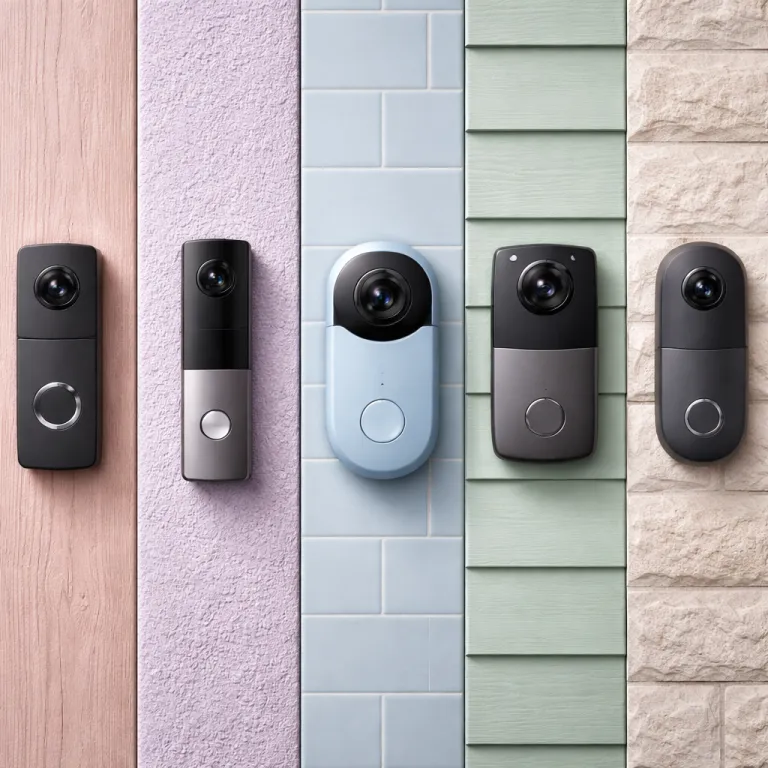
Why a video doorbell without subscription is finally a smart first choice
A video doorbell without subscription used to feel like a compromise. Today the best smart doorbells with cameras can record video locally, send fast alerts, and integrate with a wider security system without locking you into cloud storage fees. For a first smart product at your front door, that shift matters more than any marketing stars on an Amazon page.
Think about what you actually need from a doorbell camera before you pay for anything. You want clear video, reliable night vision, and enough storage to review incidents after a long weekend away without worrying about a lapsed subscription. You also want a smart and simple setup that works with your existing doorbell wiring or a battery pack, plus basic compatibility with Amazon Alexa or the Alexa Google ecosystem if you already use voice assistants.
When you choose between wired and battery powered video doorbells, you are really choosing how much maintenance you accept. A wired video doorbell with stable doorbell wiring can run for years with no battery swap, but installation is trickier and older chimes sometimes misbehave. A battery powered doorbell camera is easier to mount, yet heavy use, frequent motion events, and cold nights can drain the battery faster than the product box suggests.
Most people shopping for smart doorbells are not trying to build a full security system on day one. They want a single doorbell camera that records video storage locally, offers free basic cloud storage or snapshots, and does not nag them about a subscription every time they open the app. That is why the current generation of video doorbells without subscription options from Eufy, Aqara, Wyze, Reolink, and Google Nest finally feels mature rather than experimental.
Cost is the other quiet driver. Over three years, skipping a subscription can save between 180 and 720 dollars compared with typical Ring or Arlo plans, which often bundle cloud storage for multiple security cameras. Those savings can instead fund a higher quality camera sensor, better night vision, or even a second smart video device such as an indoor camera that records to a microsd card for extra local storage.
What “no subscription” really means for storage, AI, and access to your video
When brands advertise a video doorbell without subscription, they rarely explain the fine print. No subscription usually means you get either local storage on the doorbell itself, local storage on a hub, or a very limited slice of free cloud storage for recent events. The details decide whether your smart doorbell feels liberating or frustrating after a few months.
Local storage can live in several places on modern doorbell cameras. Some video doorbells write video storage directly to a microsd card inside the camera, which is simple but vulnerable if someone steals the doorbell. Others, such as Eufy smart doorbells, send encrypted video to a HomeBase hub inside your home, which protects the footage but adds another powered product that can fail.
Cloud storage without subscription is usually capped by time, not by gigabytes. For example, the latest Nest Doorbell generation from Google Nest offers several hours of free cloud storage for recent events, using on device AI to decide what counts as important motion. That free tier is enough for many households that only check their video doorbell when a package arrives or a visitor rings.
Artificial intelligence features are where subscription upsells often hide. Person detection, package detection, and smart video alerts that distinguish people from cars or animals may be included for free on some doorbell cameras, while others gate these under a paid subscription. Before you buy, read the product page carefully to see which smart features are genuinely free and which require ongoing cloud storage plans.
Access to older clips is another subtle trade off. With purely local storage, your doorbell camera keeps recording until the microsd card or hub is full, then overwrites the oldest video, which means you control the retention window by choosing the card size. With free cloud storage, you might only see the last few hours or days of video, and anything older vanishes unless you pay for expanded video storage.
If you want a video doorbell that works even when your internet fails, prioritize models with robust local storage and offline access. Some wired smart doorbells can still ring a mechanical chime and record to local storage during an outage, while battery powered doorbells may keep recording but cannot send remote alerts. For homes with unreliable broadband, that difference between cloud storage and local resilience matters more than any app polish.
For readers who prefer a self contained setup, a wireless video doorbell kit with its own screen and night vision can be a strong alternative to app only models. A good example is a wireless video doorbell and chime kit with an HD screen, two way audio, and 1080p camera that works as a home security smart video doorbell monitor without Wi Fi, which you can explore in this detailed wireless video doorbell chime kit test. Systems like this lean entirely on local storage and avoid any subscription pressure, though they usually skip cloud backup and advanced integrations.
Eufy, Aqara, Wyze, Reolink, Nest: five standout picks without monthly fees
Among the many smart doorbells on the market, five families stand out for offering a credible video doorbell without subscription. Eufy, Aqara, Wyze, Reolink, and Google Nest each take a different path on storage, AI, and integration, which makes them better suited to different homes. The right choice depends on whether you value local storage, cloud convenience, or deep links with existing security cameras.
Eufy’s Security Video Doorbell E340 is the most balanced option for many first time buyers. It records 2K plus video to a HomeBase hub with 16 gigabytes of encrypted local storage, includes AI person and package detection without subscription, and works as part of a broader Eufy security system with other cameras. The trade off is that you must place the HomeBase near your router, keep it powered, and accept that if the hub fails, your doorbell camera loses its brain.
Aqara’s G410 wired smart doorbell is aimed at Apple centric homes. It supports HomeKit Secure Video, acts as a Matter hub, and integrates tightly with other Aqara security cameras and sensors, while still offering local storage options. Because it is wired, you avoid battery worries, but installation requires compatible doorbell wiring and a bit more patience than a simple battery powered video doorbell.
Wyze video doorbells appeal to budget conscious shoppers who still want smart features. Their wired and battery models often include free cloud snapshots, basic person detection, and optional local storage via a microsd card in a paired Wyze camera, though some advanced AI still sits behind a subscription. For many users, the combination of low product cost and flexible storage makes Wyze one of the best entry points into smart doorbells without subscription pressure.
Reolink doorbell cameras lean heavily into local storage and NVR style setups. Their wired and PoE video doorbells can record continuous video to a microsd card or to a network recorder, which suits people already running Reolink security cameras around the property. You get strong night vision, robust video storage, and no forced cloud storage, but the apps feel more like professional security tools than polished consumer products.
Google Nest’s latest doorbell generation deserves a place on this list even though it still nudges you toward Nest Aware subscriptions. On device AI enables smart video detection of people and packages, while several hours of free cloud storage for recent events make the doorbell usable without paying. If you already rely on Google Nest speakers, displays, and other security cameras, this doorbell gen offers the smoothest integration and voice control through Google Assistant.
For homeowners who want a truly fee free setup that still works with Amazon Alexa, a dedicated no monthly fee doorbell camera can be compelling. One example is a 5 megapixel wireless video doorbell with chime, PIR motion detection, two way talk, and voice changer that works over 2,4 GHz Wi Fi and integrates with Amazon Alexa, which you can see in this doorbell camera with no monthly fee test. Products like this emphasize local storage and direct smart home links rather than cloud storage subscriptions.
Hubs, HomeBase units, and what happens when the brain of your system dies
Many of the best video doorbells without subscription rely on a hub or base station. Eufy’s HomeBase, Aqara’s hub functions, and some Reolink recorders act as the central point for video storage, AI processing, and communication with your cameras. This architecture can boost security and performance, but it also introduces a single point of failure.
When a hub works well, it offloads heavy tasks from the doorbell camera. The doorbell can focus on capturing video and handling night vision, while the hub manages local storage, smart video analysis, and sometimes cloud backup if you choose it later. Because the hub sits inside your home, it is harder for a thief to steal your recorded video than if everything lived on a microsd card in the doorbell itself.
The downside appears when the hub loses power, fails, or loses its network connection. In many systems, the doorbell camera will still ring locally and may even record short clips, but advanced AI, remote access, and reliable video storage can stop until the hub recovers. If you rely on your smart doorbells as part of a wider security system, that kind of outage can leave blind spots at the worst time.
Before you commit to a hub based video doorbell without subscription, think about where you will place the base station. It needs stable power, a solid network connection, and enough ventilation to avoid overheating during hot nights when your security cameras work hardest. Some homeowners even plug hubs into small uninterruptible power supplies to keep local storage and smart alerts running during short power cuts.
Hub free designs avoid this complexity by keeping storage on the doorbell or in the cloud. A wired video doorbell with built in local storage and strong night vision can be simpler to live with, though you must accept that a determined thief could remove the camera and its microsd card. For many suburban homes, that risk is acceptable compared with the convenience of a single, self contained product.
If you already run multiple security cameras around your property, a hub can still be the right call. Centralized video storage, unified AI detection, and shared integrations with Amazon Alexa or the Alexa Google ecosystem can make your smart video setup easier to manage. Just go in with clear eyes about the maintenance and replacement costs if that hub or HomeBase eventually fails.
Who should still pay for a subscription, and who can safely skip it
Not every household should chase a video doorbell without subscription at all costs. Some people genuinely benefit from cloud storage, advanced AI, and professional monitoring that only come with paid plans. The trick is to know which camp you fall into before you buy your first smart doorbell.
If you run a multi camera security system with several outdoor cameras, indoor cameras, and a doorbell camera, a unified cloud storage plan can be worth the monthly fee. Centralized video storage across all your security cameras makes it easier to review incidents, share clips with neighbours, or provide evidence to authorities. In that context, a subscription becomes part of your overall home security budget rather than an annoying add on.
Households that need emergency monitoring or automatic calls to services should also consider subscriptions. Some ecosystems bundle professional monitoring, cellular backup, and extended video history into a single plan, which can be valuable for vulnerable residents or properties left empty for long stretches. In those cases, a video doorbell without subscription might still sit at the front door, but it will be one piece of a larger paid service.
On the other hand, many first time smart doorbell buyers simply want to see who is at the door and check on deliveries. For them, a well chosen video doorbell without subscription, with solid local storage and decent free cloud storage for recent events, is usually enough. They avoid recurring costs while still gaining better security and convenience than any traditional doorbell could offer.
People in apartments or rented homes often benefit most from subscription free setups. A battery powered smart doorbell with local storage on a microsd card can move with you when you change addresses, and you never have to argue with a landlord about doorbell wiring. Because you are not locked into a subscription, you can also switch brands more easily if a product disappoints after a year.
There is also a psychological benefit to skipping subscriptions. When your smart doorbells and doorbell cameras keep working at full strength without monthly payments, you are more likely to experiment with settings, refine motion zones, and actually use the security features you paid for. Over time, that engagement often matters more for real world security than any extra cloud storage tier.
How to choose the right storage model and power option for your home
Choosing a video doorbell without subscription starts with two decisions. You must pick between local storage, limited free cloud storage, or a hybrid, and you must decide whether a wired or battery powered doorbell fits your home. Get those right, and the rest of the product details fall into place more easily.
Local storage works best for people who value control and privacy. A doorbell camera that records to a microsd card or to a local hub keeps your video storage inside your walls, which reduces dependence on cloud storage providers and potential data breaches. The trade off is that you become responsible for backing up important clips and replacing failed cards or hubs.
Free cloud storage tiers suit lighter use. If you mostly check live video when the doorbell rings and occasionally review the last few hours of motion events, a smart video doorbell with several hours of free cloud storage can be enough. Google Nest and some Wyze video doorbells follow this model, using on device AI to decide which events deserve a slot in that limited cloud history.
Power is the other major axis. A wired video doorbell ties into existing doorbell wiring and can ring a mechanical or digital chime, which feels natural for most households. Battery powered smart doorbells are easier to install, especially on brick or stone, but you must plan for recharging every few months depending on motion frequency and night vision usage.
Integration with Amazon Alexa or the Alexa Google ecosystem can tip the balance between models. If you already have Echo speakers or Fire TV devices, a doorbell camera that streams video to those screens and responds to Amazon Alexa voice commands will feel more cohesive. Google centric homes should lean toward Google Nest or Aqara smart doorbells that talk smoothly to Nest Hubs and Android phones.
For readers who want a deeper dive into wireless smart video options, including battery performance and motion detection reliability, a detailed test of a wireless smart video doorbell with motion detection, two way audio, Wi Fi voice control, and wide angle camera can be helpful. You can find such an analysis in this wireless smart video doorbell test, which examines how a battery powered product behaves in real home conditions.
Real world performance: night vision, notifications, and living with a subscription free doorbell
Once a video doorbell without subscription is on your wall, the daily experience matters more than any spec sheet. Night vision quality, notification speed, and app reliability decide whether you trust your smart doorbell or quietly ignore it. The best products fade into the background until something important happens, then deliver clear video and audio without drama.
Night vision is often oversold in marketing. Many doorbell cameras claim full colour night vision, but in practice you get a mix of infrared black and white footage and occasional colour when there is enough ambient light. When comparing smart doorbells, look for real user clips that show how well the camera handles faces at two to three metres under a porch light rather than relying on staged product photos.
Notifications are the second pillar of real world security. A good video doorbell should send alerts within a couple of seconds when someone approaches, with smart video filters that reduce false alarms from passing cars or swaying trees. Subscription free models that include on device AI, such as some Eufy and Google Nest doorbell gen devices, often perform better here because they do not need to send every frame to the cloud for analysis.
Battery life can be the hidden cost of going wireless. A battery powered doorbell camera that promises six months of life may last far less in a busy urban street with constant motion and frequent night vision activation. If you choose a battery model, plan to adjust motion zones, sensitivity, and video clip length to balance security with practical charging intervals.
App quality and ecosystem stability also shape your experience. A video doorbell without subscription is only as good as the software that lets you review video storage, manage local storage, and integrate with other security cameras. Before you commit, check recent app reviews rather than just historical stars on Amazon, because updates can dramatically improve or degrade performance.
Over time, living with a subscription free smart doorbell should feel predictable. You know how long your battery lasts, how many days of local storage your microsd card holds, and how your security system behaves during outages. When those pieces are dialled in, a video doorbell without subscription becomes a quiet, reliable part of your home rather than another gadget demanding monthly attention.
Key figures about subscription free video doorbells
- Over a typical three year period, skipping a cloud subscription for a doorbell camera can save between 180 and 720 dollars compared with common Ring or Arlo plans, which often bundle storage for multiple security cameras.
- Many modern smart doorbells with local storage ship with 16 gigabytes of onboard or hub based capacity, which can hold several days of motion triggered video at 2K resolution before overwriting the oldest clips.
- Free cloud storage tiers on popular video doorbells usually cover between three and six hours of recent events, which is enough for casual monitoring but not for long term incident investigation.
- Battery powered video doorbells in real world use often achieve between two and four months of life per charge in busy environments, significantly less than the idealized six month figures quoted in product marketing.
- Wired smart doorbells that rely on existing doorbell wiring can draw between 8 and 24 volts AC, which means some older homes require a transformer upgrade before installation.
FAQ about video doorbells without subscription
Is a video doorbell without subscription really secure enough for most homes ?
For most households, a well chosen video doorbell without subscription that records to local storage and offers basic free cloud storage is secure enough. You still get motion alerts, live video, and recorded clips, especially if the doorbell camera supports on device AI for people and packages. The main limitation is shorter remote history compared with paid cloud plans.
How much local storage do I need on a subscription free doorbell ?
For motion based recording at 1080p or 2K, 16 to 32 gigabytes of local storage on a microsd card or hub usually covers several days of typical activity. Busy streets or wide motion zones may require more capacity to avoid rapid overwriting. If you want weeks of history, consider pairing the doorbell with a larger recorder or regularly exporting important clips.
Should I choose a wired or battery powered subscription free doorbell ?
Choose a wired video doorbell if your home already has compatible doorbell wiring and you prefer a set and forget installation. Pick a battery powered smart doorbell if you rent, have tricky masonry, or cannot easily run new cables. Both can work without subscription, but wired models avoid battery maintenance while wireless models offer more flexible placement.
Can I start without a subscription and add one later if needed ?
Many ecosystems such as Google Nest, Wyze, and some Eufy models let you run the doorbell without subscription at first, then add a cloud storage plan later if you want longer history or extra AI features. This approach lets you test real world performance before committing to ongoing fees. Just confirm in advance that your chosen product supports both modes.
Do subscription free doorbells work with Amazon Alexa and Google Assistant ?
Yes, several video doorbells without subscription integrate with Amazon Alexa and Google Assistant, allowing you to view live video on smart displays and use voice commands. Compatibility varies by brand, so check whether your chosen doorbell camera explicitly lists Amazon Alexa or Google Nest support. Integration does not usually require a paid subscription, though some advanced routines may depend on cloud services.