

Understanding the role of a smart home control panel with doorbells
How smart home control panels connect your doorbell and devices
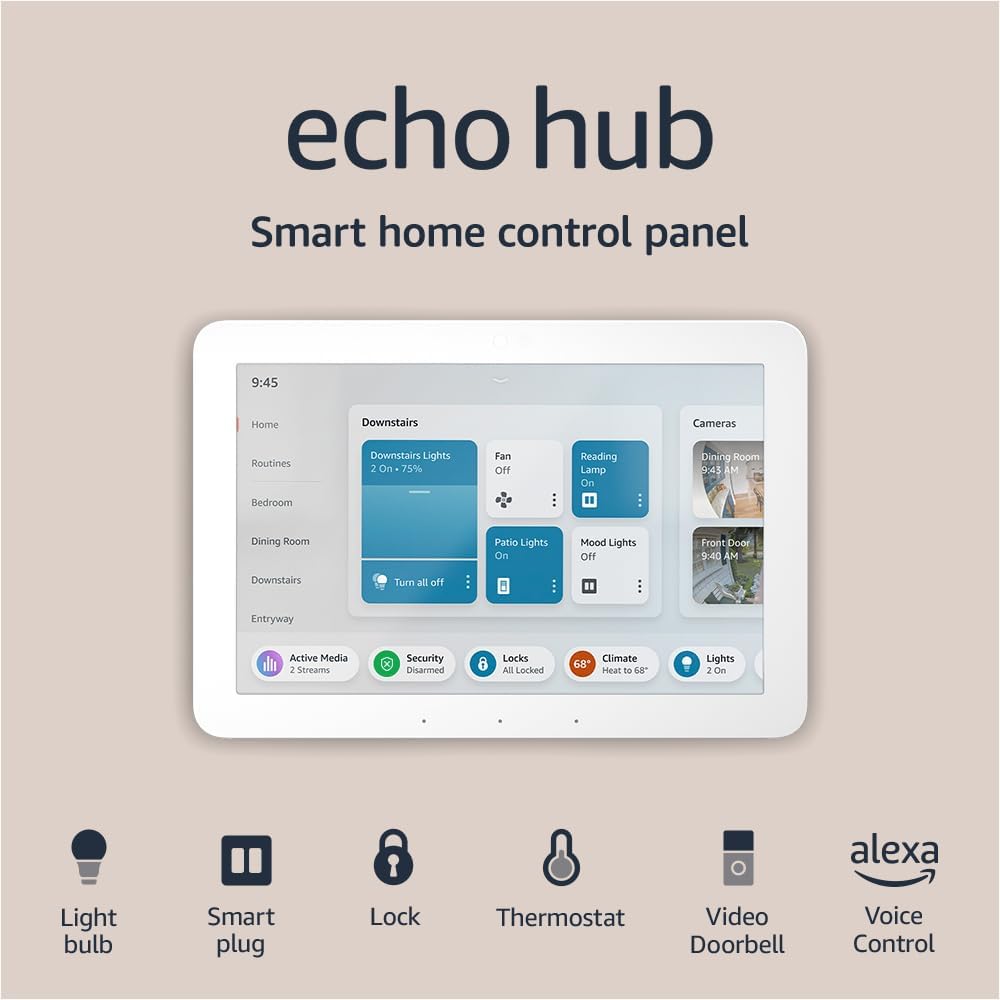
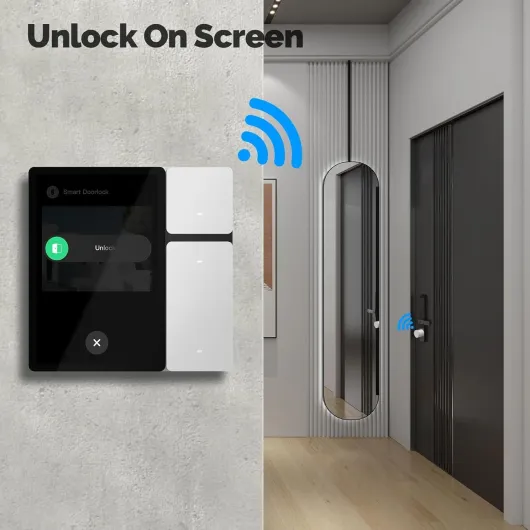
Smart home control panels are changing the way people interact with their doorbells and other devices. Instead of using a traditional wall switch or a basic chime, a control panel acts as a central hub for your smart home. It lets you manage your smart doorbell, lights, and other connected products from one touch screen or app. This means you can see who’s at your door, talk to visitors, and control lights or locks—all from a single panel or even remotely through your phone.
Most modern control panels are compatible with popular voice assistants like Alexa and Google Home. This allows for hands-free control of your doorbell and other devices. For example, you can ask Alexa to show you the front door camera or turn on the porch light when someone rings the bell. Many panels are also designed to work with a wide range of smart switches, certified products, and smart wall devices, making it easier to customize your home setup.
Integration is key. A good control panel will support multiple devices, including smart switches, light switches, and remote control panels. Some advanced panels even offer touch screens and voice control, so you can manage your home with a simple tap or command. If you’re interested in the technical side, understanding the role of set screws in smart doorbells can help you with installation and maintenance. For more details, check out this guide on set screws in smart doorbells.
Choosing the right control panel means considering which devices you want to connect, whether you need a neutral wire required for installation, and if you prefer a wall-mounted panel or a portable option. As you explore the features and benefits, you’ll see how a smart home control panel can make your doorbell experience more convenient and secure.

Key features to look for in a smart home control panel for doorbells
Essential Capabilities for a Connected Doorbell Experience
When choosing a smart home control panel for your doorbell, it’s important to focus on features that make your daily life easier and more secure. The right control panel acts as the central hub for all your smart devices, including your doorbell, lights, and switches. Here are some key features to consider:
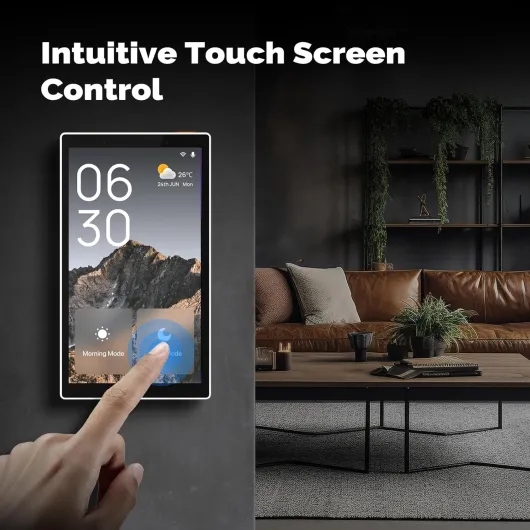
- Touch Screen Interface: A responsive touch screen makes it simple to view live doorbell feeds, control lights, and adjust settings directly from your wall panel.
- Voice Assistant Integration: Look for panels that are Alexa enabled or compatible with Google Home. Voice control lets you answer the door, switch lights, or check cameras hands-free.
- App and Remote Control: A quality product should offer a free app for remote access. This allows you to manage your smart switch, doorbell, and other devices from anywhere.
- Device Compatibility: Ensure the control panel supports a wide range of smart home products, including certified devices from Amazon and other major brands. This helps you avoid compatibility headaches down the road.
- Flexible Installation: Some panels require a neutral wire, while others are designed for easy installation in most homes. Check if the switch panel fits your wall setup and wiring needs.
- Multi-Device Control: The best panels let you manage multiple devices—like smart lights, wall switches, and security cameras—from a single screen or app.
- Customizable Scenes: Advanced control panels allow you to create scenes, such as turning on the porch light and unlocking the door when the doorbell rings.
For more on how smart connectivity can transform your doorbell experience, check out this detailed guide on smart connectivity.
Remember, the right smart wall panel not only adds convenience but also enhances your home’s security and comfort. As you explore different products, keep these features in mind to ensure your control panel meets your needs today and as your smart home grows.
How a smart home control panel improves doorbell security
Enhancing Security with Centralized Control
A smart home control panel can significantly boost your doorbell security by centralizing the management of all connected devices. When your smart doorbell is linked to a control panel, you can monitor your entryway in real time, receive instant alerts, and even communicate with visitors remotely. This unified approach allows you to control lights, smart switches, and other devices from a single wall-mounted touch screen or through a mobile app, making it easier to respond to unexpected activity.Integrated Features for Safer Entryways
Many control panels offer advanced features that work together to improve security:- Live video feeds: View your doorbell camera directly on the panel's screen or your phone, so you always know who is at your door.
- Voice control: Use Alexa built-in or Google Home integration to check your doorbell status or control lights hands-free.
- Automated lighting: Program your smart wall switches or light switches to turn on when motion is detected, deterring unwanted visitors.
- Remote access: Control your doorbell and other smart home products from anywhere, whether you're at work or on vacation.
Reducing Vulnerabilities with Certified Devices
Choosing certified smart home products, such as those with "Works with Alexa" or "Amazon Certified" labels, helps ensure your devices meet security standards. Panels that support encrypted communication and regular firmware updates are less likely to be compromised. Look for control panels and smart switches that require a neutral wire for installation, as these often support more advanced security features.Smart Integration for Peace of Mind
A well-integrated control panel can automate routines that make your home appear occupied, such as turning on lights at set times or when someone rings the doorbell. With free companion apps, you can receive push notifications and review event history, adding another layer of protection. For more on choosing the right components for your setup, check out this guide on selecting the best doorbell button for your smart home.Summary Table: Security Benefits of Smart Home Control Panels
| Feature | Security Benefit |
|---|---|
| Live video & touch screen | Immediate visual verification of visitors |
| Voice Alexa & Google Home | Hands-free control for quick response |
| Automated lights & switches | Deters intruders by simulating occupancy |
| Certified products | Enhanced device security and reliability |
| Remote control via app | Monitor and respond from anywhere |
Privacy concerns and data protection with smart doorbells
Protecting Your Privacy with Smart Doorbell Panels
When you connect your smart doorbell to a home control panel, privacy and data protection become essential topics. These devices, whether wall-mounted panels or app-based controls, collect and transmit video, audio, and access logs. Understanding how your information is handled is key to feeling secure in your smart home.
- Data Encryption: Reputable smart home control panels and doorbell products use end-to-end encryption. This means your video streams and notifications are scrambled during transmission, making it difficult for unauthorized parties to intercept your data. Always check if your chosen product is certified for strong encryption standards.
- Cloud vs. Local Storage: Some smart doorbells and control panels store footage in the cloud, while others offer local storage options. Cloud storage is convenient but may raise concerns about who can access your data. Local storage, such as on a smart wall panel or a dedicated device, keeps your recordings in your home but may require more setup, like a neutral wire or a compatible switch panel.
- App Permissions: The app you use to control your smart doorbell and lights often requests access to your phone’s camera, microphone, and location. Review these permissions regularly and only grant what’s necessary for the product to function. Many certified products allow you to customize these settings for greater control.
- Voice Assistant Integration: Alexa enabled and Google Home compatible panels offer voice control and remote control features. However, integrating with voice assistants means more devices, like Amazon Alexa built panels or smart switches, may process your commands. Check the privacy policies of these platforms to understand how your voice data is used and stored.
- Firmware Updates: Keeping your smart home control panel and doorbell devices updated is crucial. Manufacturers release updates to patch vulnerabilities and improve security. Enable automatic updates in your app or panel settings if possible.
For those using touch screen panels or wall switches to control lights and doorbells, it’s wise to choose products from brands with a strong reputation for privacy. Look for clear privacy statements and free support resources. If you’re integrating multiple devices, ensure each product—whether a smart switch, light switch, or control panel—meets your privacy standards.
Ultimately, the best way to protect your home is to stay informed about how your devices handle data. Review product documentation, use certified devices, and take advantage of privacy controls offered by your smart home system.
Tips for seamless integration of your smart doorbell
Making Your Smart Doorbell Work Smoothly with Your Home Control Panel
Integrating a smart doorbell with your home control panel can feel overwhelming, but a few practical steps help ensure everything works together seamlessly. Whether you’re using a touch screen panel, a smart wall switch, or an Alexa enabled device, the right approach makes a big difference in daily convenience and security.
- Check Compatibility: Before buying, confirm that your smart doorbell and control panel are compatible. Many popular products, like those certified for Alexa or Google Home, offer clear compatibility lists. Look for "alexa built" or "voice control" features if you want hands-free operation.
- Network Stability: A reliable Wi-Fi connection is essential. Place your router close enough to the doorbell and control panels to avoid connection drops. Some products require a neutral wire for installation, so check your wall switch wiring in advance.
- Centralized App Control: Use the manufacturer’s app or a universal smart home app to manage devices. This makes it easier to control lights, receive doorbell notifications, and adjust settings from one screen.
- Voice Assistant Integration: If you use Alexa, Google Home, or similar, link your smart doorbell and control panel to your voice assistant. This lets you answer the door, switch lights, or check camera feeds with simple voice commands.
- Routine and Automation Setup: Set up routines so your smart wall switch turns on lights when the doorbell rings, or your panel displays a live video feed. Automation enhances both convenience and security.
- Firmware and App Updates: Keep your devices and apps updated. Manufacturers often release free updates to improve performance, add features, and fix security issues.
- Professional Installation (if needed): Some products, especially those requiring a neutral wire or complex wiring, may benefit from professional installation. This ensures your wall switches and panels work safely and efficiently.
With these steps, your smart doorbell and home control panel can work together to provide a smooth, integrated experience. Whether you’re using a touch screen panel, a smart switch, or a wall-mounted control panel, thoughtful setup helps you get the most from your smart home products.
Comparing popular smart home control panels for doorbell integration
Popular smart home control panels for doorbell integration
When choosing a control panel to connect your smart doorbell, it helps to compare the most popular options on the market. Each product offers a unique mix of features, compatibility, and user experience. Here’s a look at how leading control panels stack up for doorbell integration:| Product | Key Features | Smart Doorbell Integration | Voice Control | Touch Screen | App Support | Wire Required | Certifications |
|---|---|---|---|---|---|---|---|
| Amazon Echo Show (Alexa built-in) | Smart home hub, video calls, control lights | Works with most Alexa-enabled doorbells | Alexa voice control | Yes | Amazon Alexa app | No (wireless) | Amazon Certified |
| Google Nest Hub | Smart home dashboard, control devices, routines | Compatible with Google Home doorbells | Google Assistant | Yes | Google Home app | No (wireless) | Works with Hey Google |
| Brilliant Smart Home Control Panel | Wall switch panel, control lights, scenes, intercom | Integrates with Ring, Nest, and more | Alexa enabled, Google Assistant | Yes (wall-mounted) | Brilliant app | Neutral wire required | UL Certified |
| Samsung SmartThings Panel | Home automation, device control, routines | Works with SmartThings-compatible doorbells | Alexa, Google Assistant | No (app-based) | SmartThings app | No (wireless) | Zigbee, Z-Wave Certified |
What to consider when choosing a control panel
- Compatibility: Make sure your chosen panel supports your doorbell brand and other smart devices.
- Installation: Some panels, like the Brilliant, require a neutral wire and wall switch installation, while others are plug-and-play.
- Voice control: If you want hands-free operation, look for Alexa built-in or Google Assistant support.
- Touch screen: A touch screen panel offers direct access to doorbell feeds and controls, which can be more intuitive than using an app alone.
- App and remote control: Consider if you want to control your doorbell and other devices remotely via a mobile app.
- Certifications: Certified products often offer better reliability and security.