
Summary
Editor's rating
Value for money: where this beats Ring and similar options
Design and installation: simple look, slightly fussy wiring
Power and connectivity: no batteries, no Wi‑Fi… and that’s the whole point
Build quality and long‑term feel
Image quality, detection and app: solid performance with slightly clunky software
What this Reolink doorbell actually offers in real life
Does it actually work as a daily doorbell replacement?
Pros
- Wired PoE connection = stable power and network, no batteries or Wi‑Fi issues
- Local recording to microSD / NVR / NAS with no subscription fees
- Good 5MP image quality with wide 180° view and decent night vision
Cons
- Ethernet installation can be time‑consuming and tricky if your house isn’t already wired
- App is functional but clunky, with some settings buried and a bit of product pushing
- Some users report needing manual firmware updates for smooth pairing with chime/NVR

Specifications
View full product page →| Brand | Reolink |
A wired doorbell for people tired of subscriptions and flaky Wi‑Fi
I went for this Reolink PoE doorbell because I was fed up with two things: battery doorbells dying at the worst moment, and brands that lock basic features behind monthly fees. I already had Ethernet near the front door, a small PoE switch, and a NAS, so this model ticked the boxes on paper: PoE, local recording, and no forced cloud subscription. I’ve been using it for a few weeks, enough time to see the good parts and the annoying bits.
In daily use, the main thing that stands out is the stability. Since it’s wired for both power and network, I don’t get the random disconnects and lag I used to see with Wi‑Fi doorbells. When someone presses the button or walks into the detection zone, my phone pings reliably and the chime goes off. It sounds basic, but with smart doorbells, that part often fails first.
The other big point for me is the local recording. I slapped a 128 GB microSD card in the back, and it just records on motion/person events, no accounts to create, no paywall. I also added it to my home server (Home Assistant + NVR software), and the RTSP stream works like a normal IP camera. If you’re already running Reolink cameras or a Synology/Unraid box, it fits right into that type of setup.
It’s not perfect though. The app design is a bit clunky, the initial setup screens feel dated, and the whole ecosystem clearly pushes Reolink stuff in your face. Also, running Ethernet to the doorframe can be a pain if your house isn’t already wired. Overall, for someone a bit tech‑minded who wants reliable, no‑subscription video at the door, it’s pretty solid. If you just want to stick something on the wall in 5 minutes with no tools, this is not that.
Value for money: where this beats Ring and similar options
In terms of value, this doorbell makes sense if you look at the total cost over a few years, not just the purchase price. With Ring or similar brands, you usually end up paying a subscription for cloud recording and some smart features. Here, once you’ve bought the doorbell and maybe a microSD card, you’re basically done. No monthly fees. For me, that’s a big part of why it feels like good value, even if the upfront cost is similar to some Wi‑Fi doorbells.
What you get for the price: 5MP video, PoE, included indoor chime, local SD recording, compatibility with NAS/NVR, and person detection that actually works decently. From a pure feature list perspective, that’s pretty solid for the money. I’ve seen more expensive doorbells with worse image quality and less flexible storage options. If you already have a PoE switch or a Reolink NVR, this slides into your setup with no extra hardware needed.
The catch is the hidden cost in effort. Running Ethernet to your door and dealing with a slightly clunky app is the trade‑off for avoiding subscriptions and Wi‑Fi instability. If you would need to hire an electrician or handyman just to get a cable to the front door, that adds up quickly and kills some of the value. Also, if you don’t care about local recording and just want something plug‑and‑play, a simpler Wi‑Fi doorbell might feel like a better deal for you, even if the monthly fees are annoying.
For someone who’s even mildly tech‑savvy, has or plans to have a home server or NAS, and hates paying for cloud storage, this Reolink feels like good value for money. It’s not the cheapest gadget out there, but the fact that it keeps working fully without ongoing fees makes it a smarter buy long‑term than a lot of the big‑name alternatives.
Design and installation: simple look, slightly fussy wiring
Design‑wise, this thing is pretty low key. It’s a tall, narrow black rectangle (about 13.3 × 4.8 × 2.3 cm) with the camera at the top and a button with an LED ring at the bottom. It doesn’t scream “gadget” the way some big shiny doorbells do. On my dark doorframe it blends in nicely; on a white frame it will stand out more, but it still looks fairly neutral. No chrome, no flashy branding in your face. Just plastic, glass front, and that’s about it.
The kit includes a 15° wedge so you can angle it toward where people stand, which is useful if your doorframe is recessed or you want to see more of the path. The wedge helped me capture people approaching from the side instead of just getting them when they’re already right in front. You also get a mounting plate and a drilling template, so positioning it is straightforward once you know where the cable will exit the wall.
The part that’s a bit annoying is the cable routing. The design expects the Ethernet cable to come straight from the wall directly behind the doorbell. There isn’t much room for bringing the cable from above or below. If your wall or frame layout doesn’t match that, you either have to get creative with chiseling, surface‑mount trunking, or 3D‑printed adapters (a couple of reviewers mentioned printing their own brackets). If you’re not handy or you don’t like drilling through exterior walls, the install will feel like a chore.
Once the cable is there, the actual mounting is easy: screw in the plate, plug in the RJ45, snap the unit on, tighten the security screw. Weather‑proofing seems decent so far; it’s been through a few heavy rains with no fogging or leaks. Overall, the design is functional and discreet, but the back‑entry‑only cable design is a bit rigid. If you’re okay with basic DIY, it’s fine; if not, expect to swear a bit during installation.
Power and connectivity: no batteries, no Wi‑Fi… and that’s the whole point
There’s technically no “battery life” to talk about because this model is PoE only (plus optional traditional doorbell wiring). And honestly, that’s the main reason to buy it. If you’re tired of charging or replacing batteries on your doorbell, having a constant power source is a relief. Mine is connected to an 8‑port PoE switch; once I plugged it in, I pretty much forgot about power entirely. No low‑battery alerts, no cold‑weather dropouts, nothing.
The wired network connection also makes a big difference. You’re not fighting with weak Wi‑Fi signals through thick walls or worrying that a router reboot will leave your doorbell offline for ages. With Ethernet, the stream is stable and latency is more predictable. I can run a full‑resolution RTSP stream to my NVR 24/7 and a substream for previews without worrying about clogging the Wi‑Fi. For people with multiple IP cameras, this consistency actually matters.
The obvious downside is installation complexity. Getting an Ethernet cable to the door isn’t trivial in many houses. In my case, drilling through an external wall, routing the cable along the garage, and then into the porch took most of an afternoon. The doorbell itself took 10 minutes to mount; the cabling was 90% of the project. If you live in a rental or you just don’t want to start drilling, this could be a deal‑breaker. There’s no easy battery fallback you can switch to later.
From a reliability standpoint, I like that an internet outage doesn’t kill recording. Even if my ISP drops, the doorbell keeps recording to the SD card or NVR over the local network. Obviously, remote access from outside the house won’t work during that time, but the camera itself doesn’t care. So in terms of power and connectivity, it’s very much a “do the hard work once, then forget it” kind of product. Great if you value stability, not great if you want quick, tool‑free setup.
Build quality and long‑term feel
Physically, the doorbell feels decent but not premium. The housing is plastic, not metal, but the front panel is solid and doesn’t flex. The button has a firm click, not mushy, and the LED ring is even. It’s rated as waterproof for outdoor use, and in my case it has already been through rain and some wind without any signs of water getting in or foggy lens issues. The unit doesn’t rattle or feel fragile when you press around it.
The mounting system uses a back plate + security screw at the bottom. Once it’s on the wall, it sits tight with no wobble. If someone really wants to rip it off, they probably can, like with any doorbell, but it isn’t something that feels like it’ll just fall off from normal use. The plastic might scratch over time if you brush past it a lot, but that’s cosmetic. The important parts – lens, IR, mic – are a bit recessed, so they’re somewhat protected.
On the software/firmware durability side, it’s a bit more mixed. Reolink does push firmware updates, which is good, but a few users had to do manual updates to fix pairing issues with chimes or NVRs. There’s no clearly stated “updates until” date, so it’s hard to know how long they’ll keep supporting this exact model. Given that it’s been out since 2022 and still gets attention, I’m reasonably confident it won’t be abandoned next week, but if you’re paranoid about long‑term security updates, this isn’t as transparent as some bigger brands.
Overall, I’d say hardware durability feels fine for the price. It’s not luxury kit, but it doesn’t feel cheap and flimsy either. The bigger question with these devices is always software support and compatibility with the rest of your system over time. Right now, it plays nicely with Reolink NVRs, Synology, and Home Assistant. If Reolink keeps up with normal updates, I don’t see a reason it wouldn’t last several years as a front‑door workhorse.
Image quality, detection and app: solid performance with slightly clunky software
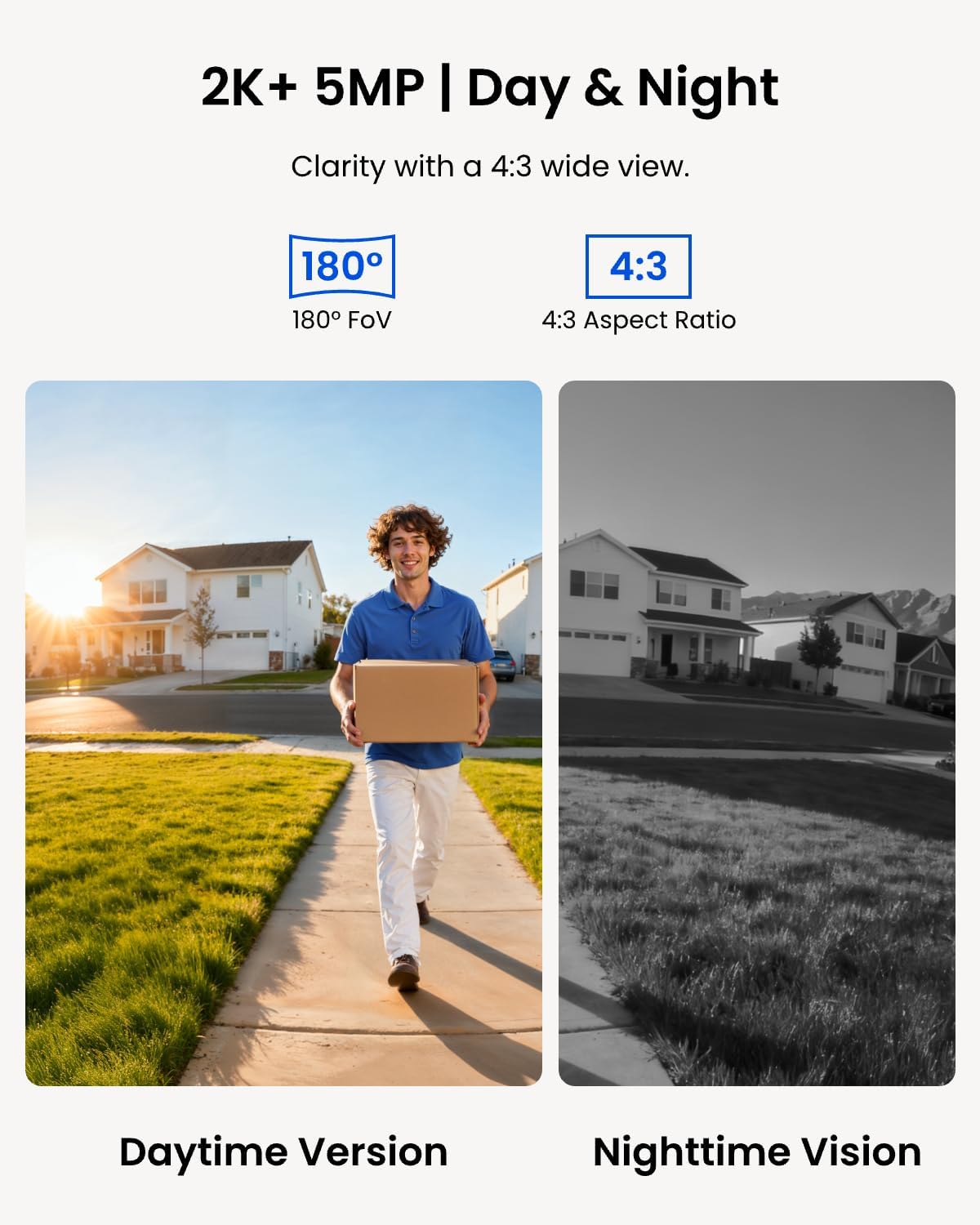
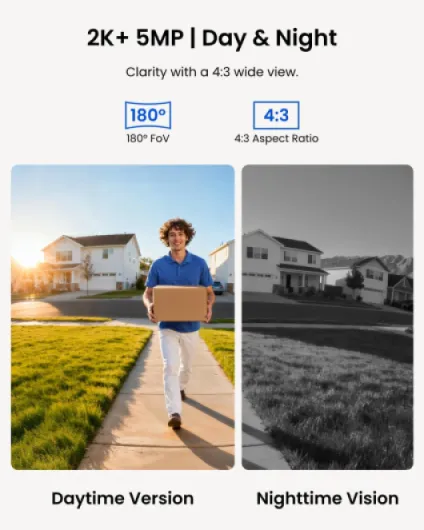
On performance, the image quality is genuinely good for a doorbell. At 5MP, faces at the door are clear, you can see clothing details and read logos on packages if they’re not too far. The 180° diagonal field of view covers my whole porch and a big chunk of the path. You do get some edge distortion, but Reolink’s distortion correction keeps it from looking like a fisheye mess. Night vision is also decent: the single IR LED gives a clean, usable image within typical door distance without lighting up the whole front like a Christmas tree.
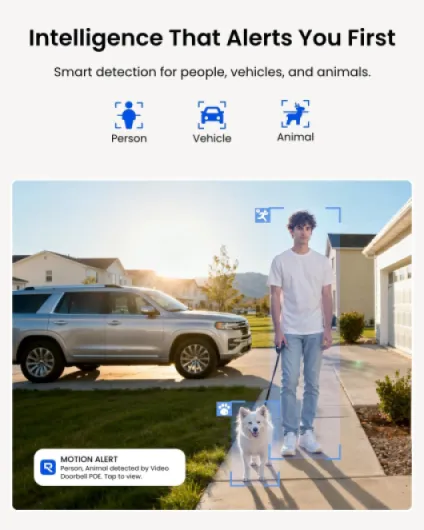
The person detection works better than I expected. Out of the box I got too many alerts, but once I set motion zones so it only watched the area right in front of the door, it settled down nicely. Now I mainly get notifications when someone actually comes onto the property or presses the button, not for every passer‑by. It’s not perfect – I’ve had the odd false alert from strong light changes or a big spider web – but overall it’s reliable enough that I don’t feel the need to constantly tweak it.
Where it feels a bit weaker is the software polish. The Reolink app works, but it’s not the cleanest interface. There’s a store tab pushing other Reolink products, some settings are buried in slightly confusing menus, and overall it feels more like a generic IP camera app than a slick doorbell experience. That said, the basics are there: push notifications, quick access to live view, event timeline, SD card playback, and two‑way audio. Latency is reasonable on a decent connection, and I haven’t had random disconnects.
If you’re into Home Assistant, Synology, or Frigate, the RTSP streams make this doorbell much more interesting. I have one high‑res stream recording 24/7 to my server and a low‑res substream for quick previews and AI detection. Integration was straightforward with standard RTSP URLs, and I prefer this to being stuck in a closed ecosystem. Overall, performance is strong on the camera and detection side, and just “good enough” on the app side. If you’re picky about UX, you’ll notice the rough edges, but functionally it does the job well.
What this Reolink doorbell actually offers in real life
On paper, this Reolink PoE doorbell is a 5MP wired video doorbell with a 180° diagonal field of view, person detection, two‑way audio, included chime, and PoE (Power over Ethernet). In practice, that means one Ethernet cable coming from your PoE switch or injector gives it both data and power. No separate transformer, no batteries. For people with a network rack or at least a basic switch at home, that’s pretty convenient once the cable is in place.
The camera records at up to 2560×1920 with about 20 fps officially (you can push a bit higher on the stream, but expect around that). The image is detailed enough to clearly see faces at the door and read parcel labels if they’re close. There’s IR night vision with a single red LED, so it’s not a big glowing beacon outside your door. At night I can still recognise people easily within 2–3 meters. Beyond that, it’s more about silhouettes but still usable for security.
Notifications are built around humanoid (person) detection and motion zones. You can tell it “only alert me if a person steps onto this specific area” instead of every car or random movement in the street. I live on a relatively busy road, and once I dialed in the motion mask, it stopped spamming me for people just walking past. When someone actually walks up to the door, I get a push alert and can open live view or replay the event from the SD card or my NVR.
Storage options are flexible: microSD up to 256 GB, Reolink NVR, NAS/FTP. I’ve tested SD + a local NVR, and both worked fine. There is also pre‑roll recording, so you get a few seconds before motion is triggered. That sounds minor, but it helps to see how someone approached the door instead of just the moment they’re already standing there. Overall, as a product, it’s a straightforward wired doorbell camera with decent smart features, clearly aimed at people who care more about local control than fancy cloud gimmicks.
Does it actually work as a daily doorbell replacement?
As a doorbell you rely on every day, it does the core job well. When someone presses the button, my phone pings and the included chime rings loudly enough to hear it from upstairs. There’s only a tiny delay between the press and the notification. I’ve tested it with delivery drivers and friends a bunch of times, and I haven’t had a missed ring yet. Compared to my old battery doorbell that sometimes slept or lagged, this feels much more dependable.
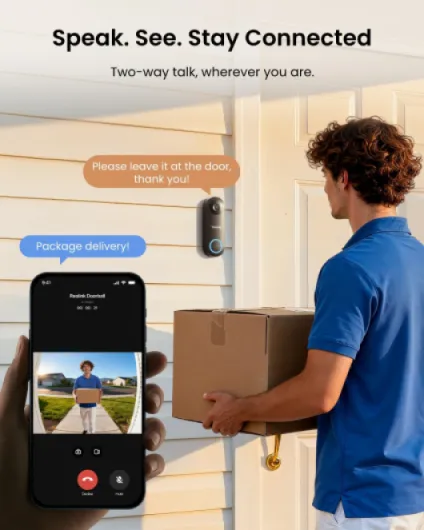
The two‑way audio is usable, not perfect. Indoors on my phone I hear visitors clearly enough, and they hear me fine as long as I don’t mumble. There is a slight delay, and the speaker is not hi‑fi obviously, but for “leave the parcel by the door” or “I’ll be down in a minute”, it’s totally fine. The app also lets you play pre‑recorded quick replies, which I actually use more than I expected. For delivery people I often just tap a preset message instead of bothering with live talk.
For security, the combo of motion/person detection plus continuous or event‑based recording is effective. I’ve checked recordings after random knocks or when I saw someone hanging around outside, and the footage was always there. The pre‑roll means you see them walking up, not just standing at the door already. Motion detection seems well tuned; in my case it hasn’t missed real visitors. On a busy street you need to spend a bit of time dialing in zones and sensitivity, but once you do, it becomes more of a “set and forget” thing.
The only place where effectiveness drops a bit is initial setup and pairing with other gear. Some users had trouble pairing the chime or integrating with an NVR until they manually updated firmware. I personally had one hiccup where the app didn’t see the doorbell at first; a router reboot and a second scan fixed it. So it’s not totally idiot‑proof. But once it’s up and running, it works consistently and does replace a traditional doorbell plus a front camera quite well.
Pros
- Wired PoE connection = stable power and network, no batteries or Wi‑Fi issues
- Local recording to microSD / NVR / NAS with no subscription fees
- Good 5MP image quality with wide 180° view and decent night vision
Cons
- Ethernet installation can be time‑consuming and tricky if your house isn’t already wired
- App is functional but clunky, with some settings buried and a bit of product pushing
- Some users report needing manual firmware updates for smooth pairing with chime/NVR
Conclusion
Editor's rating
Overall, the Reolink PoE Doorbell is a solid wired doorbell camera for people who care more about reliability and local control than fancy cloud features. The 5MP image is clear, the 180° view covers a lot of area, and person detection plus motion zones do a good job of cutting down useless alerts. The fact that it records locally to microSD, NVR, or NAS with no subscription is the main selling point, especially if you’re already running other IP cameras or Home Assistant.
It’s not without flaws. Installation can be a bit of a project if you don’t already have Ethernet near the door, the app feels a bit cluttered and dated, and you may run into the odd firmware or pairing quirk that needs manual tweaking. But once it’s in, it’s stable, the chime is loud, two‑way audio is usable, and it behaves like a proper doorbell rather than a toy. For me, it’s a clear upgrade over battery‑powered Wi‑Fi models that constantly nag for charging and push subscriptions.
If you’re a renter, hate DIY, or just want a super simple Wi‑Fi solution you can stick on the wall in 10 minutes, this probably isn’t for you. If you’re comfortable drilling a hole, running one cable, and you like the idea of no monthly fees and easy integration with a NAS or Home Assistant, this Reolink doorbell is a pretty good fit and worth the price.