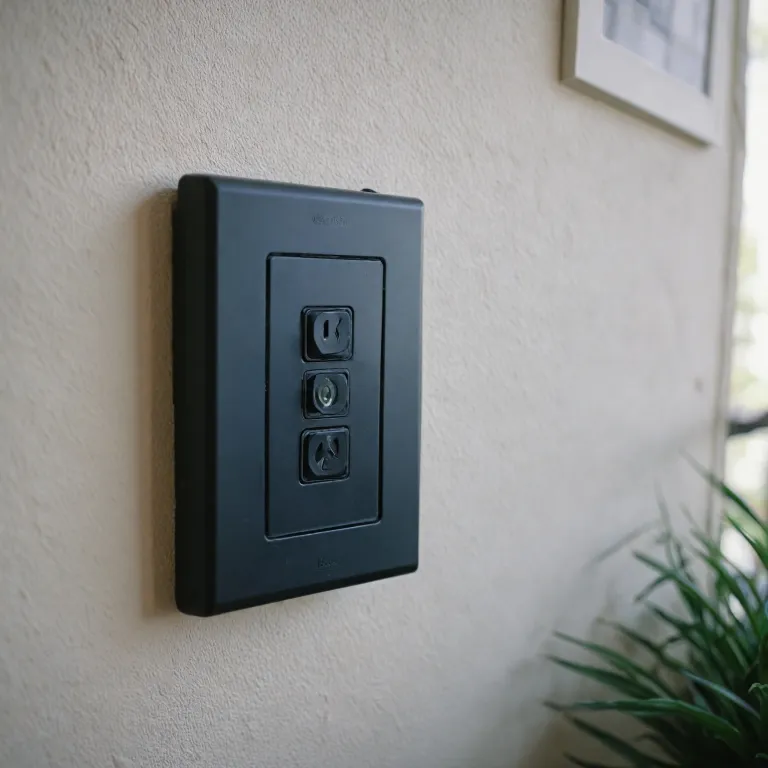

Understanding the role of the neutral wire in smart switches
Why the Neutral Wire Matters in Smart Switches
When considering a smart switch for your home, understanding the role of the neutral wire is crucial. In traditional light switch wiring, the neutral wire completes the electrical circuit, allowing current to flow back to the panel. Most smart switches, especially those with features like wifi connectivity, voice control, and compatibility with platforms such as Alexa or Google, require a constant flow of power—even when the light is off. This is where the neutral wire comes in.
Without a neutral wire, many smart switches cannot function properly. The neutral wire provides the return path for electricity, which is essential for powering the internal electronics of the smart switch, such as wifi modules and microcontrollers. This is particularly important for smart dimmers, push button switches, and switches offering advanced features like single pole operation, voice control, or integration with hubs like Leviton Decora Smart or Cync Smart.
- Smart light switches often require a neutral wire to maintain wifi connectivity and respond to voice commands from Alexa or Google Assistant.
- Switches without a neutral wire may have limited functionality or may not work at all, depending on the product.
- Price and product selection can vary significantly based on whether a neutral wire is required, as some specialized models are designed for homes without one.
For those looking to upgrade to a wifi smart switch, understanding your wiring setup is the first step. If you’re unsure whether your home has a neutral wire at the switch location, it’s best to consult a professional or refer to detailed guides on understanding the intricacies of smart doorbell wiring. This knowledge will help you avoid common issues during installation and guide your choice of compatible products, whether you need a single pole switch, a smart dimmer, or a hub required model.
Common issues when installing smart switches without a neutral wire
Challenges When Installing Smart Switches Without a Neutral Wire
Many older homes do not have a neutral wire in their switch boxes. This can create several challenges when trying to install a smart switch, especially if you want features like wifi connectivity, voice control with Alexa or Google, or integration with smart home hubs. Understanding these issues is key to making the right choice for your lighting control needs.
- Power Supply Limitations: Most smart switches, including popular models like Decora Smart or Leviton, require a neutral wire to complete the electrical circuit. Without it, the switch may not get enough power to operate its wifi or voice control features, even if the light is off.
- Compatibility Issues: Many smart switches on the market are designed for single pole setups with a neutral required. If your wiring lacks a neutral, you may find that only a limited selection of products, such as some cync smart or wifi smart switches, will work in your home.
- Performance Problems: Installing a smart switch without the required neutral wire can cause flickering lights, switches that don’t respond, or even buzzing sounds from the light or switch. This is especially true for smart dimmer switches or those with push button controls.
- Limited Features: Without a neutral, some switches may not support advanced features like voice control, remote access, or integration with Alexa, Google, or Amazon hubs. You might also lose the ability to control your lights via 2.4 GHz wifi or through a hub required setup.
- Price and Product Availability: Smart switches designed for no neutral wire setups can be more expensive and harder to find. You may notice a higher price for these items shipped, and fewer options in terms of color (like white) or style (single pole, smart dimmer, etc.).
For more details on how wiring impacts your smart home devices, check out this guide on choosing the right Z-Wave garage door opener.
Understanding these common issues will help you evaluate whether a smart switch is the right solution, or if you should consider alternatives or specific products that work without a neutral wire.
Types of smart switches designed for no neutral wire setups
Smart Switches That Work Without a Neutral Wire
Many older homes lack a neutral wire in their switch boxes, which can make installing a smart switch challenging. However, manufacturers have responded with innovative solutions. These smart switches are specifically designed to operate without a neutral wire, making them accessible for more households.
- Specialized Electronics: Some smart switches use built-in electronics to draw minimal power through the existing wiring, allowing the switch to function without a dedicated neutral. This is common in models like the Decora Smart and Leviton series.
- Bypass Devices: Certain products include a small bypass device that you install at the light fixture. This device helps complete the circuit, ensuring the smart switch works reliably even without a neutral wire.
- Battery-Powered Options: For those who want a truly wire-free solution, some switches are battery-operated. These often use wifi or hub connections to communicate with your smart home system, offering voice control through Alexa or Google Assistant.
When shopping for a smart switch for a no-neutral setup, look for key features:
- Compatibility: Check if the switch supports single pole or 3-way configurations, and whether it works with your existing light fixtures.
- Smart Home Integration: Many options are compatible with Alexa, Google, and even Amazon ecosystems. Some require a wifi hub, while others connect directly to your 2.4 GHz wifi network.
- Price and Availability: No-neutral smart switches can be slightly more expensive due to the extra technology involved. Compare price, items shipped, and product reviews to find the best fit for your needs.
Popular models include the Leviton Decora Smart switch, Cync Smart switch, and several wifi smart switches that offer push button or smart dimmer functionality. Always verify if a hub is required or if the switch is hub free for your setup.
For a deeper dive into choosing between leading brands and understanding which smart switch works best for your home, check out this guide to selecting the right smart doorbell.
| Product | Neutral Wire Required | Voice Control | Hub Required | Works with Alexa/Google |
|---|---|---|---|---|
| Leviton Decora Smart | No | Yes | No | Yes |
| Cync Smart Switch | No | Yes | Optional | Yes |
| Wifi Smart Switch (Single Pole) | No | Yes | No | Yes |
Installation tips for smart switches without a neutral wire
Getting Ready for Installation
Before you start, double-check if your existing light switch box has a neutral wire. Many older homes do not, which is why you’re looking for a smart switch that works without one. Make sure the power is off at the breaker before touching any wires. Gather the required tools: a voltage tester, screwdriver, and possibly wire nuts. Some smart switches include these in the box, but not all.
Wiring the Smart Switch
Smart switches designed for no neutral wire setups often use creative engineering, like drawing a tiny amount of power through the load wire. This means installation can be different from standard switches. Follow the product instructions closely. Usually, you’ll connect the line (live) and load wires to the correct terminals. For switches like the Leviton Decora Smart or Cync Smart Switch, the process is straightforward, but always check if a hub is required or if the device connects directly to your wifi network (2.4 GHz wifi is most common).
- Check if your smart switch is single pole or three-way. Most no-neutral models are single pole only.
- Some products, like the Decora Smart WiFi, offer voice control with Alexa or Google Assistant, but may need a hub for full features.
- Push button or dimmer models may have extra steps, especially if you want smart dimming features.
Testing and Setup
Once the wiring is complete, restore power and test the switch. If the light flickers or doesn’t turn on, double-check your connections. Some smart switches require a minimum wattage on the circuit to function properly. After confirming the light works, use the manufacturer’s app to connect the switch to your wifi network. Many products support direct integration with Alexa or Google for voice control. If a hub is required, follow the hub’s setup instructions.
Common Pitfalls to Avoid
- Don’t force wires into terminals. If the wire gauge is too thick, use a short jumper wire.
- Make sure the switch fits in your electrical box. Some smart switches are bulkier than standard ones.
- Check if your light fixture is compatible. Some LED bulbs may not work well with certain smart dimmers.
Installation can be straightforward if you follow the instructions and use the right product for your setup. Always consider if a hub is required, the price, and whether the switch supports your preferred voice assistant like Alexa or Google.
Alternatives to smart switches for homes without a neutral wire
Other Ways to Control Your Lights Without a Neutral Wire
If your home wiring does not include a neutral wire, you are not limited to smart switches alone. There are several alternative solutions that allow you to enjoy smart lighting and voice control, even if a switch neutral is not available. Here are some practical options to consider:- Smart Bulbs: These are among the easiest alternatives. Smart bulbs connect directly to your wifi or a hub, such as those from Cync Smart, and can be controlled via Alexa, Google, or other voice assistants. No wiring changes are required—just screw in the bulb and set it up in your app. This is a great solution for renters or anyone looking for a quick, free installation.
- Plug-in Smart Switches: These switches plug into a standard wall outlet and let you control lamps or other plug-in lights. Many models offer wifi smart features and work with Alexa or Google for voice control. No neutral wire is required, and installation is as simple as plugging in the device.
- Remote-Controlled Light Switches: Some products use a wireless remote or push button to control your lights. These can be mounted on the wall to mimic a traditional switch, but they communicate wirelessly with smart bulbs or plug-in modules. This means no changes to your existing wiring are needed.
- Battery-Powered Smart Switches: These switches, like the Decora Smart Anywhere line, can be placed anywhere in your home. They use radio frequency or wifi to communicate with compatible smart lights or hubs. No wiring is required, and they are ideal for single pole or multi-location control.
Comparing Alternatives: Features and Price
| Product Type | Neutral Wire Required | Voice Control | Works with Alexa/Google | Hub Required | Typical Price Range |
|---|---|---|---|---|---|
| Smart Bulb | No | Yes | Yes | Optional | $10–$40 per bulb |
| Plug-in Smart Switch | No | Yes | Yes | Optional | $15–$40 per switch |
| Remote-Controlled Switch | No | Sometimes | Varies | Optional | $20–$60 per kit |
| Battery-Powered Smart Switch | No | Yes | Yes | Optional | $25–$60 per switch |
When to Choose an Alternative
Alternatives to smart switches are especially useful if you want to avoid electrical work or if your home’s wiring makes installing a smart switch with a neutral wire difficult. They are also ideal for those who want to control single lights or lamps, or who need a solution that works with wifi, Alexa, or Google without a hub required. If you are looking for a product that is easy to install, shipped quickly, and offers voice control, these alternatives can be a smart choice. Always check compatibility with your existing devices and consider the price and features that matter most to you.How to choose the right smart switch for your home
Key features to compare before buying
When choosing a smart switch for your home, especially if you don’t have a neutral wire, it’s important to focus on compatibility and ease of installation. Not all smart switches are created equal, and the right product will depend on your wiring, the devices you want to control, and your preferred smart home ecosystem.
- Neutral wire required: Double-check if the smart switch you’re considering specifically says “no neutral required.” Many popular models, like some Decora Smart or Leviton switches, need a neutral wire. If your home doesn’t have one, look for switches labeled as “neutral not required” or “works without neutral.”
- Single pole vs. multi-way: Most smart switches for no-neutral setups are single pole, meaning they control one light from one location. If you need multi-way control, options are more limited.
- WiFi and hub requirements: Some switches connect directly to 2.4 GHz WiFi, while others need a hub. If you want a hub-free setup, check for “WiFi smart switch” or “no hub required” in the product description. Brands like Cync Smart and some Leviton models offer both options.
- Voice control compatibility: If you use Alexa, Google Assistant, or other voice assistants, make sure the switch works with your platform. Look for “works Alexa,” “Alexa Google,” or “voice control” in the product details.
- Design and finish: Consider the look of the switch. Many come in white, but some brands offer other finishes. Push button and decora styles are common. Make sure it matches your existing light switches.
- Price and shipping: Compare prices and check if items are shipped free from major retailers like Amazon. Sometimes, bundles or multi-packs offer better value.
Smart dimmers and advanced controls
If you want more than just on/off control, look for smart dimmer switches that work without a neutral wire. These let you adjust light levels and can be controlled via app, voice, or even a physical push button. Some products, like the Leviton Decora Smart Dimmer, offer advanced features but may require a hub or specific wiring.
Making your final choice
Before buying, review the product’s compatibility with your home’s wiring and your smart home system. Read reviews, check if a hub is required, and confirm that the switch supports your preferred voice assistant. If you’re unsure, consult an electrician or the manufacturer’s support for guidance. Choosing the right smart switch will help you enjoy convenient, reliable control of your lights without the hassle of rewiring.