Chimes & Extenders

Guide: the 4 best smart doorbell chimes (2026)

Learn how smart doorbell chimes work, how they connect to Ring, Google Nest, Alexa, and HomeKit, and what to check for sound, latency, power, and storage before you buy.

29 June 2026 16 min read
Guide: the 4 best smart doorbell chimes (2026)
Discover our ranking of the 4 best smart doorbell chimes based on our tests.

How smart doorbell chimes actually work with your home setup

A smart doorbell chime is the missing link between your video doorbell and your everyday life. When a visitor presses the doorbell button, the camera sends a wireless signal that triggers one or several chimes placed around your home, so you hear the alert even when your phone is not nearby. The best smart doorbell chimes translate that digital signal into clear sound, while also respecting your privacy, your security, and your need for reliable notifications.

  • In practice: press the button, the doorbell camera detects it, your Wi-Fi or radio network carries the signal, and the chime converts it into sound within a fraction of a second.
  • Quick check: before buying, confirm that your chosen chime is designed for your exact video doorbell model and wireless standard.

Most smart doorbells pair with chimes over Wi-Fi or a dedicated radio protocol, and the chime then connects to your router, your Google Assistant, or your Amazon Alexa ecosystem. If you use a video doorbell with a doorbell camera, the chime does not handle video storage or cloud storage directly, but it must react instantly to the same event that triggers recording in the cloud or on local storage such as a microSD card. This is why the best video doorbells and their matching chimes are tested together for latency, video quality synchronisation, and stable performance on both battery and doorbell wired installations.

There is a crucial difference between a wired chime that connects to a traditional doorbell transformer and a fully wireless chime powered by a replaceable battery. A wired doorbell chime can offer stronger volume and more consistent power, while a battery chime is easier to place near bedrooms or home offices where you want to hear the ring without relying on your phone. When you compare smart doorbells, always check whether the chime is included, whether you must buy the chime separately, and whether it supports multiple doorbells or a single video doorbell only.

  • Buying checkpoint: look for a clear note on the box or product page that says “chime included” or “chime sold separately.”
  • Real-world tip: many households end up adding a second chime later, so favour systems that support several chimes from day one.

Ranking

#1 🏆 Best choice
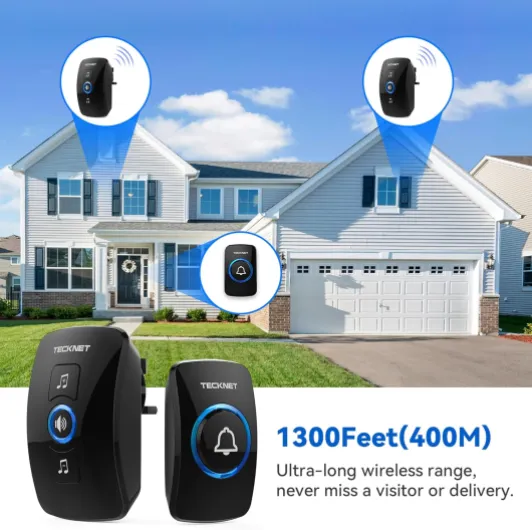
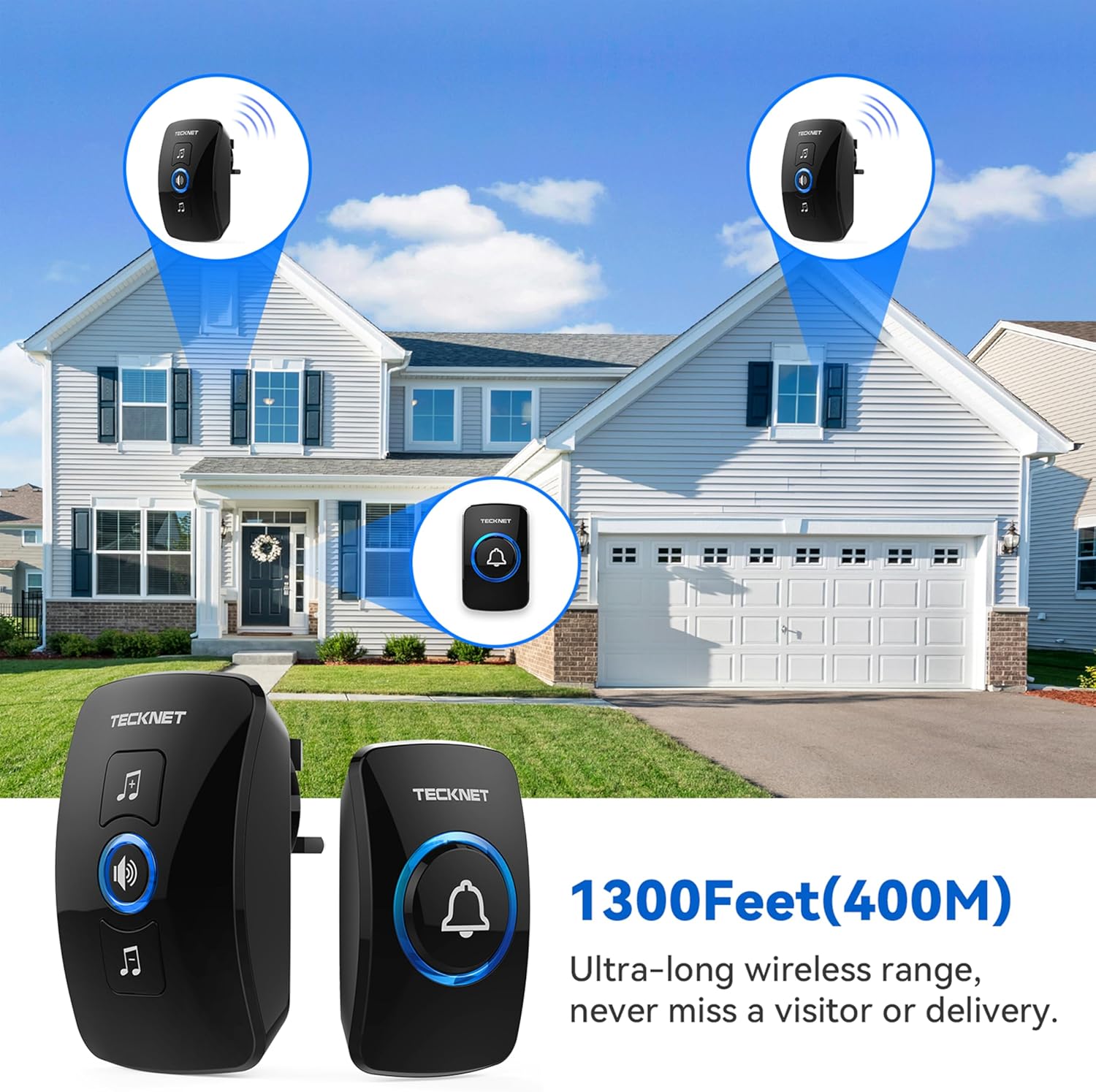
Wireless Doorbell, No Battery Required Self-Powered Door Bell Plug in Waterproof IP65 Cordless Doorbell Chime Kits at 1300ft Range with 60 Chimes, 5-Level Volume with LED Light White

TECKNET

Wireless Doorbell, No Battery Required Self-Powered Door Bell Plug in Waterproof IP65 Cordless Doorbell Chime Kits at 1300ft Range with 60 Chimes, 5-Level Volume with LED Light White

⭐ Très bien noté 🔥 Populaire
  • Self-powered button with no batteries to replace
  • Loud, adjustable volume with clear LED flash for visibility
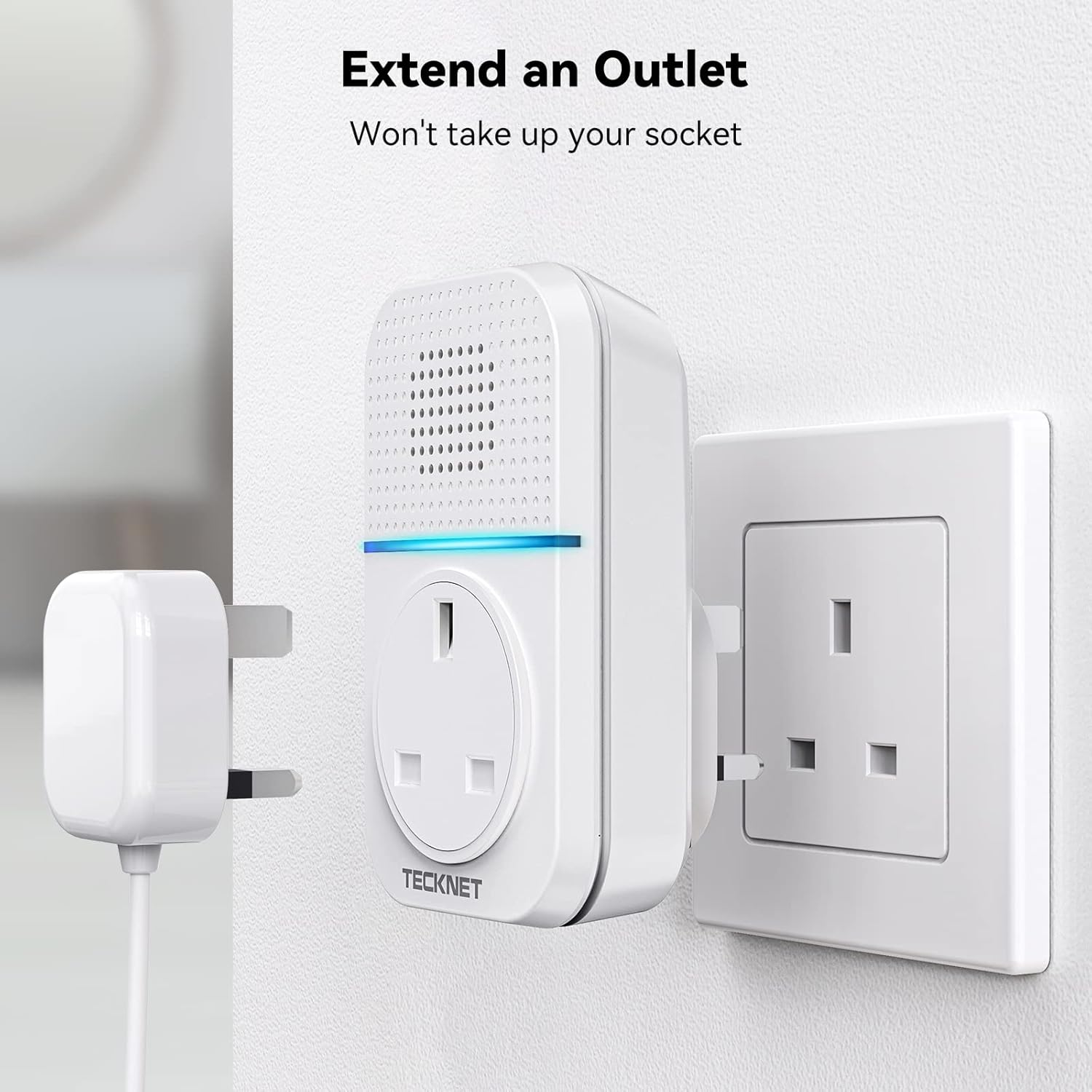
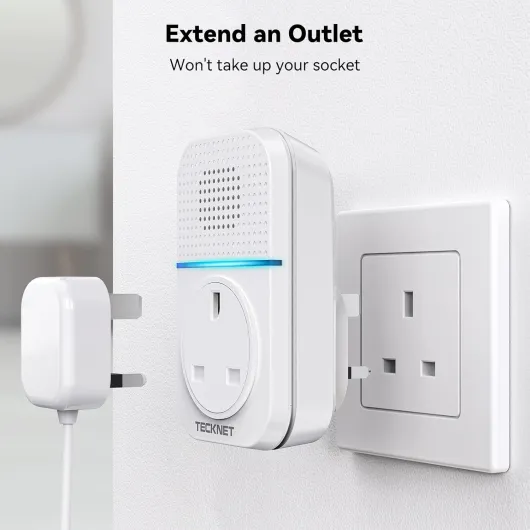
  • Plug-through receiver so you don’t lose a wall socket
Overall, the TECKNET wireless doorbell is a practical, no-nonsense option if you just want a doorbell that rings reliably and you’re tired of messing around with batteries. The self-powered button works as advertised, the receiver is loud enough for a normal house, and the plug-through design means you don’t lose a wall socket. Setup is dead simple: plug it in, stick the button on, pick a chime, and forget about it. In day-to-day use, it just gets on with the job.It’s not perfect. The design is basic, some of the 60 ringtones are a bit tacky, and there’s a faint electrical hum if you listen closely in a quiet room. It also doesn’t do any of the smart stuff – no camera, no phone alerts, nothing like that. But if you’re not interested in apps and subscriptions and just want to hear when someone’s at the door, this is a solid choice. I’d recommend it for people in flats, houses, small offices, or holiday lets who want something simple, weather-resistant, and low maintenance. If you’re after video security or something that looks more high-end, you’ll need to look at more expensive smart doorbells instead.
8.7 /10
★★★★★ ★★★★★
🌟 Excellent See full review →
See offer Amazon
#2 🔥 Most popular
Wireless Doorbell, IP65 Waterproof Wall Plug-in Door Bells Wireless Cordless Chime Kit at 1300-feet Range, 60 Chimes & 5 Level Volume, Battery Operated, Plug in Door Entry Bell Black 1

‎TECKNET

Wireless Doorbell, IP65 Waterproof Wall Plug-in Door Bells Wireless Cordless Chime Kit at 1300-feet Range, 60 Chimes & 5 Level Volume, Battery Operated, Plug in Door Entry Bell Black 1

⭐ Très bien noté 🔥 Populaire
  • Very easy and quick to install (pre-paired, plug-in receiver, simple controls)
  • Loud volume with 5 levels plus mute, and clear LED visual alert
  • Good value for money with long wireless range and IP65 waterproof button
Overall, the TECKNET Wireless Doorbell is a straightforward, no-frills option that does what it’s supposed to do without fuss. It’s easy to install, the range is more than enough for a normal house or flat, and the volume can go from completely silent (LED only) to properly loud. The plug-in receiver means no messing about with batteries indoors, and the outdoor button is weatherproof enough for typical rain and cold. The memory function for volume and chime is a small detail that actually makes daily use simpler.It’s not perfect. The famous 60 chimes are mostly overkill, and you’ll probably use one or two that don’t annoy you. The adhesive pad for the button is hit or miss depending on your surface, so if you want a long-term fix, just use the screws provided. It’s also not a smart device—no app, no integration with anything—but that’s kind of the point here. If you just need a reliable, cheap, wireless doorbell that you can set up in 10 minutes and forget about, this is a solid pick. If you want video, motion detection, or fancy features, you’ll need to spend a lot more on a different type of product.
8.6 /10
★★★★★ ★★★★★
🌟 Excellent See full review →
See offer Amazon
#3
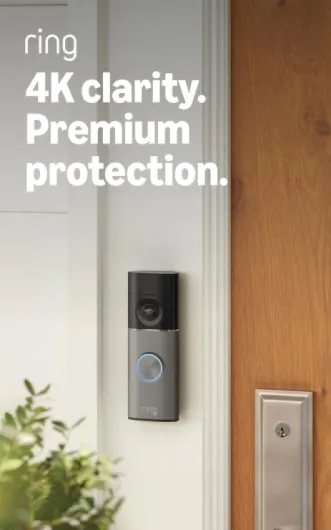
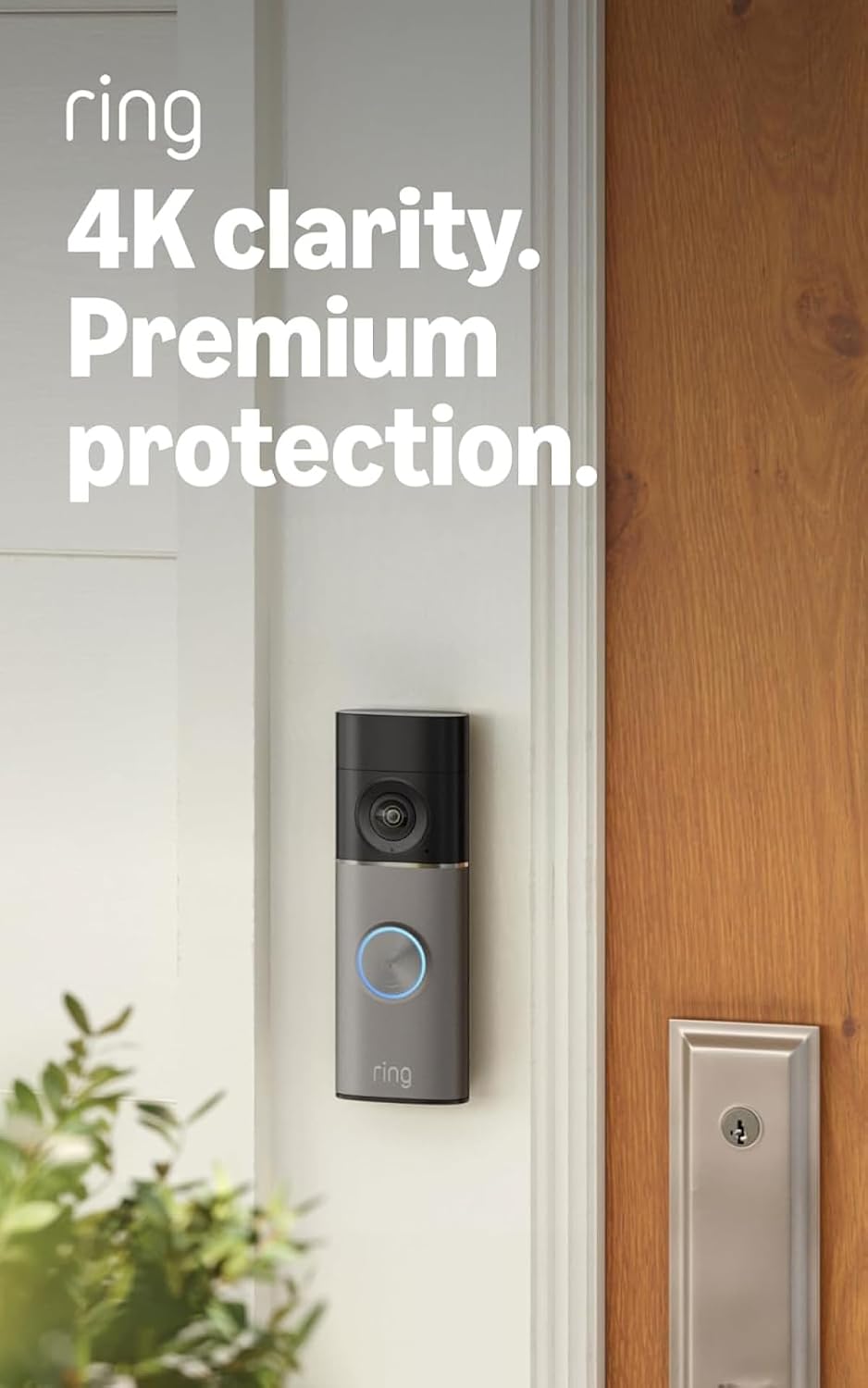
Battery Video Doorbell Plus (Newest gen) + Chime Pro - DIY Wireless Video Doorbell Camera with 1536p HD Video, Head-To-Toe View, Quick Release Battery Pack - Easy to install (5min) With Chime Pro

Ring

Battery Video Doorbell Plus (Newest gen) + Chime Pro - DIY Wireless Video Doorbell Camera with 1536p HD Video, Head-To-Toe View, Quick Release Battery Pack - Easy to install (5min) With Chime Pro

  • Clear 1536p head-to-toe video that shows both visitors and parcels on the ground
  • Easy DIY installation with a removable quick-release battery and included corner kit
  • Chime Pro extends Wi‑Fi for Ring devices and gives reliable indoor audible alerts
Overall, the Ring Battery Video Doorbell Plus with Chime Pro is a practical, easy-to-live-with smart doorbell. The main strengths are the head-to-toe 1536p video, the reliable two-way audio, and the simple installation. The Chime Pro is useful if your router is far from the front door or if you want an audible chime inside the house without touching your existing wiring. Day to day, it just works: you see who’s there, you talk to them if needed, and you keep an eye on parcels. For most people, that’s exactly what they’re after.It’s not perfect. The motion detection can occasionally miss things at the edge of the frame, and the subscription requirement for full features is the biggest downside. If you don’t want to pay monthly, you lose video history and some of the smarter alerts, which makes the device feel a bit underused. Also, if you’re in a very busy area, you might need to spend some time tuning motion zones so you don’t get spammed with alerts or drain the battery too fast.Who is it for? It’s good for people who want a straightforward, battery-powered doorbell camera that they can install themselves, who are okay with using an app, and who don’t mind paying a subscription to get the full set of features. It’s also a decent choice if you get a lot of deliveries and want reliable parcel monitoring. Who should skip it? If you hate subscriptions, want local storage, or live in an apartment where drilling and mounting outside is a hassle, you might be better off with another setup. But if you just want something that’s solid, easy to use, and does the job at the front door, this Ring combo is a good fit.
8.6 /10
★★★★★ ★★★★★
🌟 Excellent See full review →
See offer Amazon
#4
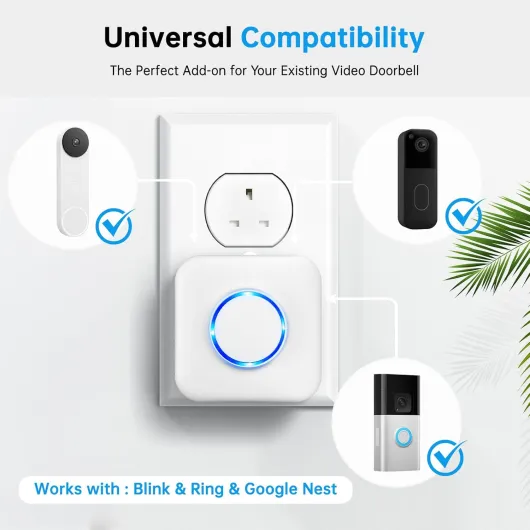
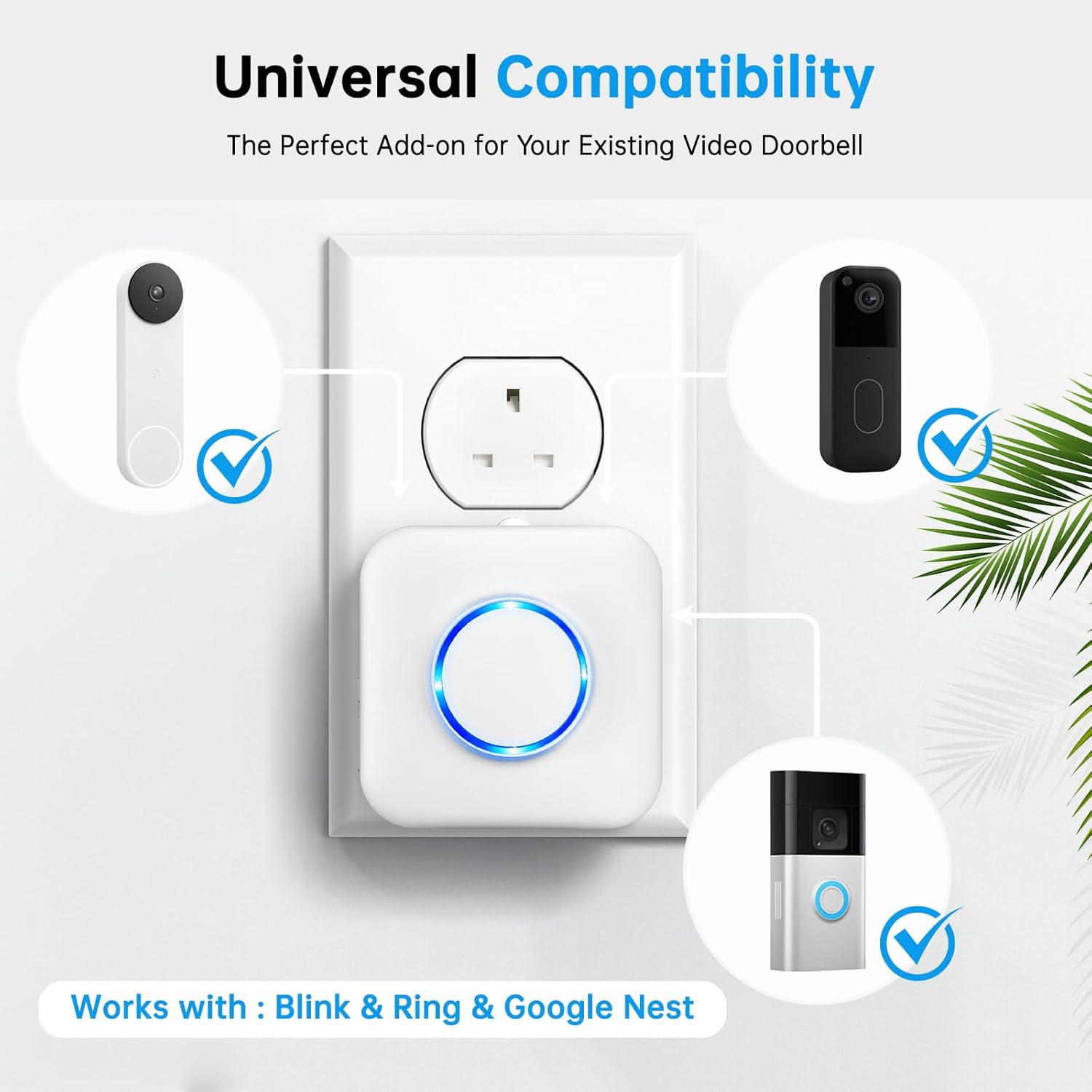
Smart Wireless Doorbell Chime, 2 Pack Doorbell Extender with Receivers - Compatible with Ring & Blink & Google Nest Video Doorbell, 2.4G WiFi, No Wiring Needed, Door Chime for Home White-2pack

Satisure

Smart Wireless Doorbell Chime, 2 Pack Doorbell Extender with Receivers - Compatible with Ring & Blink & Google Nest Video Doorbell, 2.4G WiFi, No Wiring Needed, Door Chime for Home White-2pack

⭐ Très bien noté 🔥 Populaire
  • Two loud Wi‑Fi chimes in the box, good coverage across multiple floors
  • Works reliably once connected, with clear LED flash and adjustable volume
  • Brand‑agnostic approach can be reused if you switch between Ring/Blink/Nest
After using the Satisure Smart Wireless Doorbell Chime 2‑pack for a while, my overall take is that it’s a decent, practical solution if your main problem is not hearing your Ring/Blink/Nest doorbell in every room. Once it’s set up properly on a 2.4 GHz Wi‑Fi network, it works reliably: the sound is loud, the LED flash is clear, and the coverage across floors using Wi‑Fi is better than the cheap RF chimes I’ve tried before. The design is basic but neutral, and having two receivers in the box makes it easier to cover a whole house without spending too much.That said, it’s not perfect. The big caveats are compatibility and setup. It doesn’t play nicely with every router or every Nest configuration, and the product page glosses over that. If your router doesn’t let you separate 2.4 and 5 GHz, or if you’re allergic to smart home apps and routines, you might get frustrated quickly. Some reviewers clearly expected a simple “plug in and it just works with Nest or Ring” experience and didn’t get that. In reality, it’s more like a smart home accessory that needs a bit of tinkering.I’d recommend this mainly to people who are already using SmartLife, Alexa, or Google Home and are comfortable poking around Wi‑Fi settings. For them, it offers good value and does the job well once configured. If you’re not into tech, or you’re using a wired Google Nest doorbell and want guaranteed direct compatibility, I’d lean toward the official chimes from your doorbell brand instead, even if they cost more. This Satisure chime is a solid budget extender, but not a magic plug‑and‑play fix for every setup.
7 /10
★★★★★ ★★★★★
👍 Very good See full review →
See offer Amazon

Comparison table : Smart doorbell chimes

Overall score Value for money Design Battery Durability Performance Presentation
Wireless Doorbell, No Battery Required Self-Powered Door Bell Plug in Waterproof IP65 Cordless Doorbell Chime Kits at 1300ft Range with 60 Chimes, 5-Level Volume with LED Light White
#1 TECKNET
Wireless Doorbell, No Battery Required S...
See offer Amazon
8.7/10 ★★★★★ ★★★★★ ★★★★★ ★★★★★ ★★★★★ ★★★★★ ★★★★★ ★★★★★ ★★★★★ ★★★★★ ★★★★★ ★★★★★
Wireless Doorbell, IP65 Waterproof Wall Plug-in Door Bells Wireless Cordless Chime Kit at 1300-feet Range, 60 Chimes & 5 Level Volume, Battery Operated, Plug in Door Entry Bell Black 1
#2 ‎TECKNET
Wireless Doorbell, IP65 Waterproof Wall...
See offer Amazon
8.6/10 ★★★★★ ★★★★★ ★★★★★ ★★★★★ ★★★★★ ★★★★★ ★★★★★ ★★★★★ ★★★★★ ★★★★★ ★★★★★ ★★★★★
Battery Video Doorbell Plus (Newest gen) + Chime Pro - DIY Wireless Video Doorbell Camera with 1536p HD Video, Head-To-Toe View, Quick Release Battery Pack - Easy to install (5min) With Chime Pro
#3 Ring
Battery Video Doorbell Plus (Newest gen)...
See offer Amazon
8.6/10 ★★★★★ ★★★★★ ★★★★★ ★★★★★ ★★★★★ ★★★★★ ★★★★★ ★★★★★ ★★★★★ ★★★★★ ★★★★★ ★★★★★
Smart Wireless Doorbell Chime, 2 Pack Doorbell Extender with Receivers - Compatible with Ring & Blink & Google Nest Video Doorbell, 2.4G WiFi, No Wiring Needed, Door Chime for Home White-2pack
#4 Satisure
Smart Wireless Doorbell Chime, 2 Pack Do...
See offer Amazon
7/10 ★★★★★ ★★★★★ ★★★★★ ★★★★★ - ★★★★★ ★★★★★ ★★★★★ ★★★★★ ★★★★★ ★★★★★

Choosing the best smart doorbell chimes for different platforms

People rarely start by asking which chime they need, yet the best smart doorbell chimes depend heavily on your chosen platform. If you own a Ring video doorbell or one of the newer Ring battery models, you will get the most seamless experience with an official Ring Chime or Ring Chime Pro that understands motion alerts, doorbell presses, and network conditions. For a Nest Doorbell or any Google Nest video doorbells, the recommended chimes integrate tightly with Google Assistant and can also route alerts to Nest speakers or displays.

  • Ring example: Ring Chime Pro (3rd gen) typically offers adjustable volume, multiple tones, and a built-in Wi-Fi extender for many Ring Video Doorbell models.
  • Google example: a Nest Doorbell (battery) can send alerts to Nest Mini speakers acting as virtual chimes, so you may not need a separate plug-in chime in smaller homes.

Apple users who rely on Apple HomeKit often combine a compatible doorbell camera with HomePod speakers acting as virtual chimes, which changes how you think about where sound comes from in the house. In that scenario, the best video doorbell for you might be a wired doorbell pro that supports both HomeKit and local storage on a microSD card, while still offering cloud storage as a backup for critical security footage. When you buy such a system on Amazon or another retailer, read carefully whether the chime is physical, virtual through speakers, or both, because this affects how you will hear the doorbell ring in daily use.

Accessories matter as much as the main device, especially when you expand your smart security setup over time. A dedicated chime extender can improve Wi-Fi coverage between your doorbell wired unit and your router, which is vital for stable video quality and reliable alerts. For readers planning a full ecosystem of smart doorbells, cameras, and sensors, it is worth exploring specialised guides on essential Ring doorbell accessories that explain how chimes, extenders, and extra power supplies work together for long term security.

  • Platform checklist: confirm support for Ring, Google Nest, Amazon Alexa, or Apple HomeKit before mixing brands.
  • Future-proofing: choose chimes and doorbells that can be updated via firmware, so latency and compatibility can improve over time.

Sound, volume, and placement strategies for doorbell chimes

Sound design is often overlooked, yet it defines whether a smart doorbell chime actually helps you. The best smart doorbell chimes offer adjustable volume, multiple tones, and sometimes separate sounds for motion events and doorbell presses, which lets you distinguish casual movement from a visitor at the door. When you pair these chimes with a video doorbell camera that has strong night vision and a wide field view, you gain both audible and visual awareness of what happens outside.

  • Quick win: set a softer tone for motion alerts and a louder, more distinctive chime for actual button presses.
  • Benchmark: many popular plug-in chimes reach around 70–80 dB at one metre, roughly similar to a vacuum cleaner, which is loud enough for most homes.

Placement is just as important as sound quality, because walls, doors, and soft furnishings can muffle even the best chime. Many households use two or three chimes with one set near the living area, another close to bedrooms, and sometimes a third near a home office where you monitor video storage or local storage devices. If your Wi-Fi chime stops working reliably, a practical troubleshooting checklist for Wi-Fi chimes can help you test signal strength, router channels, and interference from other smart doorbells or cameras.

Think about neighbours and shared spaces when you configure volume, especially in apartments where a loud chime can disturb others. A battery powered chime is easier to move temporarily if you host guests or work from a different room, while a wired chime stays fixed but usually offers more consistent performance with a doorbell wired transformer. For people with hearing difficulties, pairing the chime with visual alerts on Google Assistant displays, Amazon Alexa speakers, or Apple HomeKit lights can turn a simple doorbell press into a multi-sensory notification that is harder to miss.

  • Placement checklist: test the chime from your loudest room, with the TV on, before you commit to a final socket or mounting point.
  • Accessibility tip: combine sound with flashing lights or phone vibrations so no single alert channel is critical.

Power, connectivity, and reliability for chimes and doorbells

Behind every reliable chime stands a stable power and network setup that keeps your smart doorbell online. Battery powered video doorbells and their matching chimes give you flexible placement, but you must manage battery life carefully, especially if the Ring battery or similar pack also powers the camera and night vision. Wired doorbells and wired chimes rely on a transformer, yet they remove the need to recharge and often support higher bit rate video quality and more responsive alerts.

  • Rule of thumb: high traffic entrances drain batteries faster, so expect more frequent charging if your door faces a busy street.
  • Maintenance tip: set a calendar reminder to check battery levels monthly, even if your app sends alerts.

Connectivity issues usually appear first as delayed chime sounds or missed rings, long before you notice gaps in cloud storage or video storage logs. When the doorbell camera struggles with Wi-Fi, the chime may not trigger, recordings may fail to upload to the cloud, and local storage on a microSD card might show irregular timestamps that complicate security reviews. This is why the best smart doorbell chimes often include built in Wi-Fi repeaters or work alongside extenders that strengthen the link between your router, your doorbell, and any secondary doorbells around the property.

Some homeowners prefer a hybrid approach, using a wired doorbell pro at the main entrance and a battery video doorbell at a side gate, both linked to a shared set of chimes. In that case, you must ensure that each chime can map different tones to different doorbells, so you know which camera to check when you hear the alert. If you rely heavily on a Ring battery system, consider a dedicated rechargeable battery kit and charging station that keeps spare packs ready, reducing downtime for both the doorbell and any chime accessories that share the same power format.

  • Network checklist: place your router centrally, avoid metal cabinets, and keep it away from thick concrete walls where possible.
  • Hybrid tip: label tones in your app (for example, “front door” and “side gate”) so family members quickly learn which sound means what.

Storage, subscriptions, and privacy around audible alerts

While a chime itself does not store footage, its behaviour is tightly linked to how your video doorbell handles storage and subscriptions. Many smart doorbells offer a cloud subscription that unlocks extended cloud storage, advanced motion detection, and rich notifications, which in turn influence when the chime sounds and how often it alerts you. If you choose a system with strong local storage on a microSD card, you still want the chime to mirror every event that the doorbell camera records, especially for security sensitive entrances.

  • Subscription note: some brands reduce advanced motion alerts when you cancel a plan, which can change how often your chime rings.
  • Privacy tip: use activity zones and people-only detection where available to cut down on unnecessary alerts.

Balancing privacy with convenience means deciding how many alerts you really need to hear during a typical day. A doorbell wired to a busy street might trigger constant motion events, so the best smart doorbell chimes let you mute motion sounds while keeping the classic doorbell ring for actual visitors. This flexibility matters when you use platforms like Google Nest, Amazon Alexa, or Apple HomeKit, because each ecosystem offers different ways to filter events, route notifications, and coordinate chimes with smart speakers or displays.

People who manage rental properties or multi unit homes often rely on video storage logs to resolve disputes or verify deliveries, and they need chimes that never miss a press. For them, the best video doorbells combine high video quality, dependable night vision, and robust field view coverage with chimes that can be heard across several floors. When you buy such systems on Amazon or through specialist retailers, check how long subscription trials last, how cloud storage retention compares with local storage options, and whether the chime keeps working fully even if you cancel the subscription later.

  • Owner checklist: write down how long your free trial lasts and set a reminder a week before it ends.
  • Noise control: schedule quiet hours in the app if your platform supports it, so late-night motion alerts do not wake everyone.

Security, ecosystems, and how chimes fit into the bigger picture

Every audible ring from a chime is part of a larger security story that spans cameras, apps, and cloud services. A smart doorbell with a well tuned chime can deter opportunistic intruders, reassure visitors, and give you immediate awareness of activity at your front door, even before you open the live video feed. When that doorbell camera integrates with Google Assistant, Amazon Alexa, or Apple HomeKit, the chime becomes one of several coordinated alerts that include phone notifications, smart speaker announcements, and sometimes automated lighting scenes.

  • Practical example: a doorbell press can trigger a hallway light, a spoken announcement on a smart speaker, and a chime tone at the same time.
  • Security habit: review your event history occasionally to confirm that every press you remember matches a chime and a recording.

For households already invested in Google Nest or Nest Doorbell devices, choosing the best smart doorbell chimes means checking compatibility with existing speakers, displays, and routines. A Nest Doorbell can send alerts to Nest Mini speakers acting as virtual chimes, while a separate physical chime ensures you still hear the ring during internet outages or when smart speakers are muted. In mixed ecosystems where Alexa Google interoperability matters, some users run both Amazon Alexa and Google Assistant devices, mapping the same doorbell press to multiple chimes and voice announcements.

Security professionals often recommend overlapping channels of awareness, so that a single failure does not leave you unaware of a visitor or a suspicious event. That might mean pairing a wired doorbell pro at the main entrance with a secondary battery video doorbell at the back door, both linked to several chimes and to cloud storage plus local storage backups. When you evaluate which doorbells and chimes are best for your situation, prioritise systems that maintain audible alerts even during partial outages, such as brief Wi-Fi drops or temporary subscription issues, because resilience is as important as raw video quality.

  • Resilience checklist: confirm that your chime still rings if the internet connection drops but your local network stays up.
  • Ecosystem tip: avoid relying on a single app for every alert if you can also use smart speakers or lights as backup indicators.

Buying tips, real world testing, and long term ownership

Choosing the best smart doorbell chimes is easier when you focus on real world scenarios instead of spec sheets. Ask yourself where you actually need to hear the doorbell, how many floors or thick walls stand between your router and the chime, and whether you prefer a wired or battery solution for long term maintenance. A family in a two storey house might prioritise a loud wired chime near the living room and a softer battery chime near bedrooms, while an apartment dweller could rely mainly on smart speakers and a compact plug in chime.

  • Scenario tip: imagine a delivery arriving while you are in the noisiest room of your home and plan chime placement around that moment.
  • Layout checklist: note down the number of floors and key rooms, then decide how many chimes you realistically need.

When you read product pages on Amazon or other retailers, look beyond marketing terms like best video or premium doorbell camera and search for details about chime volume, tone selection, and multi doorbells support. Pay attention to how reviewers describe latency between a doorbell press and the chime sound, because even a two second delay can feel frustrating when you rush to answer the door. Long term owners often mention whether firmware updates improved or degraded video quality, night vision, and chime reliability, which matters more than launch day impressions.

Before you buy, map out your security priorities, including whether you need continuous video storage, event based cloud storage, or primarily local storage on a microSD card. If you expect frequent visitors or deliveries, a robust doorbell wired setup with a high quality chime and a reliable subscription plan may serve you better than a cheaper battery only kit. Over several years of ownership, the best smart doorbell chimes are the ones you stop thinking about, because they simply ring clearly, every time, while your doorbell, your cameras, and your chosen ecosystem quietly handle the rest.

  • Final checklist: compatibility, number of chimes, wired vs battery, volume range, latency, and subscription rules.
  • Human test: after installation, ask someone to press the doorbell several times while you move around the home and confirm you never miss a ring.

Key figures on smart doorbells and chimes

  • Industry reports suggest that global smart doorbell shipments reached many millions of units in a recent twelve month period, with a strong double digit annual growth rate, showing how quickly video doorbells and their chimes are entering mainstream homes. Public summaries from major market research firms and manufacturer earnings calls broadly support this trend, even if exact numbers vary.
  • Independent testing labs and manufacturer benchmarks often measure Wi-Fi latency between a doorbell press and a chime sound at roughly 300 to 800 milliseconds on modern systems, which is short enough that most users perceive the alert as instantaneous. In hands-on reviews, testers frequently report that the chime sounds almost at the same moment as a traditional wired bell.
  • Consumer surveys from various regions indicate that a majority of smart doorbell owners subscribe to some form of cloud storage plan, while a smaller but significant group relies mainly on local storage such as a microSD card, highlighting how storage choices influence chime behaviour and alert frequency. Brand-specific questionnaires and third-party polls generally align on this split.
  • Security studies and insurance industry analyses generally agree that homes with visible video doorbells and audible chimes tend to experience noticeably fewer successful burglary attempts compared with similar homes without any smart security devices, although exact percentages vary by study and location. Researchers typically attribute this to the deterrent effect of cameras and obvious alerts.
  • Energy measurements from manufacturers show that a typical plug in smart chime consumes only a few kilowatt hours per year, which is significantly less than many always on home entertainment devices, making chimes a low impact addition to overall household energy use. Lab tests that monitor standby draw and peak usage broadly confirm these low consumption figures.
Frequently asked questions

A separate smart doorbell chime is still useful, because phones can be on silent, out of reach, or in another room when someone presses the doorbell. A chime ensures everyone in the home hears the alert, including children or guests without access to the app. For critical security events, combining phone notifications with a loud chime gives you faster, more reliable awareness.

Many modern chimes support multiple doorbells, but you must check the specifications for each brand. Systems such as Ring, Google Nest, and some HomeKit compatible doorbells allow you to assign different tones to different entrances, so you know which camera to check. When planning several video doorbells, confirm that your chosen chime can map separate alerts before you buy.

A wired chime connects to your existing doorbell transformer and usually offers consistent power and strong volume, but it is fixed in place and may require professional installation. A plug in chime uses a standard wall socket, which makes it easier to move between rooms and adjust placement as your needs change. Both types can work with smart doorbells, so the best choice depends on your wiring, layout, and willingness to modify your electrical system.

Most smart doorbell chimes depend on both power and a network connection, so they may stop working during full outages. Some systems offer limited offline behaviour, such as a wired mechanical chime that still rings when the doorbell is pressed, even if cloud services are unavailable. If resilience is a priority, choose a setup that combines a traditional wired chime with smart features, or add backup power and strong local storage options.

Many smart doorbells integrate with Google Assistant, Amazon Alexa, or Apple HomeKit, allowing smart speakers and displays to act as additional chimes. In these setups, a doorbell press can trigger both a physical chime and a spoken announcement on compatible speakers. Check the compatibility list for your doorbell model to confirm which assistants and speaker brands are supported before you invest in extra hardware.

According to our tests, the best smart doorbell chimes is the Wireless Doorbell, No Battery Required Self-Powered Door Bell Plug in Waterproof IP65 Cordless Doorbell Chime Kits at 1300ft Range with 60 Chimes, 5-Level Volume with LED Light White with a score of 8.7/10.

The cheapest smart doorbell chimes in our comparison is the Wireless Doorbell, IP65 Waterproof Wall Plug-in Door Bells Wireless Cordless Chime Kit at 1300-feet Range, 60 Chimes & 5 Level Volume, Battery Operated, Plug in Door Entry Bell Black 1.

The most popular smart doorbell chimes is the Wireless Doorbell, IP65 Waterproof Wall Plug-in Door Bells Wireless Cordless Chime Kit at 1300-feet Range, 60 Chimes & 5 Level Volume, Battery Operated, Plug in Door Entry Bell Black 1 with 18 439 customer reviews.

To choose a smart doorbell chimes, we recommend comparing performance, build quality, value for money and user reviews. Our comparison table above helps you make the right choice.

We have tested 4 Smart doorbell chimes to establish this ranking.
#1 Wireless Doorbell, No Battery Required Self-Powered Door Bell Plug in Waterproof IP65 Cordless Doorbell Chime Kits at 1300ft Range with 60 Chimes, 5-Level Volume with LED Light White
TECKNET
Wireless Doorbell, No Battery Required Self-Powered Door Bell Plug in Waterproof IP65 Cordless Doorbell Chime Kits at 1300ft Range with 60 Chimes, 5-Level Volume with LED Light White
8.7/10 Best choice
See offer Amazon