
Summary
Editor's rating
Value for money: good if you accept the limits, weak if you expect a full smart doorbell
Design: simple, discreet, but a bit plasticky on the inside
Battery life: better than expected, but depends how you use it
Durability and reliability: decent build, but app stability is the question mark
Performance: picture is good, app is okay, features are bare-bones
What this thing actually does (and doesn’t do)
Pros
- Clear 1080p image with wide 146° view, much better than a standard peephole
- Very simple installation using existing peephole, no wiring required
- Strong battery life (months between charges for light to moderate use)
Cons
- No motion detection, no recording, no SD card, and no cloud option
- No night vision, so performance drops a lot in very dark hallways
- App can be a bit slow to connect, so visitors may be gone by the time it loads

Specifications
View full product page →| Brand | EZVIZ |
A peephole for people who are sick of squinting at the door
I’ve been using the EZVIZ CP2 peephole camera on my flat door for a few weeks now, and I went for it for one simple reason: I was tired of squinting through a tiny spyhole and guessing if it was a courier or another random salesperson. I didn’t want a full smart doorbell setup with chimes, subscriptions, and motion alerts – just a clearer view of the hallway on a screen and on my phone. On paper, this model fits that brief: 1080p camera, 4.3" indoor screen, Wi‑Fi, app access, and battery powered.
What you need to understand right away is that this is basically a smart peephole, not a doorbell and not a security camera in the usual sense. There’s no motion detection, no doorbell button, no video recording, no SD card, and no cloud subscription option. If you’re expecting Ring-style features, this is the wrong product. It’s more like replacing your classic peephole with a camera and screen that you manually check when you feel like it.
In daily use, that mindset matters a lot. If someone knocks or rings your separate doorbell, you either walk to the door and tap the screen, or you open the EZVIZ app to see who’s there. That’s it. No push alert because someone is standing outside, no playback after the fact. For me that’s fine because I mainly wanted to see who’s at the door before opening, not build a full CCTV system, but if you’re expecting anything more advanced, you’ll probably be disappointed.
Overall, my first impression is: it does the basic job quite well – image on the screen is clear, app works most of the time, and installation was less painful than I expected. But it also feels a bit limited for the price once you realise how much it doesn’t do. Whether that’s a deal-breaker depends on how simple you actually want your setup to be.
Value for money: good if you accept the limits, weak if you expect a full smart doorbell
On the value side, this really depends on what price you get it at and what you expect from it. I bought it in a discount window, and at that price, I’d say it’s good value for a simple peephole upgrade. You get a clear 1080p image, an indoor screen, app access, and solid battery life, all without having to run wires or drill extra holes in your door. For a flat where you can’t mess with the building’s exterior or install a big wired doorbell, that’s genuinely practical.
But when you compare it to some cheaper smart doorbells that offer motion detection, recording, and sometimes even cloud storage options, the CP2 starts to look a bit basic for what you pay. The fact that there’s no recording at all is a big one. You’re paying a mid-range price for what is basically a digital peephole with remote viewing and nothing else. If you’re the kind of person who wants to review who came while you were out, or catch people leaving things at your door, this product just won’t deliver.
Where it does make sense is for people who: live in flats, don’t want to deal with drill holes or landlord complaints, and honestly just want to see who’s knocking without sticking their face to the door. In that scenario, it’s a clean, relatively hassle-free solution. No subscription fees, no SD card management, no motion zones to tweak – it’s simple to live with.
So for value, I’d put it like this: if you’re okay with a minimalist feature set and can grab it on sale, it’s a fair deal. If you’re expecting a full smart doorbell experience with alerts and recordings for the same money, you’ll probably feel it’s underpowered for the price.
Design: simple, discreet, but a bit plasticky on the inside
Design-wise, the EZVIZ CP2 keeps a pretty low profile, which is good for a flat door. The outside part that replaces the peephole is a small round camera module in a silvery metal finish. From the hallway side, it doesn’t scream “expensive gadget” – it just looks like a modern peephole, which I actually like because it doesn’t attract too much attention. It also blocks anyone from peeking in, which is a small but nice privacy upgrade over a regular spyhole.
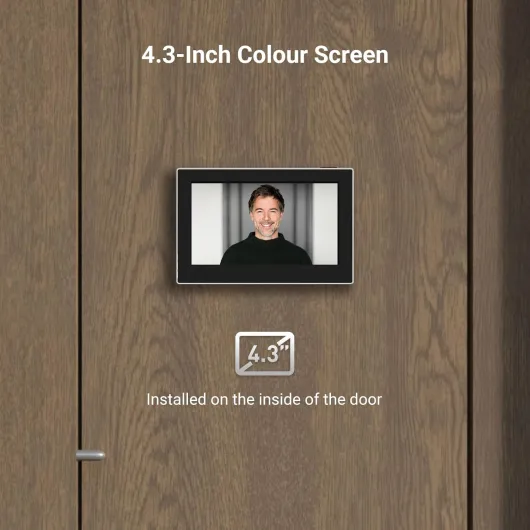
The inside unit is where you really notice it. You get a 4.3" colour screen in a rectangular housing that mounts directly on the door. It’s not huge, but it’s big enough to clearly see faces from a few steps away. The design is pretty basic: screen, a main button, USB-C charging port, and that’s about it. The plastic doesn’t feel premium, but it doesn’t feel super cheap either – more like “generic electronics” quality. It’s light, which helps it stay put on the door without feeling like it’s going to fall off.
Installation wise, the design is fairly smart. It uses your existing peephole hole (14–26 mm) and supports doors between 35–105 mm thick. On my door, it lined up fine. The camera unit slides through the hole from the outside, and the indoor screen mounts onto a base plate that clamps everything together with screws. Once tightened, it feels stable. You do have to commit to having a device stuck on the inside of your door though, which may annoy some people aesthetically.
One thing to note: the screen has to be on the door itself, not on a nearby wall. That means you see a small chunk of cabling and mounting hardware when you open the door. It’s not ugly, just clearly functional. Overall, I’d call the design practical and discreet from the outside, a bit plain and plasticky on the inside, but nothing that bothered me in everyday use.
Battery life: better than expected, but depends how you use it
The battery situation is actually one of the strong points. The CP2 uses a built-in 2,200 mAh rechargeable lithium battery, charged via USB‑C on the indoor screen. You don’t run any power cables through the door, which keeps installation simple. In my case, with a handful of checks per day (screen plus occasional app viewing), the battery drain has been quite slow. After roughly a month, I was still well above half charge. This lines up with some Amazon reviewers saying they still had about 40% after four months, which sounds realistic if you don’t constantly wake the screen or open the app.
Charging is straightforward: you plug in a USB‑C cable (they include a 1m one) and let it sit. Obviously, the unit is stuck to your door, so unless you have a socket close by, you might need a longer cable or a power bank. There’s no removable battery, so you can’t just swap it out; you have to charge it in place. The device remains usable while plugged in, but you’ll have a cable hanging from your door during that time, which looks a bit messy.
There’s no crazy battery optimisation settings – it’s simple: the less you use the screen and live view, the longer it lasts. Since there’s no motion detection or constant recording, the camera isn’t working hard in the background, which helps a lot. In a normal flat scenario with a few visitors a day, I’d say you’re realistically looking at charging every 2–4 months, depending on how paranoid you are and how often you check it.
Overall, I’d rate the battery life as pretty solid for a 100% wireless door viewer. It’s not something you need to babysit every week, and once you figure out a convenient way to charge it (socket location, cable length, etc.), it becomes one of those devices you mostly forget about until the low-battery warning shows up.
Durability and reliability: decent build, but app stability is the question mark
In terms of physical durability, the CP2 seems fine so far. The external camera module is metal and feels solid when you touch it from the hallway side. It sits flush in the peephole, and once the screws are tightened, it doesn’t wobble. Since it’s meant for flat doors and indoor hallways, it’s not really exposed to rain or direct sun, so it doesn’t need to be weatherproof like an outdoor doorbell. For that use case, the build quality is acceptable.
The indoor screen unit is more plasticky, but the buttons respond well and the screen hasn’t shown any weird flickering or dead pixels during my time with it. The mounting base hasn’t loosened, and opening/closing the door daily hasn’t shifted the alignment. Weight is only about 0.4 kg total for the set, so it’s not putting serious strain on the door or hinges.
Where I have a tiny concern is software reliability. I personally haven’t had the device completely die on me, but I did have a couple of moments where the app refused to connect on the first try and needed a restart. One Amazon review mentions the app stopping and the device not working after a week – that sounds like either a faulty unit or a bad firmware/app combo. With Wi‑Fi gadgets like this, there’s always a bit of risk that a future app update breaks something or your router throws a tantrum with 2.4 GHz devices.
So I’d say: hardware durability seems okay for indoor flat use, but software reliability will depend on your network and how patient you are with the EZVIZ app. Mine has been mostly stable, but I wouldn’t call it flawless. If you want something that works 100% of the time with zero hiccups, you might get annoyed by the occasional connection issue.
Performance: picture is good, app is okay, features are bare-bones
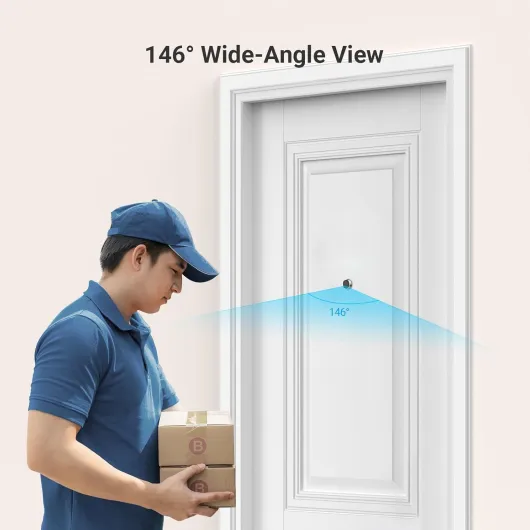
On the performance side, the CP2 does the basics fairly well. The 1080p image and 146° field of view give a wide, clear view of the hallway. Compared to my old optical peephole, it’s a big upgrade: I can actually see the person’s face, what they’re holding, and a decent bit of the surrounding area. The F1.6 aperture helps in low light – in a dim hallway with just a small ceiling light, I can still see enough detail to recognise people. But keep in mind there’s no infrared night vision: in near-total darkness, you basically see a muddy, dark image and that’s it.
The indoor screen turns on quickly when you press the button, usually within a second or two, and the picture is sharp enough for what it is. Colours are a bit flat, but I don’t really care as long as I can tell who’s at the door. The viewing angle is wide, so even if the person is standing slightly to the side, you still see them. There’s no noticeable lag between real life and what you see on the screen, so it feels responsive.
The app experience is decent but not perfect. On Wi‑Fi inside the flat, it usually takes around 3–5 seconds to connect and show the live view. On 4G/5G outside, sometimes it’s quick, sometimes it hangs a bit before loading. A few Amazon reviewers mentioned that by the time the image loads, the visitor has already walked away – I’ve had that happen once or twice with couriers who ring and immediately head back to the lift. There’s also no alert popping up when someone is at the door, since there’s no motion detection or doorbell integration.
So in practice, performance is: solid video quality, acceptable app speed, very limited smart features. If you’re fine manually checking the app or screen when you hear a knock, you’ll be okay. If you want instant alerts, recorded clips, or two-way talk, this product just doesn’t offer that, and no amount of tweaking will change it.
What this thing actually does (and doesn’t do)
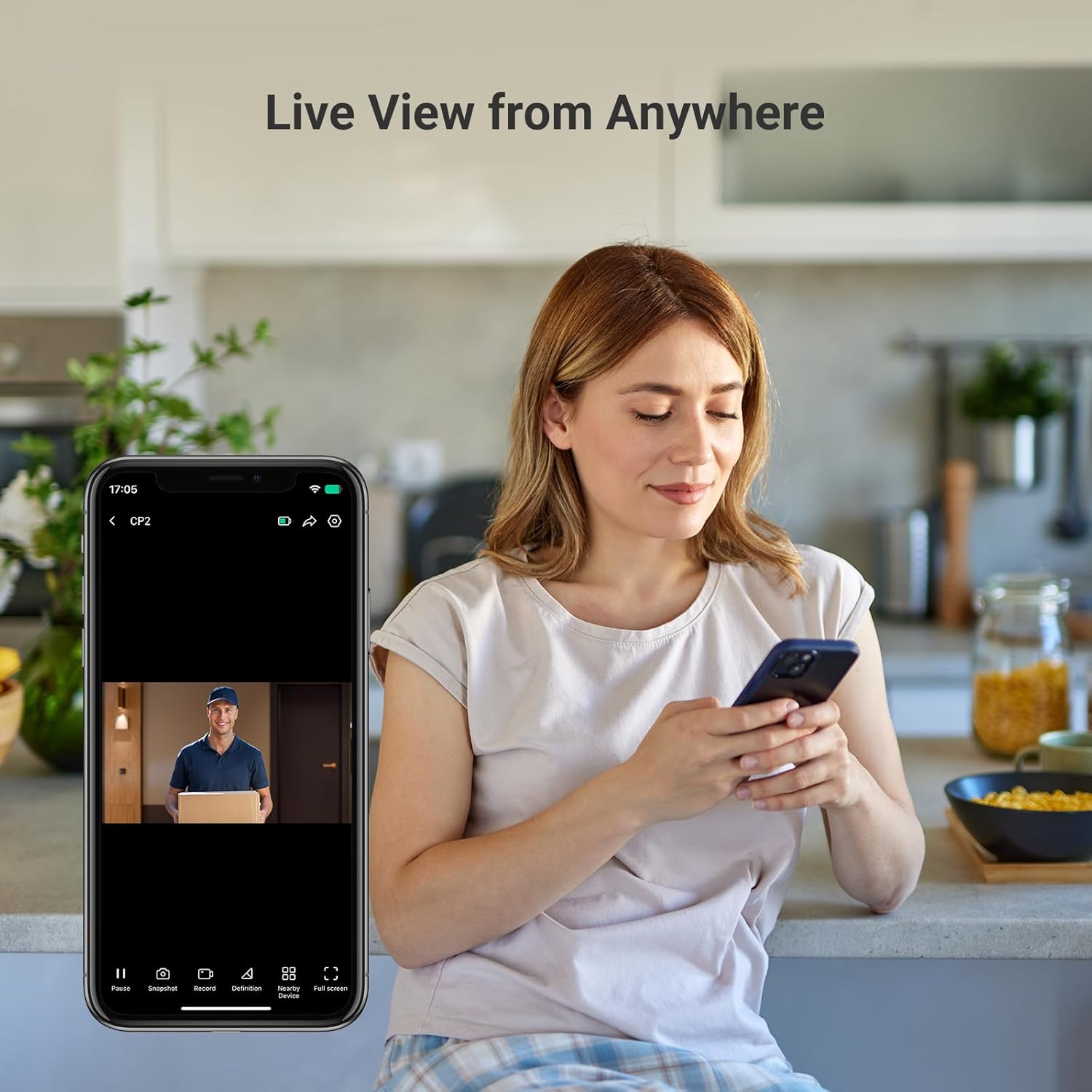
Let’s be very clear about what the EZVIZ CP2 is: it’s a Wi‑Fi peephole viewer designed for flat doors with an existing spyhole. It replaces the traditional optical peephole with a small camera on the outside and a 4.3" screen unit on the inside of the door. The camera sends 1080p video to that screen and also to the EZVIZ app on your phone over 2.4 GHz Wi‑Fi. The app lets you see a live view from anywhere, but that’s basically where the feature list stops.
The big limitations, which the product page does mention but are easy to skip over, are these: no motion detection, no night vision, no recording, and no doorbell button. There’s no way to insert an SD card, and there’s no subscription option to store clips. So if someone was at your door while you were out, you’ll never know unless you happened to open the app at that exact moment. It’s live-only. That’s fine if you’re okay with it, but you need to know it before buying.
In practice, here’s how I use it: if I hear a knock or my separate doorbell ring, I either tap the button on the indoor screen to wake it up and see the hallway, or I open the EZVIZ app on my phone. The screen turns on quickly; the app is a bit slower, taking a few seconds to connect, which sometimes means the delivery person is already walking away. There’s no two-way talk either – you can see them, but you still have to talk through the door like normal.
So functionally, I’d describe the CP2 as: “a digital peephole with remote viewing”. Nothing more, nothing less. If that’s what you want, it makes sense. If you’re hoping to replace a Ring/Arlo/Google doorbell, you’ll probably find it too basic. For me, it sits in that middle ground: handy upgrade over a dumb peephole, but clearly not a full smart doorbell system.
Pros
- Clear 1080p image with wide 146° view, much better than a standard peephole
- Very simple installation using existing peephole, no wiring required
- Strong battery life (months between charges for light to moderate use)
Cons
- No motion detection, no recording, no SD card, and no cloud option
- No night vision, so performance drops a lot in very dark hallways
- App can be a bit slow to connect, so visitors may be gone by the time it loads
Conclusion
Editor's rating
The EZVIZ CP2 is basically a digital peephole for flat doors that adds a screen and phone viewing, and that’s about it. It does that core job well: the image is clear, the viewing angle is wide, and the battery lasts a long time. Installation is straightforward if you already have a peephole, and you don’t have to damage the door beyond removing the old viewer. For people who just want to see who’s outside without putting their eye up to the door, it genuinely improves daily life.
But you need to be honest with yourself about what you expect. There’s no motion detection, no doorbell button, no recording, and no night vision. If you were hoping to replace a smart doorbell, this will feel bare-bones. It’s best for tenants or flat owners who can’t or don’t want to install an external doorbell camera, and who only need live view on demand. If you’re okay opening the app or tapping the screen when you hear a knock, it gets the job done. If you want alerts and video history, look elsewhere.
In short: good for simple hallway visibility and privacy, weak as a security camera. I’d recommend it to someone in a flat who wants a no-fuss, live-only peephole upgrade, ideally bought on sale. If you’re more security-focused or tech-hungry, you’ll probably be happier paying a bit more for a proper smart doorbell with motion and recording.