
Summary
Editor's rating
Price, storage options, and whether it’s worth it vs Ring and others
Looks, build, and how it actually sits on the door
Battery life: solid, but only if you tame the motion settings
Weather, wear and tear, and the anti-theft side of things
Video quality, motion alerts, and real-world responsiveness
What you actually get and how it fits into a real setup
Pros
- Clear 2K video with a tall 4:3 view that shows both faces and packages
- No mandatory subscription; can use local storage via Tapo hub or optional cloud
- Included plug-in chime and decent Alexa/Google integration for door announcements
Cons
- Motion settings need tuning to avoid spam alerts and heavy battery drain
- Occasional delay on motion notifications when away from home
- Design and app experience are functional but not as polished as some competitors

Specifications
View full product page →| Brand | Tapo |
A straight-talking take on the Tapo TD23 doorbell
I’ve been using Tapo stuff for a while (plugs and a couple of indoor cams), so when I wanted a video doorbell without yet another subscription, the Tapo TD23 was the obvious one to try. I’ve had it on my front door for a few weeks now, dealing with deliveries, random leaflets, and the usual neighbours pressing the bell just for fun. So this is not an unboxing hype piece; it’s what it’s like to live with it day to day.
My setup is pretty standard: UK semi-detached, short front garden, door opens straight onto a small path and then the pavement. That means tons of motion from people walking past and cars pulling up. It’s basically the worst-case scenario for battery life and motion alerts, so if it survives here, it should be fine in most quieter places. I also use the Tapo app already, and I have an Echo Show, so I tested the Alexa integration properly.
Overall, it does what you expect: it records when someone comes to the door, you can talk to them through your phone, and the picture is clear enough to see faces and packages. It’s not perfect, and you do need to spend a bit of time tweaking the settings, especially motion zones and notifications, otherwise you’ll get hammered with alerts and the battery will drain faster than you’d like. But once tuned, it’s pretty solid.
If you want a super polished, premium-feeling device with loads of fancy extras, this isn’t that. If you want something that’s easy enough to set up, doesn’t force a subscription, and just quietly does its job, the TD23 is more in that lane. I’ll go through how it looks, how it performs, the battery, and where it annoyed me, so you can see if it fits your setup or not.
Price, storage options, and whether it’s worth it vs Ring and others
In terms of value, the TD23 sits in a pretty sweet spot. You get the doorbell, a plug-in chime, 2K video, decent AI detection, and app control without being forced into a monthly subscription. That’s the big selling point for me. With Ring or Nest, the hardware price is just the start; to actually keep recordings and use all the features, you usually end up paying every month. With Tapo, you can either use a microSD card in a Tapo hub (one-off cost) or pay for Tapo Care cloud if you really want cloud storage.
If you already own a Tapo hub or other Tapo cameras, the value is even better, because everything lives in one app and you’re not buying into yet another ecosystem. The video files are compressed well enough that they don’t eat tons of storage, and the app interface is the same as the other Tapo stuff, so there’s no learning curve. Compared to something like a basic Ring setup, you save money long term purely by not paying subscriptions, even if the upfront price is similar.
It’s not all perfect, though. The app isn’t as polished as some of the bigger brands, and the occasional delay on motion notifications when you’re away from home can be annoying if you’re picky. The two-way audio is good enough but not class-leading, and the design is more functional than nice. If you want the slickest user experience, you might still lean towards Ring or Nest and just accept the subscription costs. Also, if you don’t already have a Tapo hub and you want local storage, you’ll need to factor that into the price.
Overall, I’d say the value for money is strong if your priorities are: no mandatory subscription, decent image quality, and basic smart integration with Alexa/Google. If you’re the kind of person who wants every feature to be perfect and doesn’t mind paying a monthly fee, there are fancier options. But for a straightforward, budget-conscious setup that still feels modern, the TD23 makes sense.
Looks, build, and how it actually sits on the door
The TD23 is a fairly plain black rectangle with a big round button and a camera above it. No chrome, no flashy bits, which I actually prefer. It doesn’t scream “expensive gadget on the wall”, which is good from a theft point of view and also just looks more normal. The ring around the button lights up so visitors can see where to press, even in the dark. It’s not the nicest-looking doorbell on the market, but it’s clean and practical.
Build quality feels decent for the price. It’s plastic, but not flimsy. The unit has some weight to it, and once it’s mounted it doesn’t wobble. It’s rated IP64, so rain and dust shouldn’t be a problem. Mine has already had a good few soaked days and some wind-blown grit, and it still works normally with no moisture under the lens or weird condensation. I wouldn’t pressure wash it or anything, but for a normal UK front door, it’s fine.
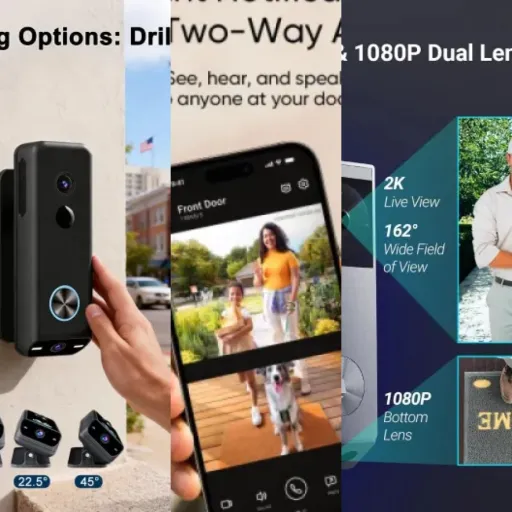
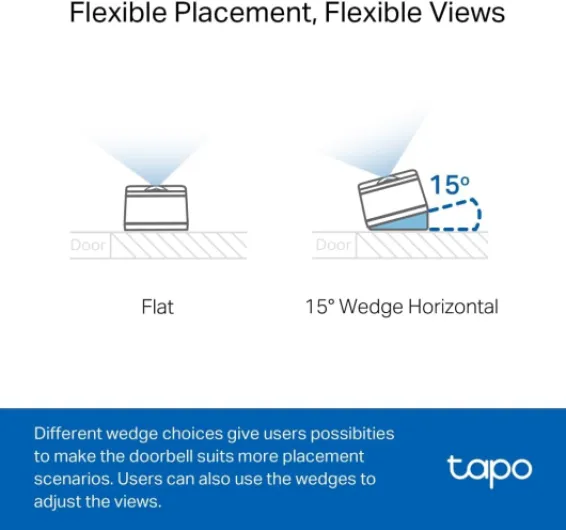
You get wedges in the box so you can angle the camera left/right or up/down. That’s more important than it sounds. At first, I stuck it straight on with the adhesive pad just to test it, and the view was a bit too much of the street and not enough of the doorstep. After switching to the wedge and angling it slightly towards the door, I could see people head-to-toe and also what they put on the mat. It took a bit of trial and error, but the flexibility is there if you bother to adjust it properly.
One thing to mention: it’s not tiny. If you have a very narrow door frame or a weirdly shaped entrance, measure first. On my door frame it looks normal, but in photos you can tell it’s a bit chunkier than a classic non-camera doorbell. The anti-theft alarm feature is a nice touch – if someone tries to rip it off, it squeals – but just be aware that if you’re heavy-handed when you’re adjusting or removing it, you’ll set that off too. Overall, the design is practical, not pretty, and it gets the job done.
Battery life: solid, but only if you tame the motion settings
The battery situation is pretty straightforward: it’s a rechargeable, removable pack that charges over USB. You don’t need to hardwire anything, which makes installation easy, but of course it means you’ll be taking it down every few months to charge. How often depends completely on how busy your front door is and how aggressive your settings are.
In my case, with a short front garden and a steady stream of people and cars, the default motion detection absolutely chewed through the battery at first. With full motion detection, higher sensitivity, and colour night vision, I saw the battery dropping several percent a day. After a week of that, I went into the app and did what most reviewers suggest: reduced the detection range, set activity zones, and limited AI detection to people only instead of everything. That made a big difference – the drain slowed down noticeably.
Once tuned, you’re realistically looking at something like 2–3 months in a busy area, and probably more like 3–4 months if your front door is quieter (like a long driveway or a cul-de-sac). If you only record on button press and keep motion to a minimum, you can stretch it even further. The product blurb talks about long battery life, and I’d say that’s true if you’re smart about the settings. If you just throw it up and leave all the defaults on max, expect to be charging it more often than you’d like.
Charging itself is simple but a bit annoying: you have to remove the doorbell from its mount, bring it inside, and plug it in for a few hours. There’s no hot-swap second battery in the box, so if you want zero downtime you’d need to buy a spare separately. For most people, a few hours of the doorbell being offline isn’t the end of the world, but it’s something to keep in mind. Overall, I’d call the battery life good but very dependent on how you configure motion. It’s not magic, but it’s definitely usable for a battery doorbell.

Weather, wear and tear, and the anti-theft side of things
Durability-wise, the TD23 has held up well so far. It’s rated IP64, which basically means rain and dust aren’t a big deal, but you shouldn’t dunk it or blast it with a pressure washer. Mine has gone through several heavy rain days and a couple of windy days with grit in the air, and the lens is still clear, no fogging inside, and the button still clicks like day one. The plastic doesn’t feel premium, but it also doesn’t feel like it’ll crack the first time something hits it.
The mounting system is pretty standard: a backplate fixed with screws or the included adhesive pad. I’d strongly recommend screws if you can, especially if your door frame gets damp. Adhesive is fine for a quick test or a rental where you’re not allowed to drill, but over time, with temperature changes and moisture, I don’t trust any sticky pad fully. On screws, mine feels properly solid. No wobble when you press the button, and it hasn’t shifted at all.
The anti-theft alarm is a nice extra, but don’t expect it to stop a determined thief. If someone yanks the doorbell off the plate, it screams, which might scare off a casual chancer or at least draw attention. But if someone really wants it, they’ll still get it. For me, it’s more about the fact that you’ll get a notification and probably a recording of whoever tried to tamper with it. Just be aware: if you take it off for charging and forget to disarm that in the app, you’ll set it off yourself, which is a bit embarrassing the first time.
Long term, I don’t see any obvious weak points, except maybe the rubber seals around the battery compartment and ports, which you’ll want to keep clean so they actually keep water out. If you’re in a place with very harsh winters or strong direct sun all day, I’d expect the plastic to fade a bit over the years, like most outdoor gear. But for the price bracket, the durability feels perfectly acceptable. It’s not bulletproof, but it doesn’t feel cheap or fragile either.
Video quality, motion alerts, and real-world responsiveness
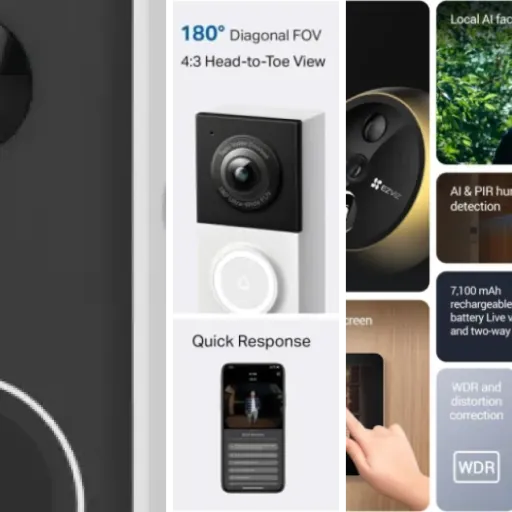
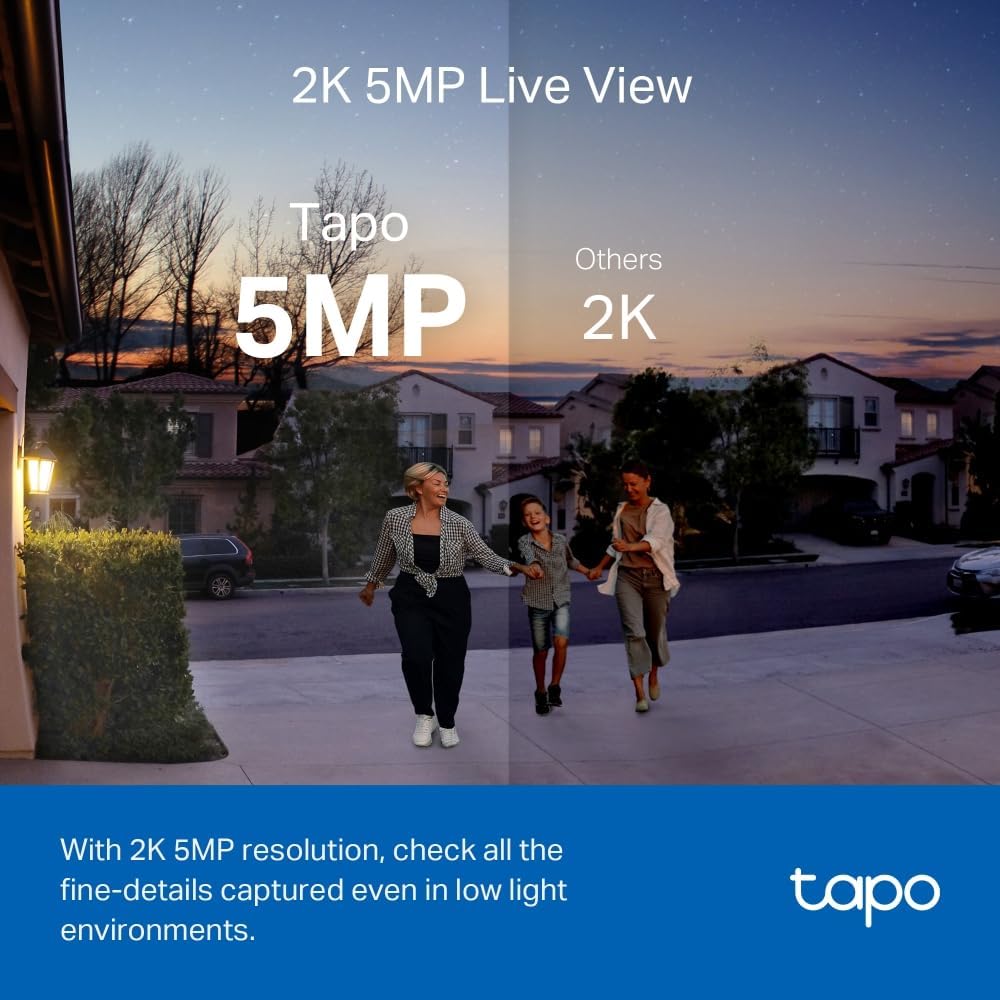
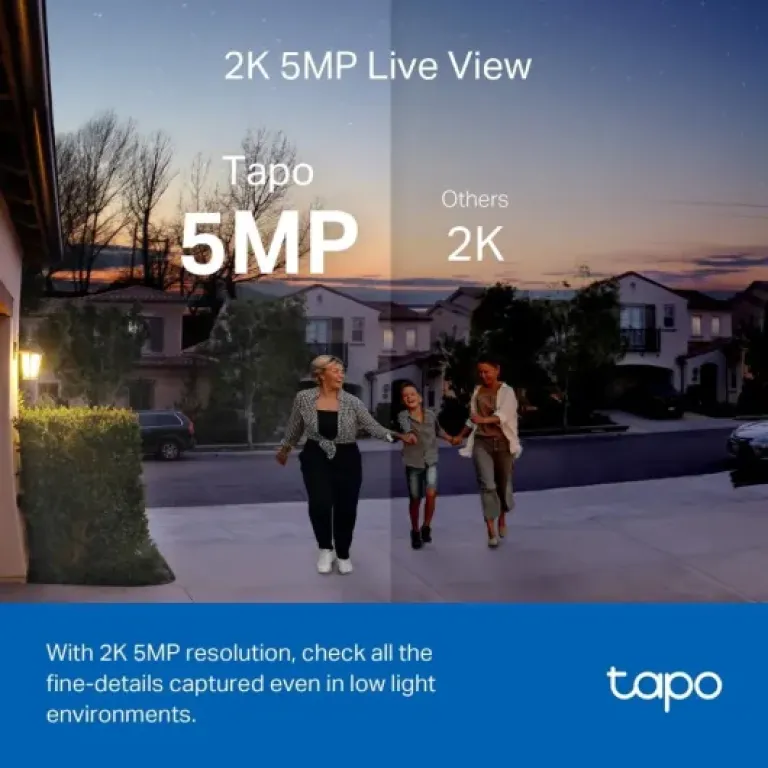
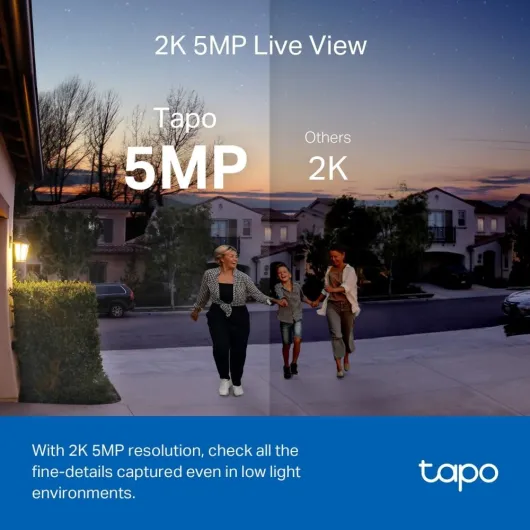
The TD23’s 2K (1440p) video is honestly one of the stronger points. In daylight, faces are clear, text on parcels is readable, and the 4:3 aspect ratio gives you a good vertical view so you can see people from head to toe and what they’re holding. It’s not cinema-level sharp, but for a doorbell it’s more than enough to identify who’s there and what they’re doing. The 160° diagonal field of view means you see a lot of the surroundings, sometimes too much if your door faces a busy street.
At night, it’s decent. You’ve got colour night vision with a small spotlight, or the usual black-and-white infrared mode. With the colour mode on, you can see clothes colours and car colours, but it does cost more battery. On full auto, it usually flips to black-and-white, which still gives you clear shapes and faces, just without the colour detail. If you’ve got a street light nearby, the image is better again because the sensor doesn’t have to work as hard. In a pitch-dark spot, expect more grain but still usable footage.
Motion detection is where you need to spend some time. Out of the box, if you leave it on broad detection, it’ll pick up people walking past on the pavement, cars, sometimes even big pets. The AI detection for people, cars, pets, and packages helps a lot, but it’s not magic. I ended up using activity zones and setting it to only alert on people. That cut down the noise by a lot. Once tuned, I’d say it catches 9 out of 10 actual visits, with the odd miss if someone rushes past very close and leaves quickly.
Notification speed is mostly fine. When someone presses the button, the chime goes off instantly and my phone usually buzzes within a second or two on Wi‑Fi, maybe 3–5 seconds on 4G. For pure motion detection (no button press), sometimes there’s a noticeable delay, especially if your phone has put the app to sleep or your connection is sketchy. It’s not unique to Tapo; I’ve seen the same on other brands. Two-way audio is usable: the mic picks up voices clearly enough, and the speaker is loud enough that delivery drivers hear you, but there can be a small lag and it sounds a bit compressed. It’s fine for “just leave it by the bin” type conversations, not for long chats.
What you actually get and how it fits into a real setup
Out of the box, the Tapo TD23 is basically three things: the doorbell unit, the plug-in chime, and the mounting bits (wedge, screws, sticky pad). There’s no Tapo hub included, so if you want microSD storage via a hub, that’s a separate purchase. You can still use cloud storage (paid) or just rely on live view and event notifications if you don’t care about keeping clips long term. I went the microSD-in-hub route because I already had a Tapo hub for my other cameras.
The doorbell connects over Wi‑Fi and talks to the Tapo app like all the other Tapo gear. Setup is done completely through the app: you scan a QR code, connect it to your Wi‑Fi, give it a name (I just called it “Front Door”), and then link the chime. The chime is nice because it means you’re not totally dependent on your phone to hear the door; it just plugs into a socket and pairs in a minute or two. In my place, it works fine even one floor up from the router.
In terms of how it fits into a smart home, it’s pretty straightforward. With Alexa or Google, you can get announcements like “Someone is at the front door” and pop the video feed on a smart display. I tested it with an Echo Show: when someone pressed the bell, the Echo announced it and I could pull up the live view with a voice command. There’s a tiny delay, but it’s acceptable. It’s not as tightly integrated as something like Ring in terms of ecosystem, but it’s good enough if you don’t need fancy routines.
If you’re already in the Tapo world, it feels like just another device in the same app – one login, same interface, same notification style. If you’re new to Tapo, there is a bit of learning at the start because the app has a lot of toggles (AI detection types, zones, sensitivity, recording options). It’s not hard, but you should plan on 20–30 minutes of poking around to get it how you like it instead of just slapping it on the wall and hoping for the best.
Pros
- Clear 2K video with a tall 4:3 view that shows both faces and packages
- No mandatory subscription; can use local storage via Tapo hub or optional cloud
- Included plug-in chime and decent Alexa/Google integration for door announcements
Cons
- Motion settings need tuning to avoid spam alerts and heavy battery drain
- Occasional delay on motion notifications when away from home
- Design and app experience are functional but not as polished as some competitors
Conclusion
Editor's rating
After living with the Tapo TD23 for a while, I’d sum it up as a practical, good-value video doorbell that covers the essentials without trying to be flashy. The 2K video is clear, the field of view is wide enough to see people and packages properly, and the included chime plus Alexa/Google integration make it easy to know when someone is at the door. The big plus is the lack of mandatory subscription: you can use local storage through a Tapo hub or go cloud if you want, but you’re not forced either way.
It’s not perfect. You need to spend time tweaking motion zones and AI settings if you don’t want constant alerts and fast battery drain. The app is decent but not top-tier polished, and motion notifications on mobile data can be a bit slower at times. Two-way audio is fine for quick chats, not for long conversations. If you’re super picky about instant alerts and a very slick app, you might be happier paying more for a Ring or Nest setup and accepting subscription fees.
If you already use Tapo devices or just want a straightforward doorbell that records clearly, works with your phone and smart speakers, and doesn’t lock you into monthly costs, the TD23 is a solid option. If you want the absolute best app experience, the most refined design, or you live in a very high-traffic area and expect perfect motion handling out of the box, you might want to look higher up the price range. For most everyday users who just want to see who’s at the door and manage deliveries better, it gets the job done well enough to recommend.